In PMS, when a booking is cancelled, marked as a no-show, or checked out, but the payment is not fully settled, it remains as an unsettled folio. Even if a payment entry was made before cancellation or voiding, the balance may still appear as unsettled.
To track and manage these unsettled folios, follow these steps:
1. Go to the Front Desk Operations
2. Navigate to Guest > 3. Front Desk Operations.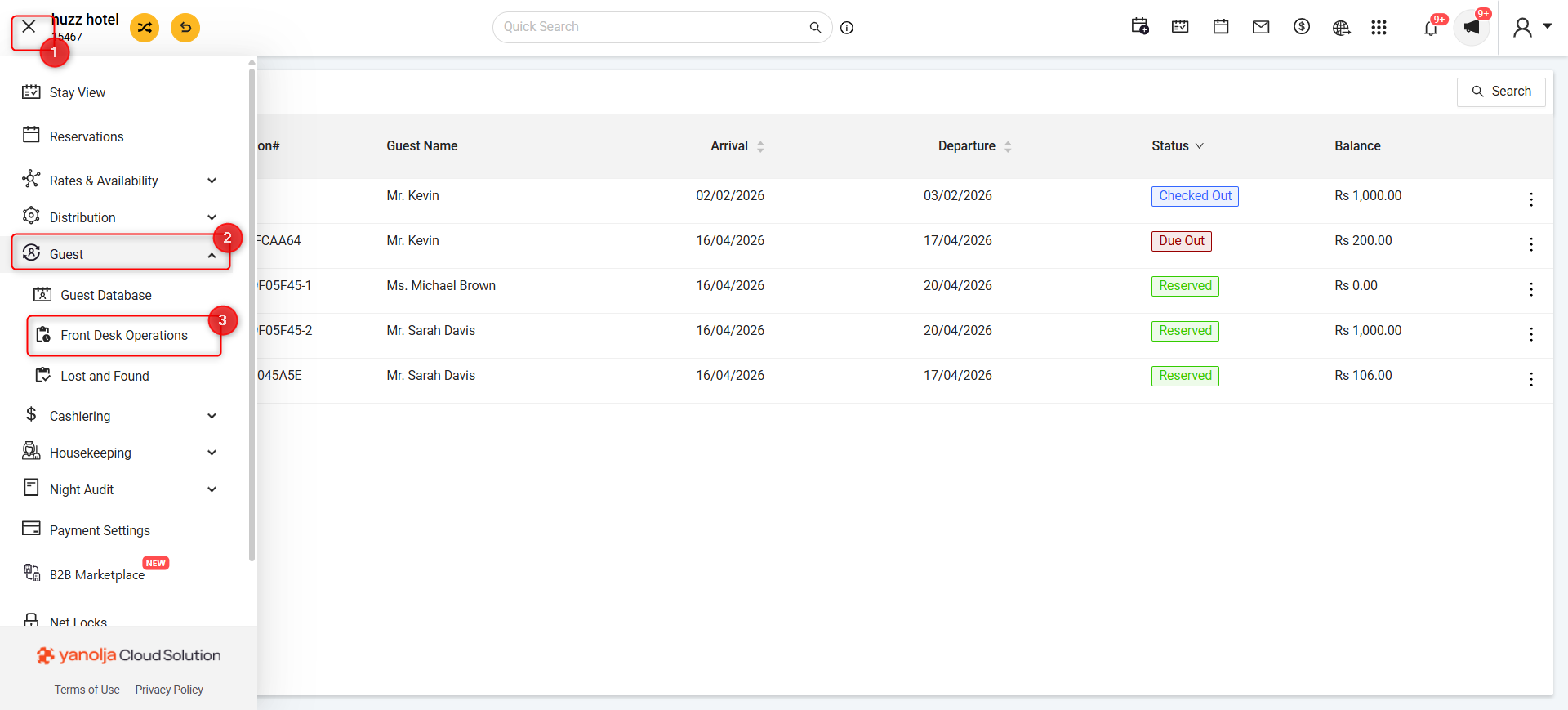
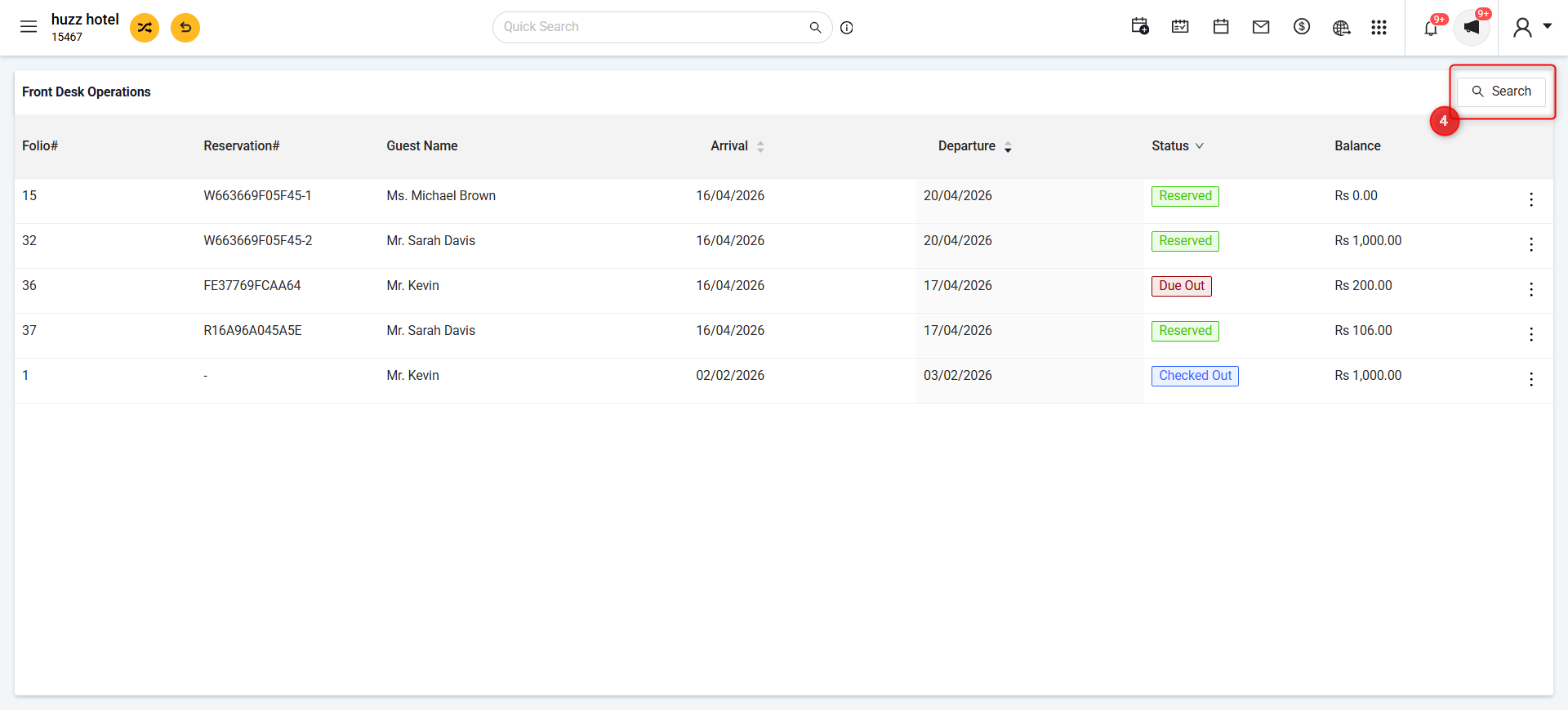
Filter for Folios
4. Click on Search.
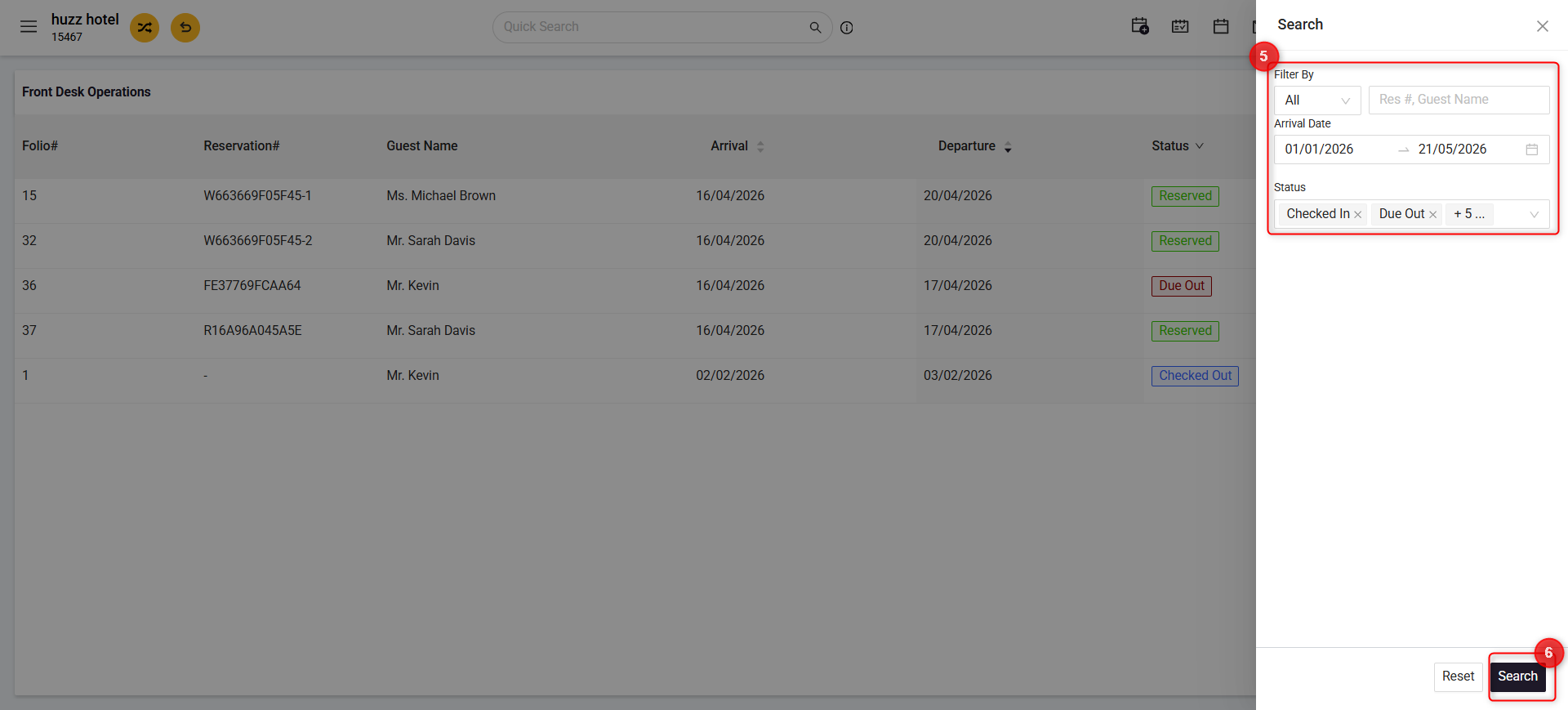
5. Set Filter By, Arrival Date, No-Show & Status.
6. Click Search to display the folios based on to display the folios as per the filtered criteria.
This feature helps hoteliers ensure all payments are accounted for, even if a reservation was a NoShow or cancelled after a payment entry was added.
Was this article helpful?
That’s Great!
Thank you for your feedback
Sorry! We couldn't be helpful
Thank you for your feedback
Feedback sent
We appreciate your effort and will try to fix the article