Where can I access the web login to download the Desktop App?
You can access the web version using the following link:
Web Login URL:
? https://app.ipos247.com/app2/#/
The Desktop Application can be downloaded only after logging in to the web version.
How do I download the Restaurant POS Desktop Application?
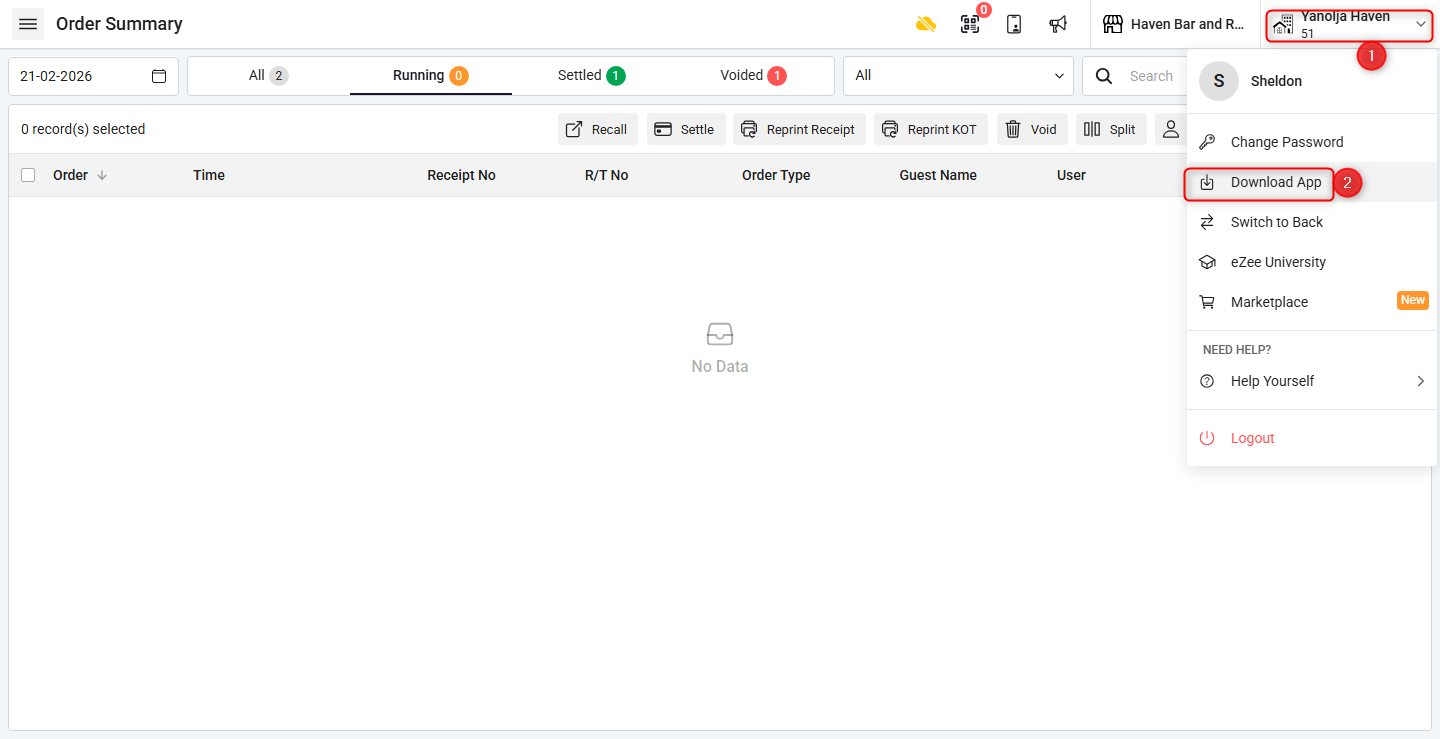
Step 1: Start from Web Login
Log in to the web version.
Click on the Property Name.
Click on Download App.
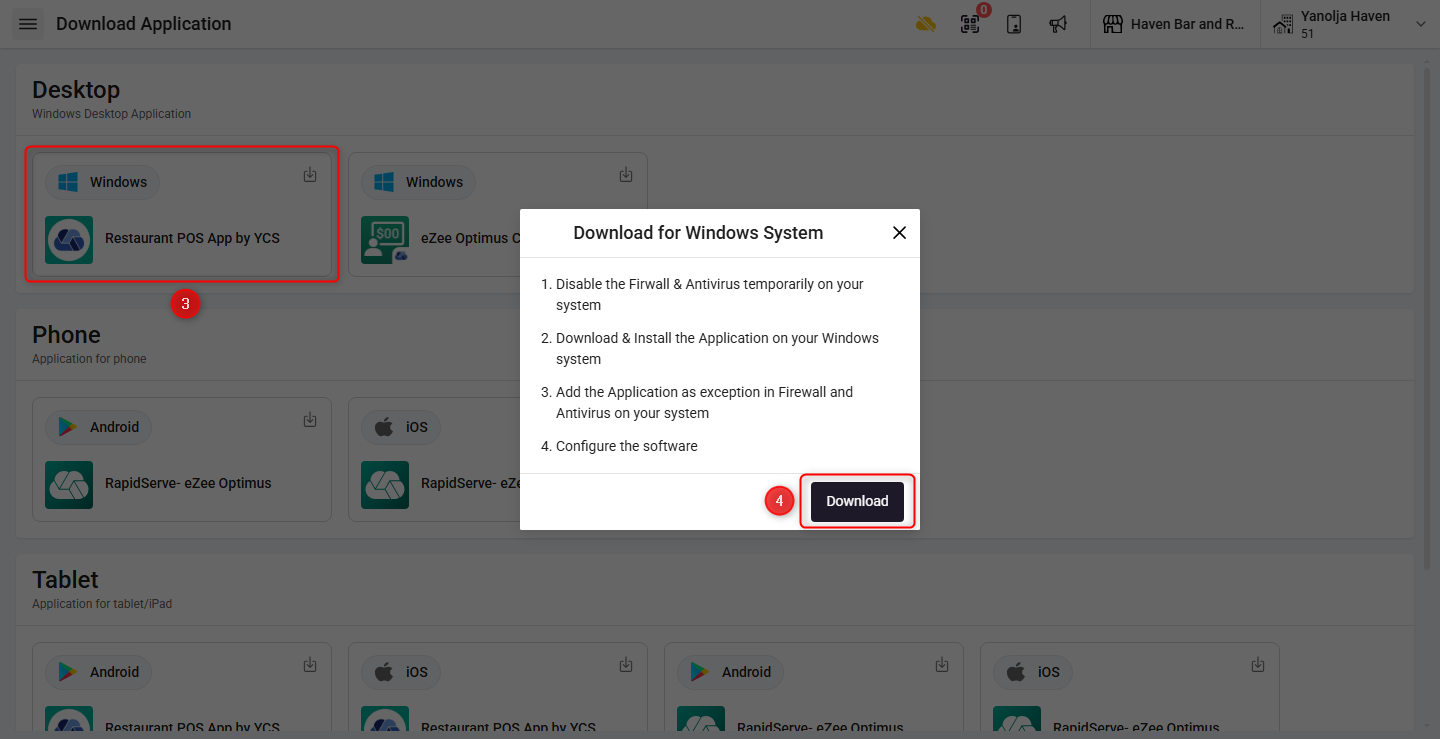
Step 2: Download Desktop App
Click on Restaurant POS App by YCS (Windows).
Click on Download to begin downloading and installing the application.
⚠️ Is the Desktop Application an offline app?
No. Please note the following:
The Desktop Application is not an offline application
Internet connection is mandatory to use the app
When accessing Reports or Inventory, the Desktop App redirects to the Web Version, which requires internet access
How do I log in using Password Mode?
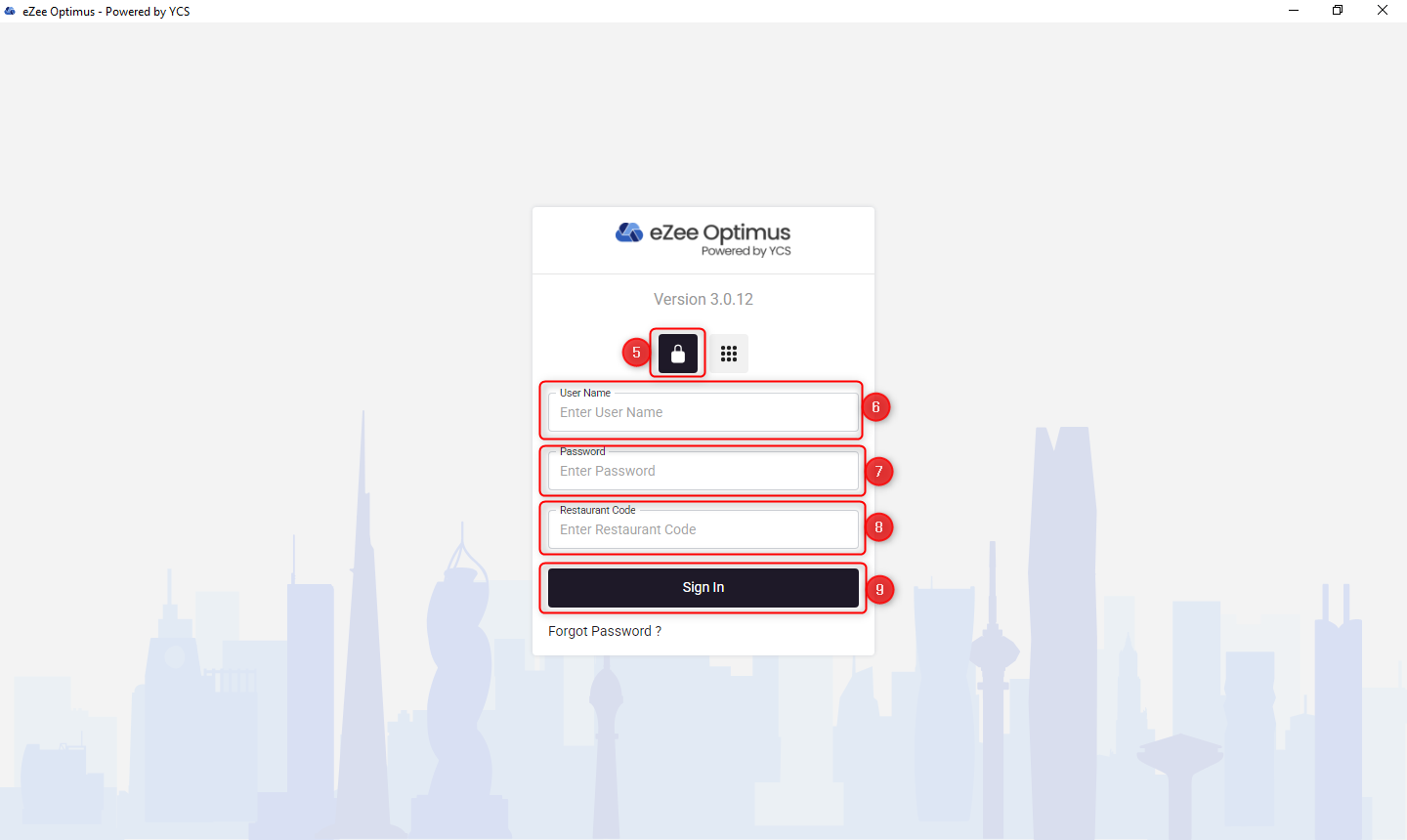
Step 3: Password Login
Select Password Mode
Enter your Username
Enter your Password
Enter the Restaurant Code
Click on Login to access the Desktop Application
How do I enable and use PIN Login?
⚠️ Note: PIN Login must be enabled in settings before it can be used.
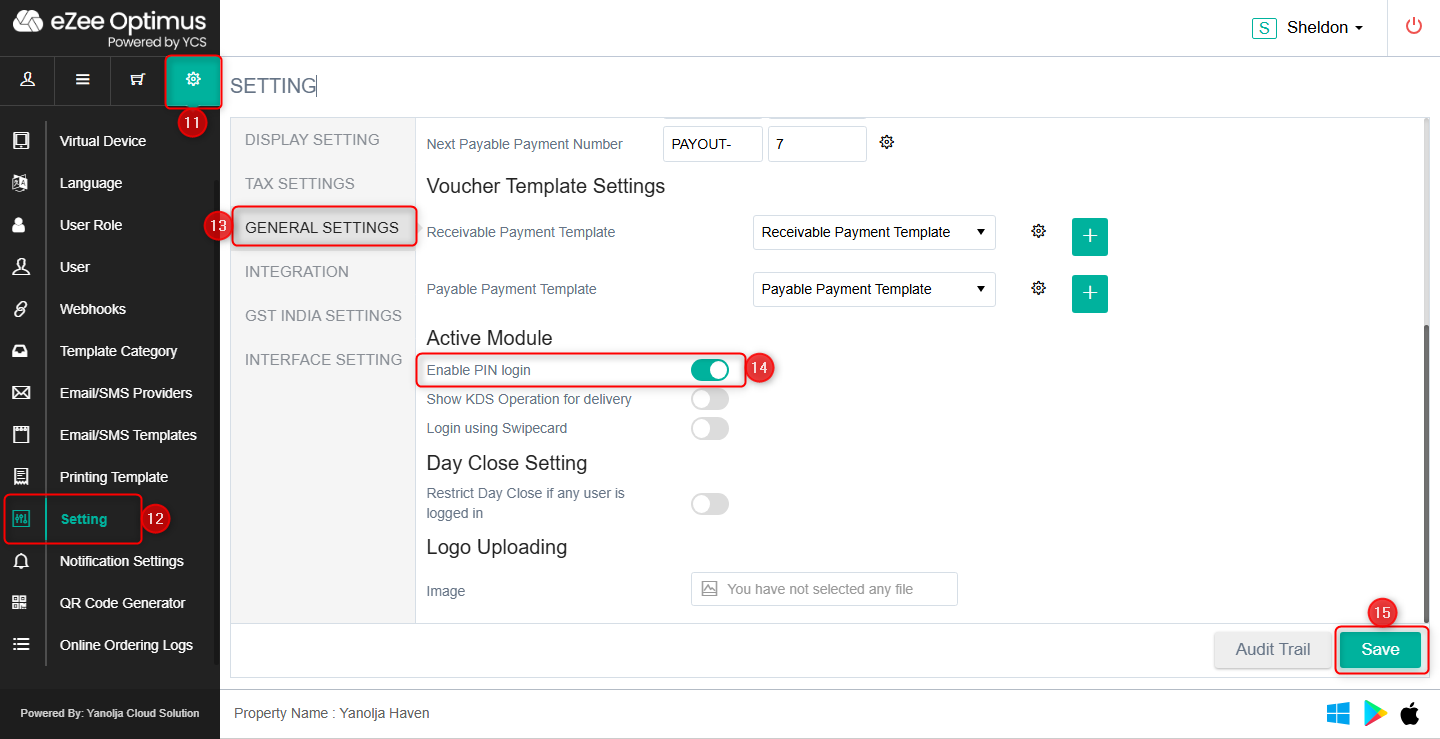
Step 4: Enable PIN Login
Click on Settings (Gear Icon)
Click on Setting
Click on General Settings
Enable Enable PIN Login under Active Module
Click on Save to apply the changes
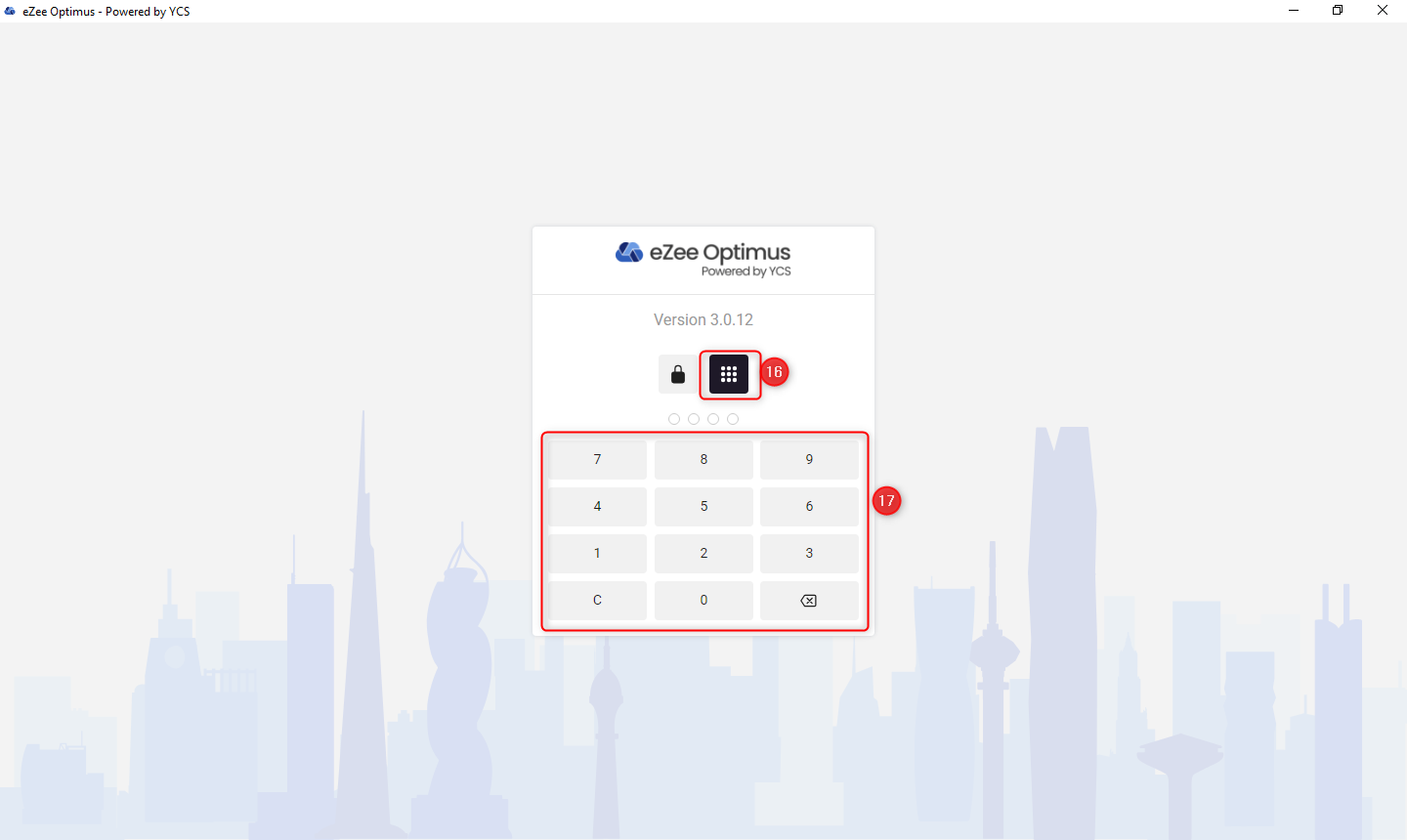
Step 5: Login Using PIN
Select PIN Mode
Enter your PIN to log in
⚠️ Key Points to Remember
Desktop App requires continuous internet connection
Reports and Inventory always open in web mode
PIN Login works only after being enabled in settings
Desktop App is available only for Windows
Was this article helpful?
That’s Great!
Thank you for your feedback
Sorry! We couldn't be helpful
Thank you for your feedback
Feedback sent
We appreciate your effort and will try to fix the article