Restaurant POS Web Can be Login (Google Chrome, Mozilla Firefox, Edge, etc)
Link for Login : https://app.ipos247.com/pos/login
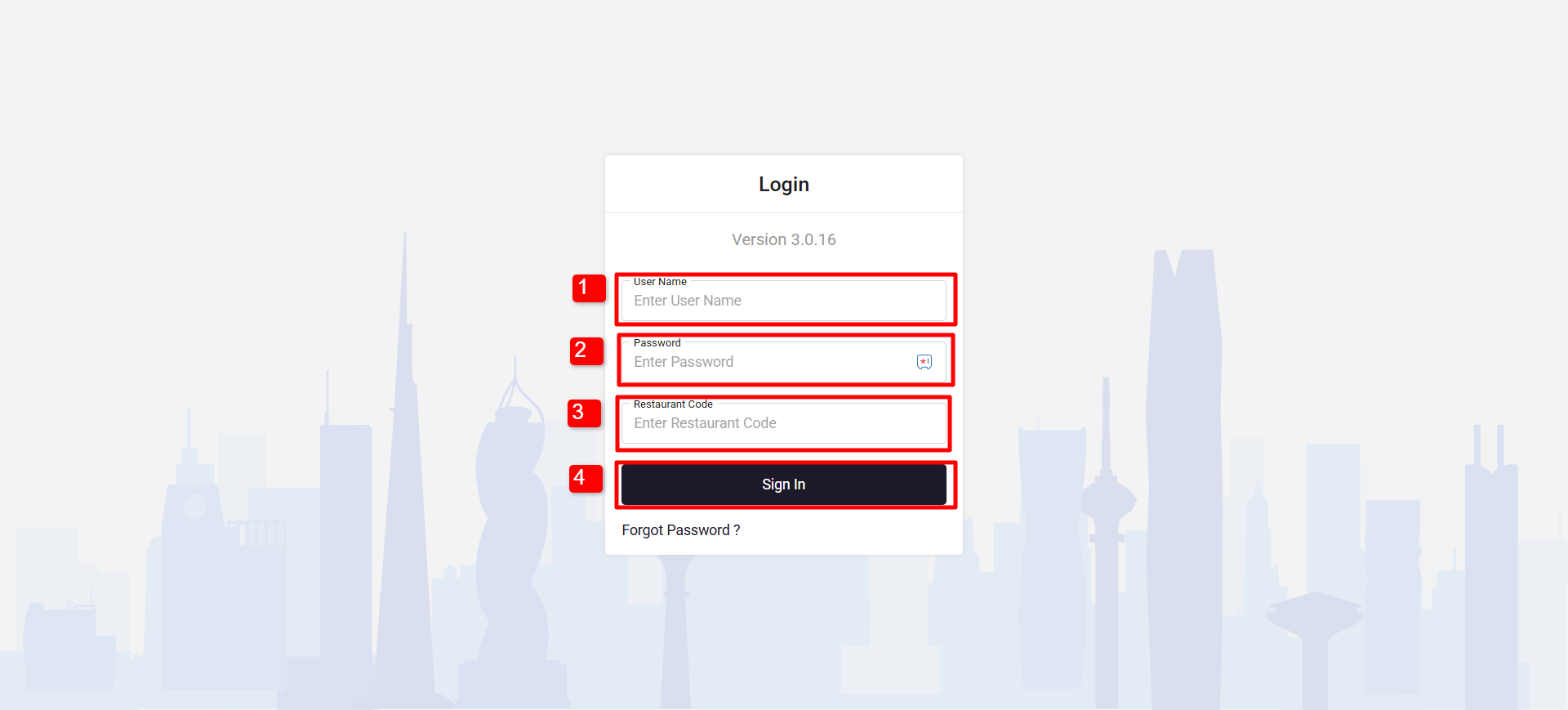
Follow the below steps to login:
1. Enter Username
2. Enter the Password
3. Enter your Restaurant Code
4. Click on Sign In
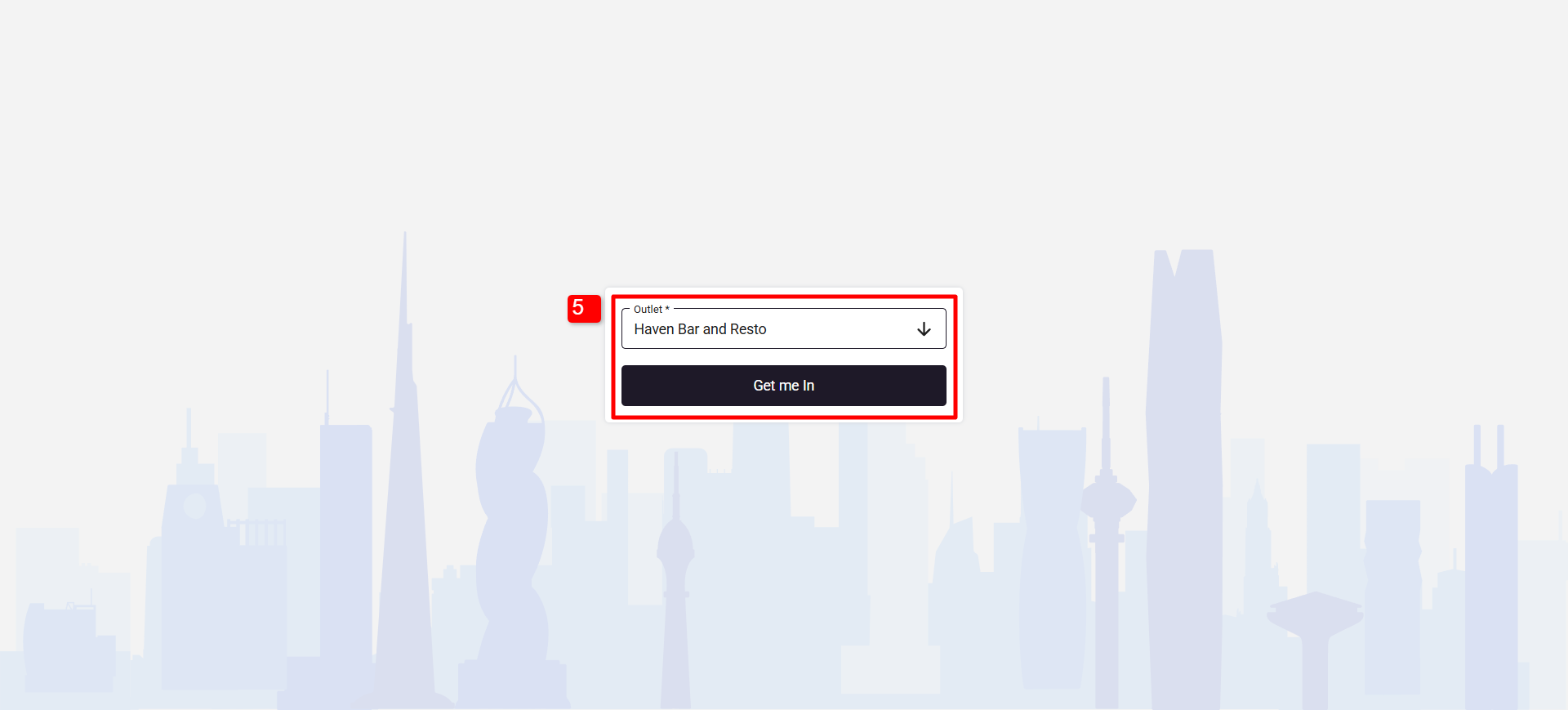
5. Select the outlet and click on “Get me In”
In order to login with PIN please follow below steps
Note: First time you will have to login with your username and password after that logout and login with the PIN.
Make sure to enable PIN login from the Configuration/Back office
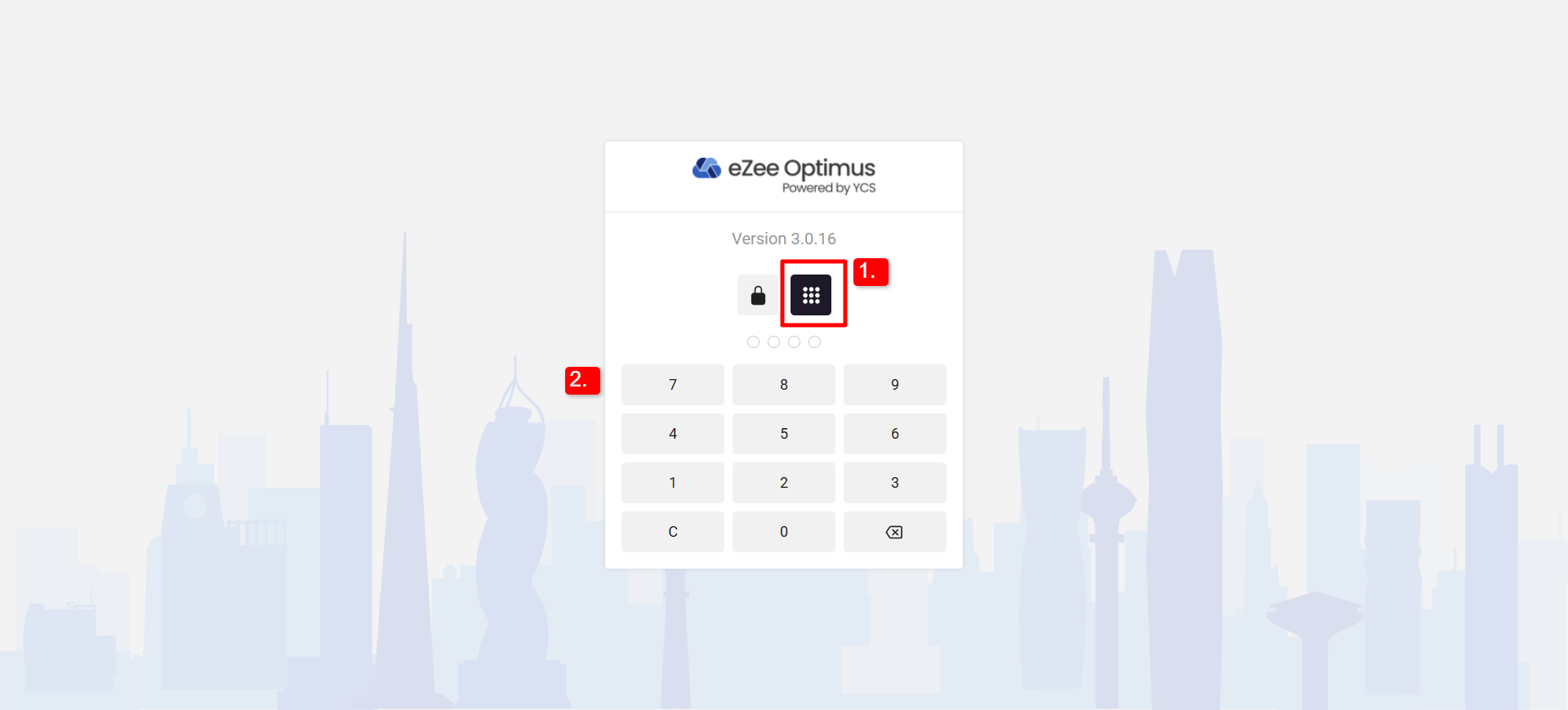
Follow below steps in order to login with PIN
1. Select Numpad Icon on the Login Page
2. Enter your PIN (A 4 Digit PIN you have received while generating a PIN for a User)
Was this article helpful?
That’s Great!
Thank you for your feedback
Sorry! We couldn't be helpful
Thank you for your feedback
Feedback sent
We appreciate your effort and will try to fix the article