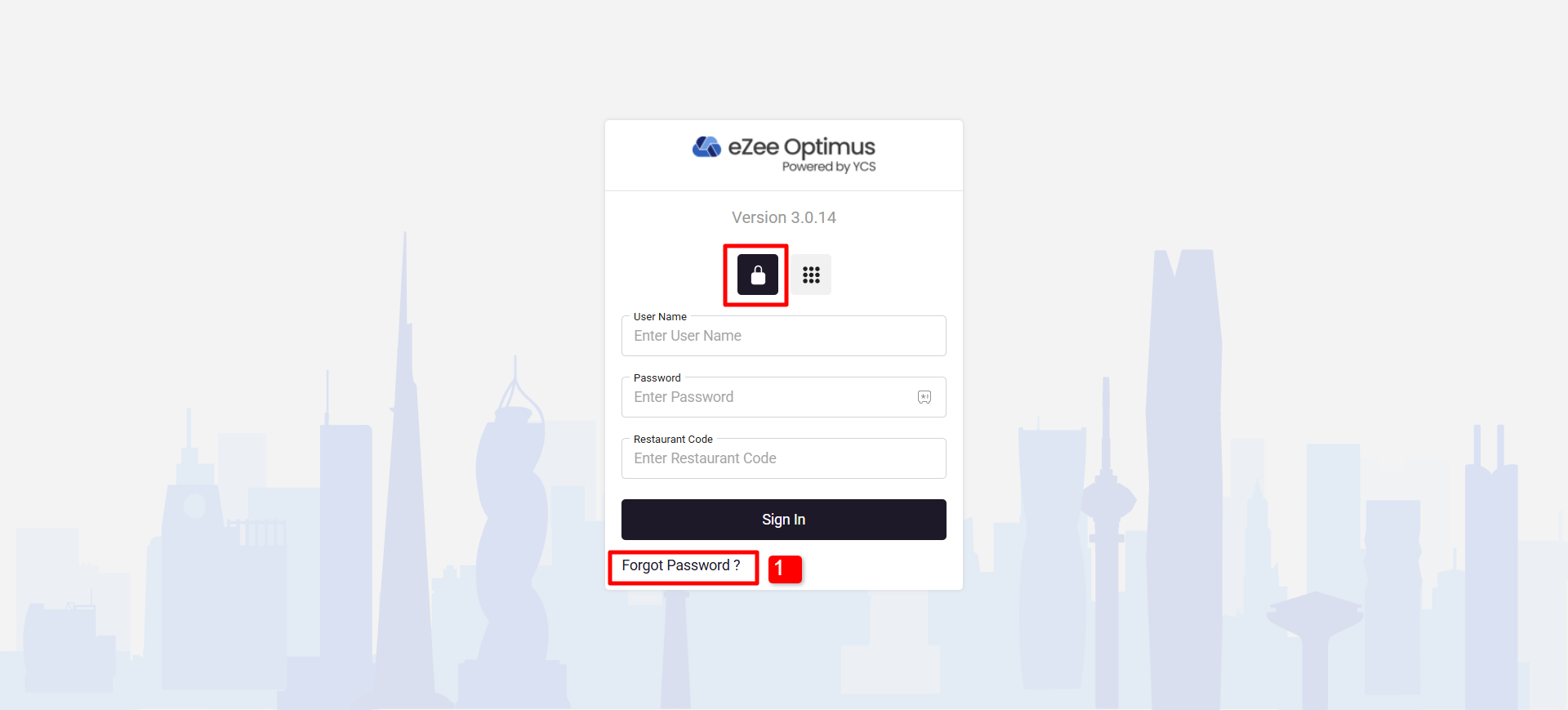
You can reset your password by clicking on the forget password link.
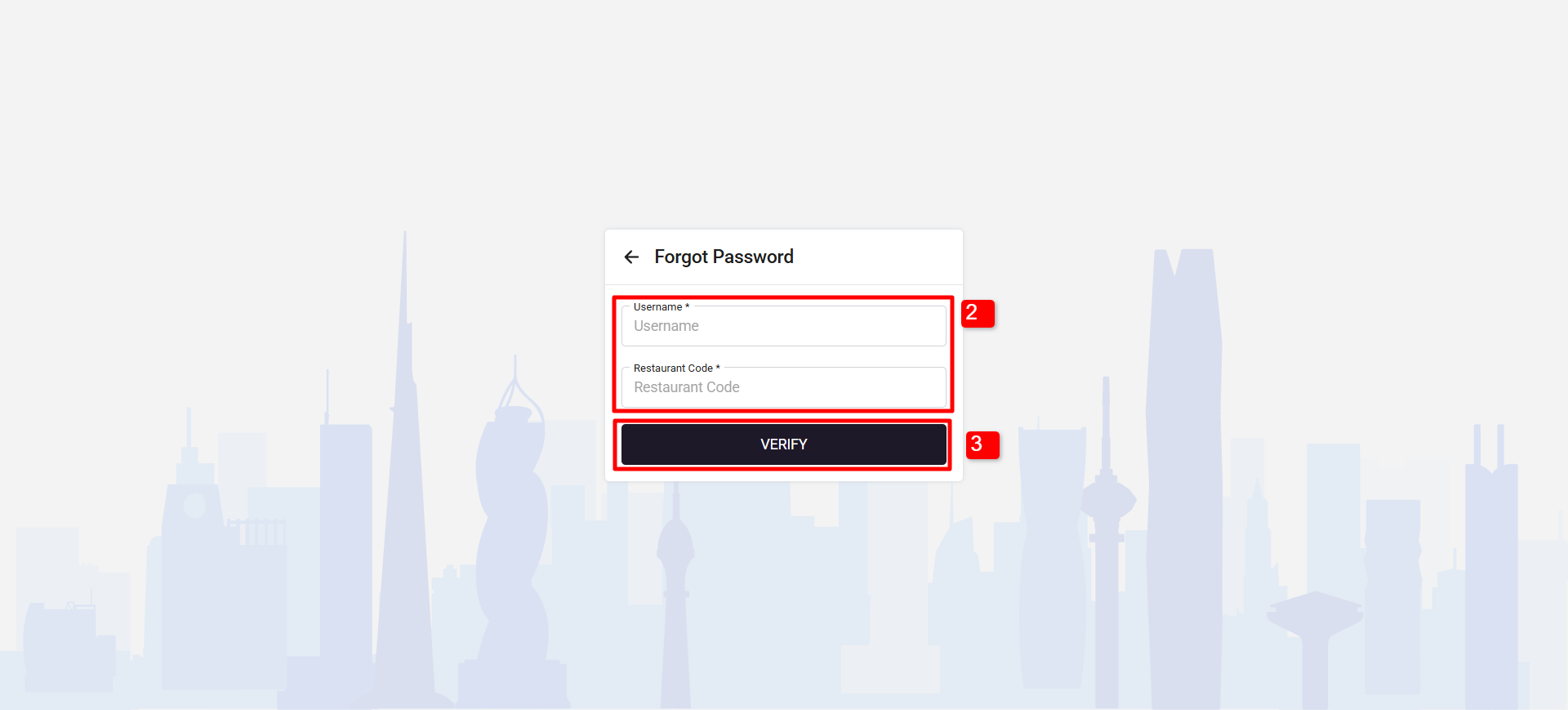
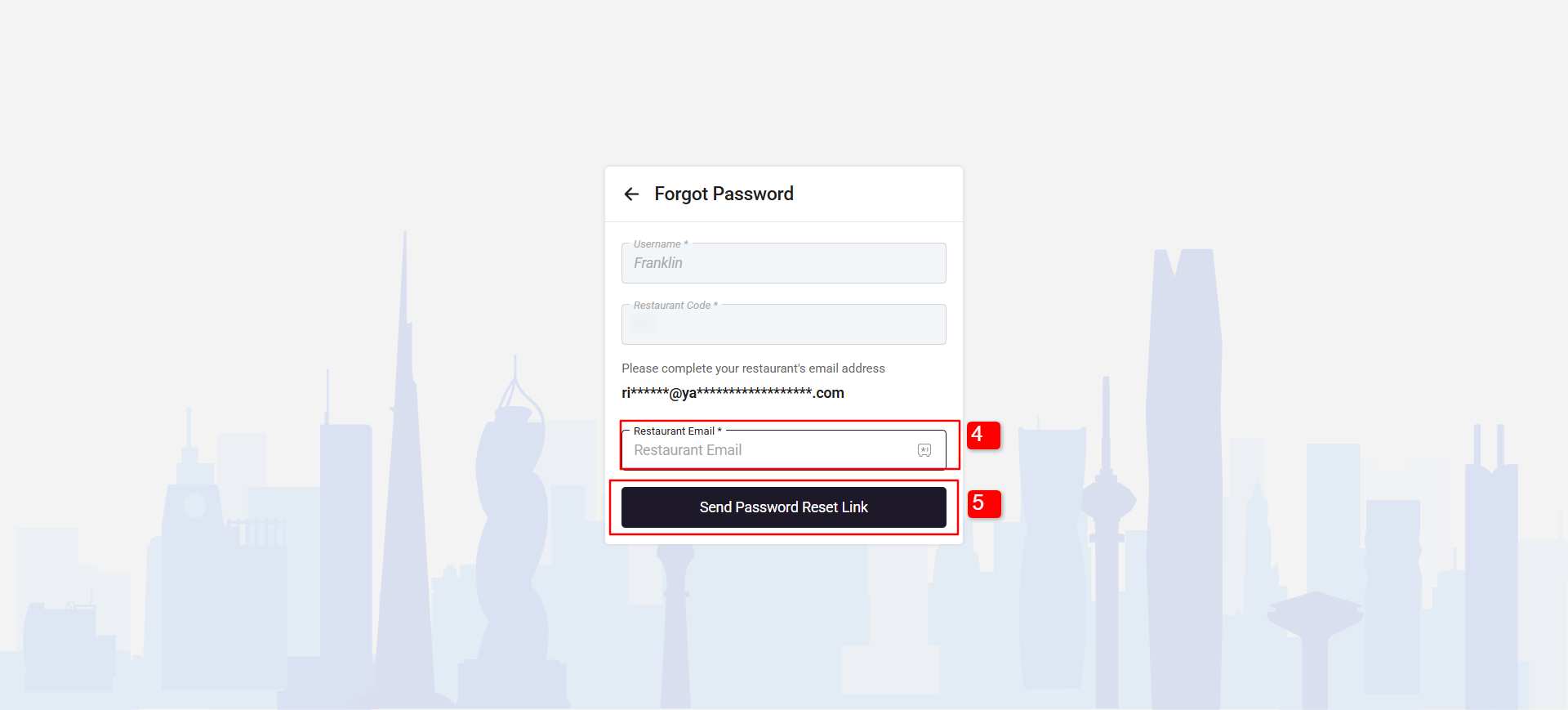
In order to change the password kindly refer to the below images.
1. Click on the Forget password link.
2. Mention your Username and Restaurant Code.
Note: if you don’t know the username then contact your ADMIN.
3. Click on Verify, to verify your your username.
4. Enter your registered email ID
5. Click on "Send Password Link"
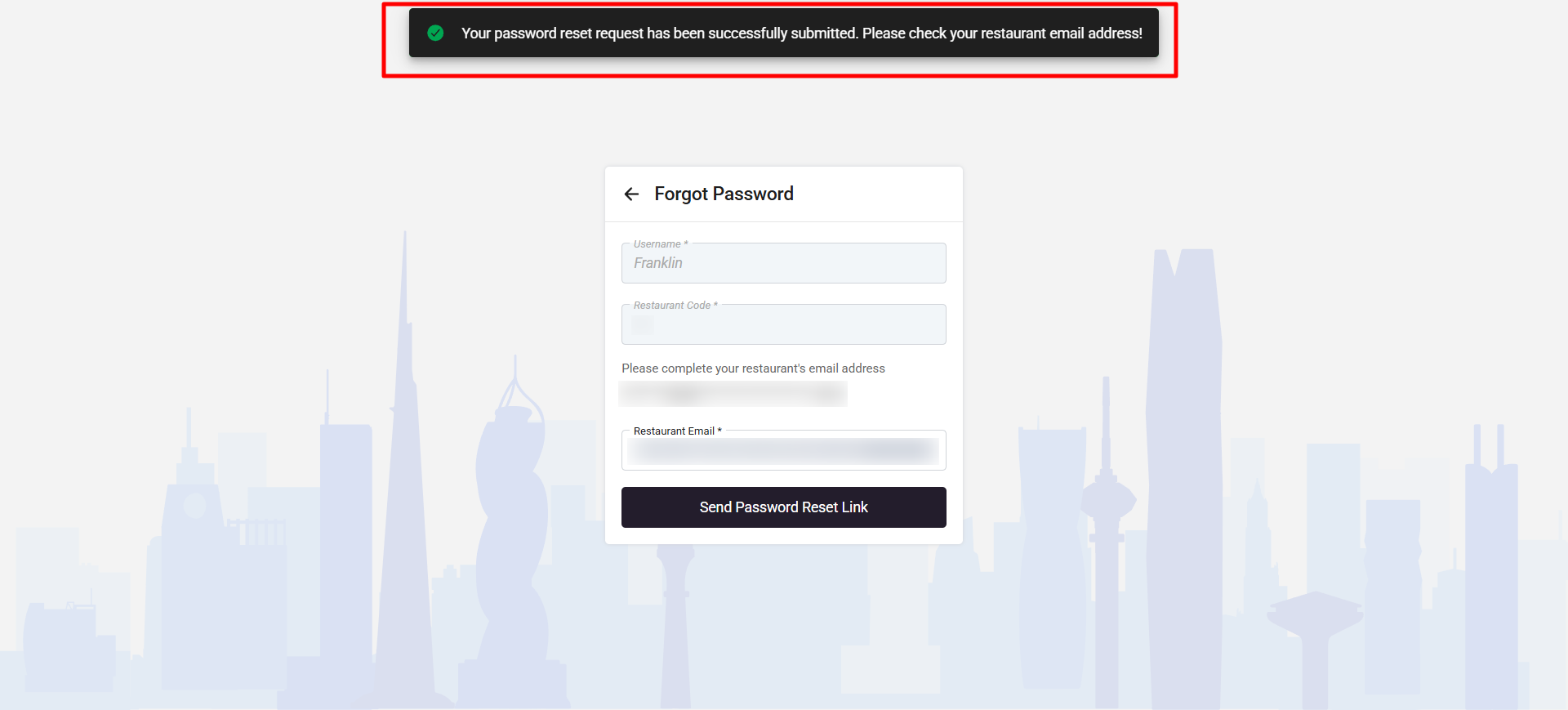
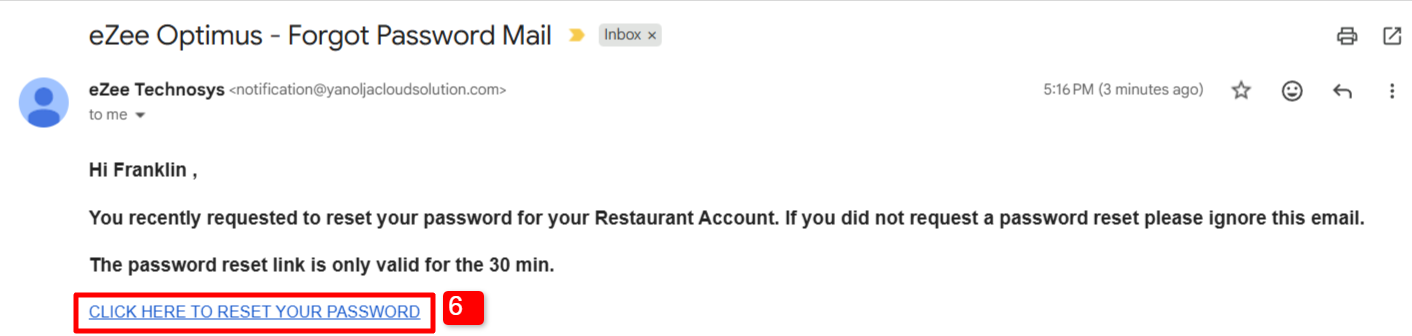
6. You will receive an email with reset password reset link.
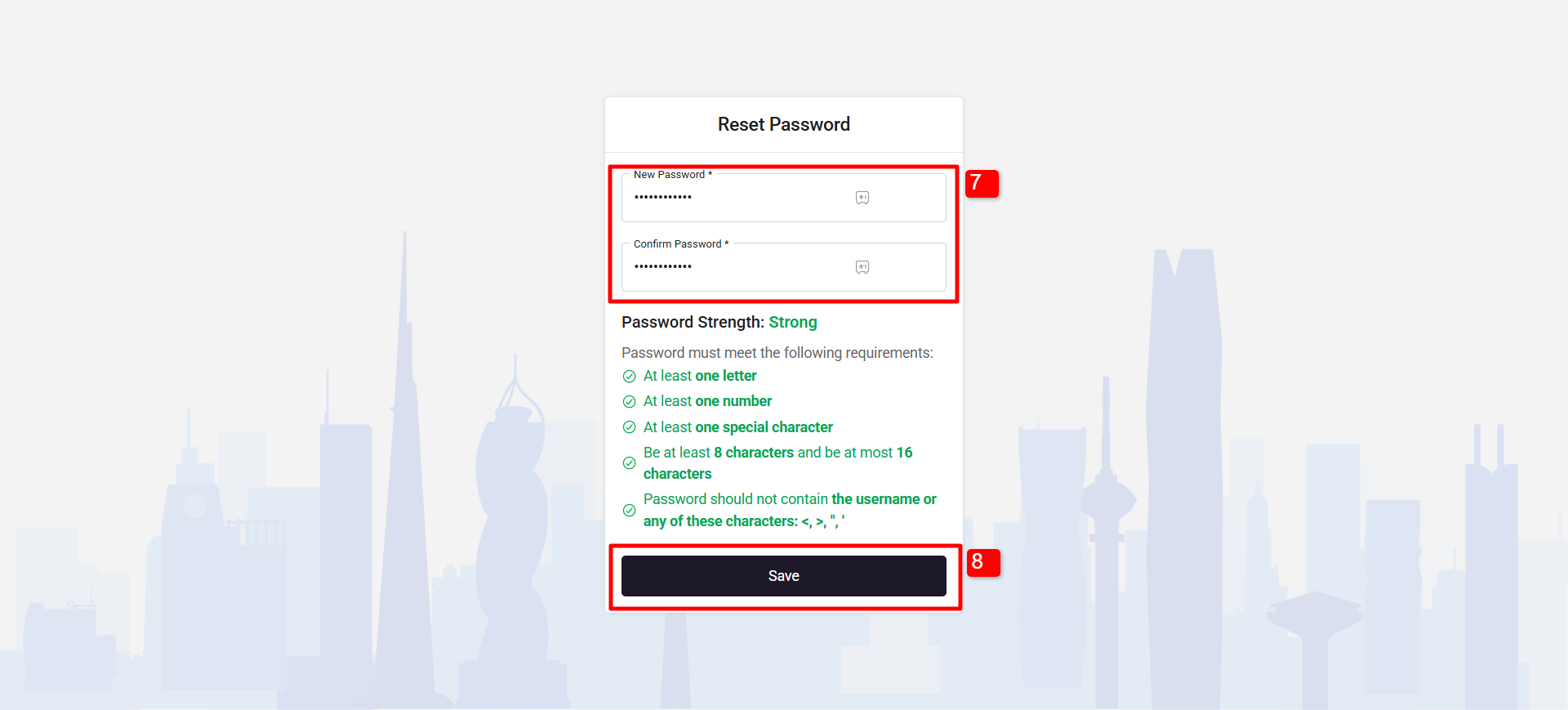
7. Enter your new password and confirm it.
8.. Click on "Save" button and your password will be changed.
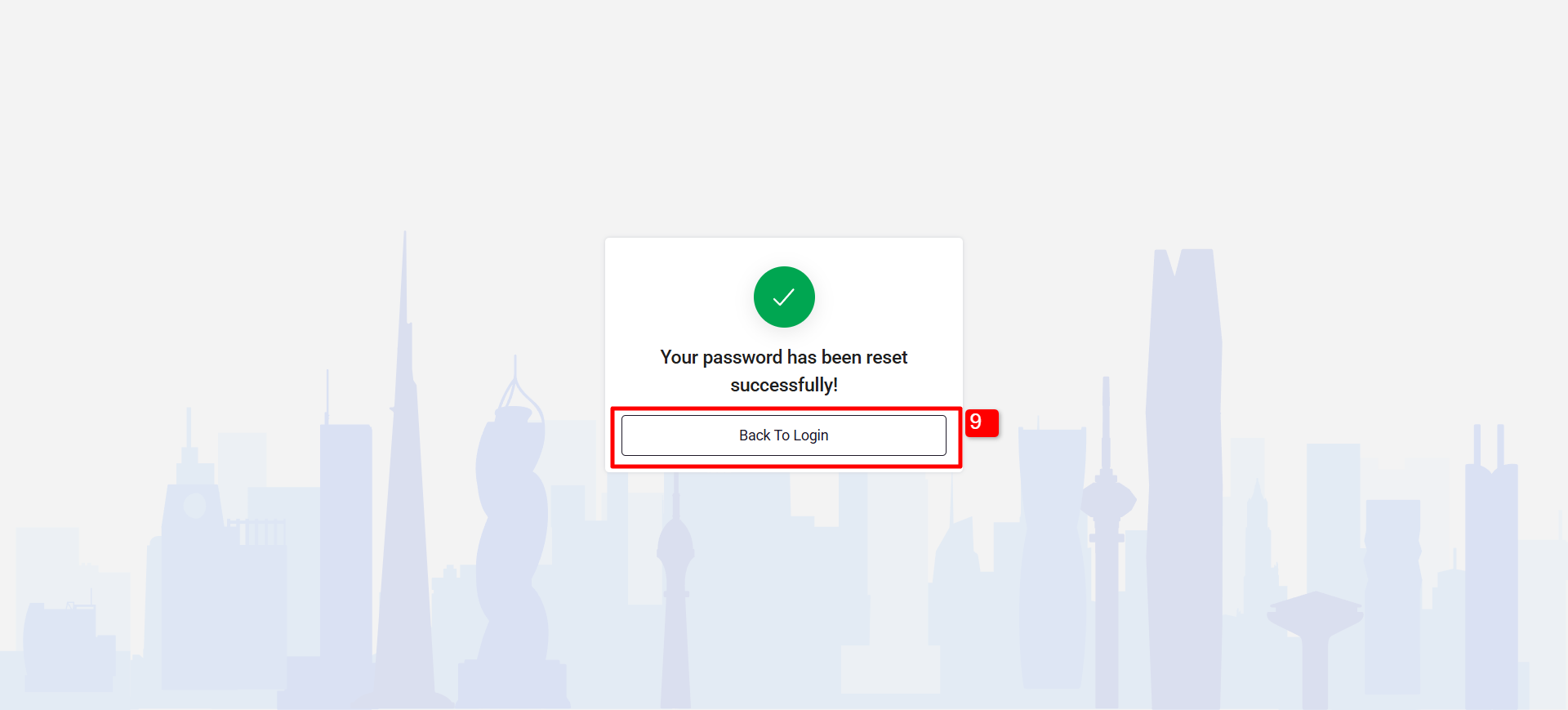
9. Click on "Back to login" and enter your New password while logging in.
Note: if you don’t know the username then contact your ADMIN.
Was this article helpful?
That’s Great!
Thank you for your feedback
Sorry! We couldn't be helpful
Thank you for your feedback
Feedback sent
We appreciate your effort and will try to fix the article