Sometimes a POS bill may not print properly due to printer issues (such as low ink, paper jam, or paper misalignment). In such cases, you can reprint the receipt by following the steps below.
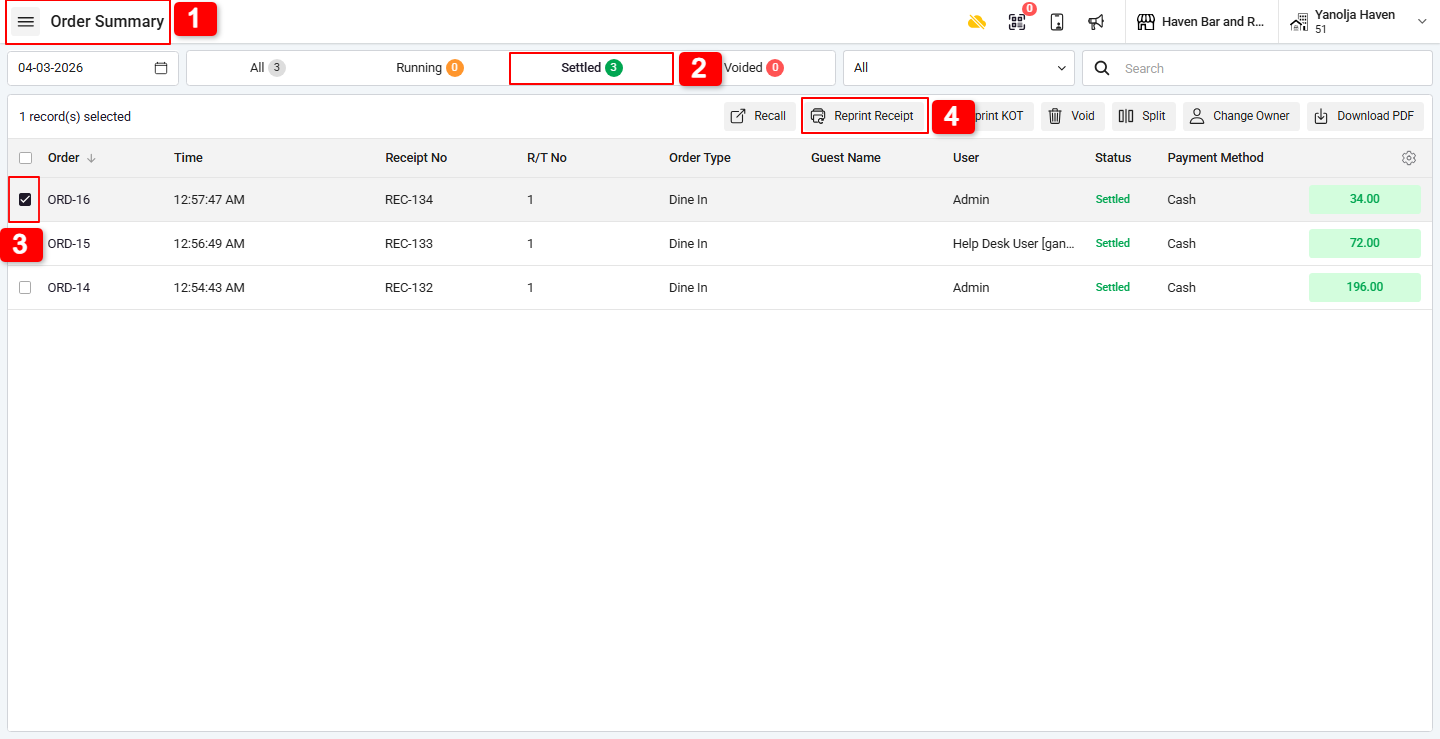
Step 1: Reprint a Receipt :
1. Go to Order Summary.
2. Click on Settled.
3. Select the required order.
4. Click on Reprint Receipt.
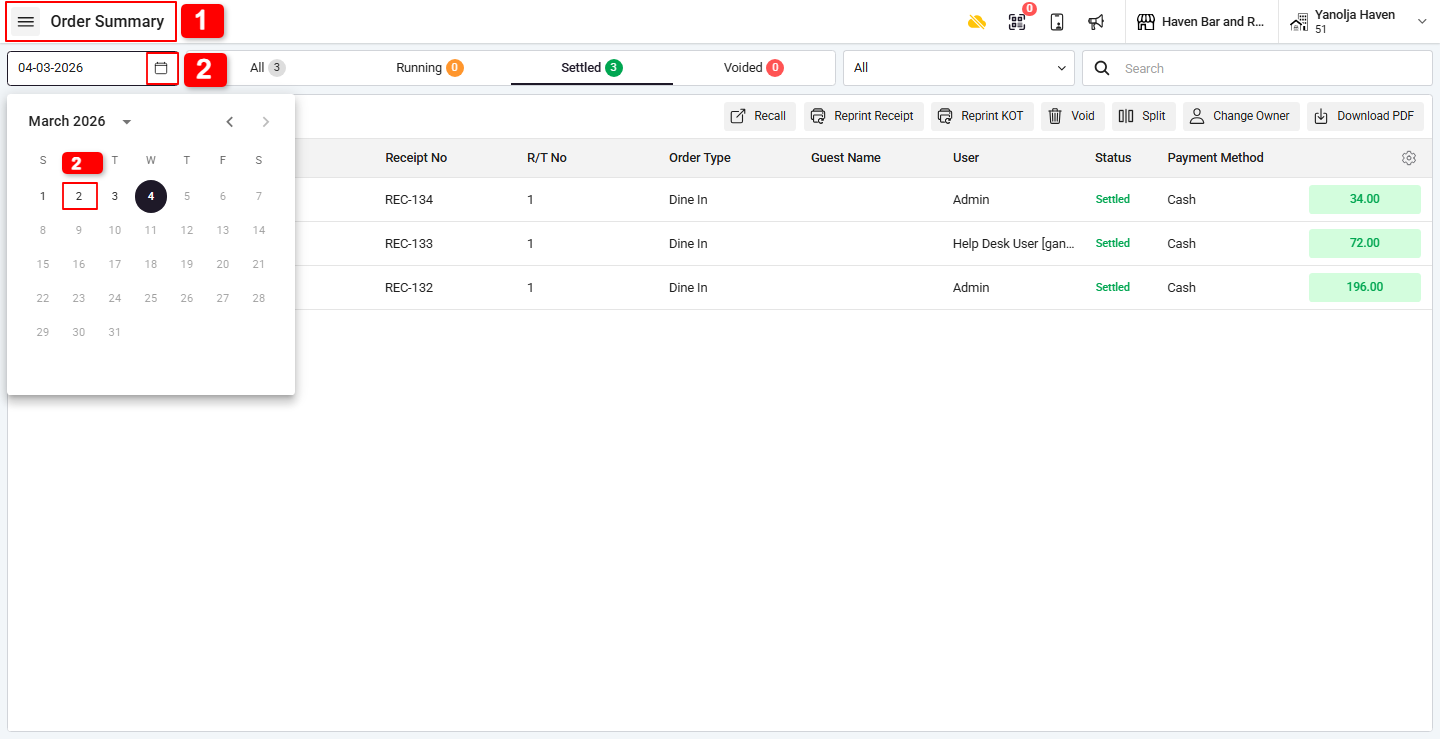
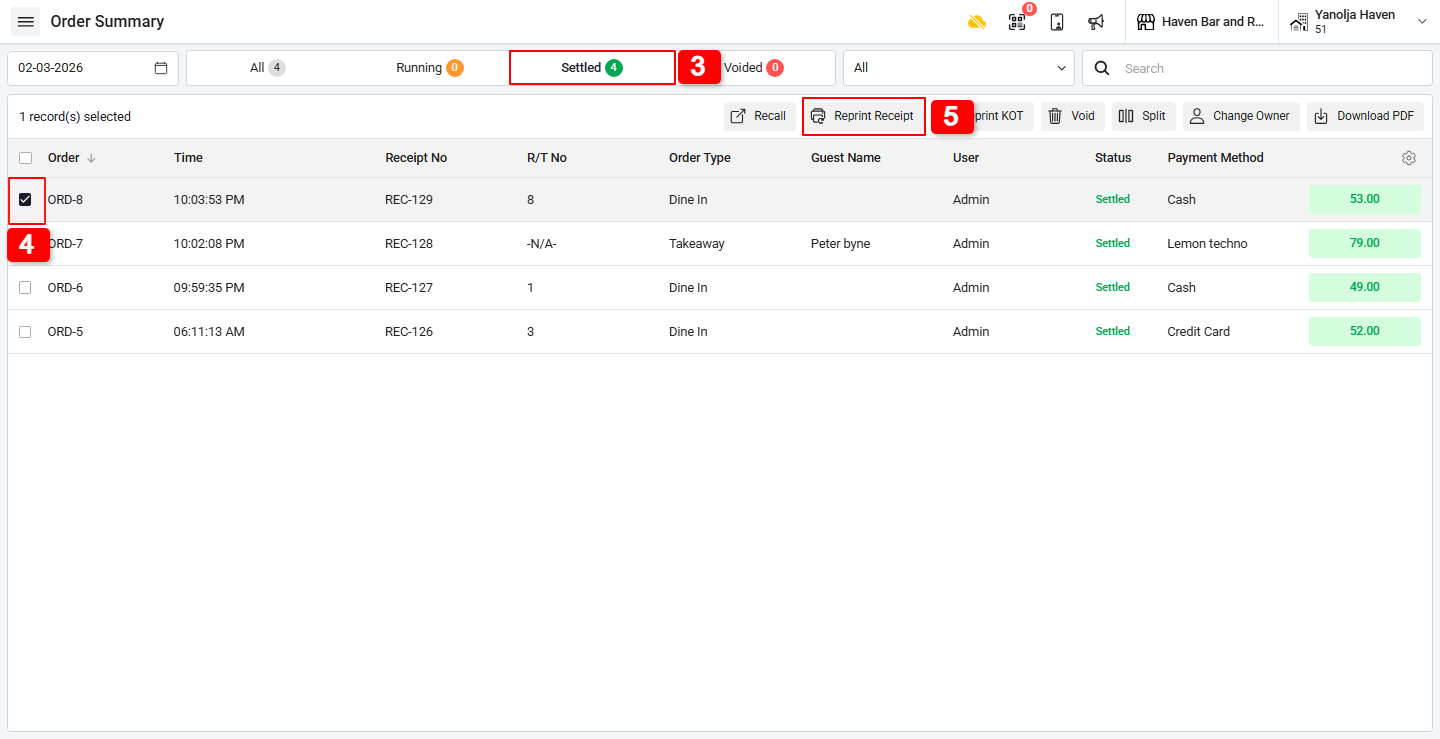
Step 2: Reprint a Receipt from a Past Date :
1. Go to Order Summary.
2. Select the required date.
3. Click on Settled.
4. Choose the order.
5. Click on Print Receipt.
Was this article helpful?
That’s Great!
Thank you for your feedback
Sorry! We couldn't be helpful
Thank you for your feedback
Feedback sent
We appreciate your effort and will try to fix the article