Bill to Travel Agent: When any booking is received from the company so in this case, that company e guest is from one of the Travel Agents and that Travel Agent will pay the charges of the guest in that case company wants a bill to with its name so we can do bill to Travel Agent in the PMS.
Steps to Change the "Bill To" Option in the Invoice
Go to the Reservation
- Navigate to Front Office > Reservation or Saty View
- Select the booking for which you want to change the invoice details.
- Click on edit reservation.
1. Click on Folio Operations.
2. Click on Folio Operations.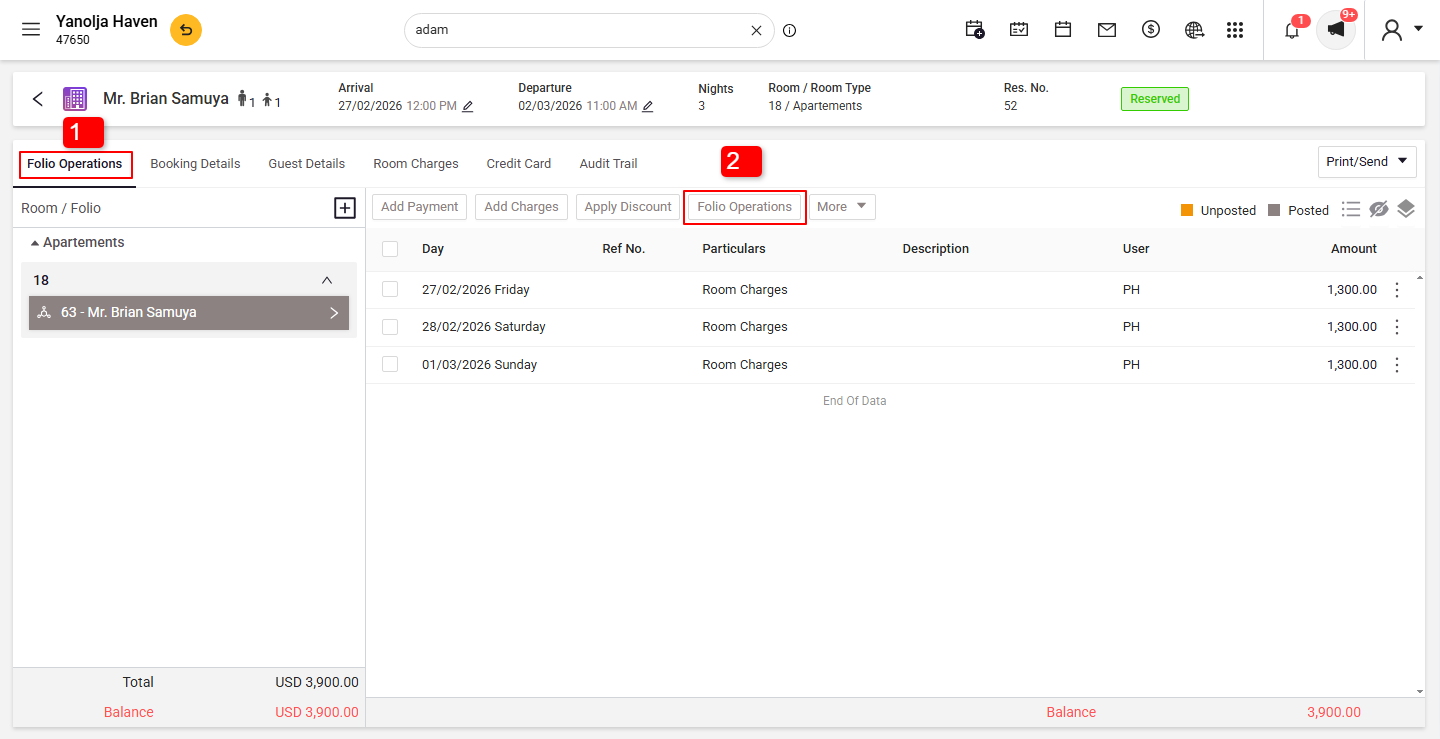
3. Click on Search Icon.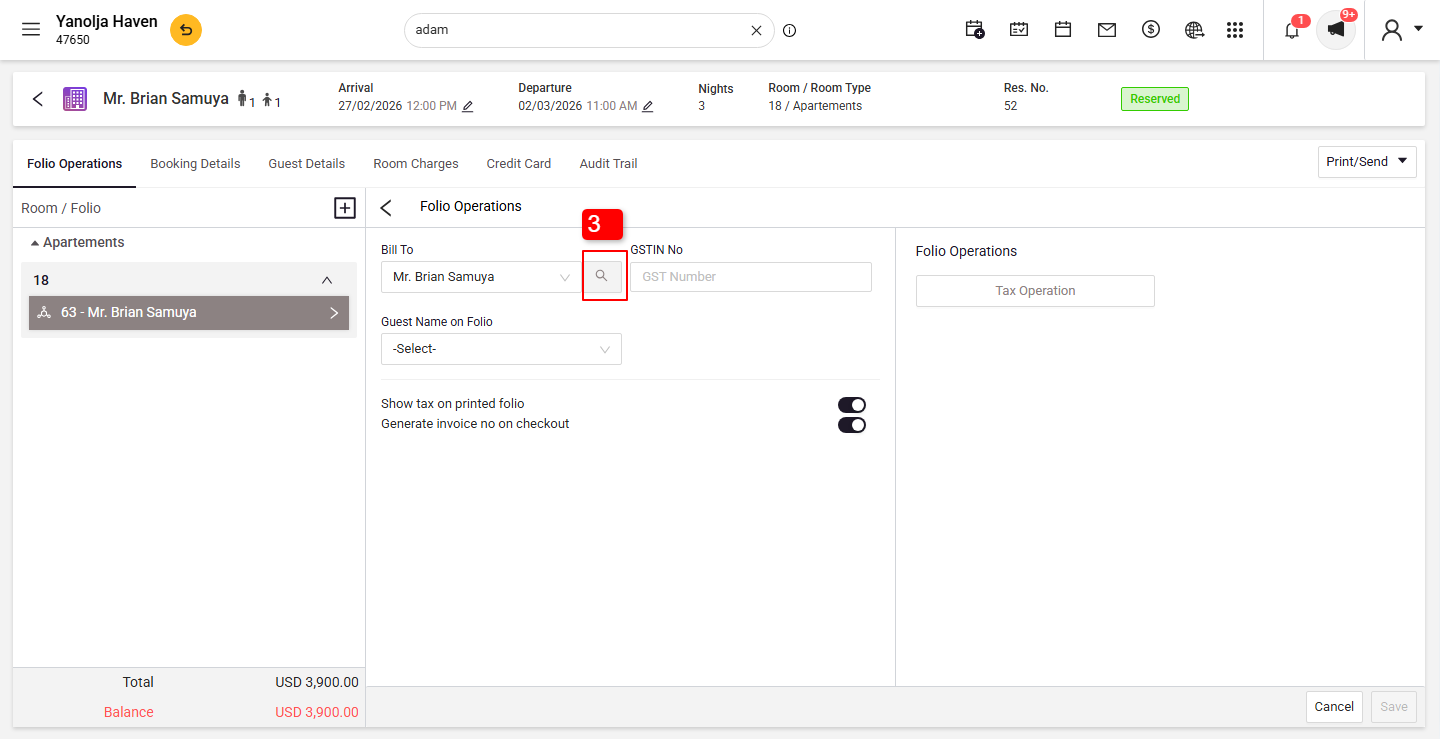
Change the "Bill To" Option
4. Select company, travel agent or guest from contact type.
5. Click on Search button.
6. Select the appropriate company, travel agent or guest from the dropdown list
7. Click on Done.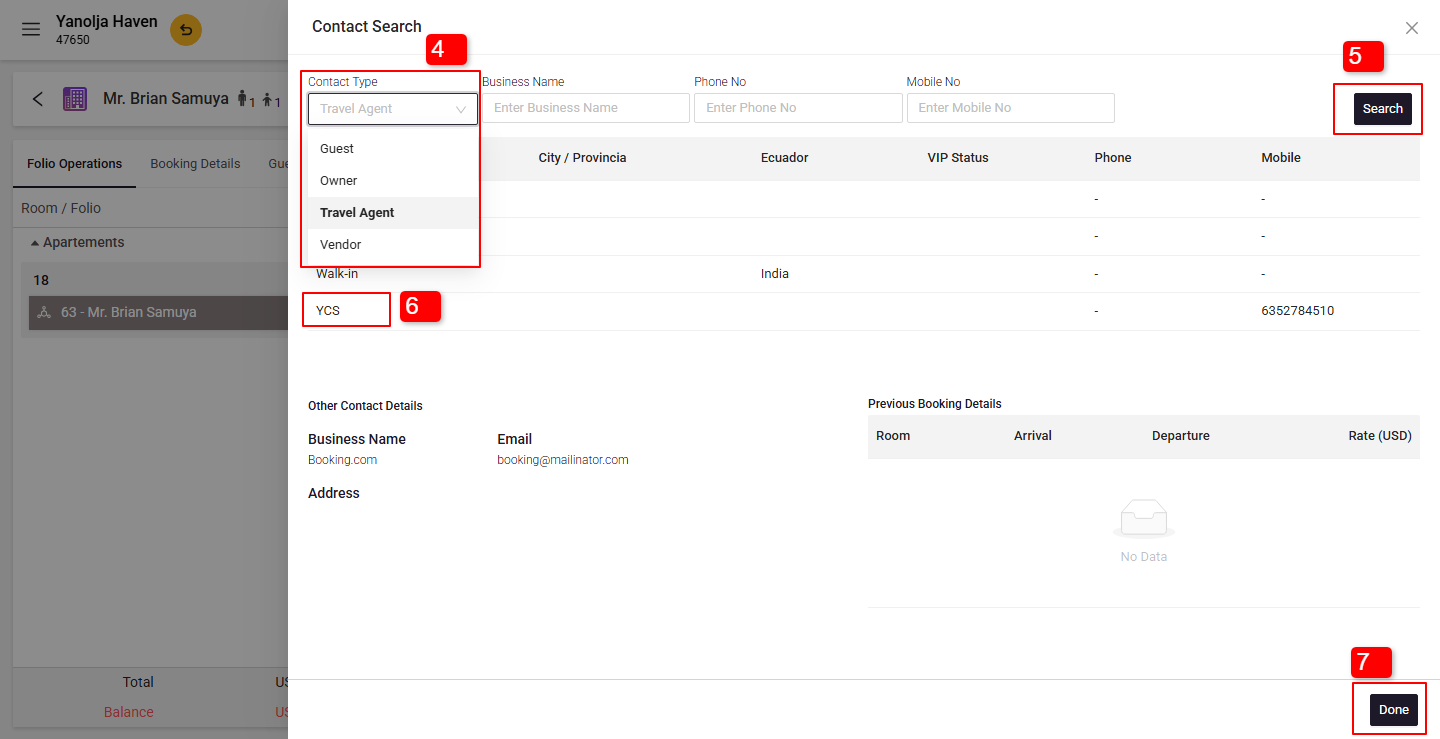
Save and Generate the Invoice
- Click Save Changes to apply the modification.
- Generate the invoice with the updated billing details.
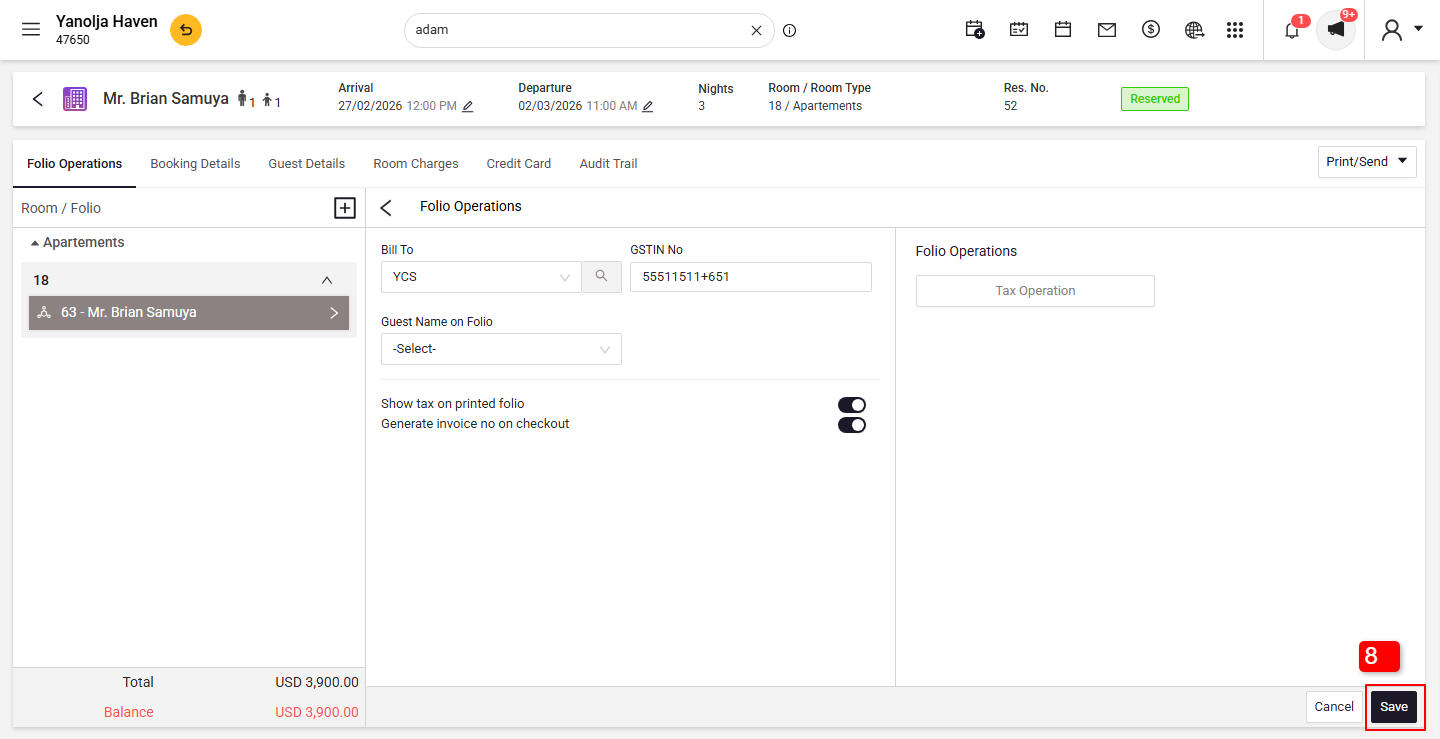
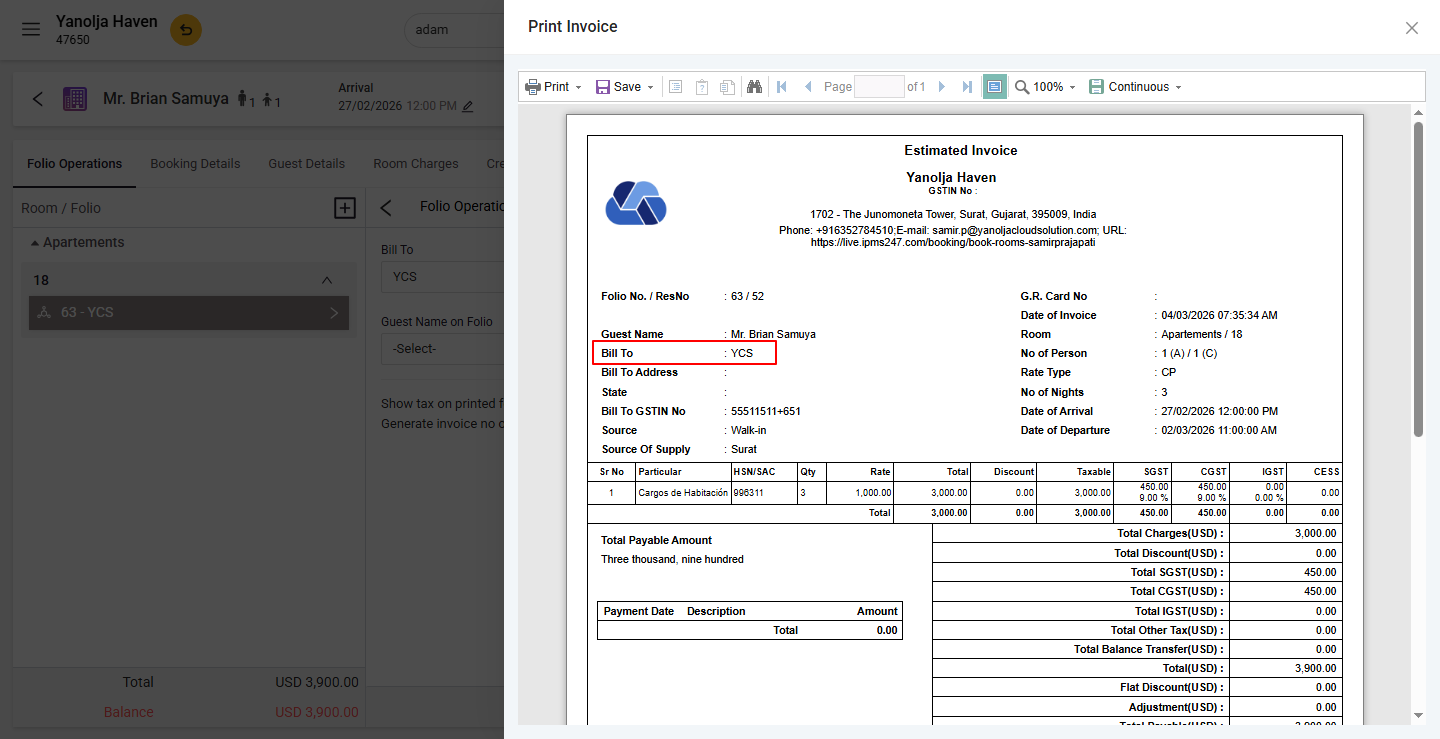
When we print an invoice we can see the Travel agent name in Bill to option.
Was this article helpful?
That’s Great!
Thank you for your feedback
Sorry! We couldn't be helpful
Thank you for your feedback
Feedback sent
We appreciate your effort and will try to fix the article