Yes, eZee Absolute includes a built-in Guest Database to manage and store all guest-related information.
What is the Guest Database?
It contains details of all guests who:
Booked online
Had a manual reservation
Were added manually by staff
Guest data is automatically saved when reservations are created.
You can view, search, or export guest records from the system.
If a guest has stayed earlier, their profile appears as a suggestion while making a new booking, so you do not need to enter all the details again manually.
For a step-by-step walkthrough on how to access and manage the Guest Database, please refer to the training video.
How to Access the Guest Database
Steps:
Log in to your eZee Absolute account.
Go to the Front Office tab.
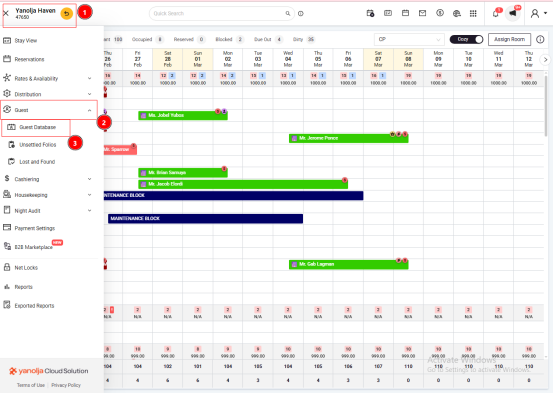
Click on Guest Database.
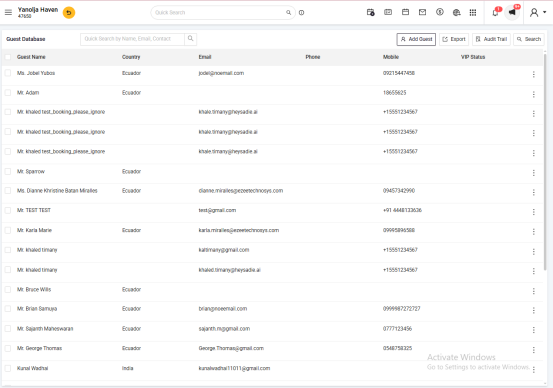
You will see a list of guest records stored in the system.
Can I Export Guest Details from eZee Absolute?
Yes, you can export guest information such as:
Guest Name
Email Address
Phone Number
Physical Address
Date of Birth
Spouse’s Birth Date
Wedding Anniversary
Other available details
How to Export Guest Details
Steps:
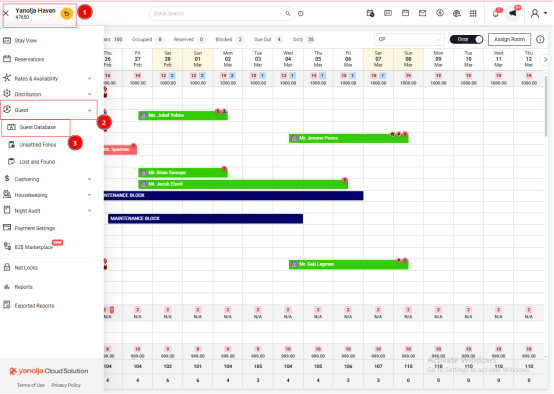
Log in to eZee Absolute.
Navigate to Front Office.
Select Guest Database.
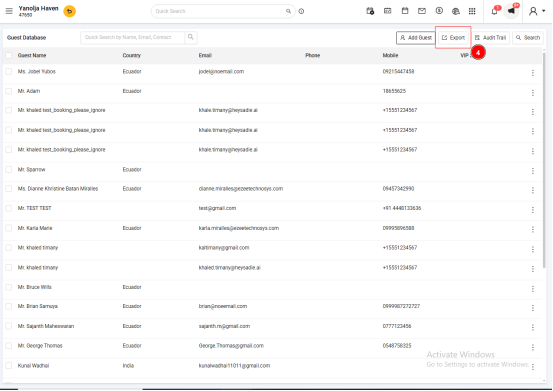
Click on Export to download the guest data in Excel format.
Required Privileges to Access Guest Database
To view or export guest information, the user must have the necessary privileges.
Path to Assign Privilege:
Go to Configuration >> User >> Edit User.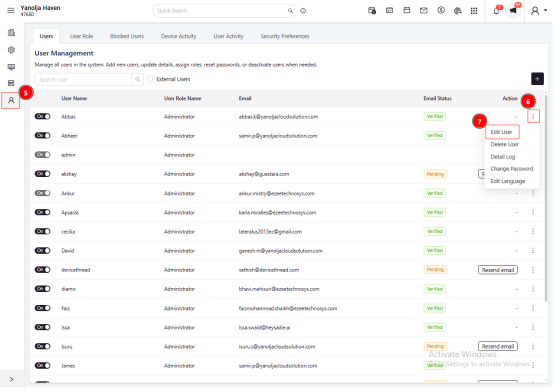
Under User Privileges, enable access to the database.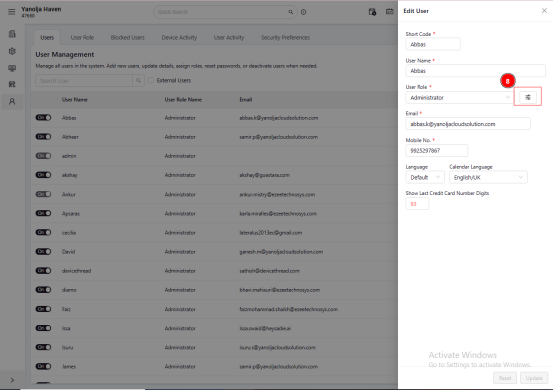
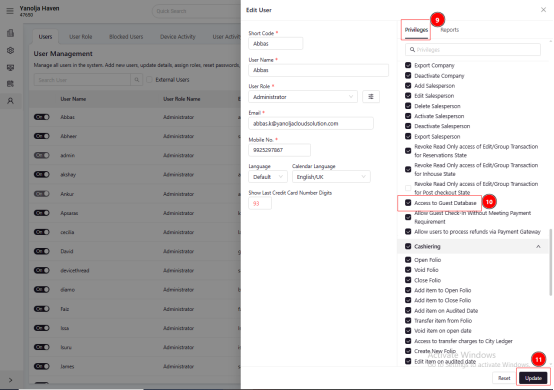
Was this article helpful?
That’s Great!
Thank you for your feedback
Sorry! We couldn't be helpful
Thank you for your feedback
Feedback sent
We appreciate your effort and will try to fix the article