How to Check Out a Room in eZee Absolute?
Overview
In eZee Absolute, users can easily check out a guest once their stay is completed. The system provides multiple ways to perform the checkout process depending on the user’s workflow, such as from Stay View, Edit Reservation, or the Departure List.
Before completing the checkout, ensure that all pending charges are settled and the guest’s folio balance is zero.
Methods to Check Out a Guest
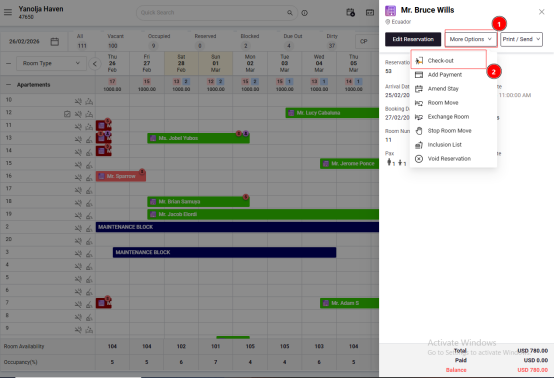
1. Check Out from Stay View
Follow the steps below:
Log in to eZee Absolute.
Navigate to Stay View.
Click on Transaction.
Select Check-Out to complete the process.
2. Check Out from Edit Reservation
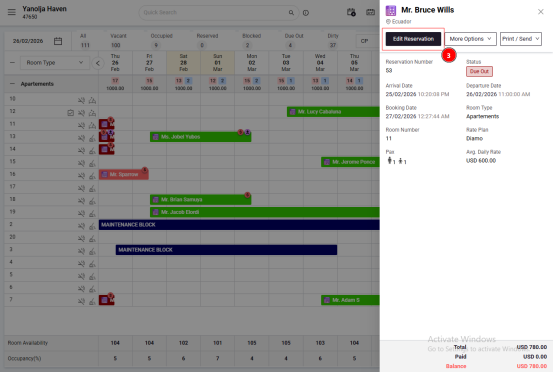
You can also check out the guest directly from the reservation screen.
Steps:
Open the reservation of the guest.
Click on Edit Reservation.
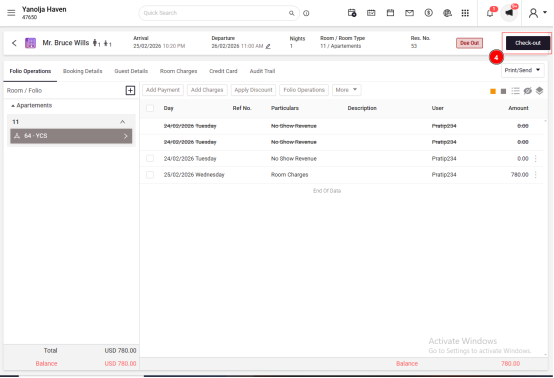
Select the Check-Out button.
Confirm the checkout to complete the process.
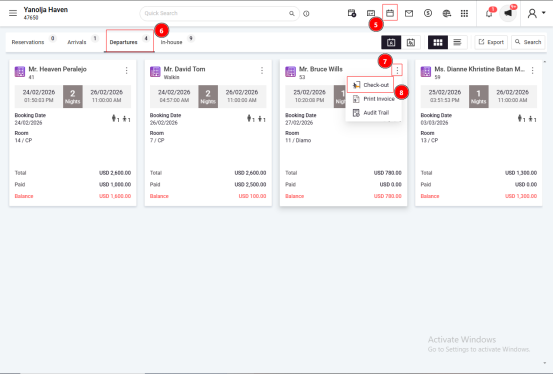
3. Check Out from the Departure List
This method is useful for quickly checking out guests scheduled to depart.
Steps:
Go to Reservations.
Click on Departures.
Locate the guest reservation.
Click on the three dots (More Options).
Select Check-Out.
Important Notes
Ensure the guest’s folio balance is zero before checking out the reservation.
The departure date must match the system working date for the checkout to be processed successfully.
User Privilege Required
To allow a user to check out guests, the following privilege must be enabled:
Path:
eZee Absolute → Configuration → User → Edit User → Privileges → Front Office → Access to Check Out Guests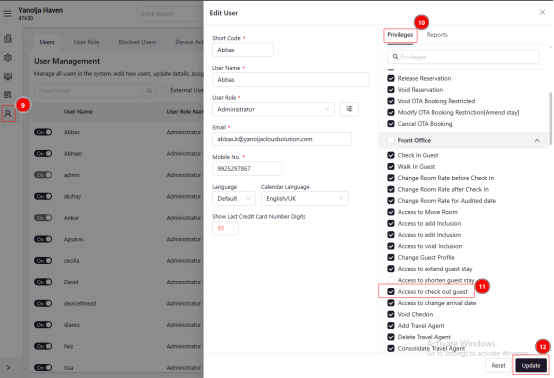
Report Reference
To view records of checked-out guests:
Path:
Reports → Front Office Report → Guest Checked Out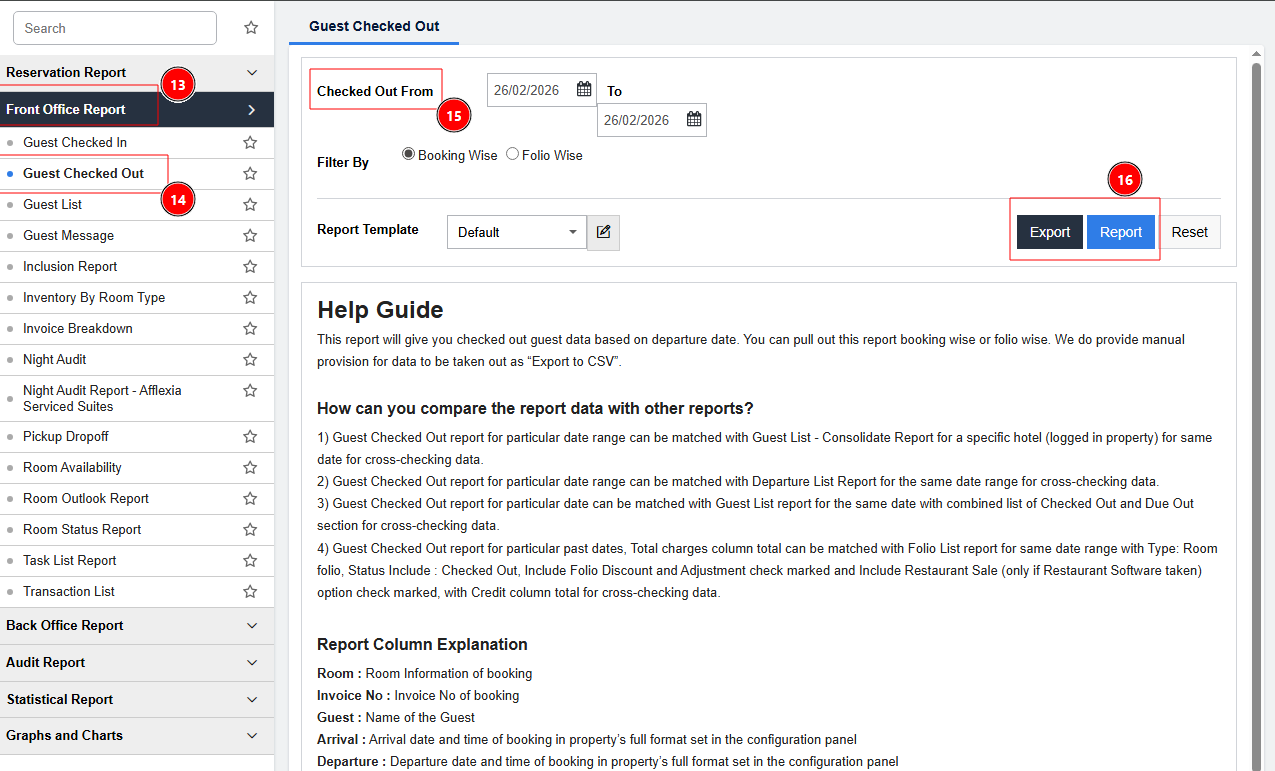
Was this article helpful?
That’s Great!
Thank you for your feedback
Sorry! We couldn't be helpful
Thank you for your feedback
Feedback sent
We appreciate your effort and will try to fix the article