In Unified Solution, you can download guest images and identity documents that have been uploaded to the system. This feature is useful for record-keeping and verification purposes.
Steps to Download Guest Image and Identity Documents:
Access the Guest Profile:
- Navigate to Front Office > Guest > Guest Database.
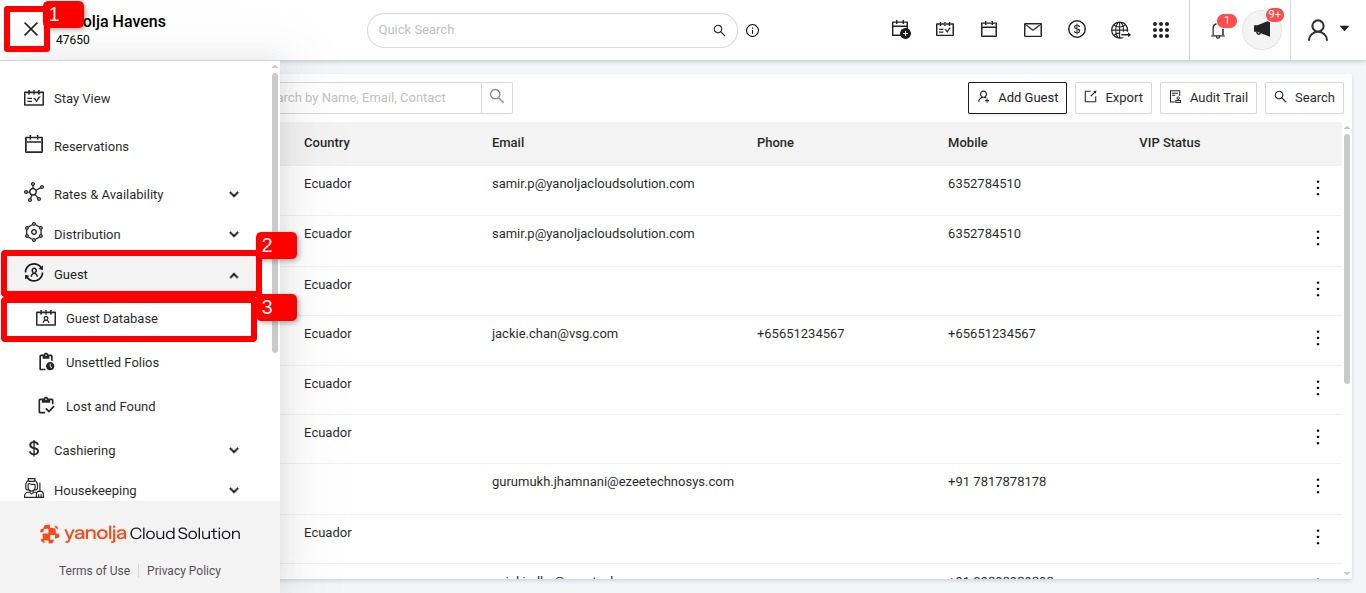
- Search for the guest using their name, reservation number, or other details.
- Click three dots and click on Edit Guest to open it.
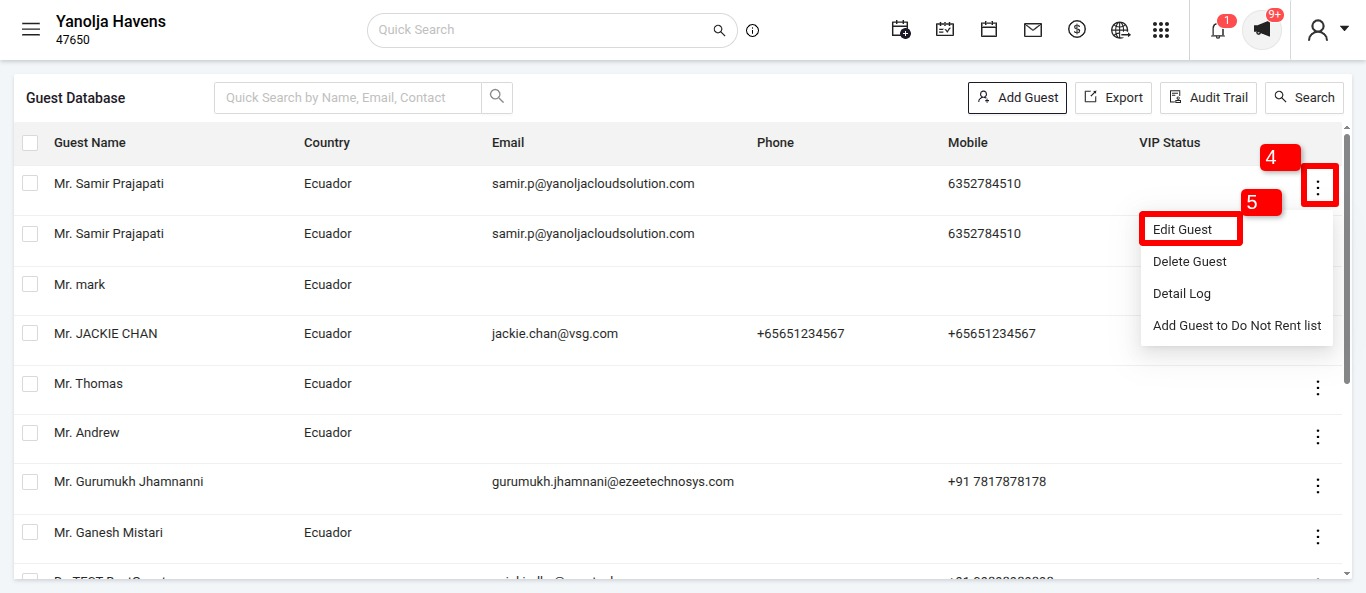
- Navigate to Front Office > Guest > Guest Database.
Download the Documents:
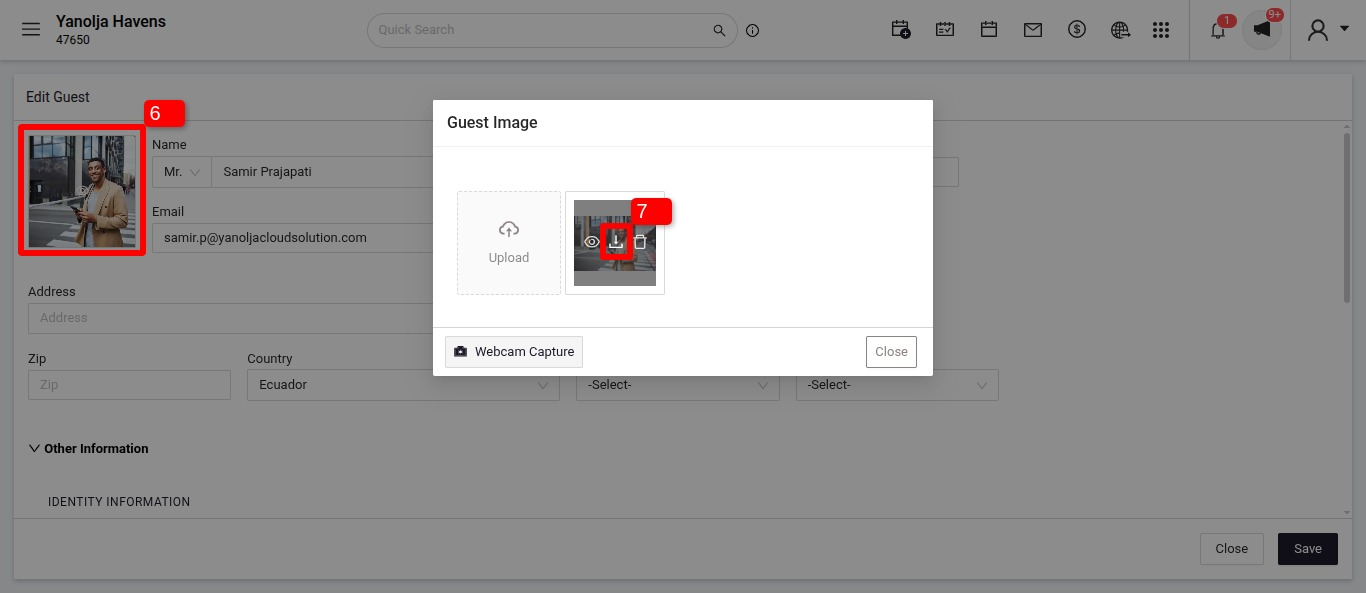
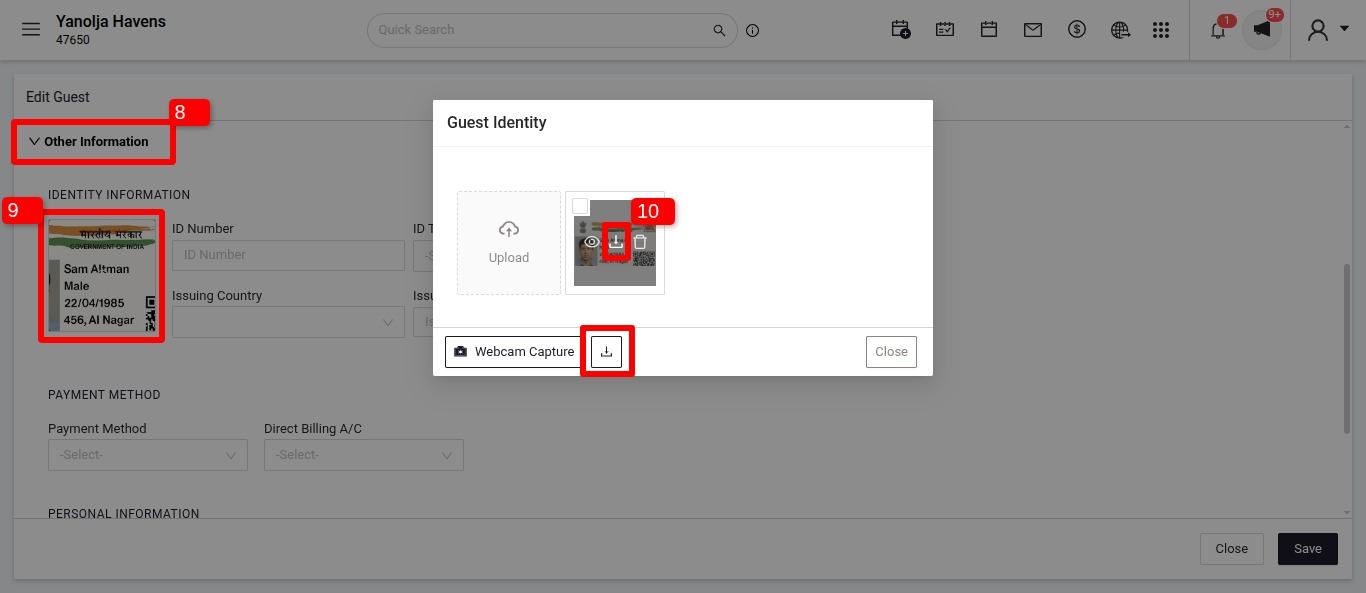
- Locate the Guest Image & Identity Documents section.
- Click on the uploaded file to preview it.
- Use the Download option to save the file to your system.
Was this article helpful?
That’s Great!
Thank you for your feedback
Sorry! We couldn't be helpful
Thank you for your feedback
Feedback sent
We appreciate your effort and will try to fix the article