What is the "Show Full Guest Details" toggle?
It's a per-user privacy control found in User Management > Users > Edit User. It determines whether a specific staff account can view guest personal and identity information in plain text, or only in a masked format.
How does a user see when the toggle is OFF (default/recommended)?
Guest details are masked wherever they appear on the reservation:
| Field | Masked example |
|---|---|
| Name | Ja*** Za*** |
| j***@***.comm | |
| Mobile number | **********4567 |
| Address | **** |
| Zip | **** |
| ID / Passport number | ********33 |
| Guest photo & ID document image | Cannot be opened (locked icon) |
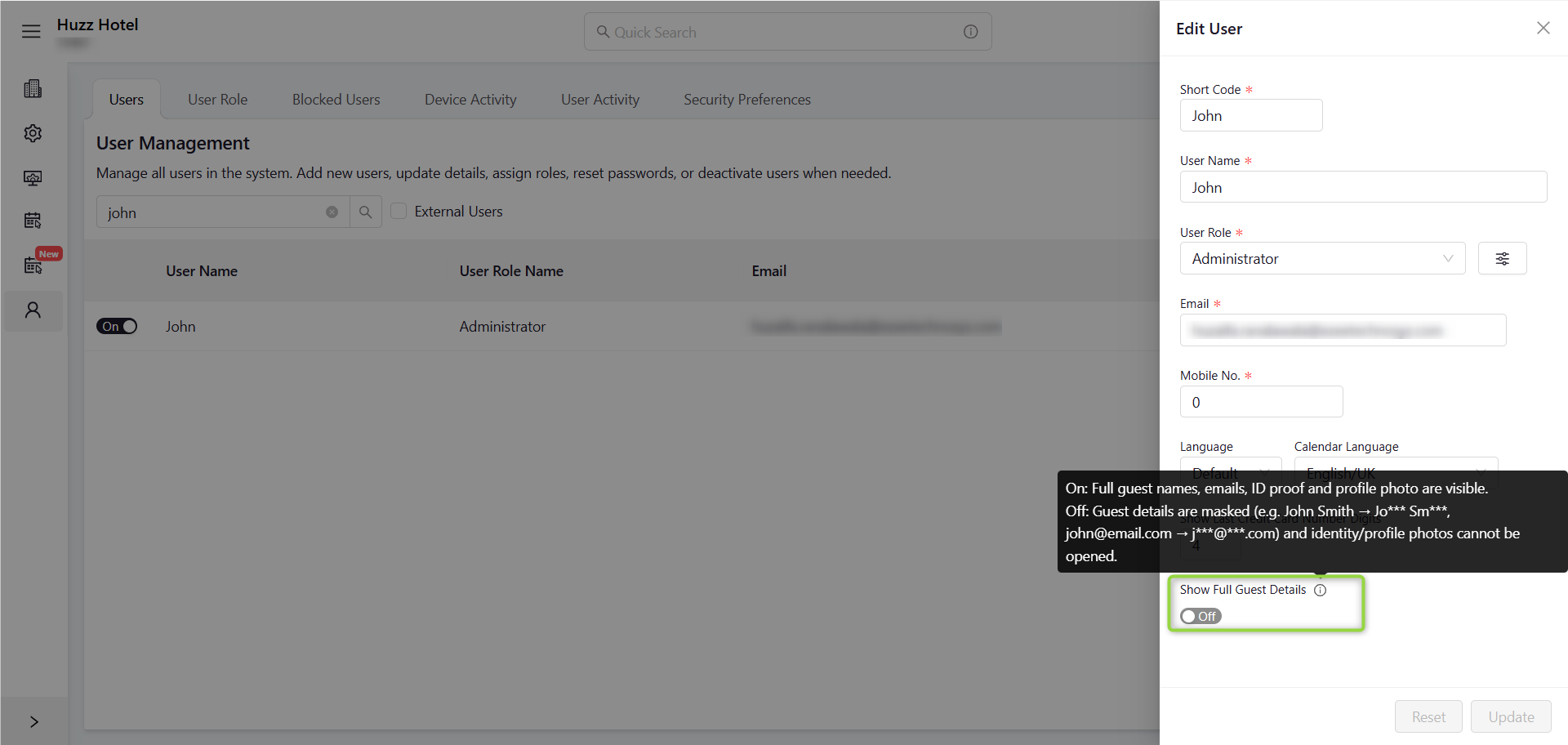
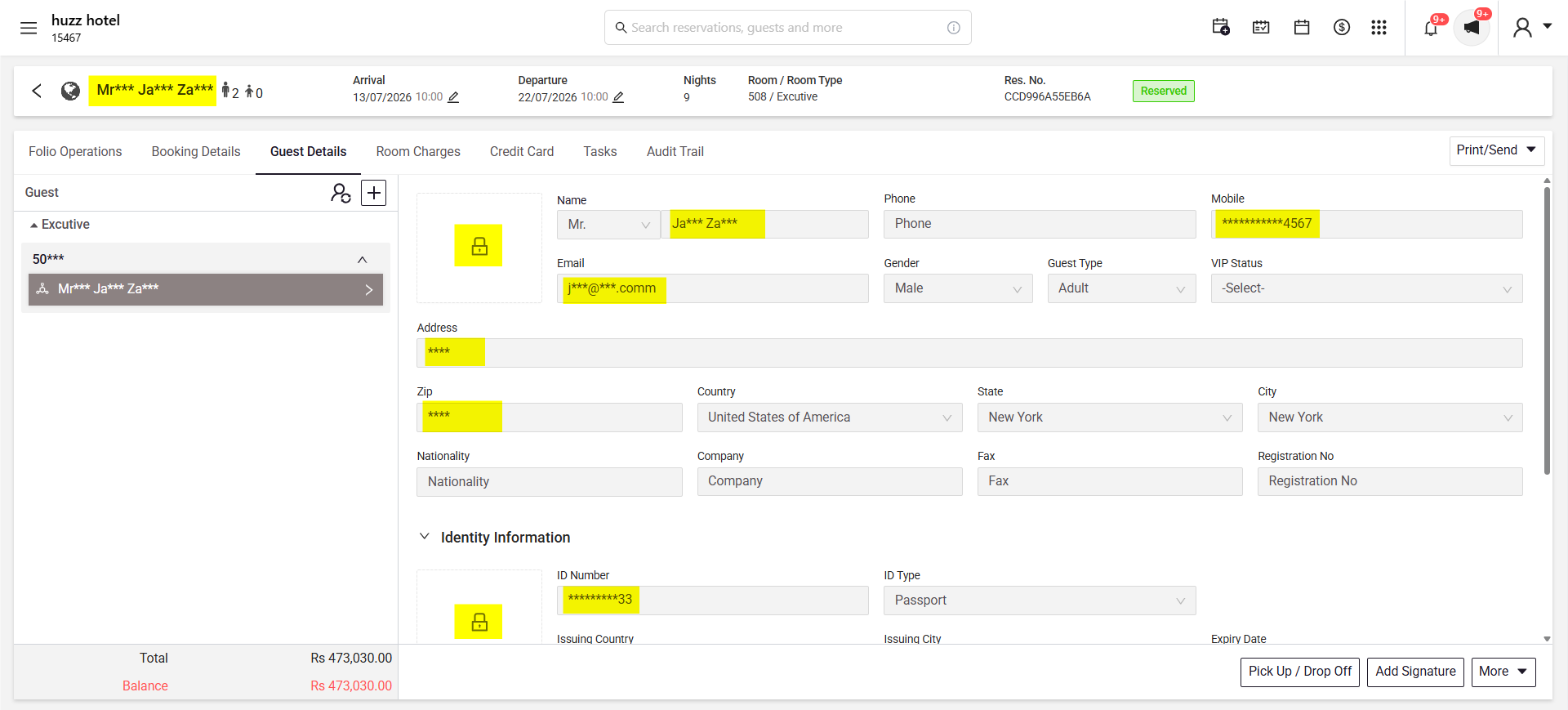
This lets staff still identify a booking (e.g., match a reservation, confirm a guest by last few digits) without exposing the full personal or identity record.
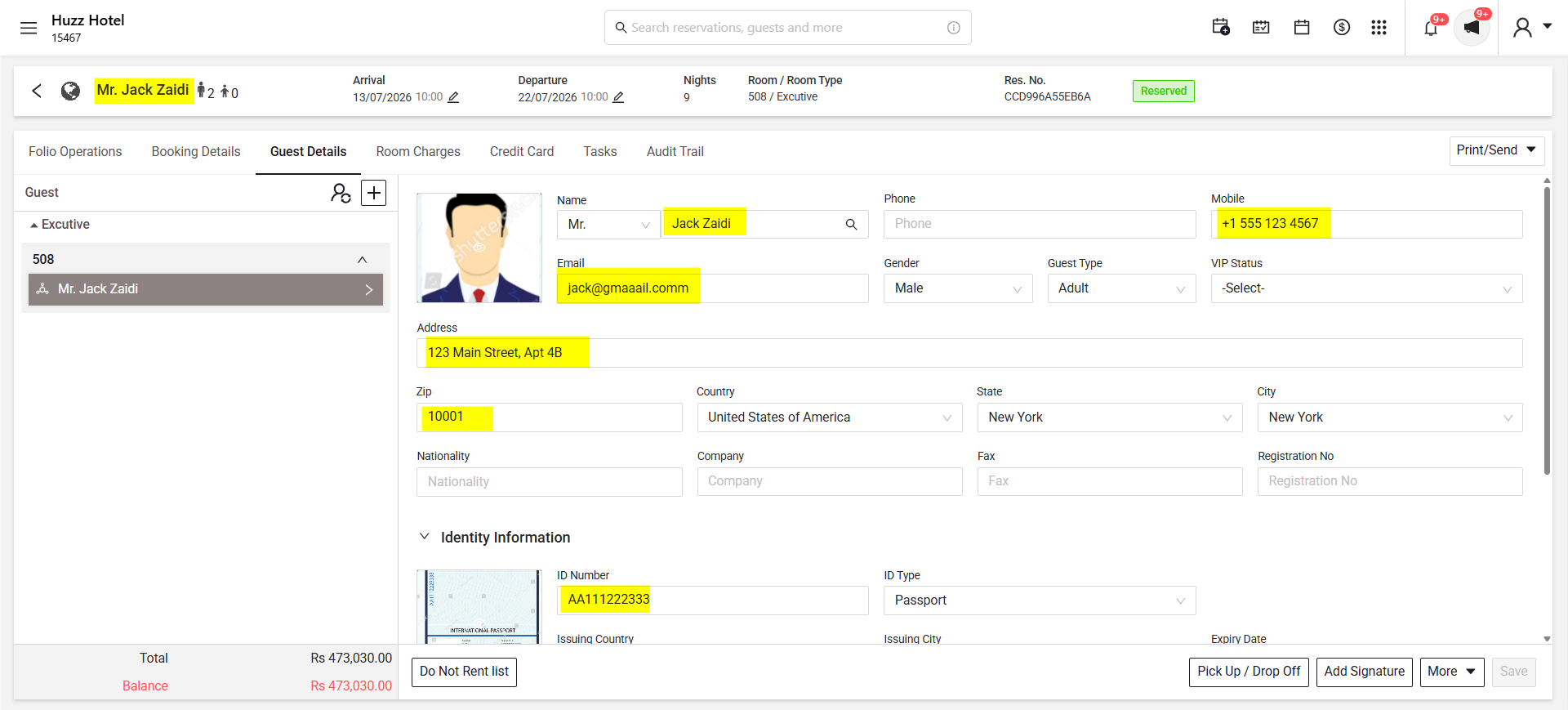
What does a user see when the toggle is ON?
The same fields display in full — complete name, phone number, email, address, zip, passport/ID number, and the guest's photo and ID document image are viewable.
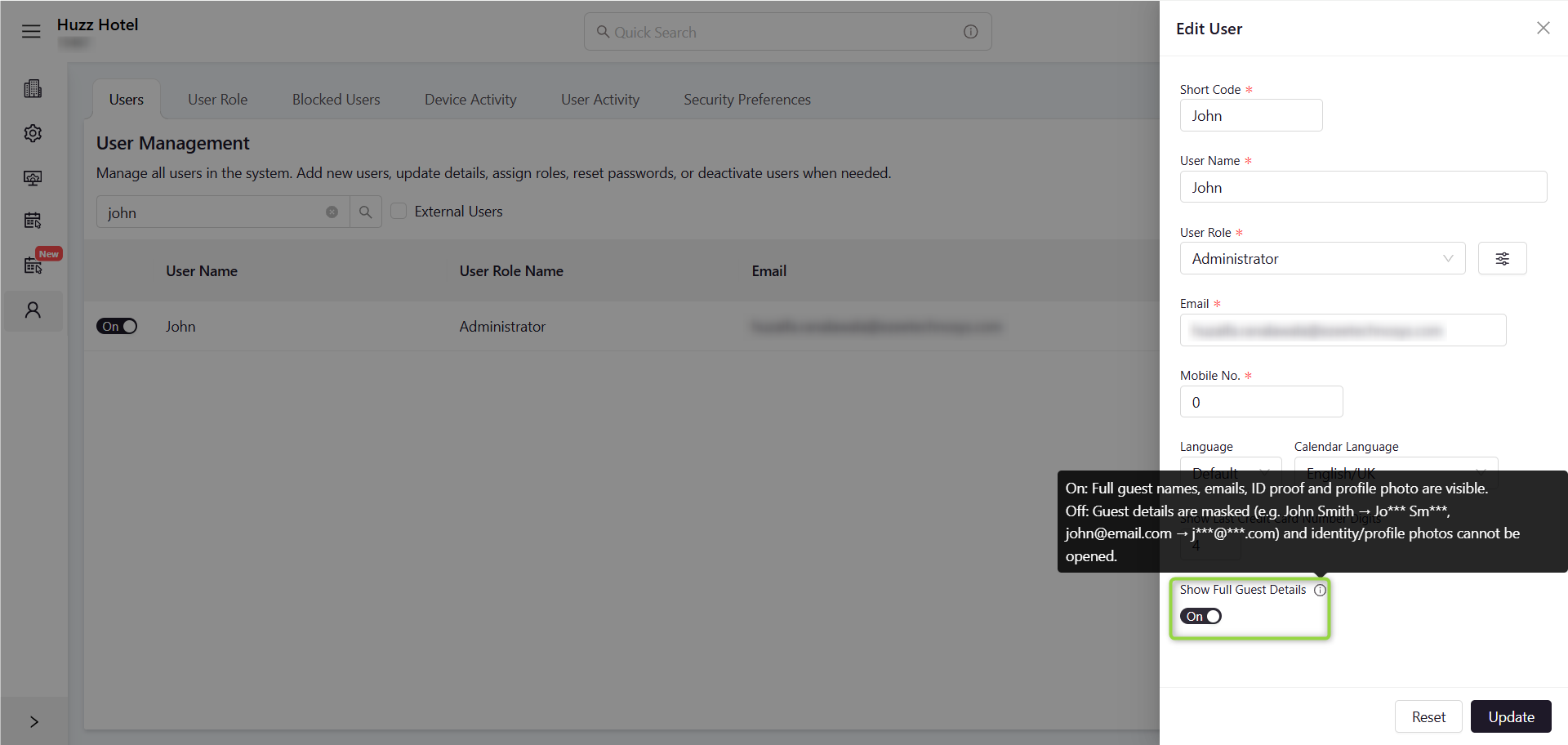
How do we turn it on or off for a user?
- Go to Settings > User Management > Users.
- Search for the user and open Edit User.
- Scroll to Show Full Guest Details.
- Toggle On or Off as required.
- Click Update to save.
Who should have this turned ON?
Only staff whose job genuinely requires full guest PII, for example:
- Front desk / check-in staff verifying ID against a booking
- Roles handling billing disputes, chargebacks, or legal/compliance requests
- Duty managers resolving guest issues that require contact details
For most other roles (housekeeping, reporting, general back-office, IT support, external/vendor accounts) it should stay OFF.
Why should we restrict this instead of turning it on for everyone?
- Least privilege: the fewer people who can see guest identity, addresses, and full contact details, the smaller your exposure if an account is compromised, a device is lost, or credentials are shared.
- Insider risk: masking limits accidental or deliberate misuse of guest data by staff who don't need it for their role.
- Screen exposure: masked data protects guests even if a screen is shared, screenshotted, or viewed by someone walking past a workstation.
- Regulatory exposure: unnecessary access to ID numbers and personal data increases your liability under data protection obligations (e.g., GDPR, or local hospitality/data privacy regulations), since "need to know" access is a standard expectation of auditors and regulators.
How does this relate to data protection and security?
Guest records contain sensitive personal and identity data — names, contact details, and passport/ID numbers - that hotels are responsible for protecting. If every staff account has full visibility of this data by default, any compromised login, lost device, or misused credential exposes a large volume of sensitive guest records at once. Restricting "Show Full Guest Details" to only the roles that need it limits how much data is exposed even if one account is compromised, and supports stronger overall data protection practices.
Recommended practice
- Keep the toggle OFF by default for all new users.
- Turn it ON only after confirming the role requires it.
- Periodically review which users have it enabled (e.g., quarterly) and turn it off for anyone who no longer needs it.
- Avoid enabling it for shared logins, trial accounts, or external/vendor users.
Was this article helpful?
That’s Great!
Thank you for your feedback
Sorry! We couldn't be helpful
Thank you for your feedback
Feedback sent
We appreciate your effort and will try to fix the article