Protect guest contact information while keeping reservations fully operational
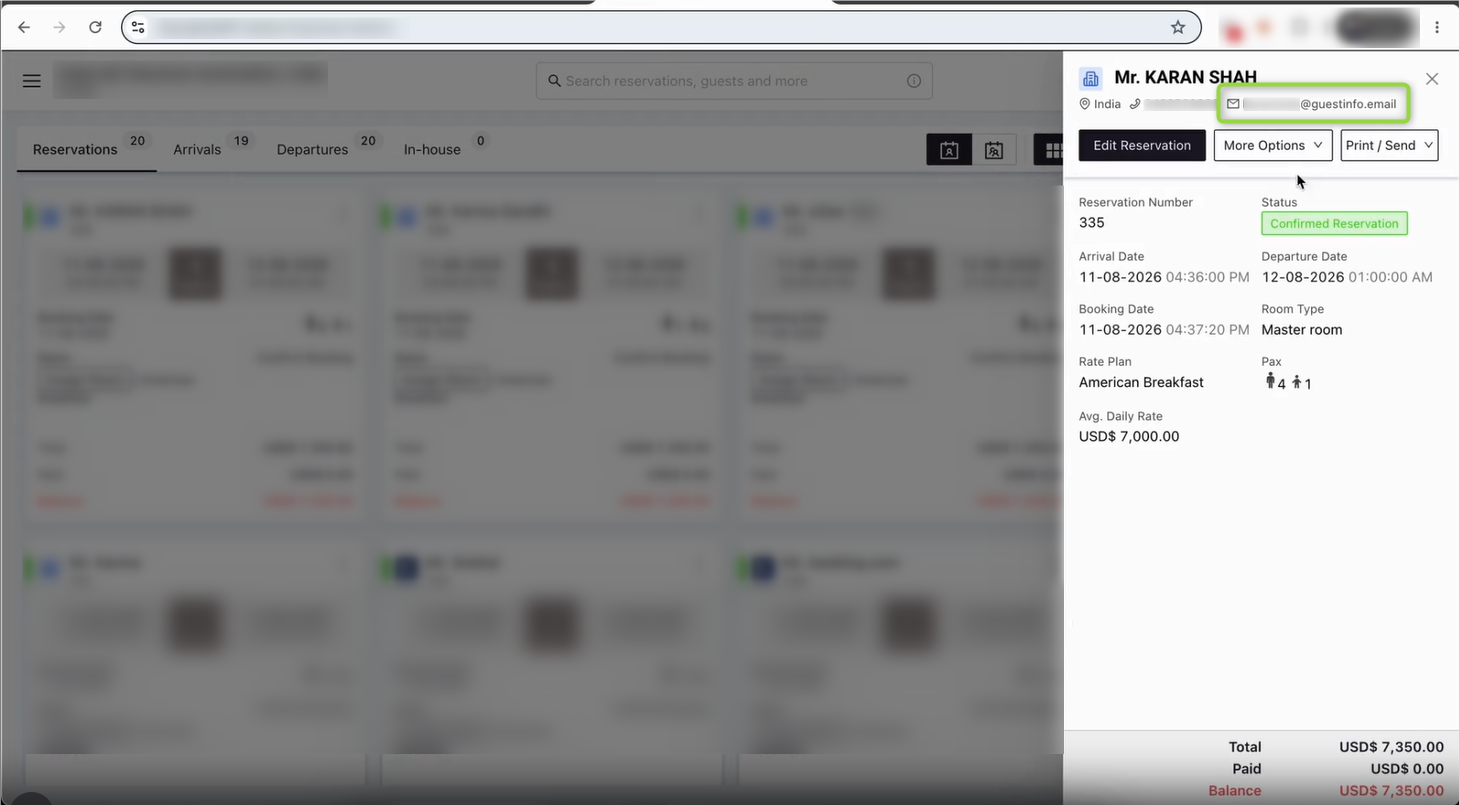
Guest Email Masking adds a configurable privacy layer to reservation communications. When enabled, a guest’s real email address is hidden from the hotel for the configured period. This helps protect guest contact information while still allowing the reservation, confirmation and operational workflows to continue normally.
Why this matters
- Improves guest privacy by limiting unnecessary exposure of personal email addresses.
- Gives hotels control over how long guest email addresses remain masked.
- Allows trusted email addresses to be excluded through a whitelist.
- Works directly within the existing reservation and guest-management workflow.
Available masking modes
Mode | How it works | Recommended use |
Mask Throughout | Guest email remains masked from booking until after check-out. | Recommended for maximum privacy. |
Mask till Check-in | Guest email remains masked until the guest checks in. | Use when the hotel needs the real email during the stay. |
Mask till Check-out | Guest email remains masked until check-out; it becomes visible after check-out. | Use when post-stay visibility is required. |
How to enable Guest Email Masking
Follow these steps from the hotel application:
1. Open General Settings
Go to General Settings from the left navigation menu.
2. Open Guest Email Masking
Select the Guest Email Masking tab from the settings menu.
3. Select a masking mode
Choose Mask Throughout, Mask till Check-in, or Mask till Check-out.
4. Add exceptions, if required
Enter trusted email addresses or domains in Whitelisted Emails / Domains. Use one entry per line or comma-separated entries.
5. Save the configuration
Click Save to apply the selected masking mode and whitelist.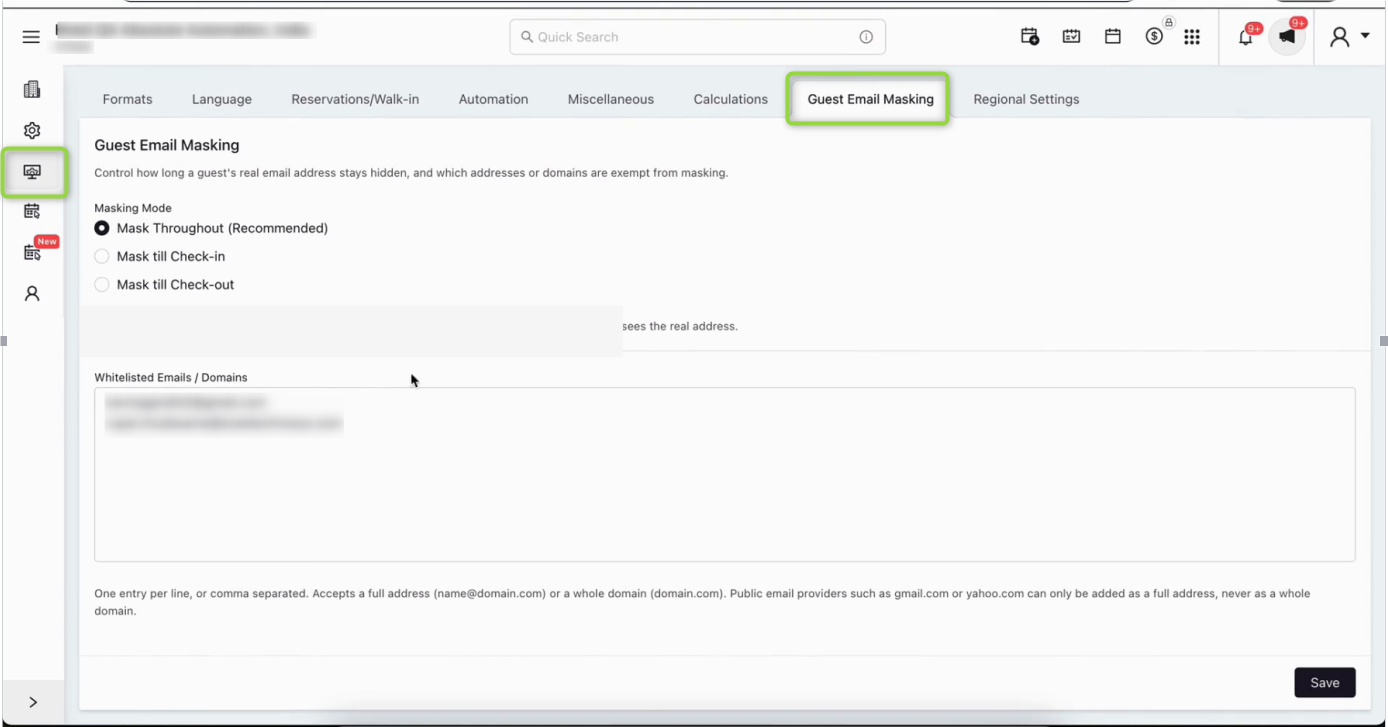
Understanding the whitelist
Whitelisted entries are not masked. You can add a specific email address or, where appropriate, an entire business domain.
- One entry per line or comma-separated.
- A full email address can be added, for example: user@company.com.
- A domain can be added for business domains, for example: company.com.
- Public email providers such as Gmail or Yahoo should be added as specific email addresses rather than as an entire public domain.
What the guest will see
Reservation emails continue to be sent as usual. When masking applies, guest email addresses and phone numbers may be partially hidden in the communication to help protect personal information.
Important note for Mask till Check-out
If Mask till Check-out is selected, the real guest email becomes visible once the guest has checked out. The application displays an acknowledgement warning because this setting exposes the guest’s real email before the stay ends compared with the recommended Mask Throughout option.
Best practice
For most hotels, we recommend Mask Throughout. It provides the strongest privacy protection by keeping the guest’s email address masked throughout the reservation lifecycle.
Was this article helpful?
That’s Great!
Thank you for your feedback
Sorry! We couldn't be helpful
Thank you for your feedback
Feedback sent
We appreciate your effort and will try to fix the article