To view all refunds:
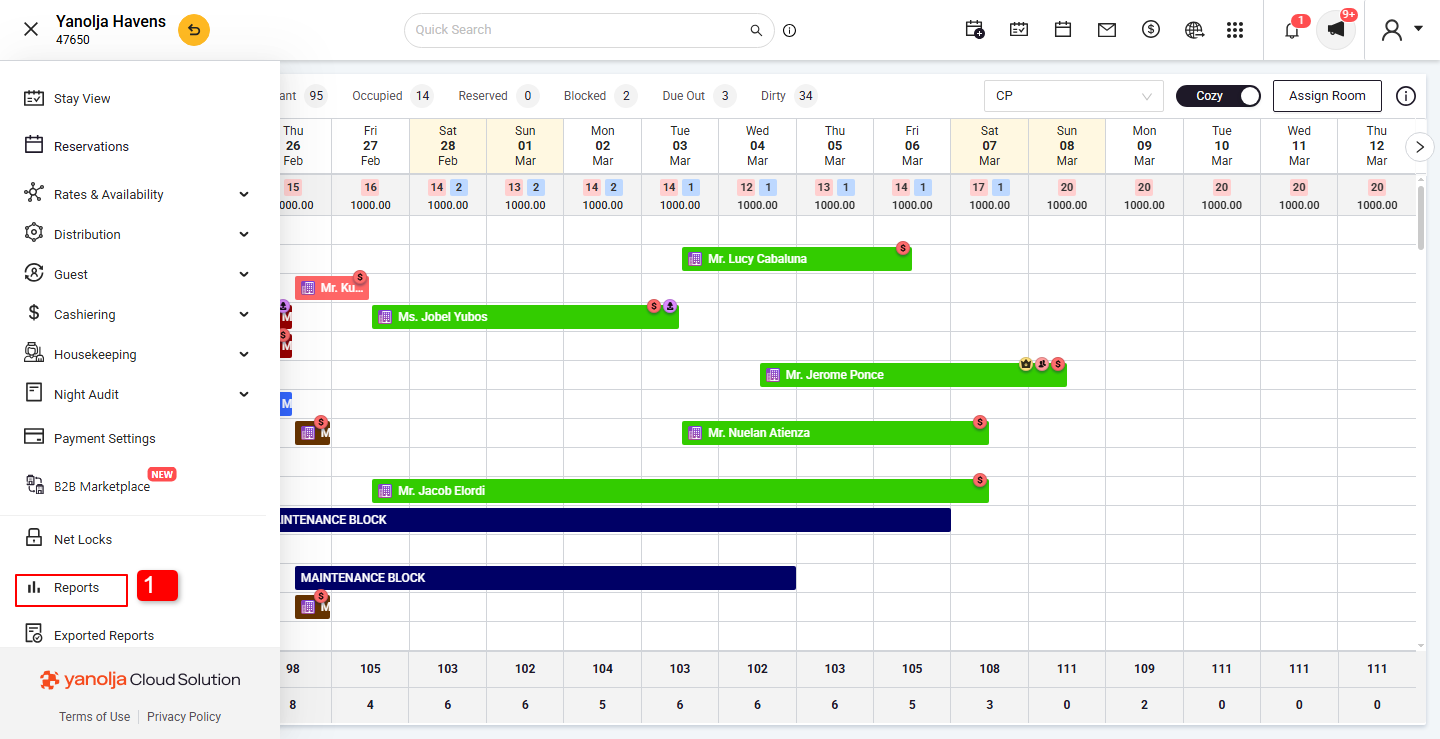
Navigate to the hamburg menu on Top left Corner (≡)
- Click on the Reports Section.
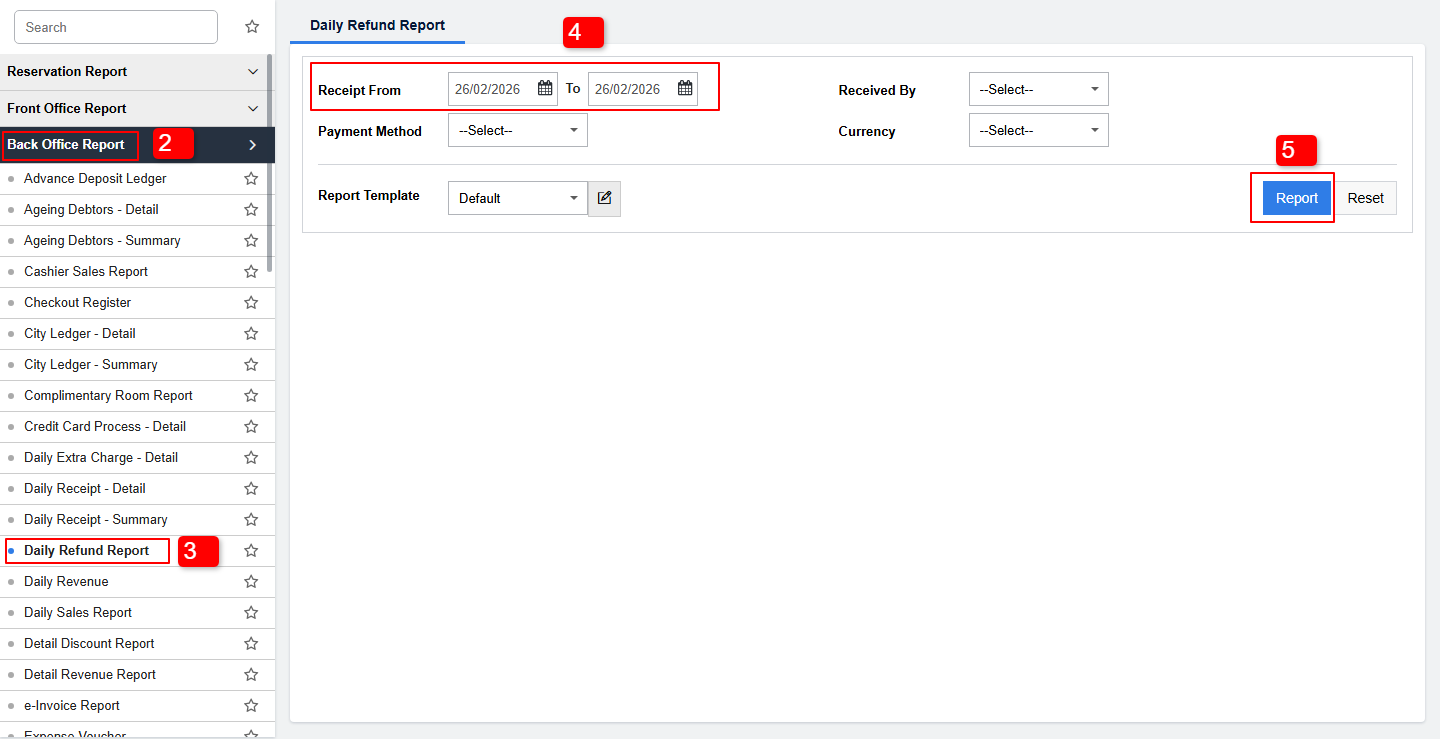
- Click on Back Office Report.
- Click on Daily Refund Report.
- Apply Filters: Select the date range, payment mode, and refund reason.
- Click on Generate Report
Details Included:
- Booking ID, guest name, refund amount, refund mode, and date.
Export Options:
- Export the report as PDF, Excel, or CSV for record-keeping.
Note: Ensure you have the necessary permissions to access financial reports.
User Privileges: PMS configuration >> User >> Edit User >> report >> back office report >> daily refund report.
Was this article helpful?
That’s Great!
Thank you for your feedback
Sorry! We couldn't be helpful
Thank you for your feedback
Feedback sent
We appreciate your effort and will try to fix the article