Quick reservation can be disabled only through the configuration settings. Here’s how you do it and what happens on the frontend when mandatory fields are required.
Disable Quick Reservation from Configuration
Go to Configuration.
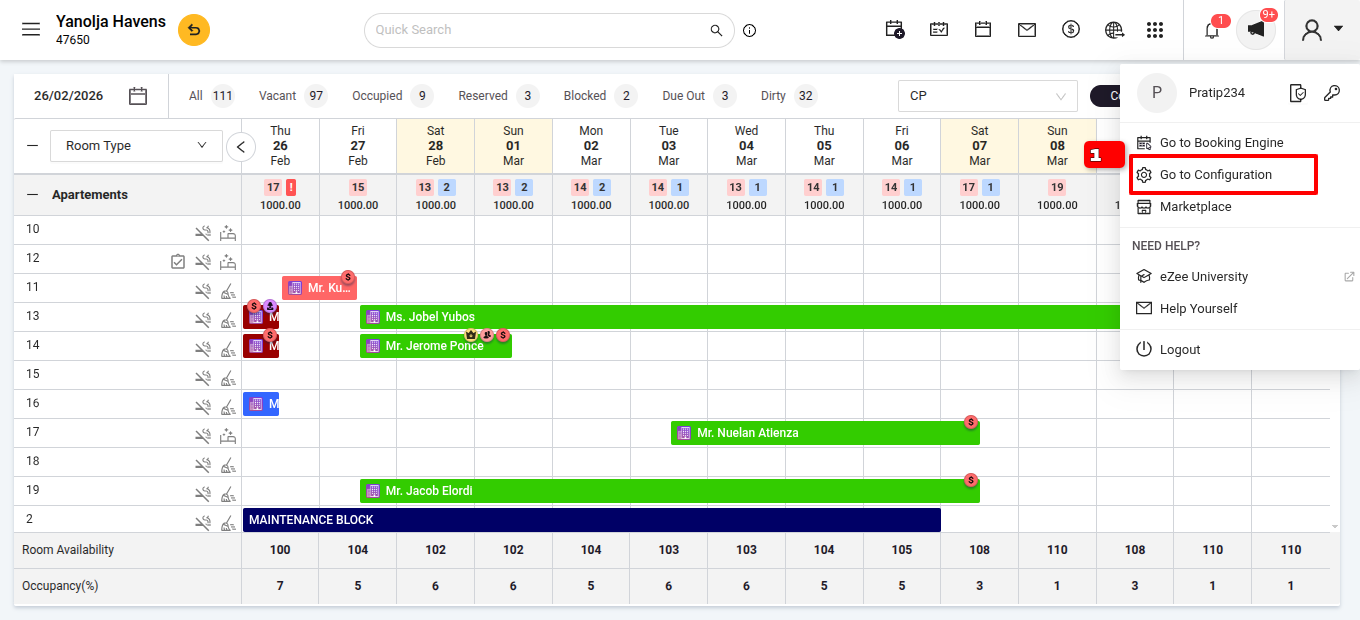
Navigate to Settings
click on General Settings.
Go to reservation /walk-in
Navigate to Reservation Display Settings.
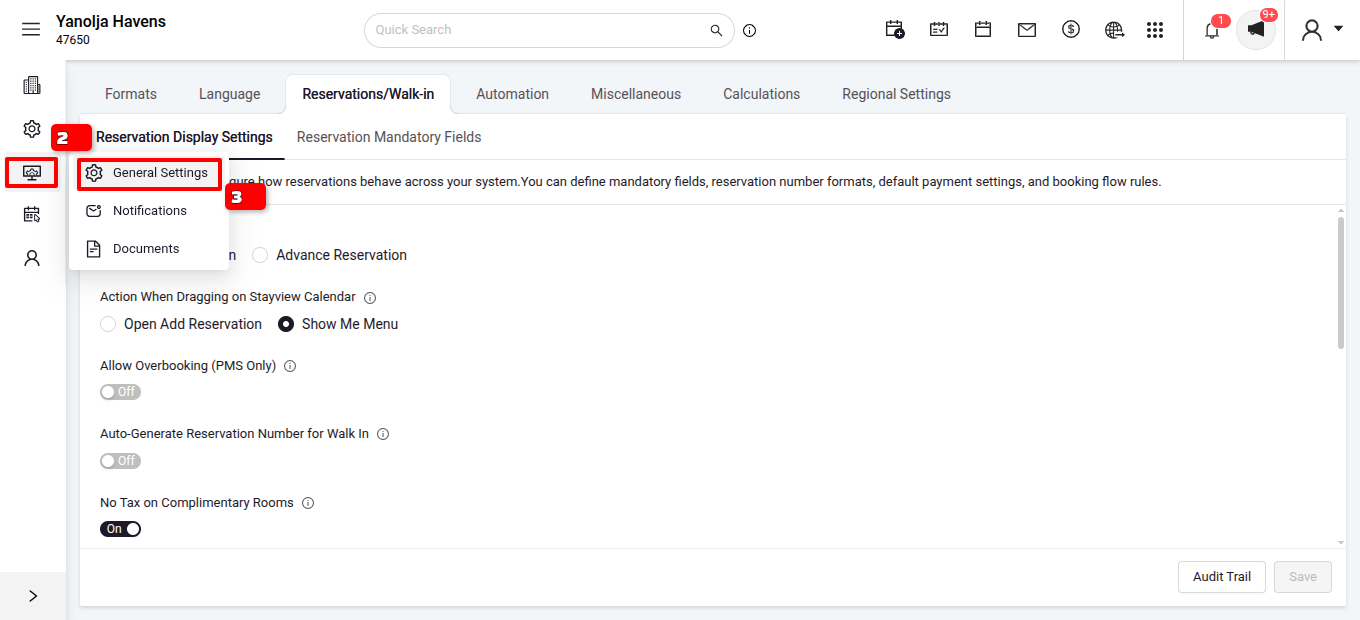
Locate the Additional Reservation/walk-in Settings.
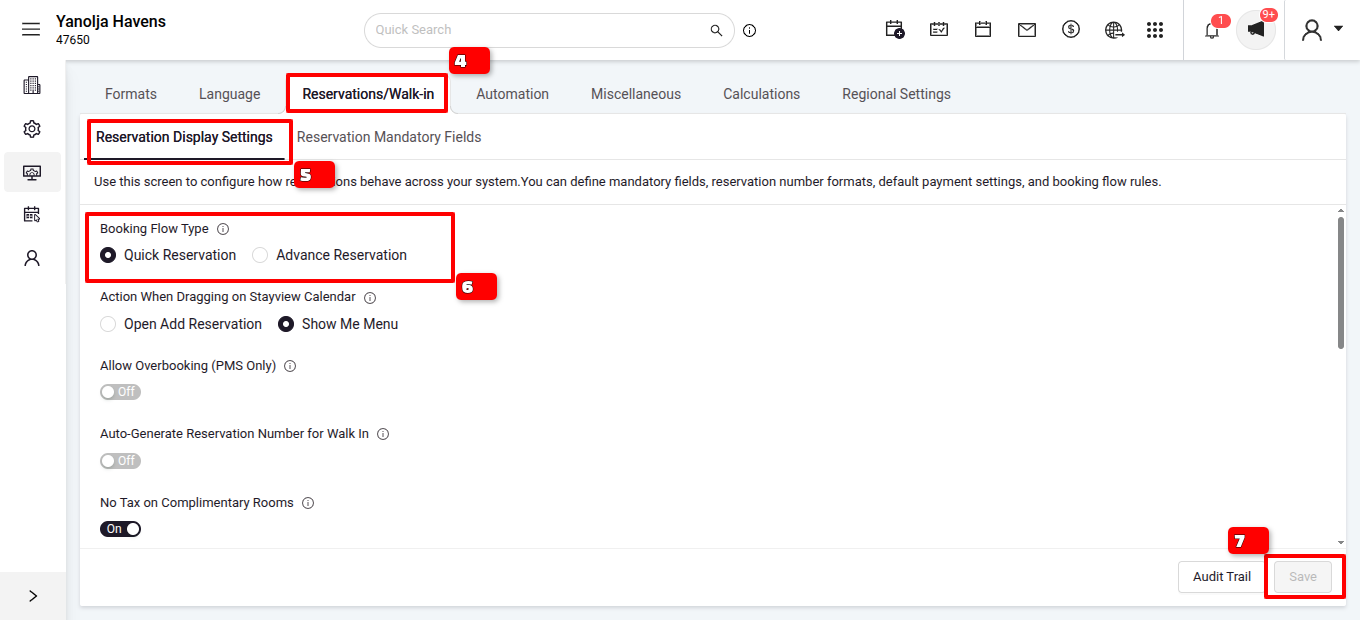
Select the default reservations as Advanced Reservation and click on save.
Was this article helpful?
That’s Great!
Thank you for your feedback
Sorry! We couldn't be helpful
Thank you for your feedback
Feedback sent
We appreciate your effort and will try to fix the article