Taking Tips During Order Settlement in POS
In the POS system, you can record tips while settling an order.
If a guest pays more than the bill amount and asks you to keep the remaining amount as a tip, the system allows you to convert the extra amount into tips during settlement.
Step 1: Open or Create an Order :
Go to Menu.
Click on Dine-In/Order Summary.
Open an existing order or create a new Dine-In order.
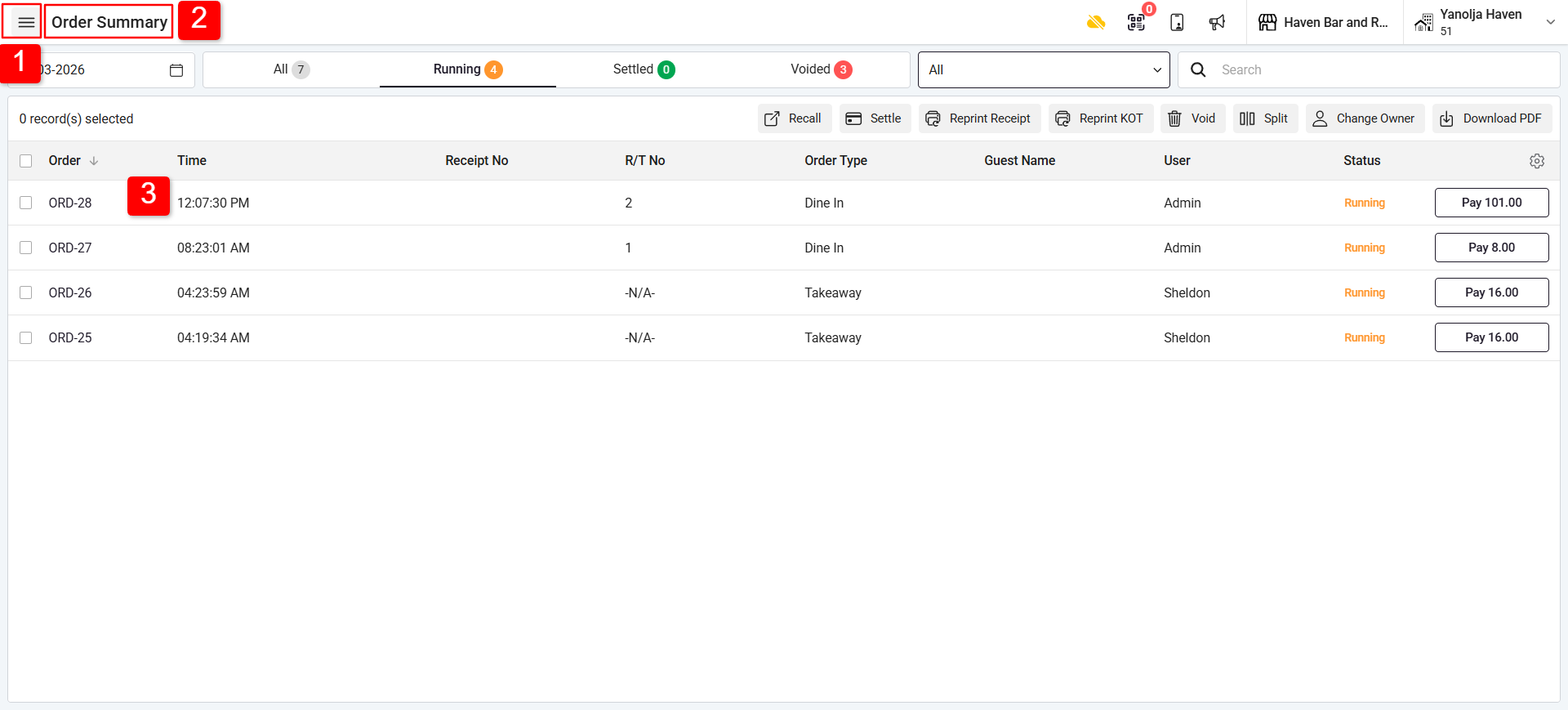
Step 2: Start Settlement :
Click on Settle to open the settlement screen.
Example:
Bill Amount: $101
Guest Paid: $110
Guest asks to keep the change as a tip.
Method 1: Convert Extra Cash to Tip :
Click on Settle.
Clear the amount by clicking the “C” (Clear) button.
Enter the total amount received from the guest (e.g., $110).
Click on the Tip button.
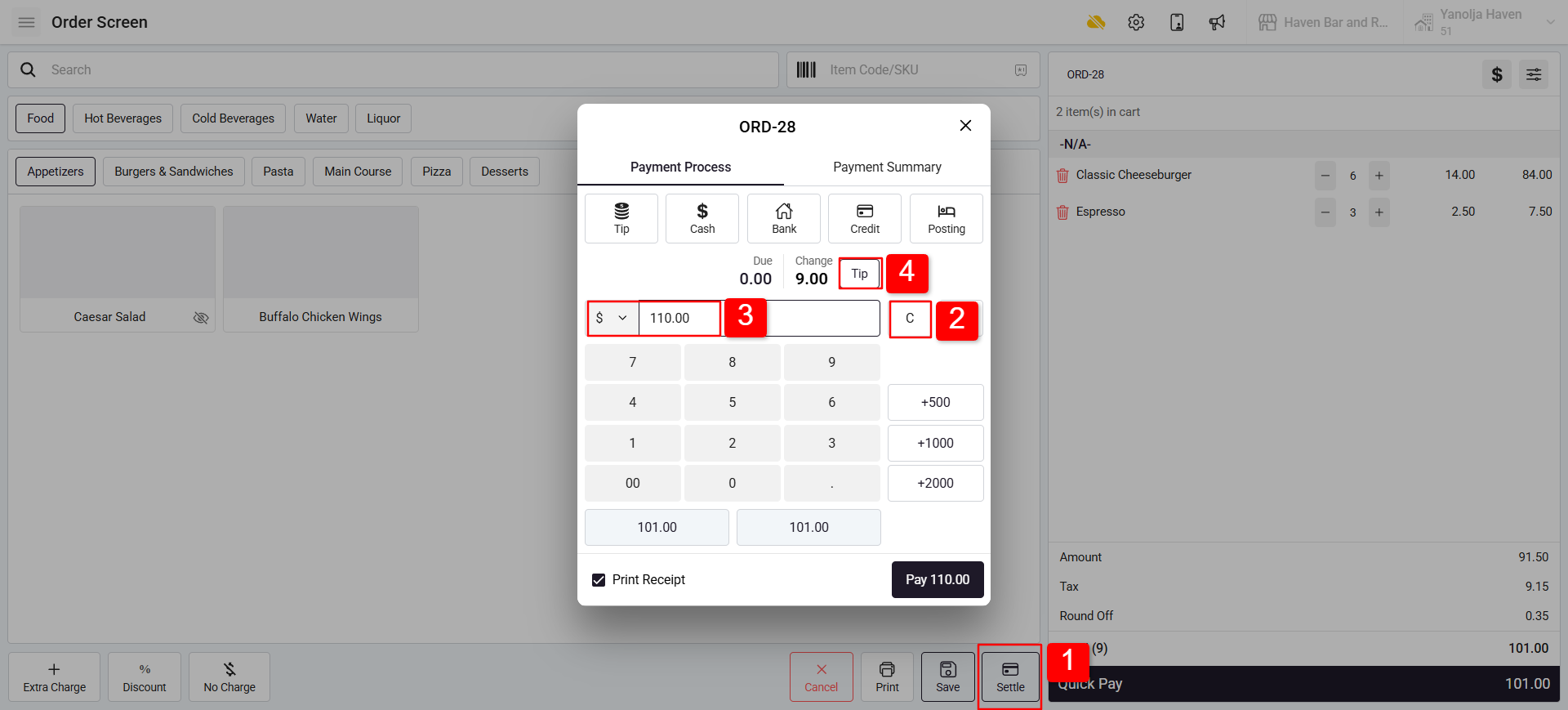
✅ The remaining amount will automatically be converted into a tip.
Method 2: Add Tip Manually :
Click on the Settle. Tip button beside the Cash payment option.
Tip button beside the Cash payment option.
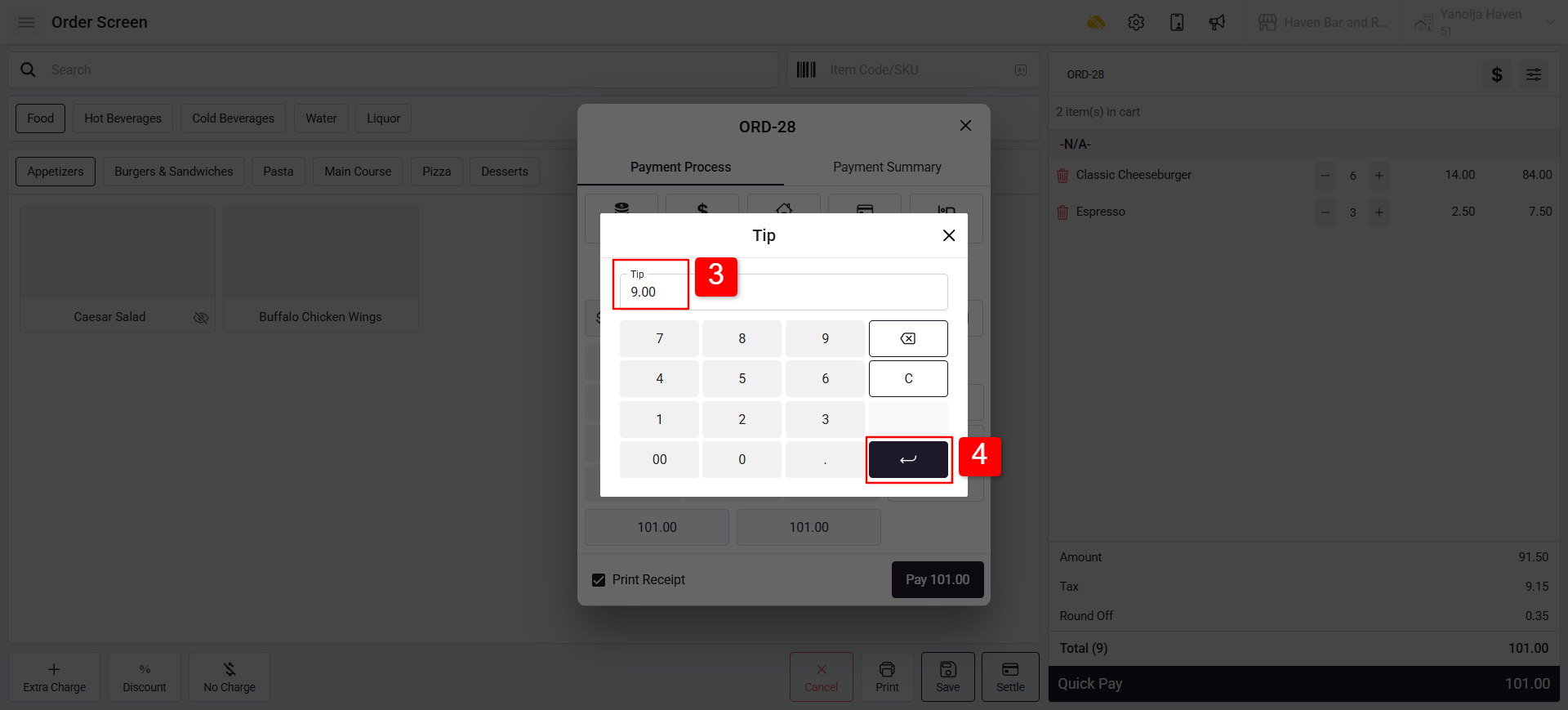
Enter the tip amount.
4. Click Save to complete.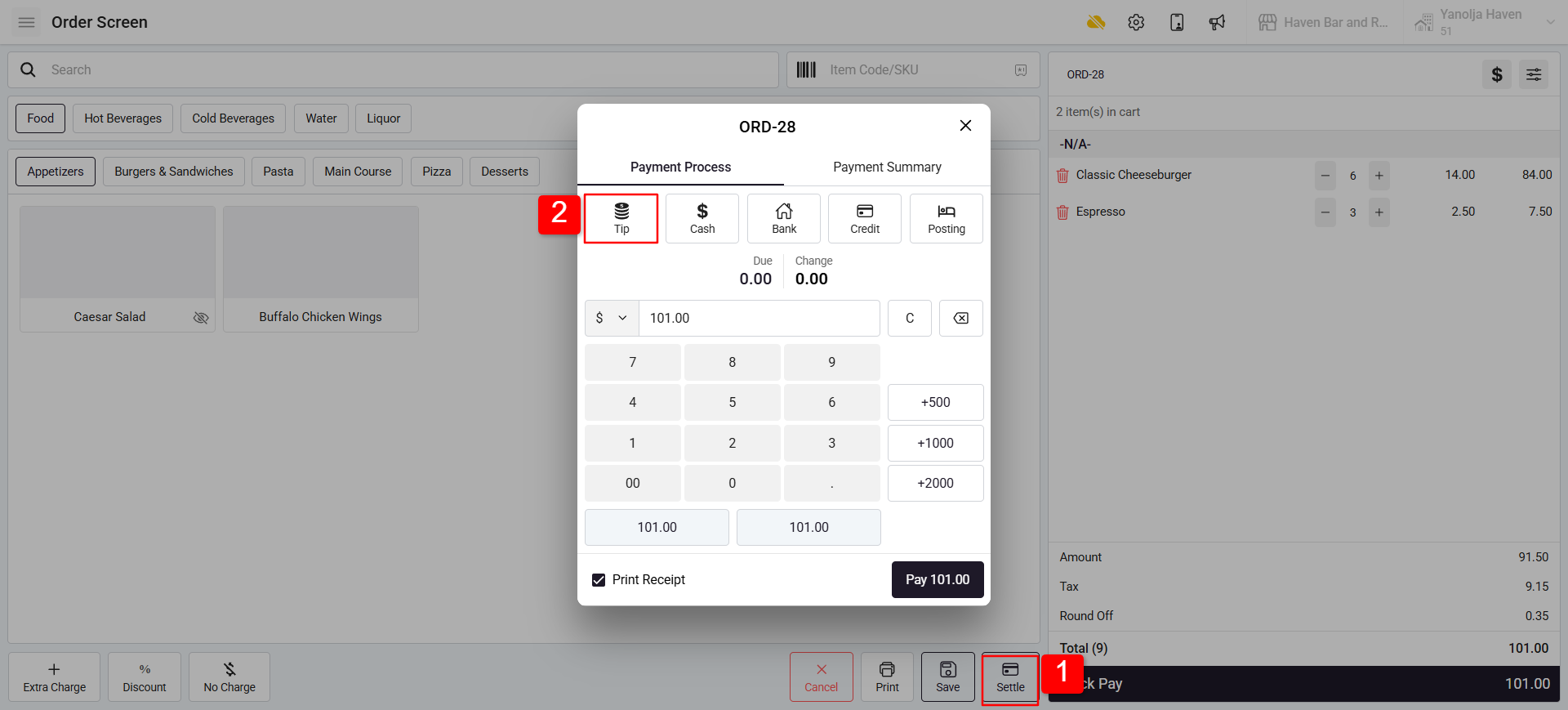
Was this article helpful?
That’s Great!
Thank you for your feedback
Sorry! We couldn't be helpful
Thank you for your feedback
Feedback sent
We appreciate your effort and will try to fix the article