A travel agent is a person whose job is to book rooms for end clients (individuals, groups, corporations) on behalf of hotels. The hotelier would be getting bookings from offline/online Travel Agent, So it is required to add that Travel agent in the system.
Steps to Create a Travel Agent
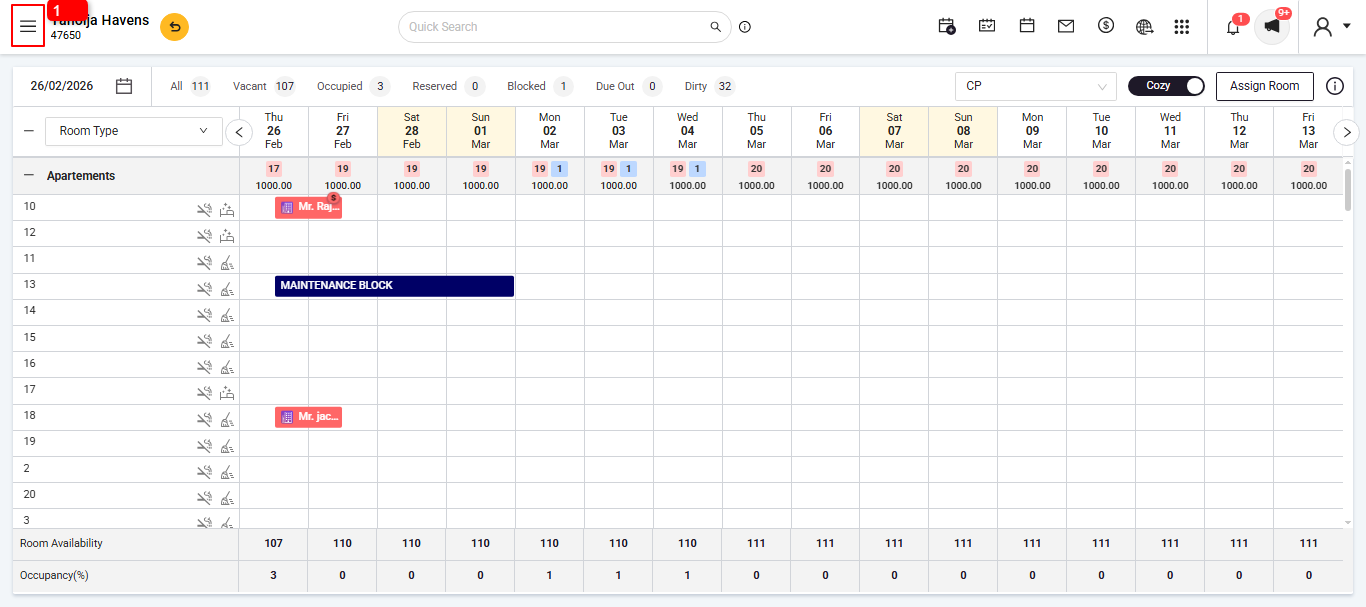
Go to Menu Option
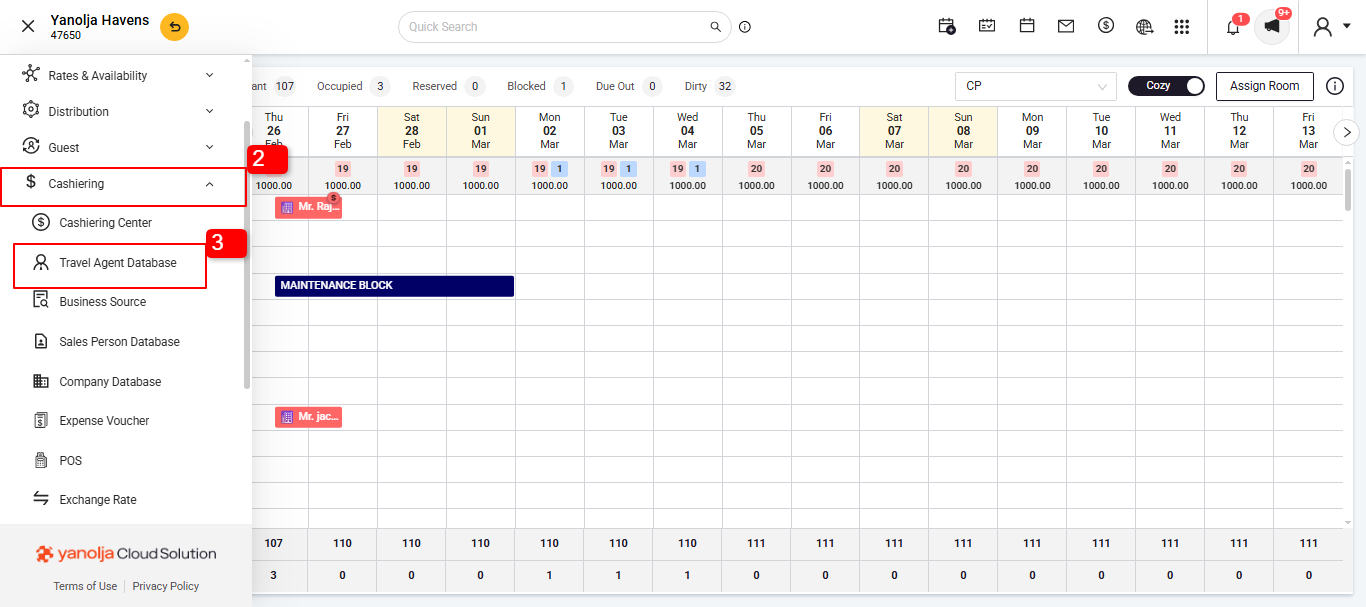
 Go to Cashiering .
Go to Travel Agent Database.
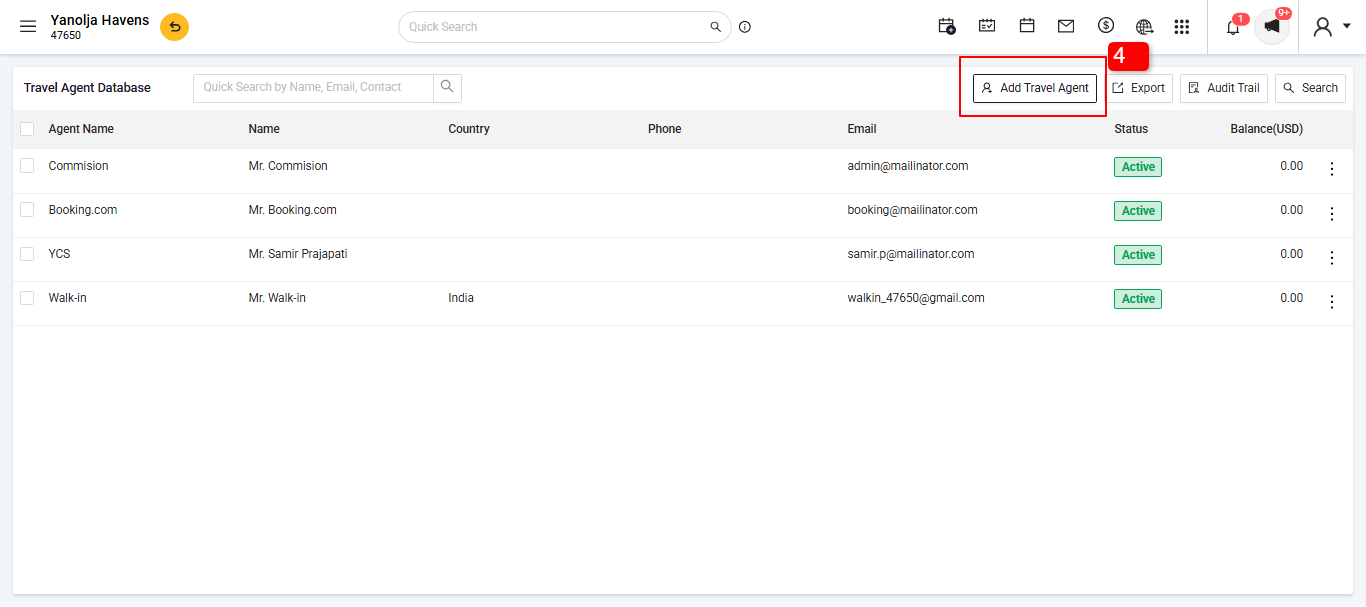
Go to Add Travel Agent
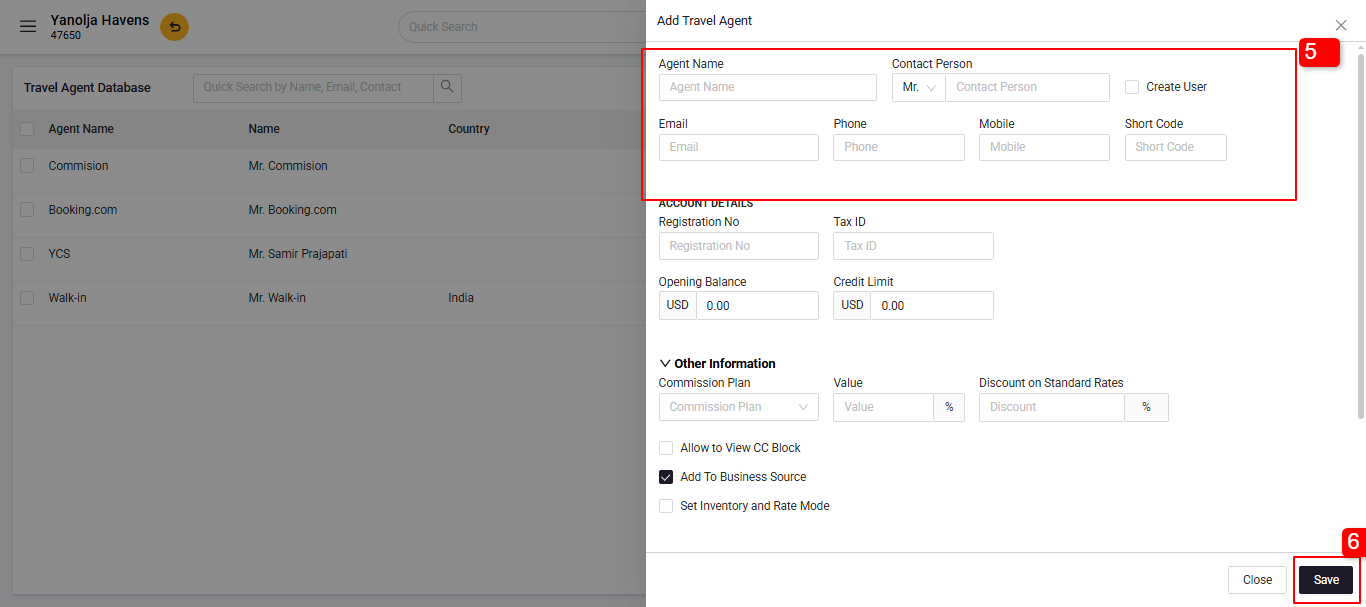
 5. Fill in the required fields:
- Travel Agent Name
- Contact Information (Email, Phone, Address. 6. Click on Save.
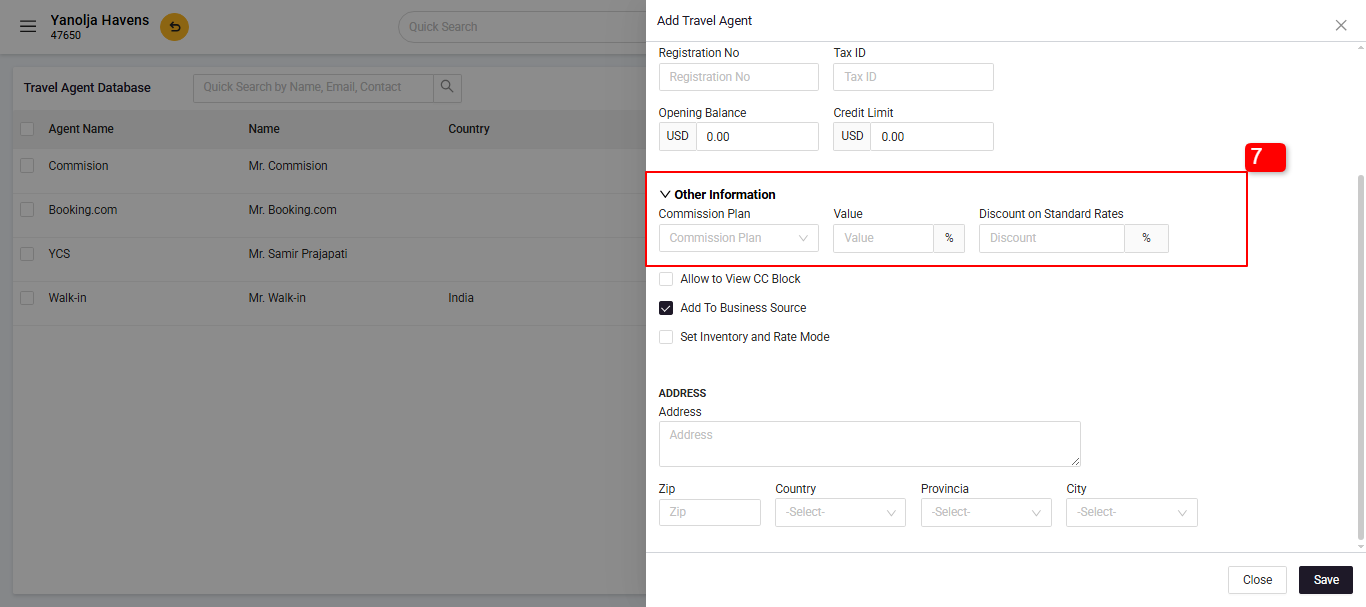
 7. Set Commission & Billing Preferences (Optional)
 - Assign commission settings for the travel agent.
- Define if invoices should be billed directly to the agent
- Click on save.
8. Agent Access to the Booking Engine:
The travel agent visits your booking engine.
They log in using the credentials provided in the email.
Once logged in, the system applies their assigned discount to the available room rates.
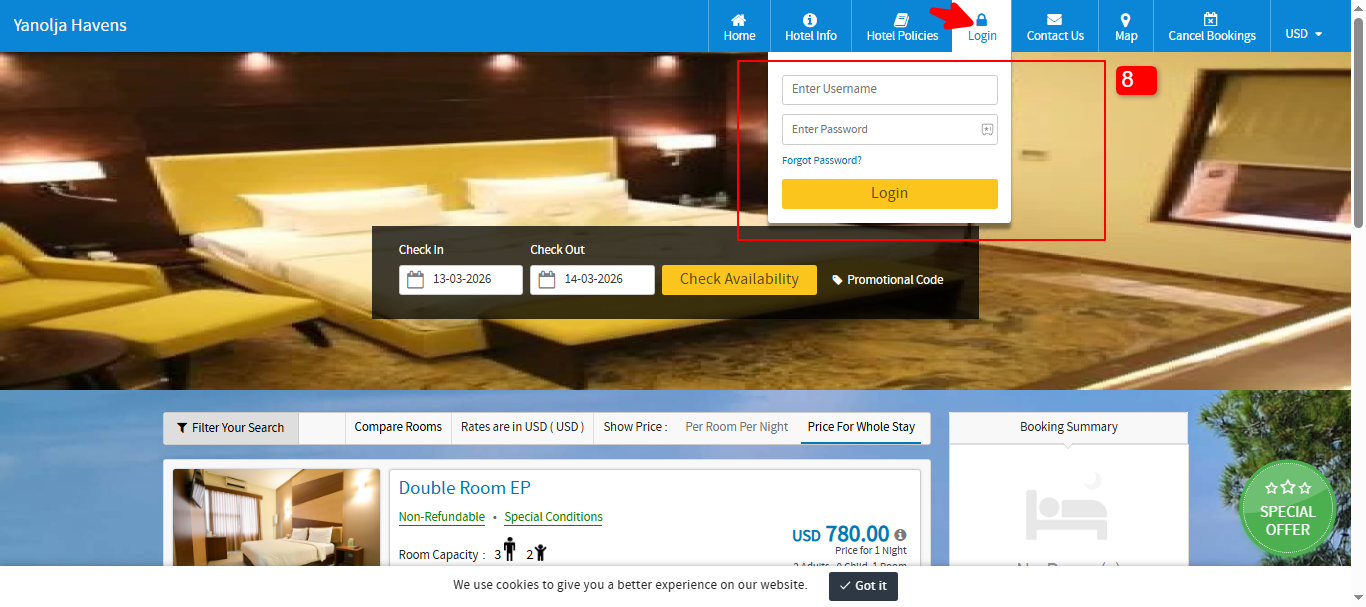
This setup ensures that travel agents can seamlessly book rooms at their designated discounted rates through your booking engine.
Was this article helpful?
That’s Great!
Thank you for your feedback
Sorry! We couldn't be helpful
Thank you for your feedback
Feedback sent
We appreciate your effort and will try to fix the article