Defining the financial year in the system helps in organizing financial reports and records correctly. Follow these steps to set or update the financial year for your property.
Steps to Define the Financial Year
Go to the configuration
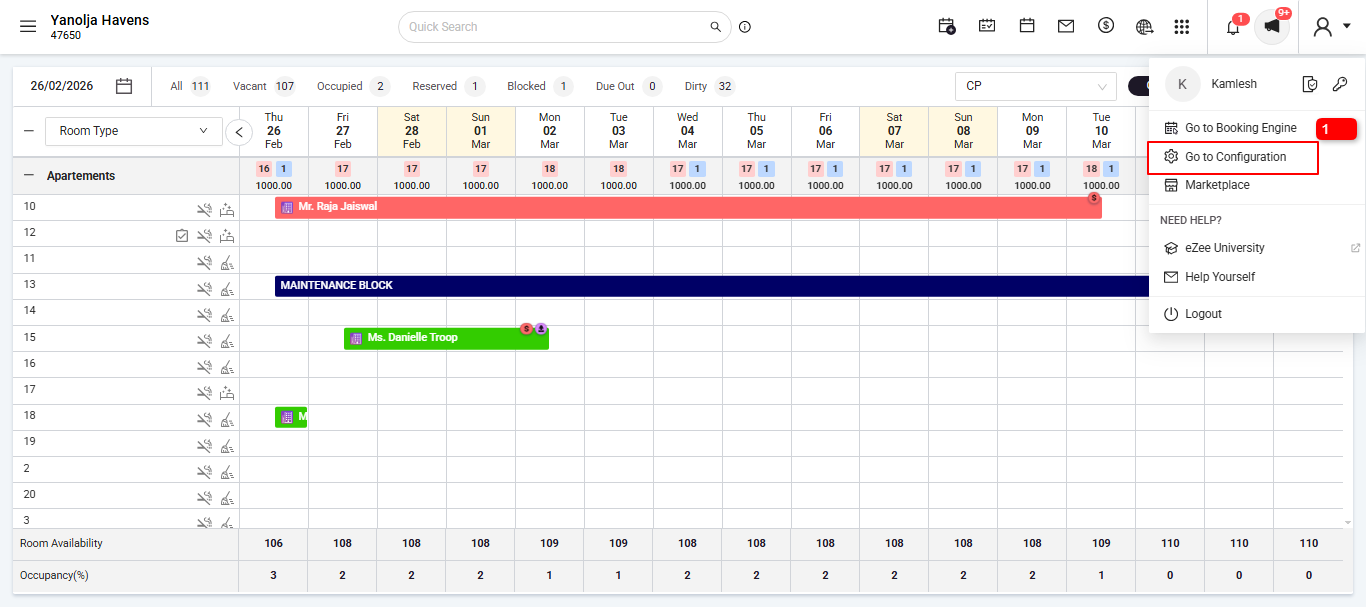
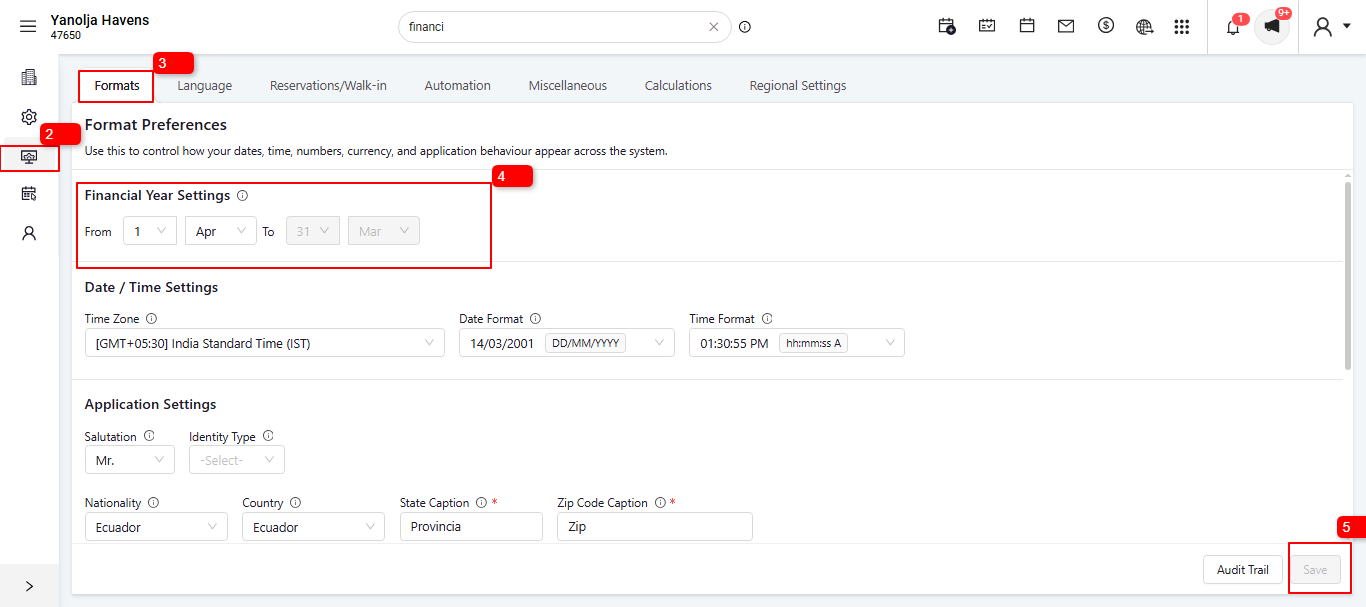
Go to the General Settings
Go to the Formats
check the Financial Year settings and Set the Start Date and Month of your financial year (e.g.,1 April -31 March for April–March cycle).
Save your settings
Important Notes
Make sure to define the financial year before generating reports to avoid mismatches in data.
You can update this setting anytime if your financial year changes.
Was this article helpful?
That’s Great!
Thank you for your feedback
Sorry! We couldn't be helpful
Thank you for your feedback
Feedback sent
We appreciate your effort and will try to fix the article