Step 1: Open Reports
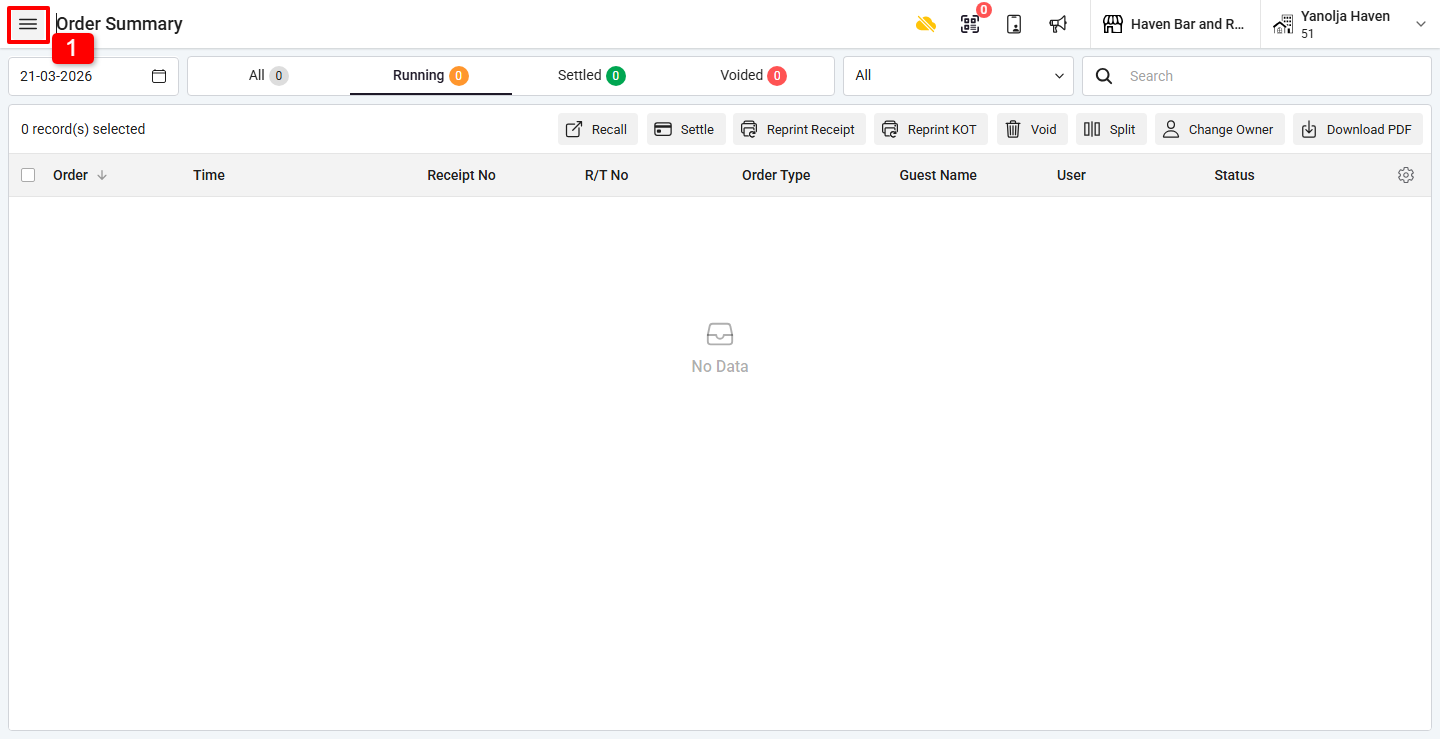
1. Click on the ☰ (Three Lines Menu).
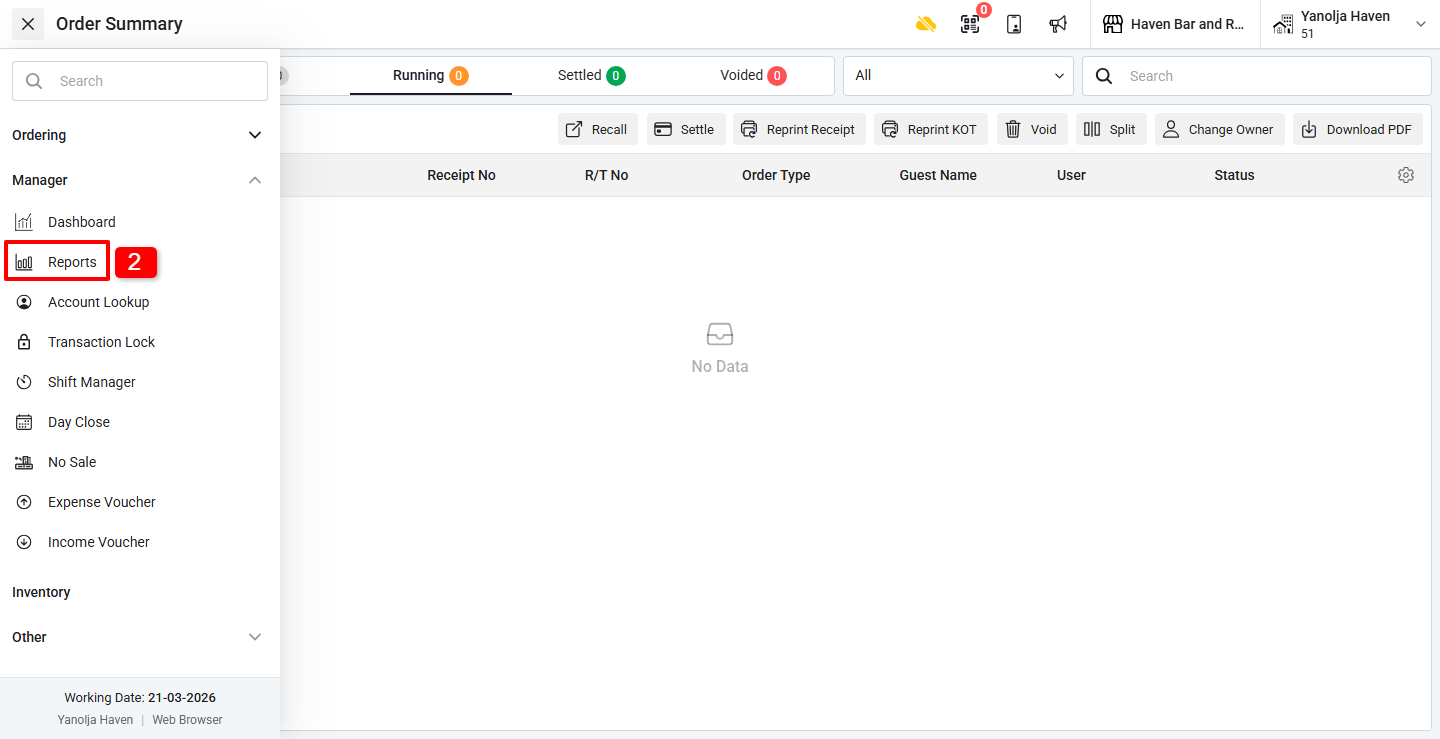
2. Under Manager, click on Reports.
Step 2: Select Report & Date Range
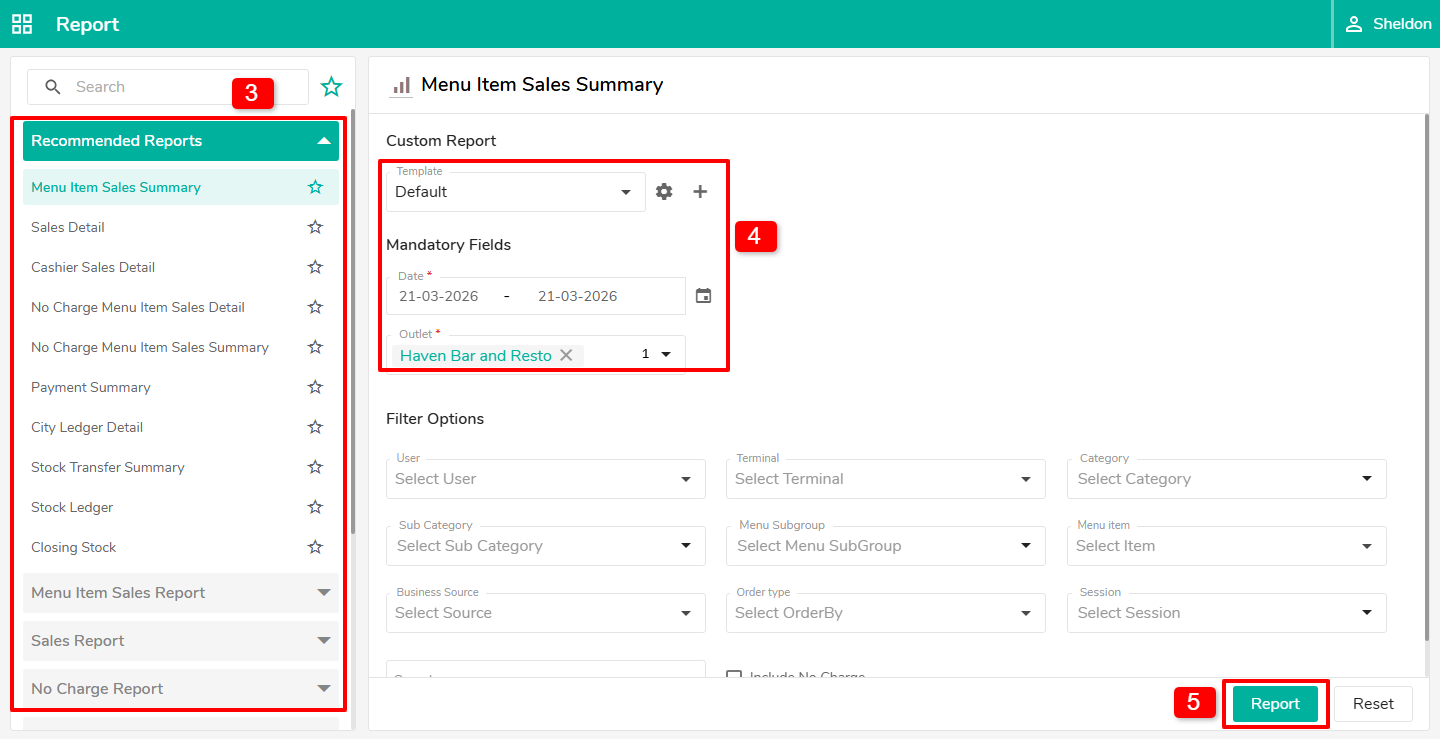
3. Select the Report you want to download.
4. Choose the Date Range as per your requirement.
5. Click on Report to generate the report.
Step 3: Export Report
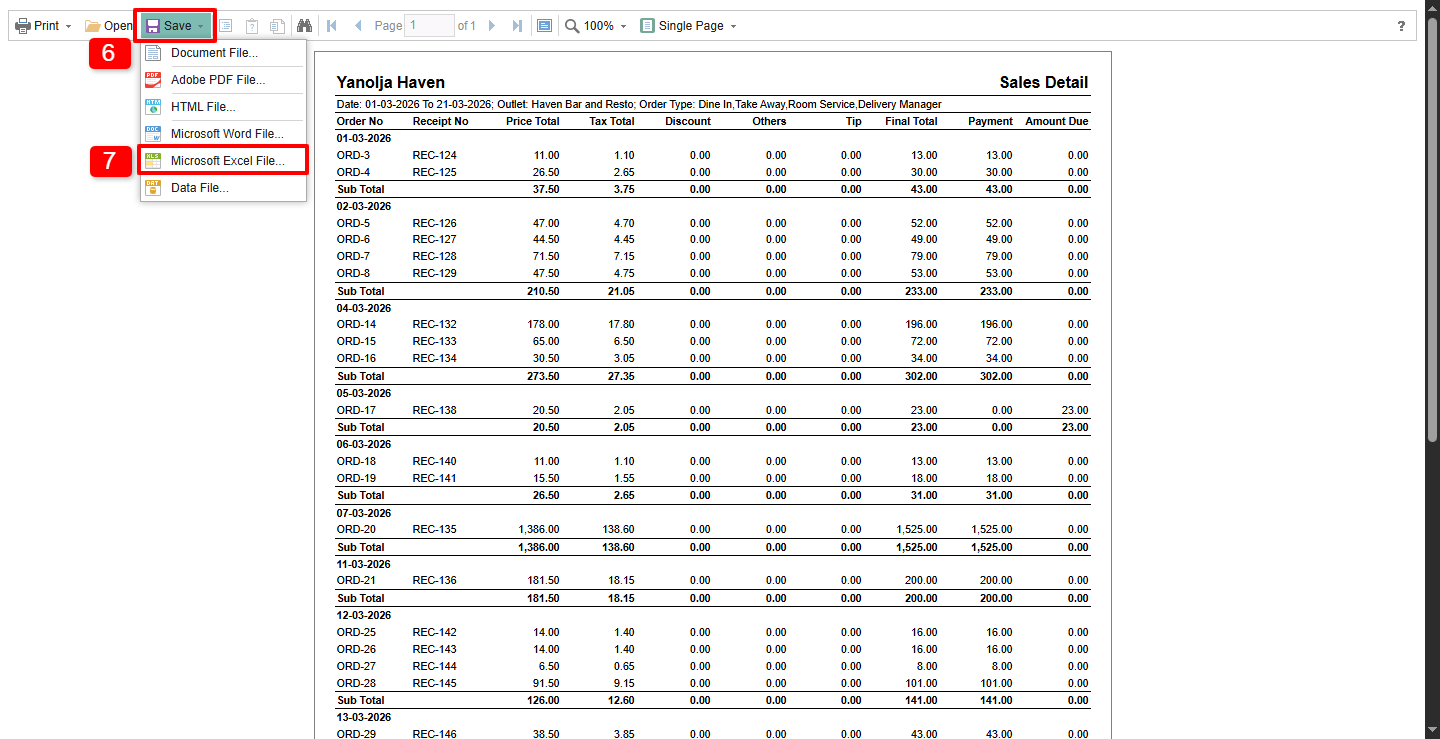
6. Click on the Save button.
7. Select Microsoft Excel File.
Step 4: Export Options
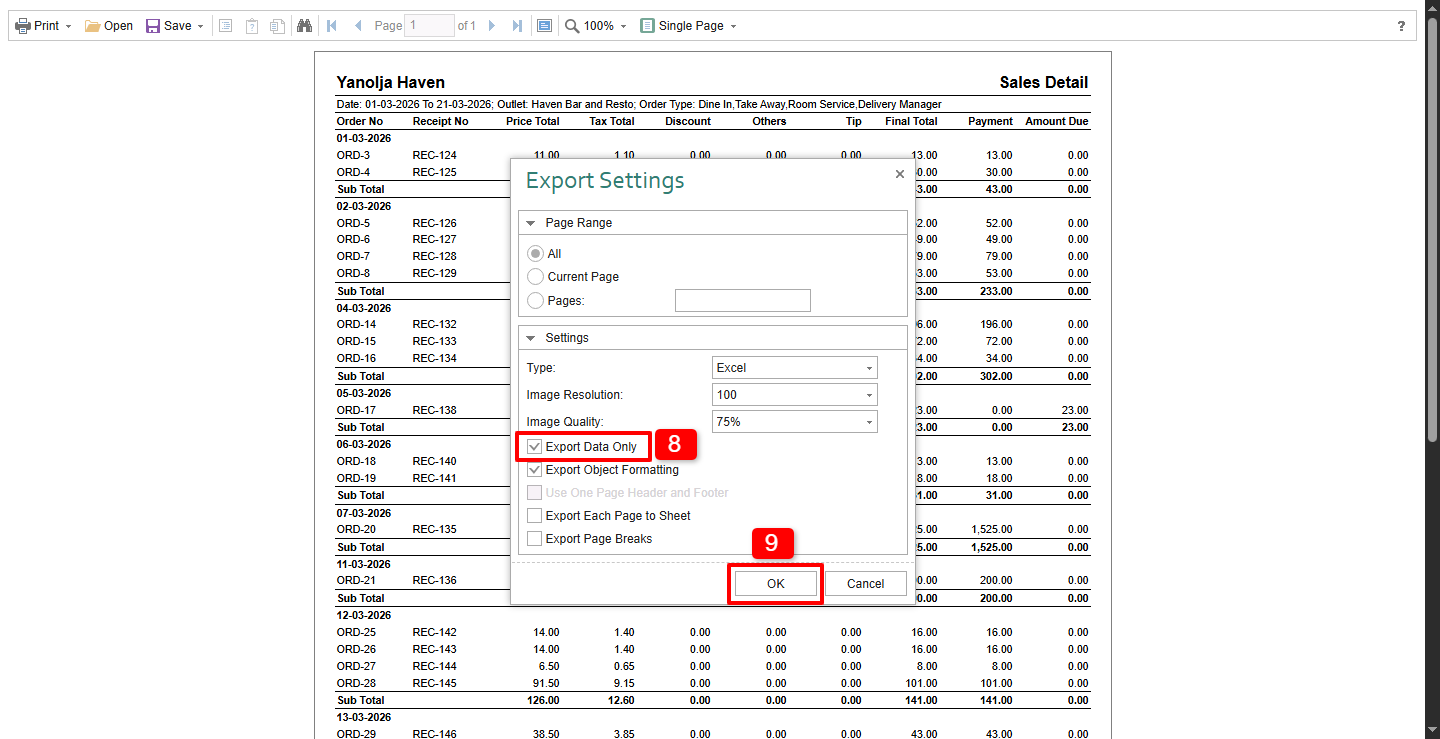
8. Checkmark Data Only (to export only the raw data without formatting).
9. Click on OK to export the file.
Step 5: Open File
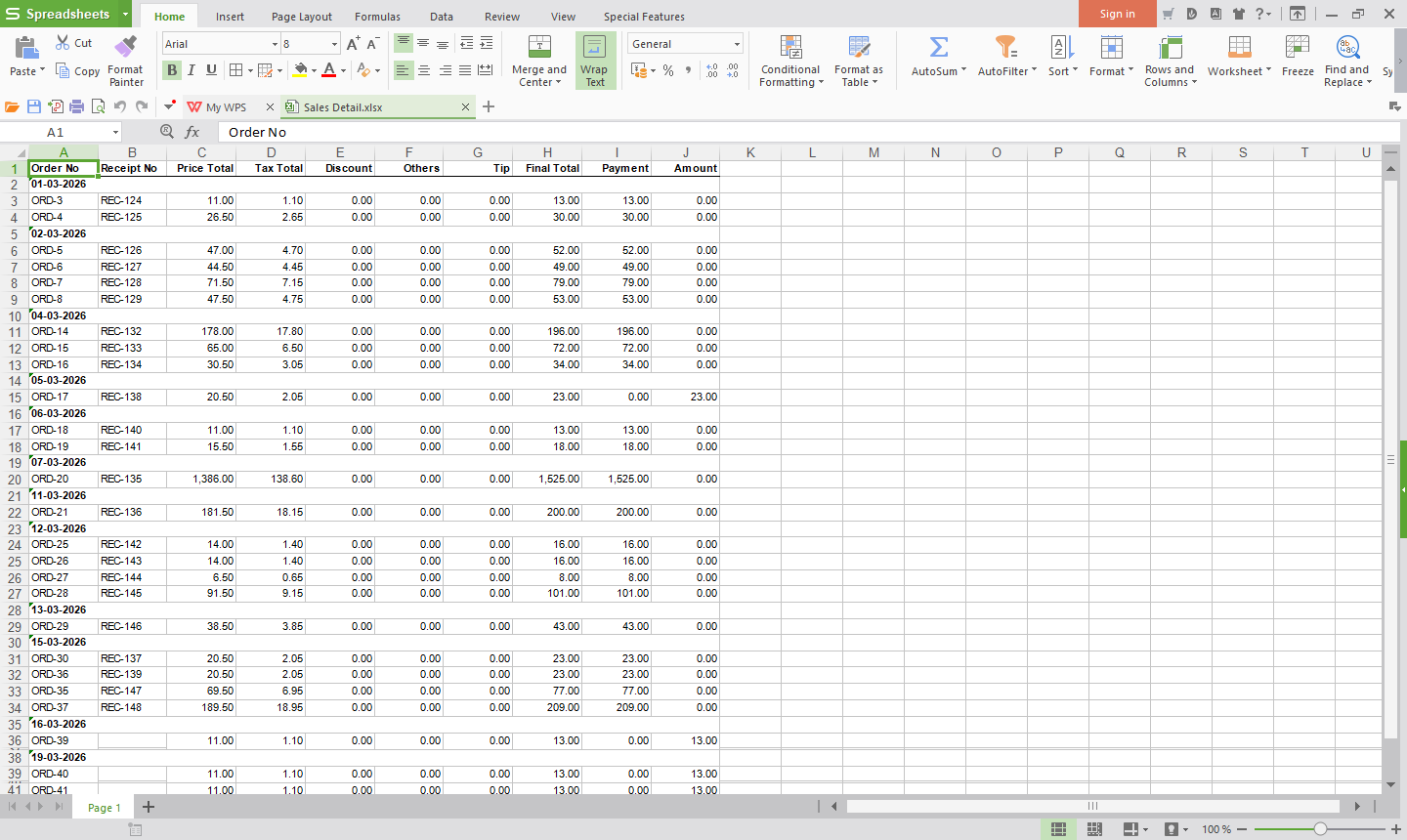
Once downloaded, open the Excel Sheet to view and analyze the data.
Was this article helpful?
That’s Great!
Thank you for your feedback
Sorry! We couldn't be helpful
Thank you for your feedback
Feedback sent
We appreciate your effort and will try to fix the article