If you're unable to assign a room to a reservation in PMS, even though rooms are available, it may be because the rate type isn't linked to the desired room type. To resolve this issue, follow these steps:
1. Verify User Privileges:
- Access Configuration Panel:
- Log in to Unified Solution.
- Navigate to Users List.
- Edit the relevant user account.
- Ensure the Access to Configuration Panel privilege is enabled.
2. Check the Reservation's Rate Type:
- Log in to Unified Solution.
- Open the reservation in question.
- Note the Rate Type assigned to this reservation.
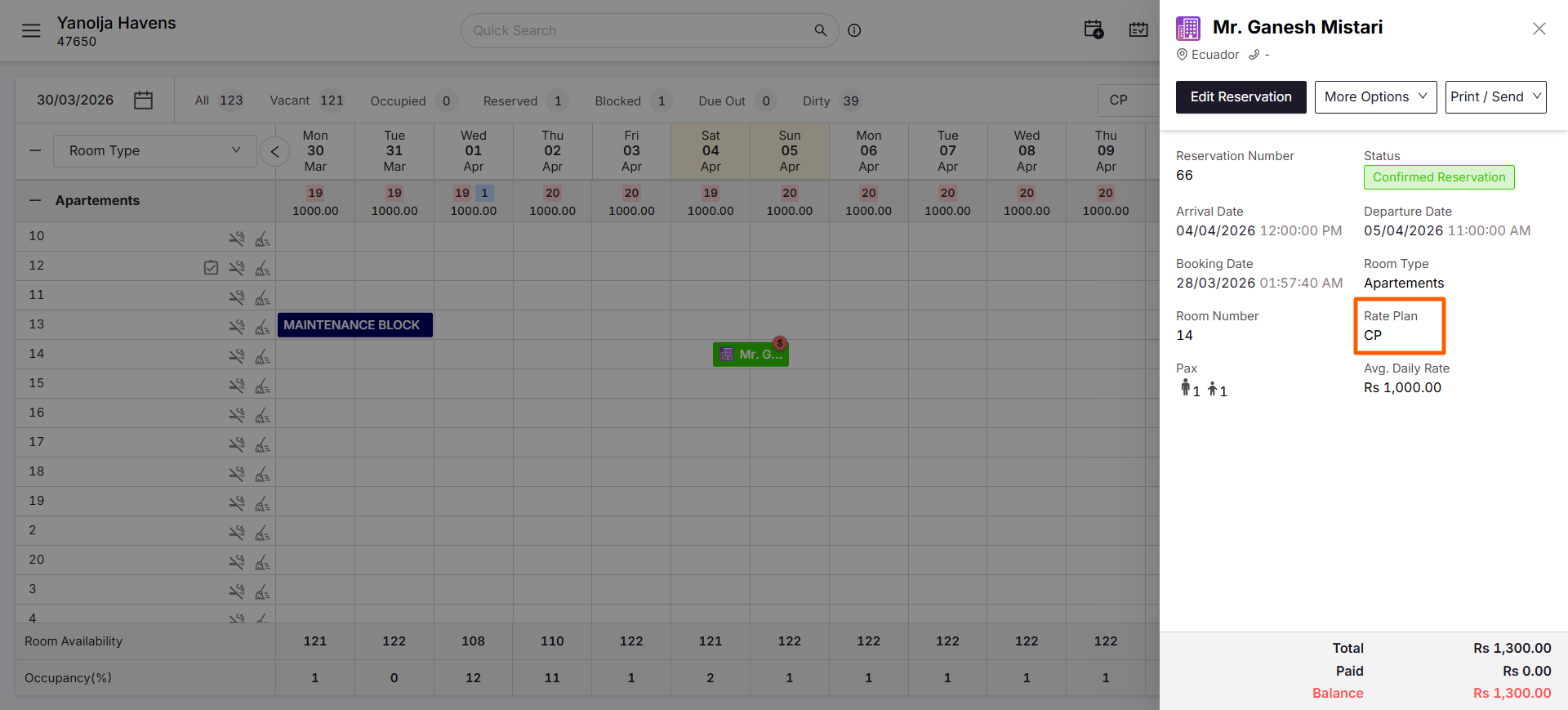
3. Link Rate Type to Room Type:
- Return to Unified Solution.
- Go to Rate Type List.
- Edit the rate type identified in the previous step.
- Ensure the desired Room Type is assigned to this rate type.
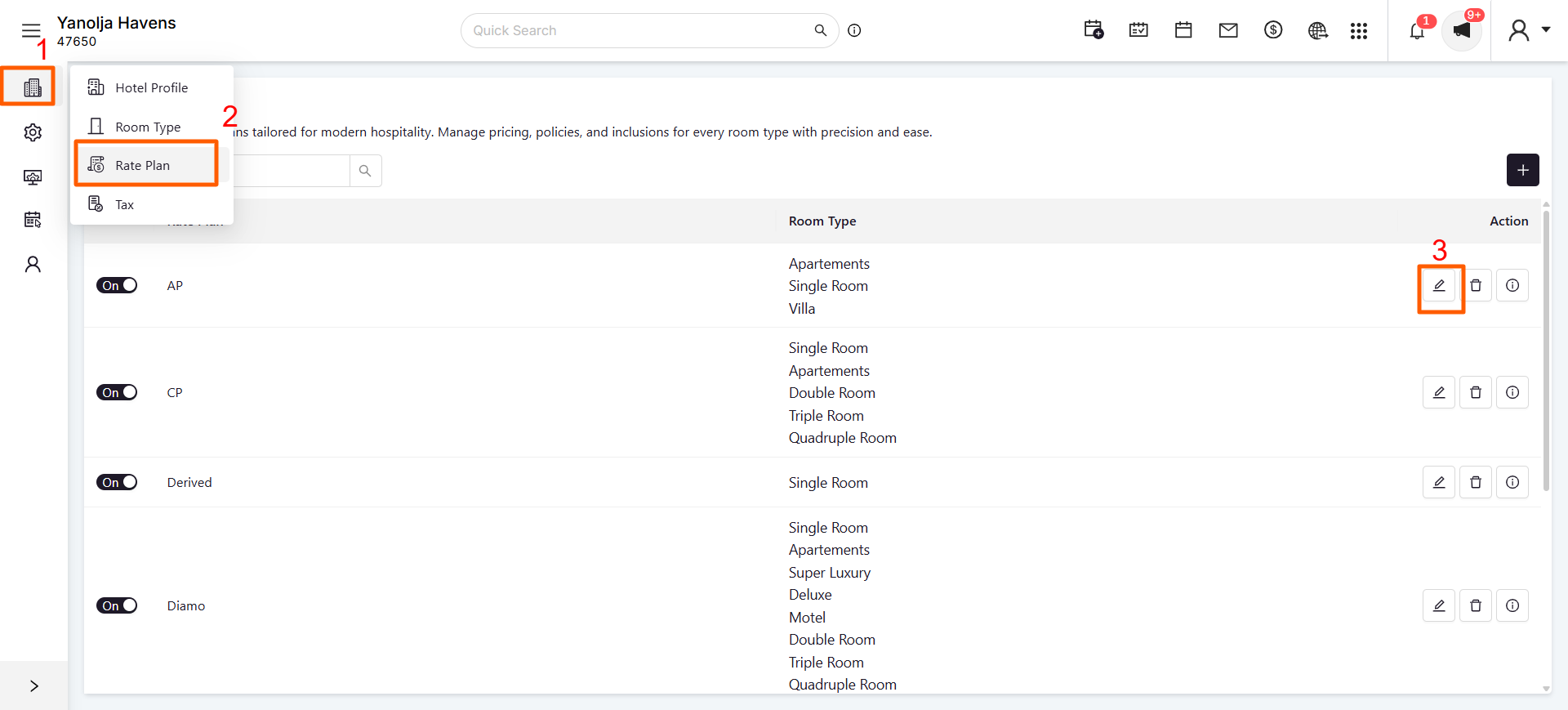
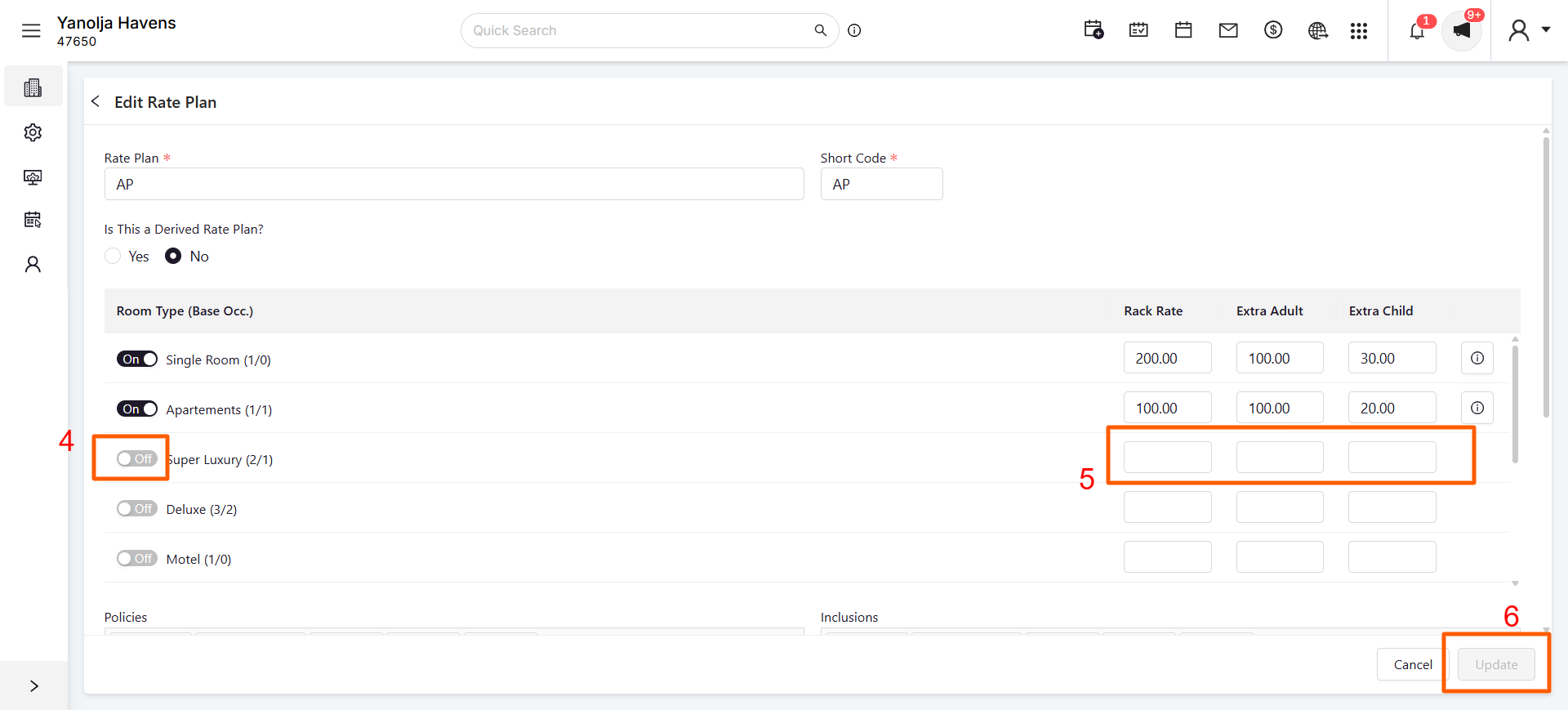
4. Assign the Room:
- Return to the reservation in Unified Solution.
- Edit the reservation.
- Assign the appropriate room, which should now be selectable.
By ensuring that rate types are correctly linked to room types, you can assign rooms to reservations without issues
Was this article helpful?
That’s Great!
Thank you for your feedback
Sorry! We couldn't be helpful
Thank you for your feedback
Feedback sent
We appreciate your effort and will try to fix the article