This article explains how to create a company (corporate) reservation in the Property Management System under Yanolja Cloud Solutions :
- How to create a company.
- How to create a corporate reservation.
- The user rights and permissions required for a user to complete this process.
- How can I check aging reports and view outstanding balances for a specific company?
When guests are staying under an organization—like construction workers booked by a company or individuals supported by a church—this feature helps manage their reservations efficiently. All bookings and payments can be handled under a single company profile.
Follow the steps below to create a company profile in the Property Management System.
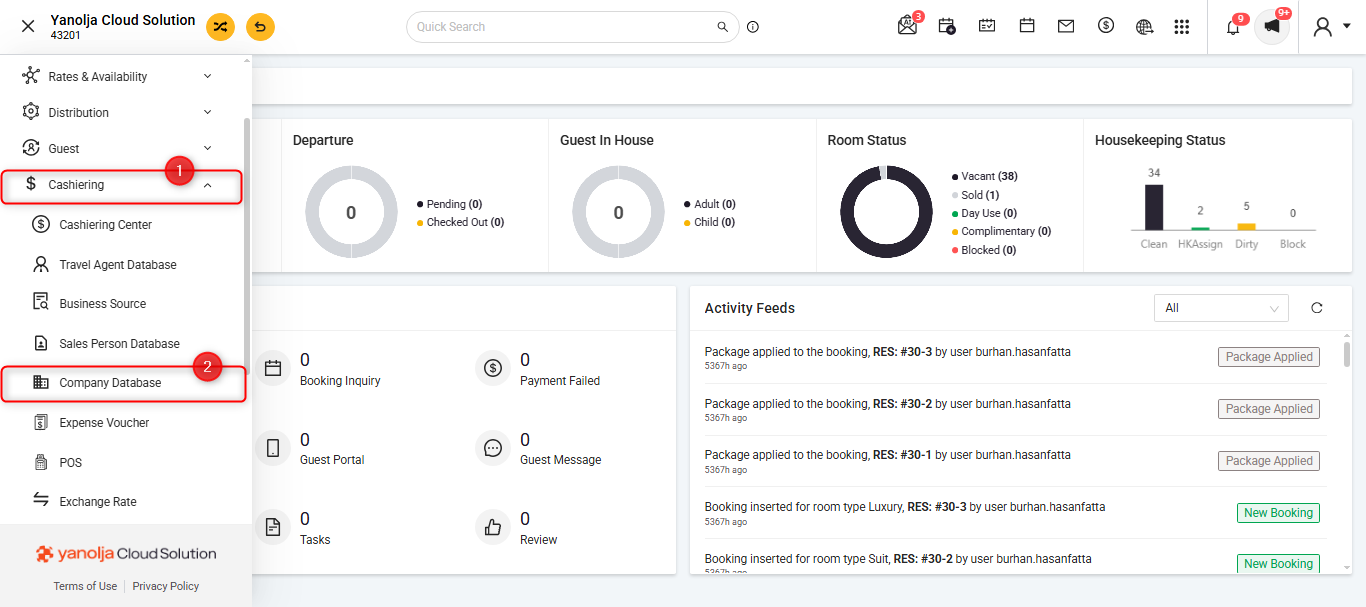
- Click on the Hamburger Menu (☰) in the top-left corner of the screen. Click on the tab "Cashiering" and select the option 'Company Database'.
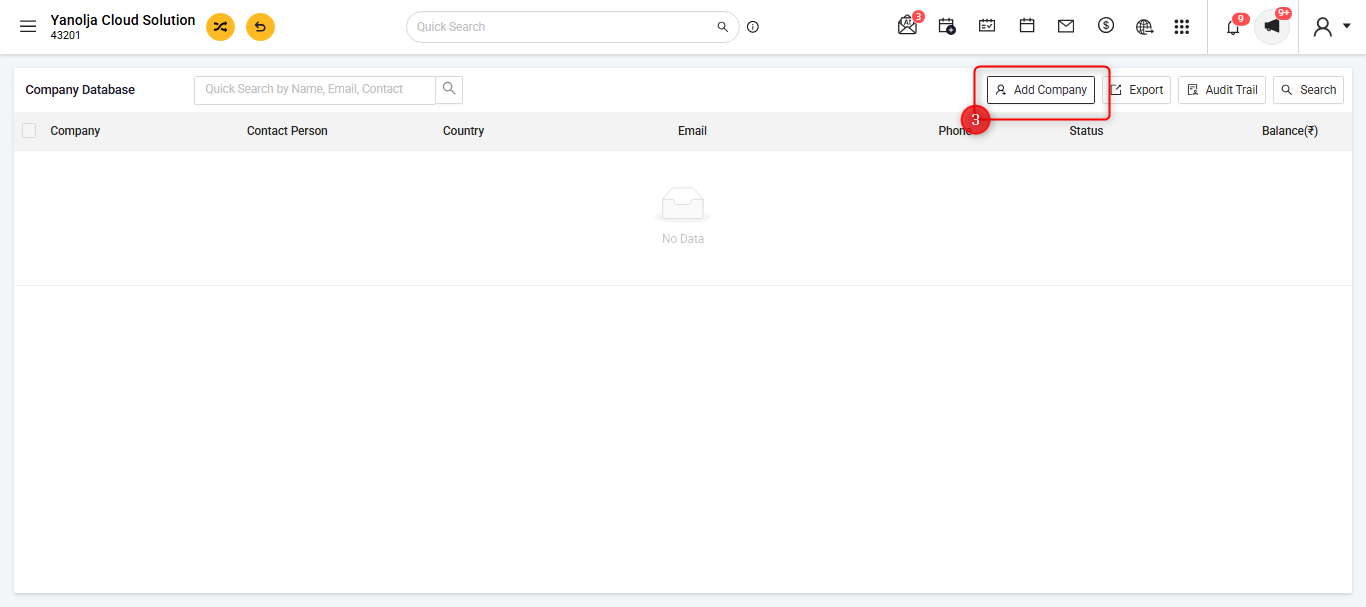
- Click on 'Add Company'.
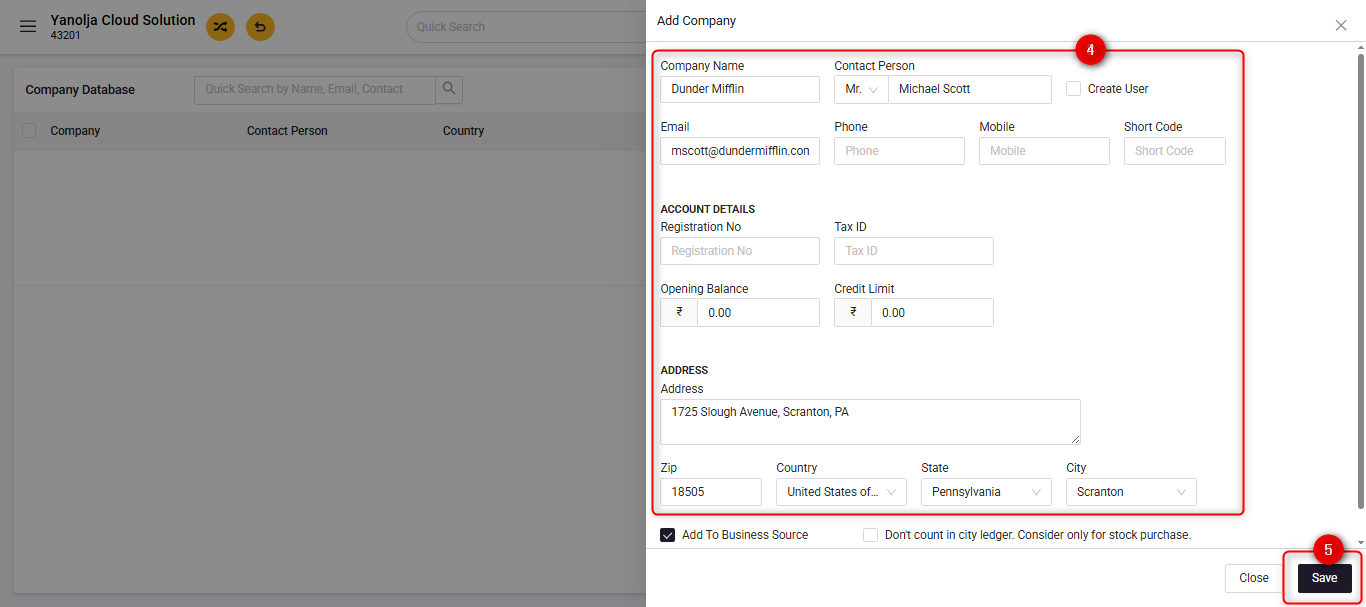
- Fill in all the relevant details, and click on save to complete the creation of the company.
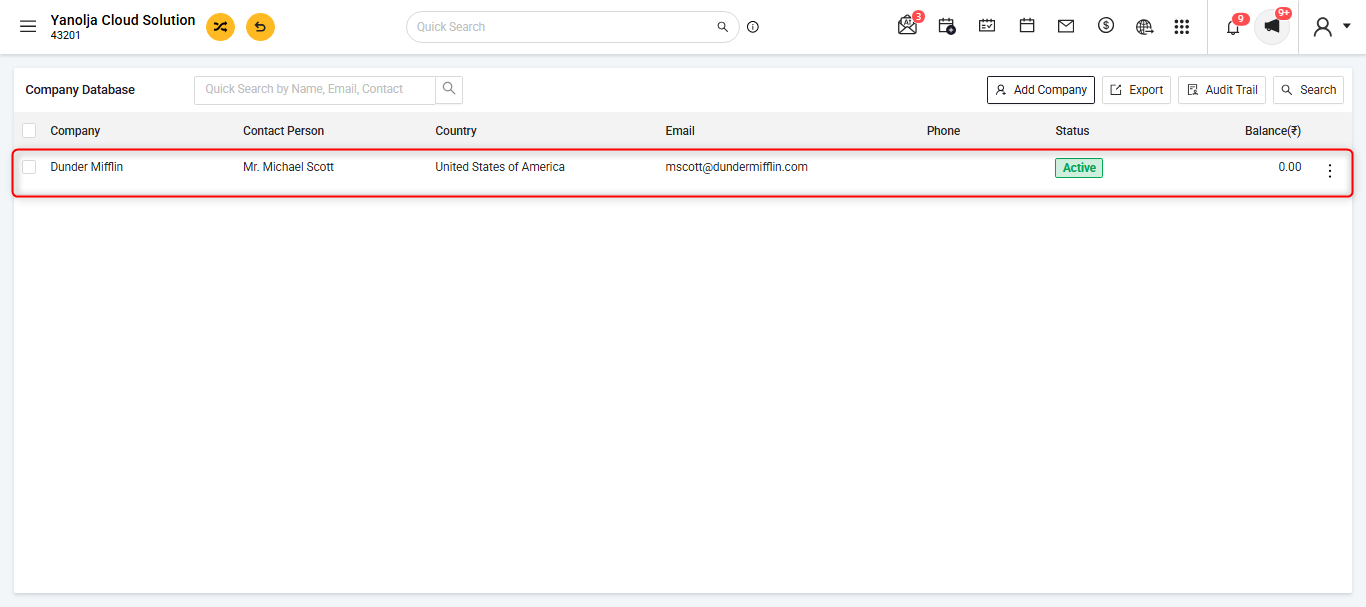
- After creating all the companies, All the companies will be visible as a list below.
To create the corporate reservations please follow the steps below:
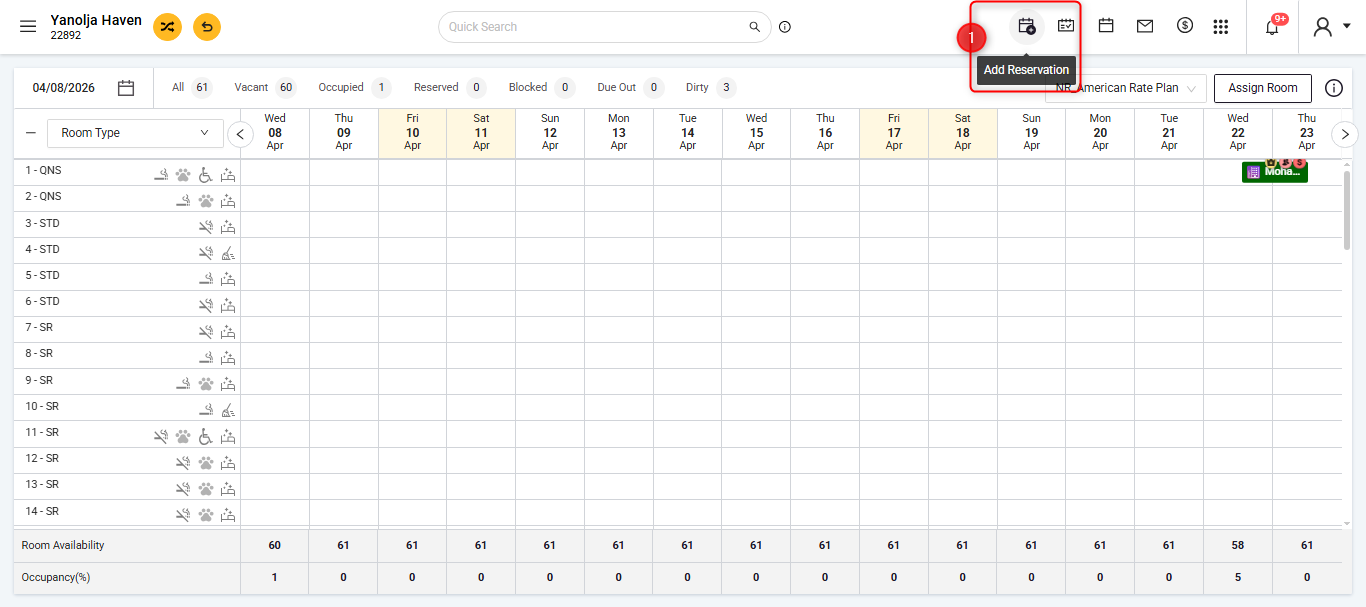
- Click on “Add Reservation” to begin creating a new booking.
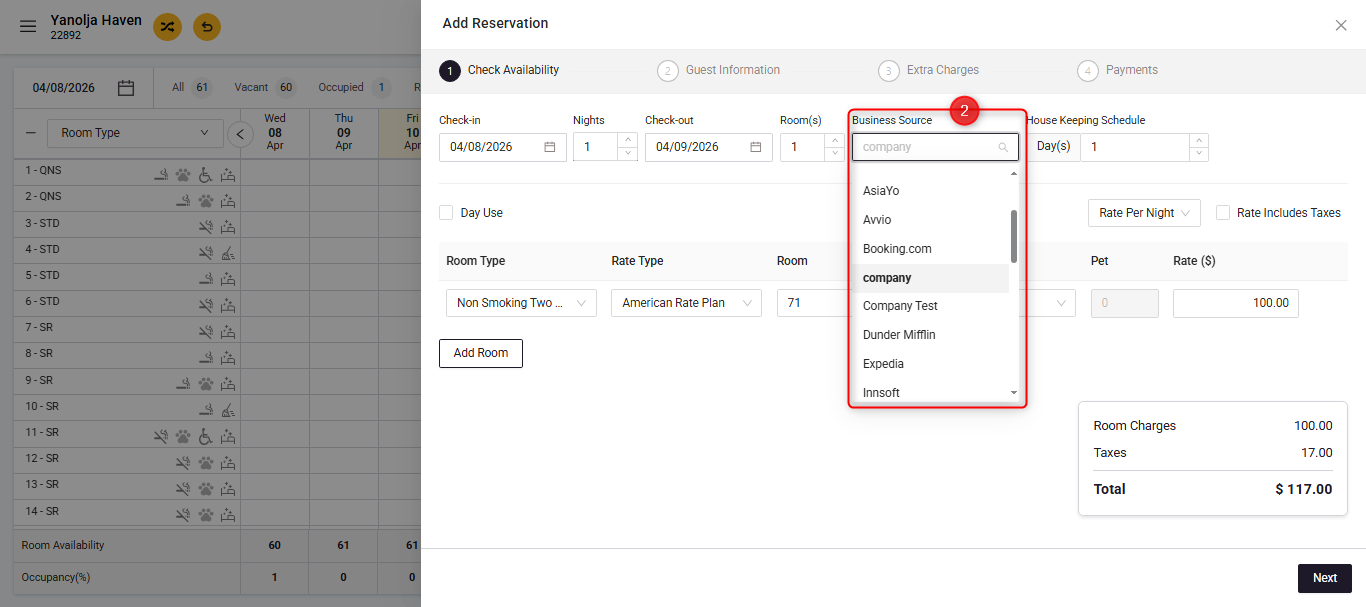
- In Stage 1: Check Availability, click on “Business Source” and select the company you want to associate with the reservation.
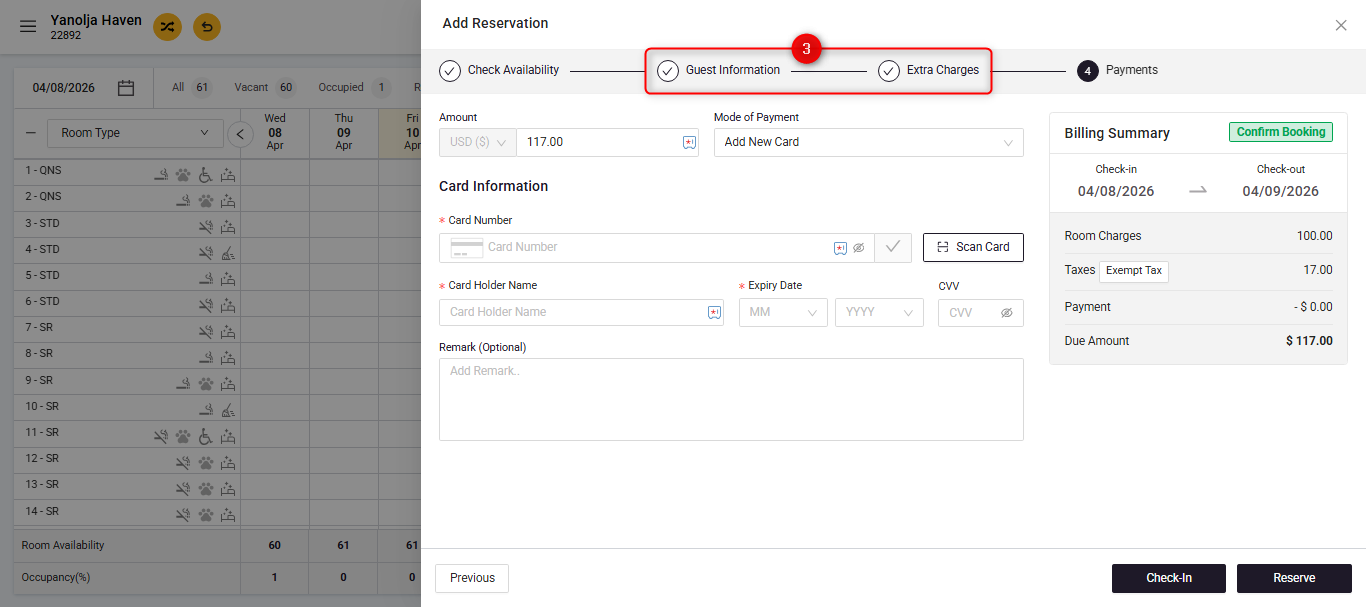
- Proceed to complete Stage 2 and Stage 3 of the reservation creation process as required.
- In Stage 4, under “Mode of Payment”, select “Business Source”.
If a guest is staying with us and the payment for the reservation is to be made by a company, you must ensure that the reservation is settled under the company’s name. This allows you to collect the payment from the company at a later date and subsequently settle the company’s folio.- The company you selected earlier will be automatically pre-filled in this section.
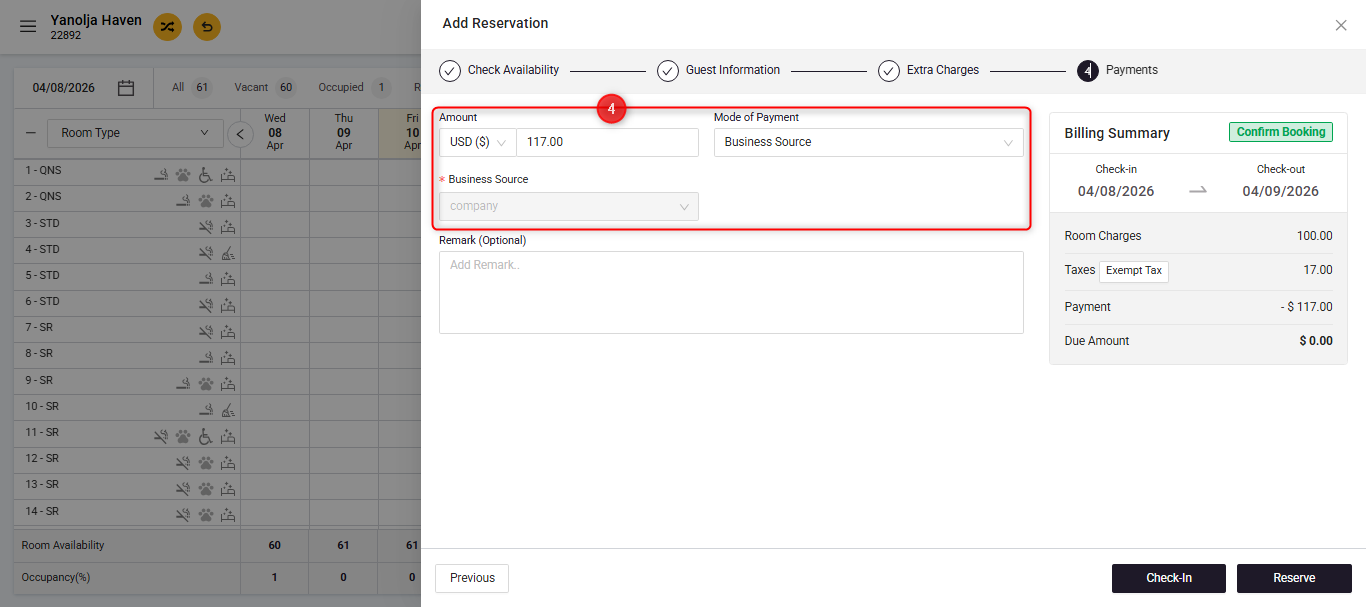
- The company you selected earlier will be automatically pre-filled in this section.
- Complete the reservation by clicking on Check-in / Reserve
User Privilege Requirements:
To create the company, ensure that the user has the required privileges enabled:
- Navigate to Configuration
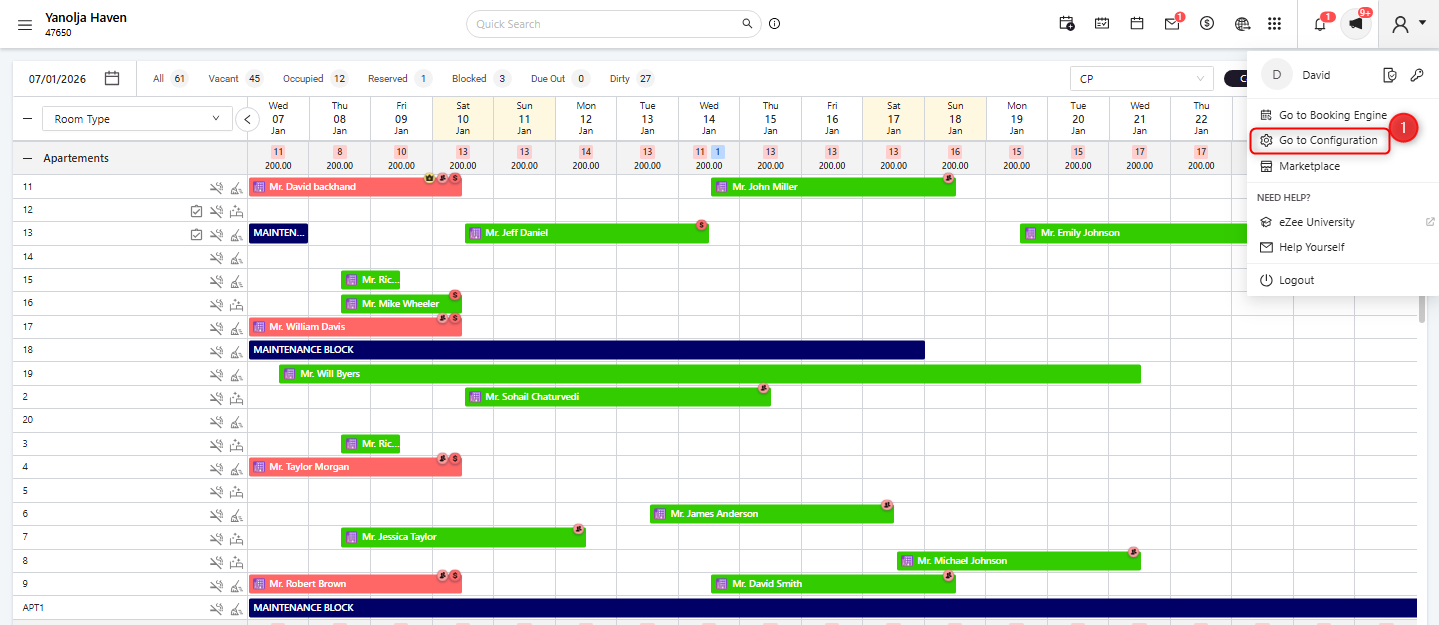
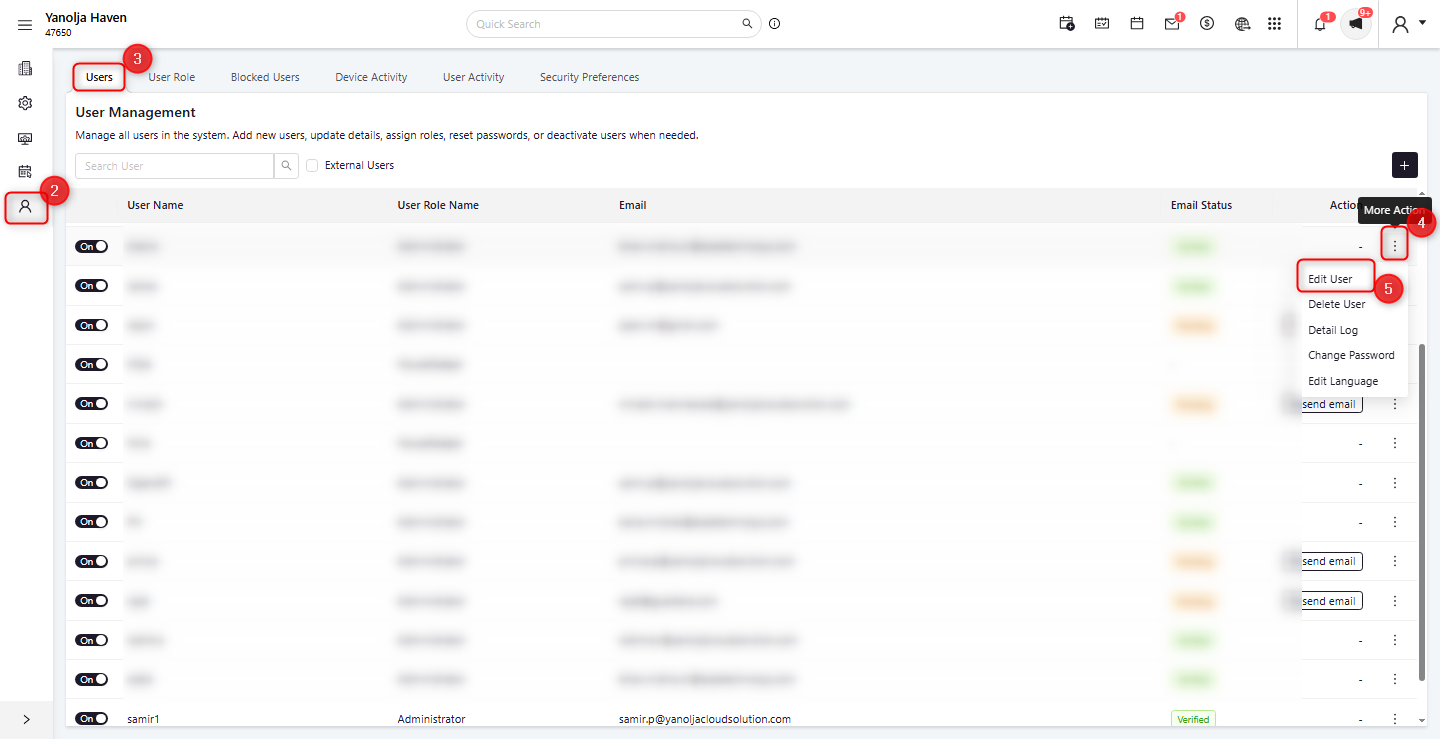
- Go to User Managements
- Click on Users
- Select the required user.
- Click Edit User.
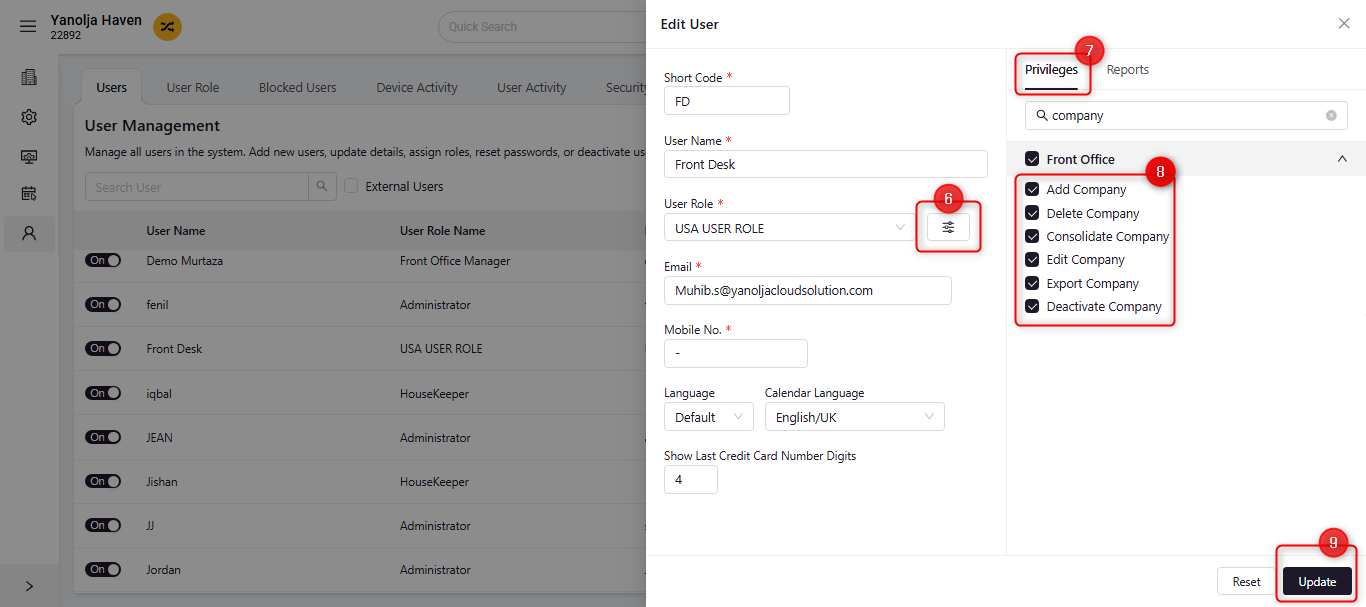
- Click on Privilege Tab Option
- Open Front Office Privileges
- Confirm that Access to Allow to perform Company Creation / Reservation is enabled for the user.
- Update the changes.
Follow the Steps Below to check aging reports and view outstanding balances for a specific company.
Once a corporate reservation is created, you can track and review its financial activity using the reports below:
- City Ledger - Detail – Provides a transaction-level breakdown, including guest information and associated reservation details for each entry.
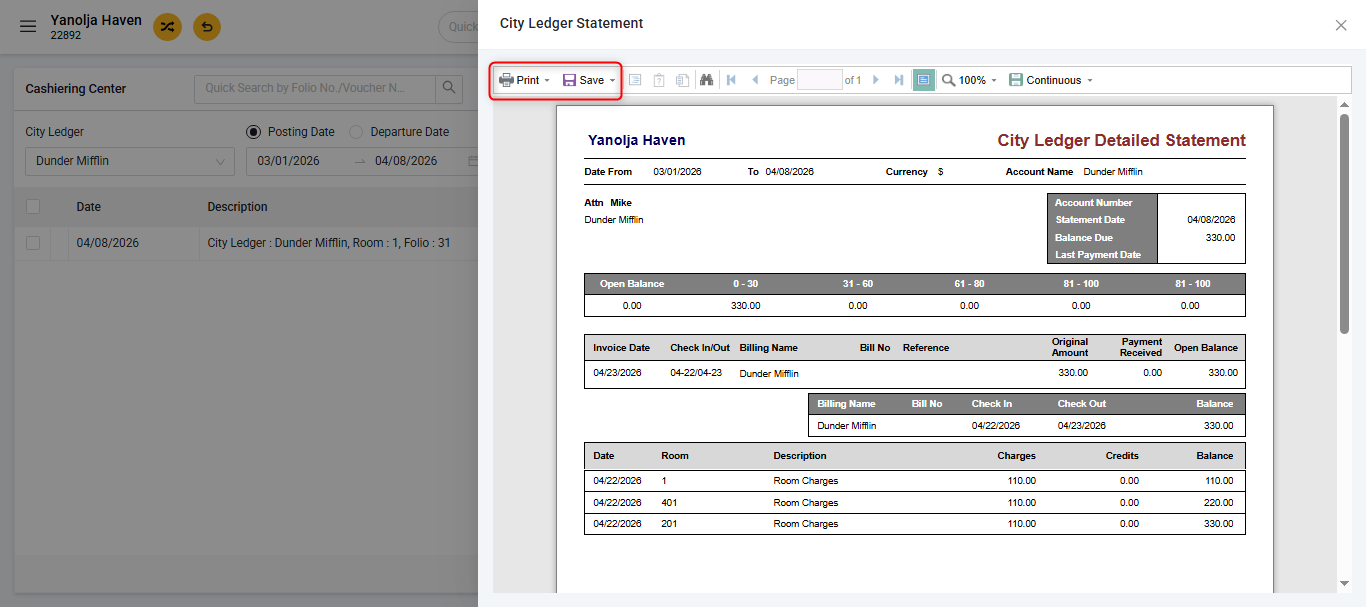
- City Ledger Detailed Statement – Offers a complete ledger overview with ageing analysis to help track outstanding amounts over time.
- City Ledger - Detail
- Click on the Hamburger Menu (☰) in the top-left corner of the screen. Click on the tab "Reports"
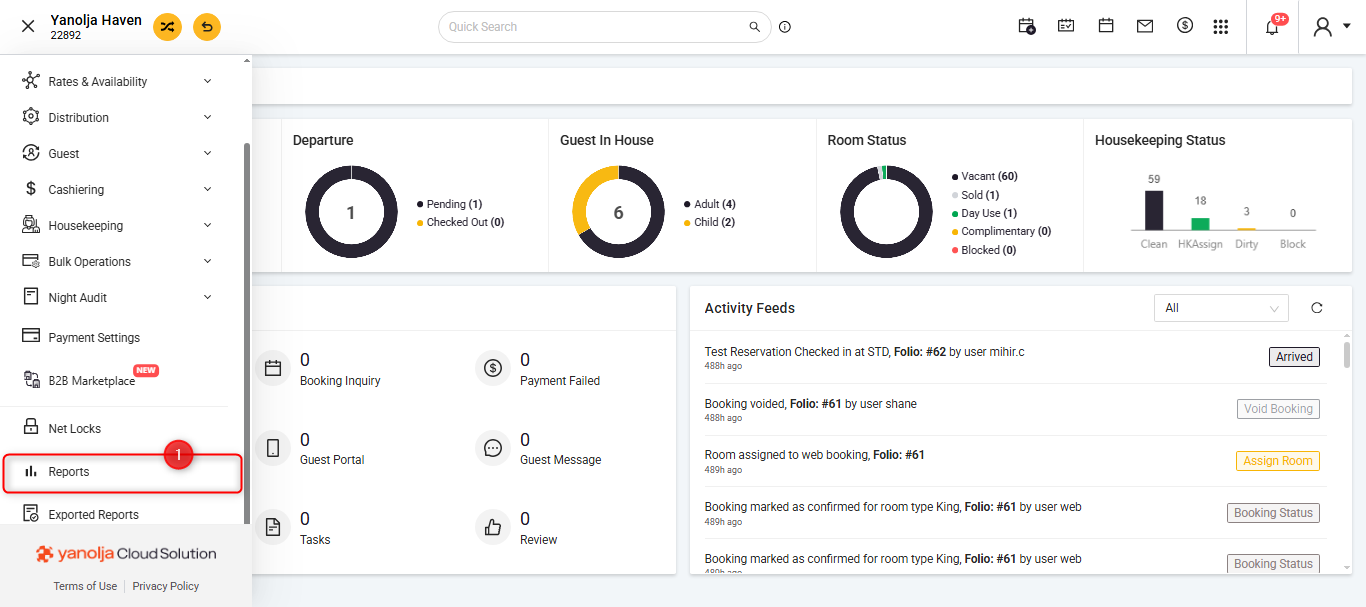
- A new tab will be open, on the 'Search bar' search for "City Ledger"
- Click on the "City Ledger - Detail" from the search results.
- Select your Desired Company you want to see the report for.
- Select the date range of the report.
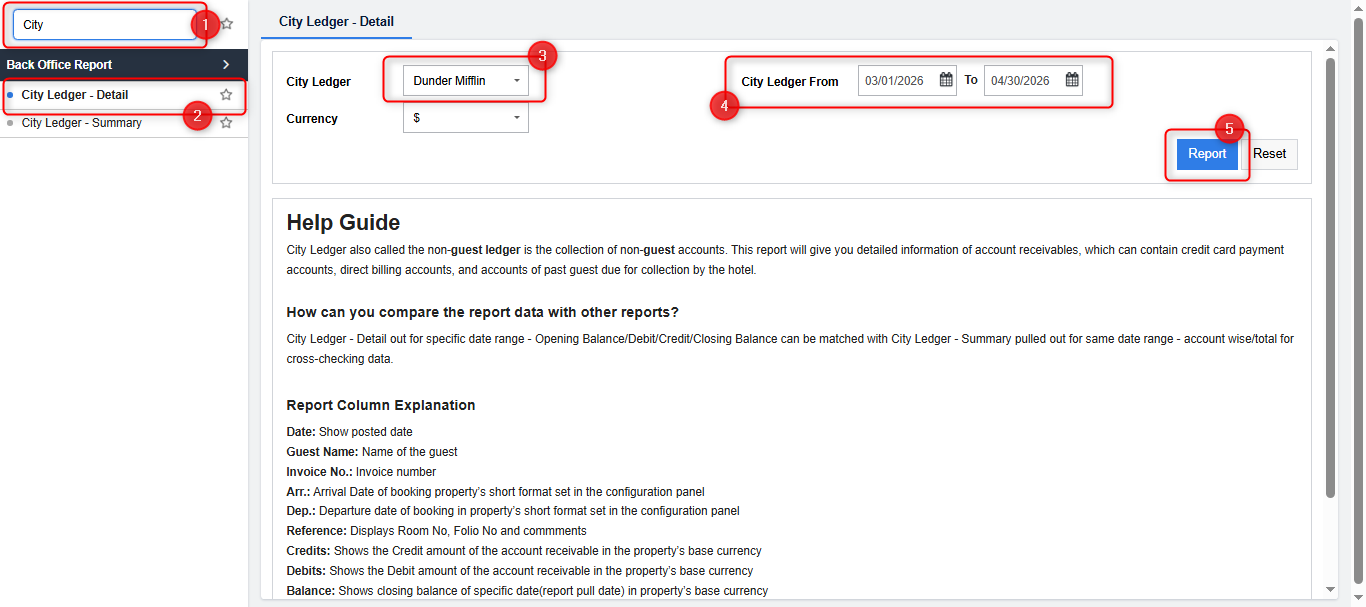
- Click on 'Report' to generate the report.
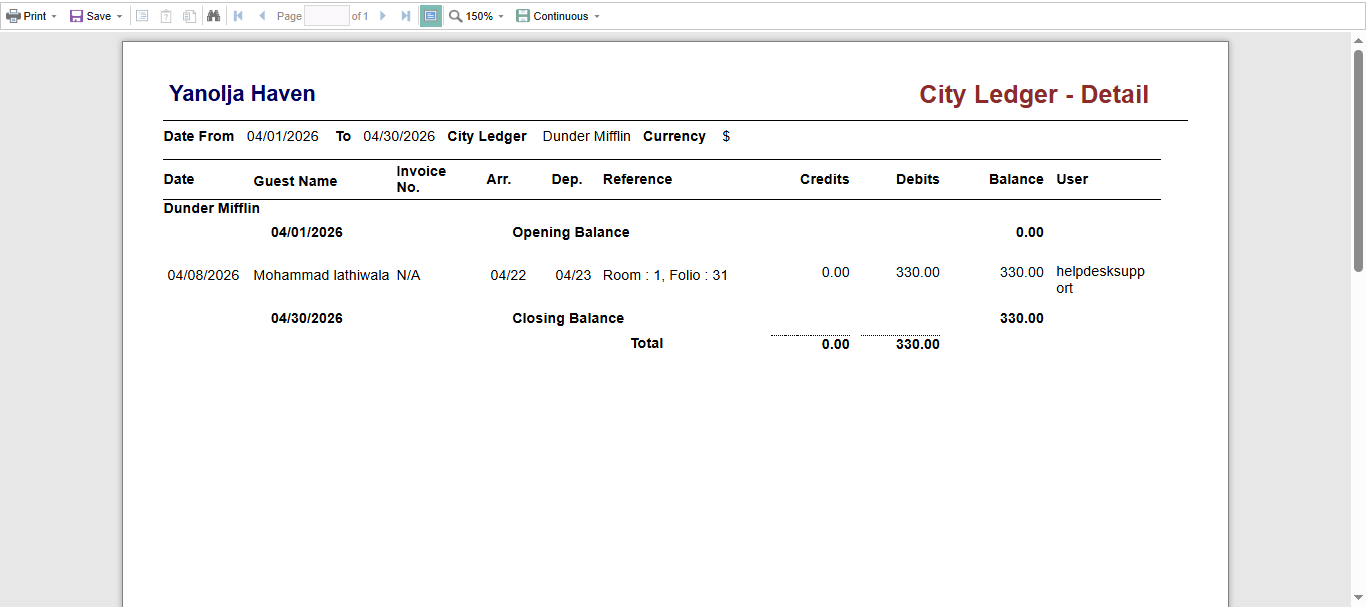
2. City Ledger Detailed Statement
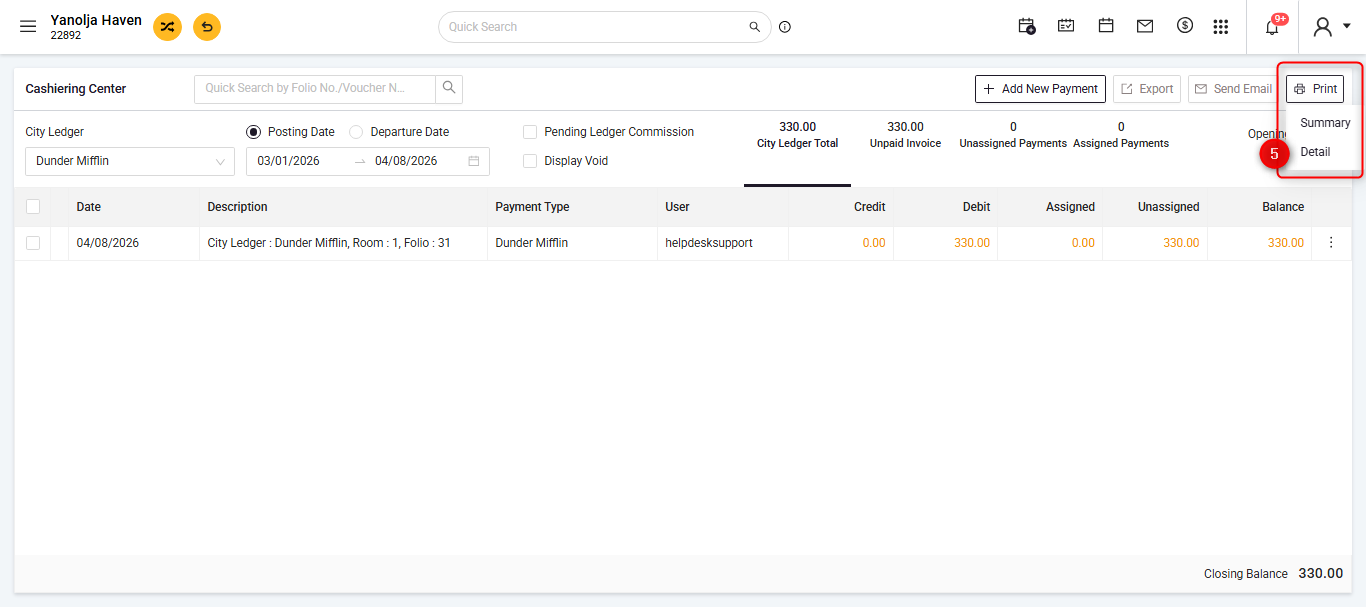
- Click on the Hamburger Menu (☰) in the top-left corner of the screen. Click on the tab "Cashiering" and select the option 'Cashiering Center'.
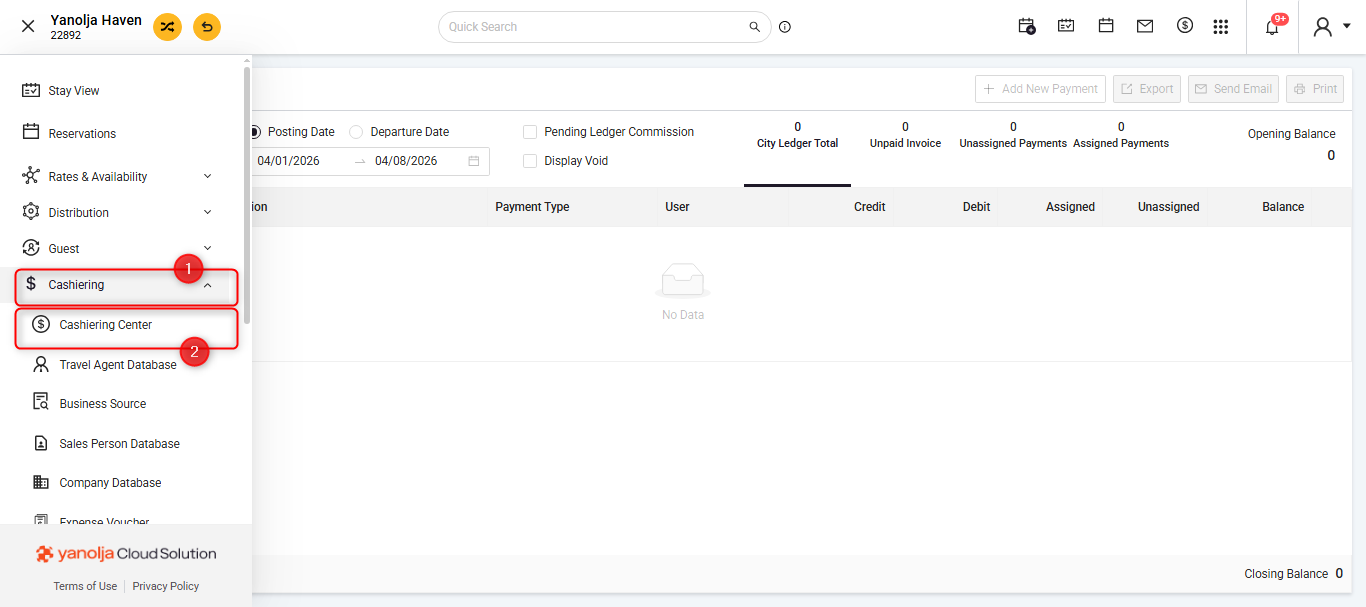
- Select the Company you wish to see the reports & Select the Date range for your reports.
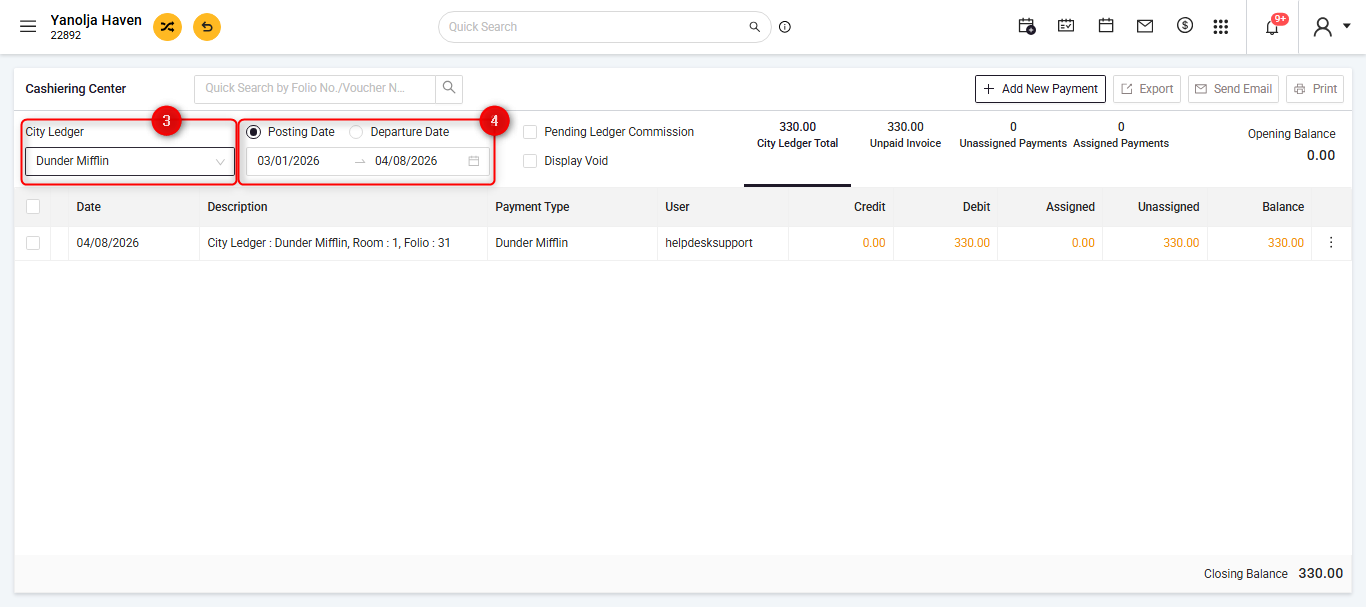
- Please select the 'Print' Option on the Top-Right corner and select the "Detail" tab to get the report's Preview
- If you want to print the report select the 'Printer' button, if you want to download the report as PDF, select the 'Save" Button.
Was this article helpful?
That’s Great!
Thank you for your feedback
Sorry! We couldn't be helpful
Thank you for your feedback
Feedback sent
We appreciate your effort and will try to fix the article