Secure Login adds a second layer of protection to your account. In addition to your password, it confirms your identity with a one-time code (OTP), an authenticator app, or a passkey - so that only you can sign in, even if someone else learns your password.
This guide walks you through the complete experience: your first sign-in, setting up verification, how everyday login changes once security is active, and how to manage your contact details, password, and signed-in devices over time. It is written for everyday users - no technical knowledge is required.
First-Time Identity Verification
The first time you sign in after Secure Login is enabled on your account, you verify your identity using one of the available methods:
SMS OTP - a code by text message
WhatsApp OTP - a code via WhatsApp
Email OTP - a code to your email inbox
Authenticator App - codes generated by an app on your phone
REQUIRED
Identity verification is mandatory for all users - every user must verify at least one method to continue signing in. For the strongest protection and easy account recovery, we advise setting up all the available methods, not just one.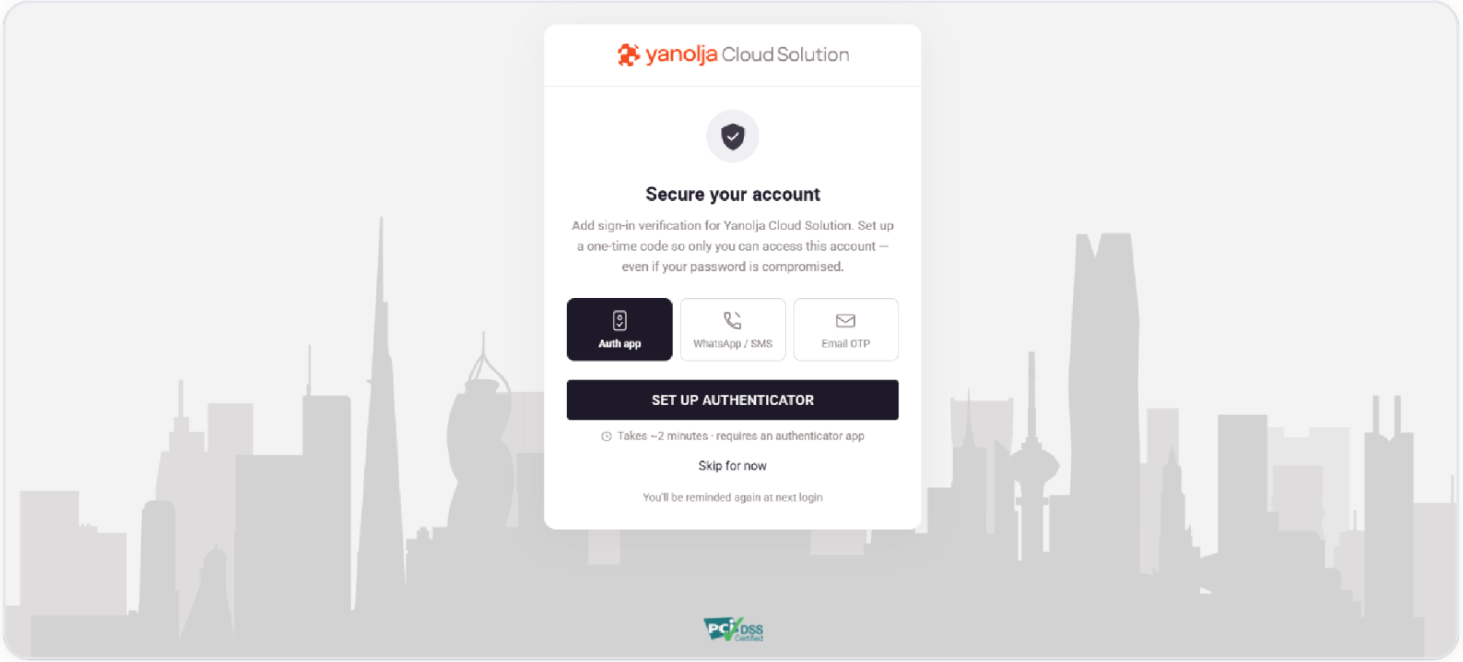
The available verification methods
You can set up any combination of the methods below. Having more than one means you always have a backup way to sign in.
Setting Up - SMS/WhatsApp/Email
Was this article helpful?
That’s Great!
Thank you for your feedback
Sorry! We couldn't be helpful
Thank you for your feedback
Feedback sent
We appreciate your effort and will try to fix the article