This is the recommended code-based method and needs no phone number or email - just an authenticator app such as Google Authenticator, Authy, or Microsoft Authenticator.
1. On the Authenticator App card, select + Setup.
2. Open your authenticator app and scan the QR code shown on screen.
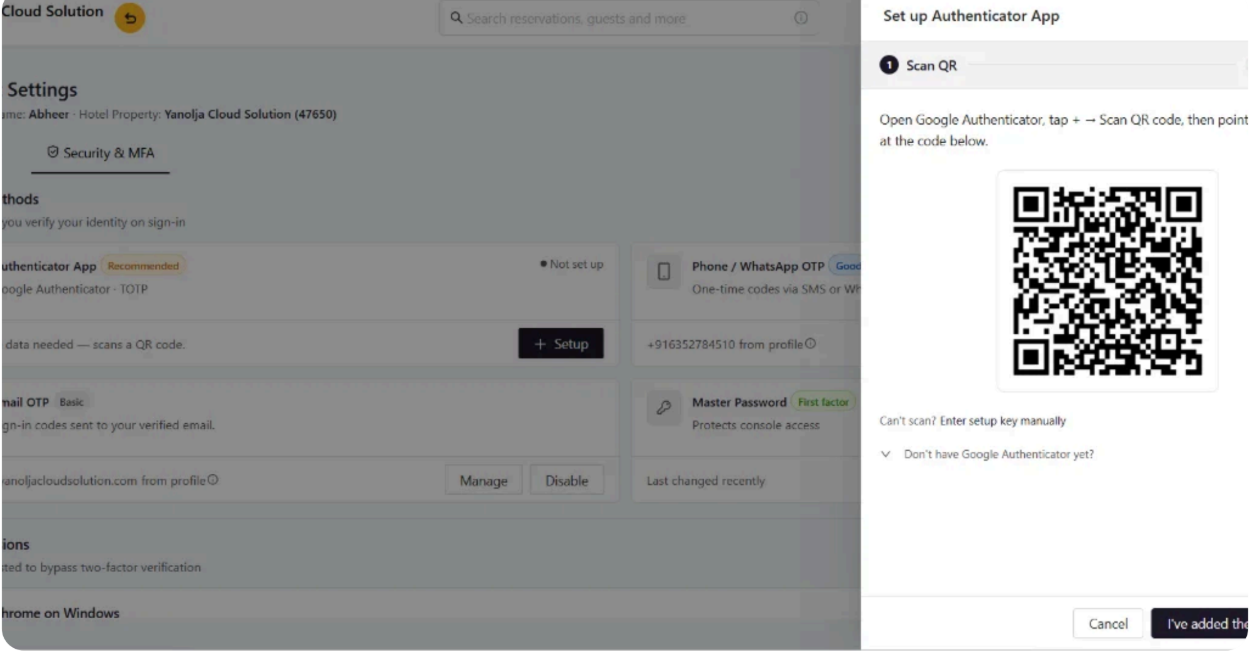
3. Enter the 6-digit code the app generates to confirm setup. From then on, the app produces a fresh code every 30 seconds even offline.
Was this article helpful?
That’s Great!
Thank you for your feedback
Sorry! We couldn't be helpful
Thank you for your feedback
Feedback sent
We appreciate your effort and will try to fix the article