The walkthrough below uses Phone (SMS / WhatsApp) as the example. Email OTP works the same way.
1. On the "Secure your account" screen, choose your method. The Account Settings page opens, showing the phone number or email address already on your account.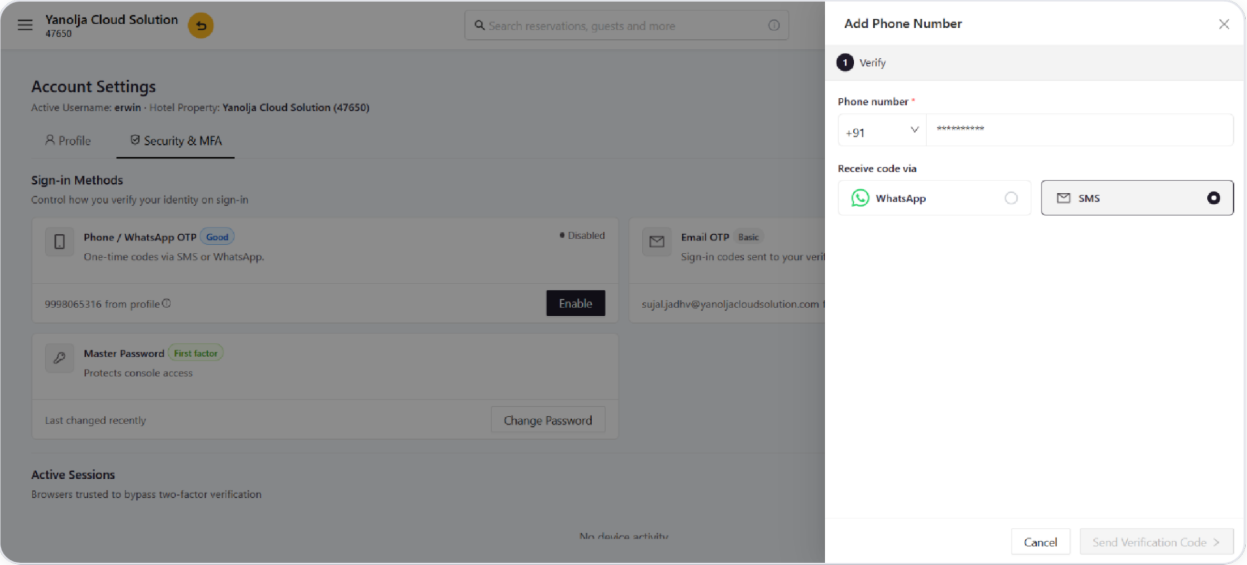
2. Confirm the number, choose WhatsApp or SMS, and select Send Verification Code.
3. Enter the 6-digit code sent to you. A live countdown shows how long it stays valid; you can resend it or switch channel if it doesn't arrive.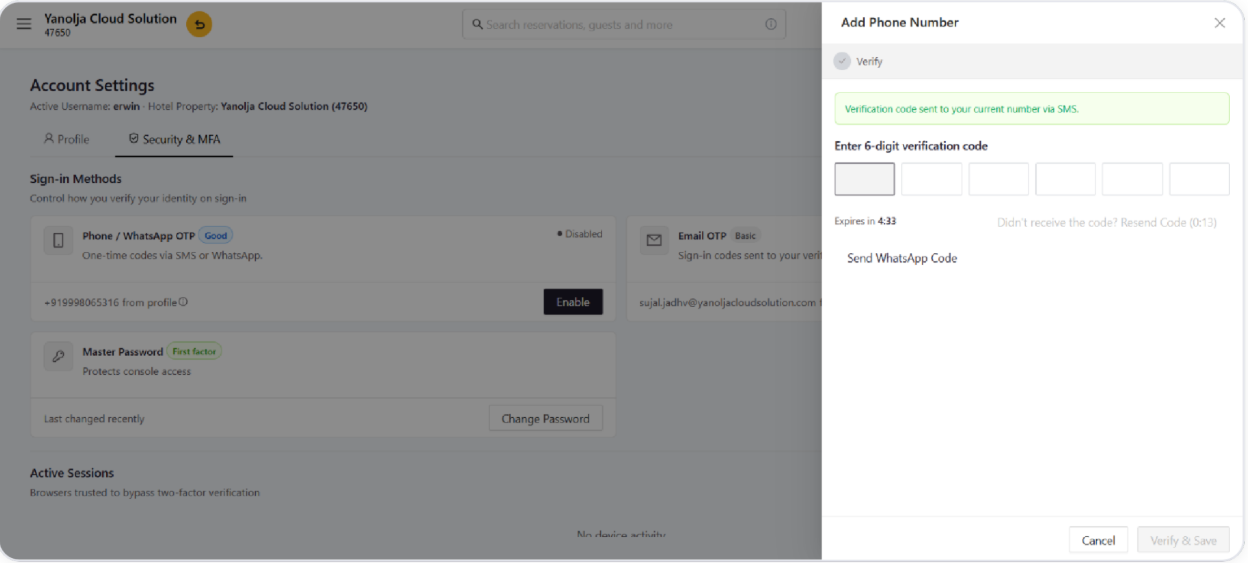
4. Once the code is verified, the method becomes active and you're signed in.
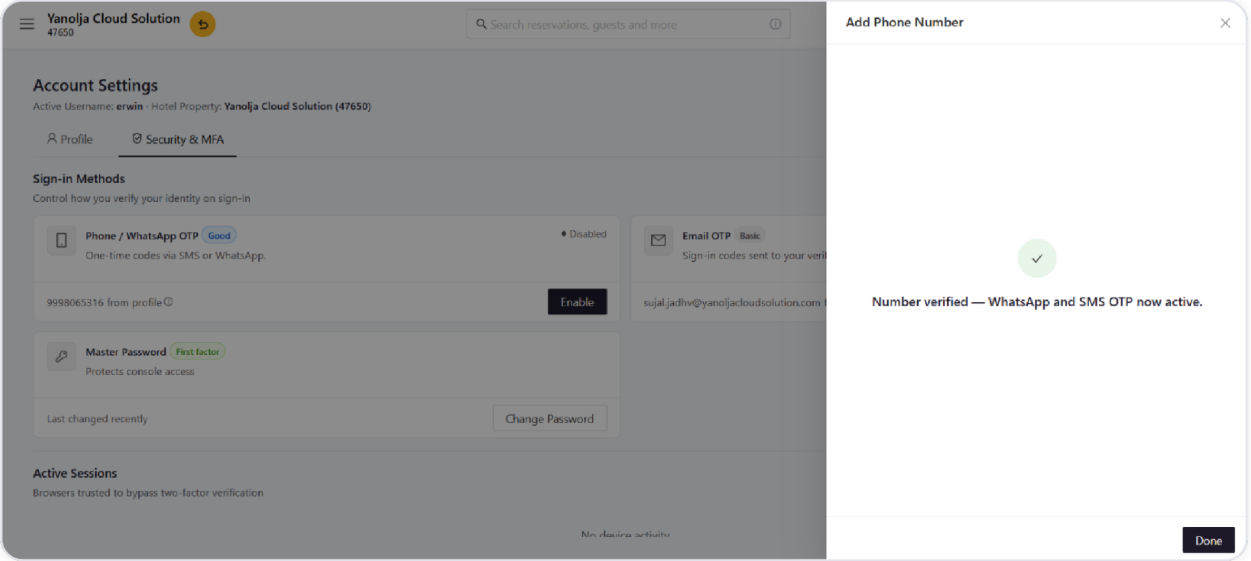
You can add more verification methods at any time from Account Settings.
Was this article helpful?
That’s Great!
Thank you for your feedback
Sorry! We couldn't be helpful
Thank you for your feedback
Feedback sent
We appreciate your effort and will try to fix the article