There are two ways to print a Guest Registration Card for a guest.
Method 1: Print from the Stay View
1. Navigate to the reservation for which you want to print the Guest Registration Card.
2. Click on Print/Send .
3. Select Guest Registration Card and print it.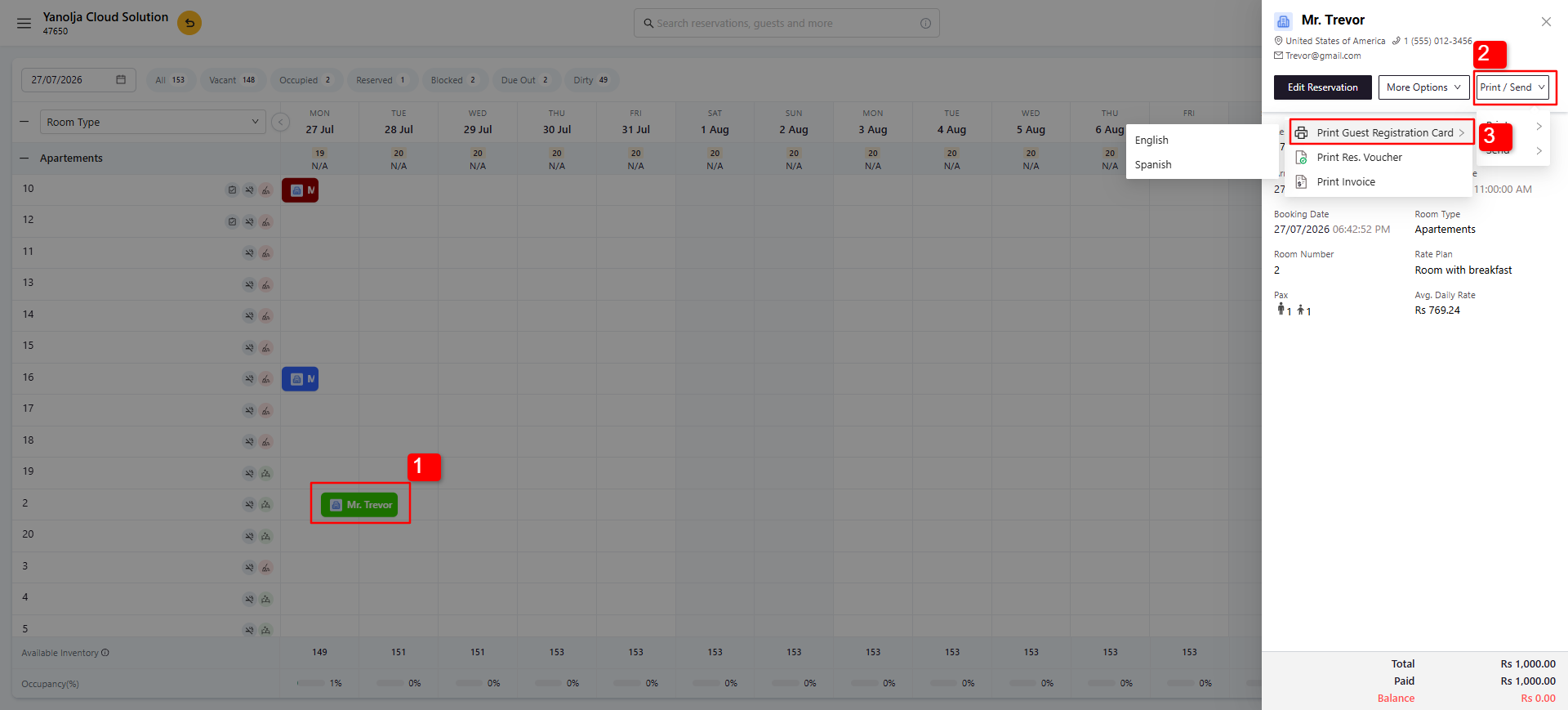
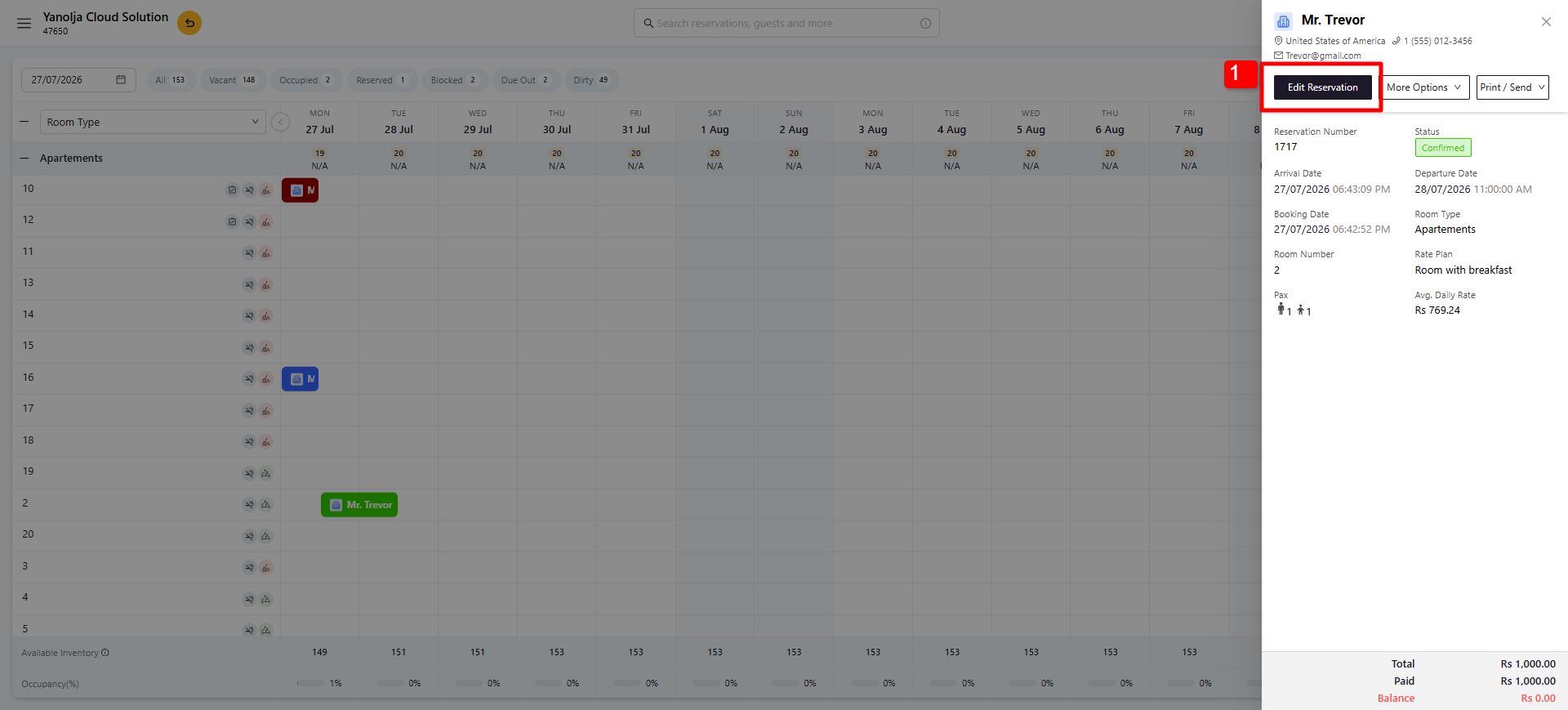
Method 2: Print from the Guest Details Page
1. Open the reservation and click Edit Reservation.
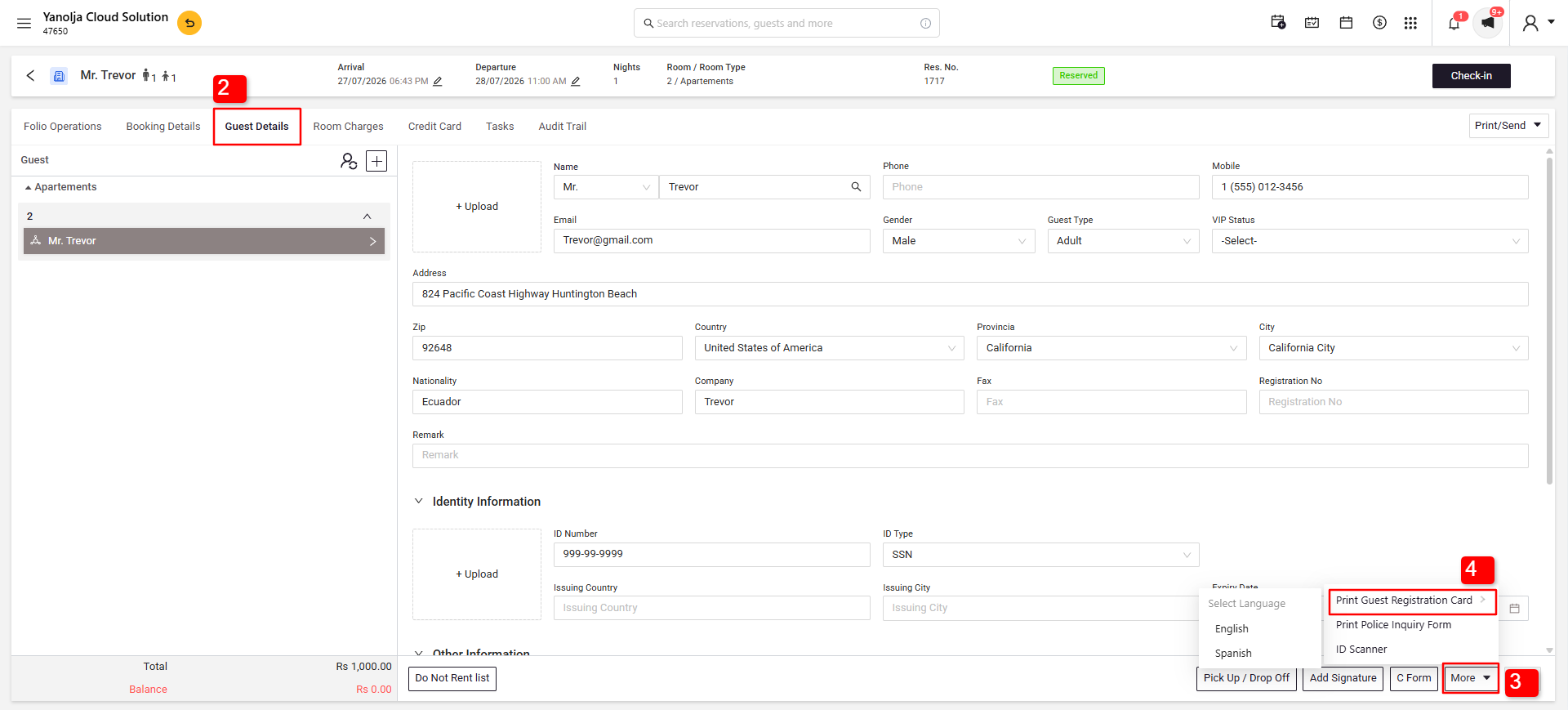
2. Navigate to Guest Details.
3. Click More.
4. Select Guest Registration Card.
Was this article helpful?
That’s Great!
Thank you for your feedback
Sorry! We couldn't be helpful
Thank you for your feedback
Feedback sent
We appreciate your effort and will try to fix the article