Question:
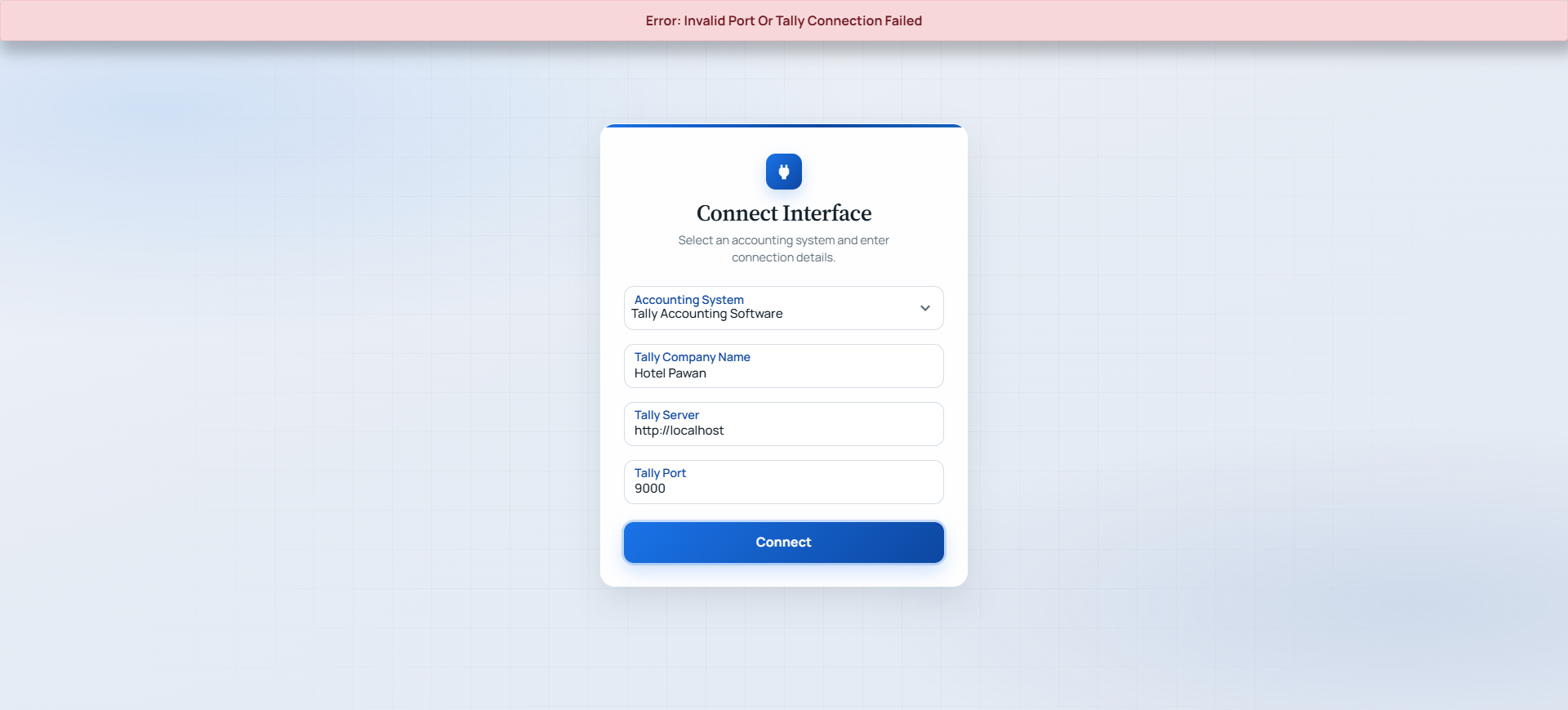
Why does the integration show the error "Invalid Company Name" even though the company name in Tally is correct?
Answer:
This issue is generally not related to the company name. It usually occurs when Tally is opened on multiple systems (such as in a Tally Cloud or multi-user environment).
When Tally is first opened, the required communication port is established with that session. If the same Tally company is subsequently opened on other systems, the integration may not be able to connect through the required port, resulting in errors such as "Invalid Company Name" or connection failures.
Resolution
Follow the steps below:
- Close Tally on all systems where the company is currently open.
- Also close Tally on the current system from which you are trying to connect the integration.
- Ensure all Tally sessions are completely closed.
- Restart Tally only on the system where the integration will be used.
- Try connecting the Integration again.
Why does this resolve the issue?
Closing all active Tally sessions releases the communication port that was occupied by the first active session. When Tally is restarted on the required system, the communication port is registered on that system, allowing the integration to establish a successful connection.
Applicable Scenarios
- Tally Cloud
- Tally installed on a server and accessed by multiple users
- Multi-user Tally environment
Expected Result
After following the above steps, the integration should connect successfully, and the "Invalid Company Name" error should no longer appear.
Was this article helpful?
That’s Great!
Thank you for your feedback
Sorry! We couldn't be helpful
Thank you for your feedback
Feedback sent
We appreciate your effort and will try to fix the article