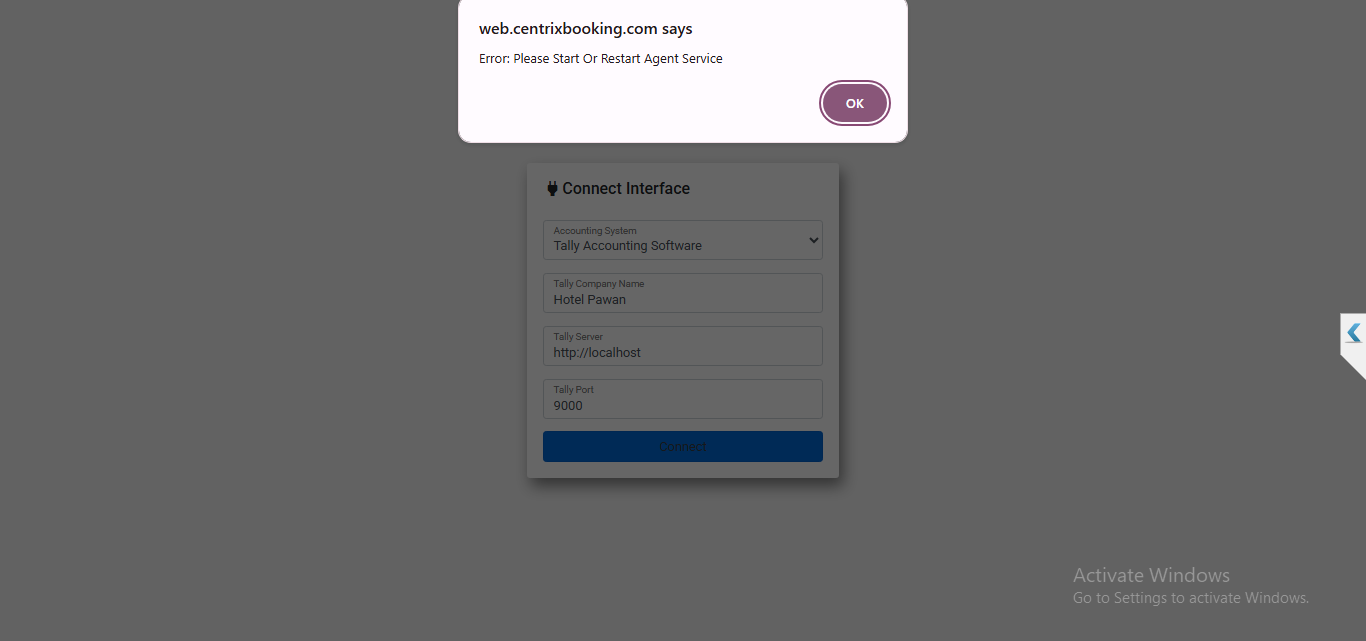
Problem: You are encountering an error message that says "Please Start or Restart Agent Service." This prevents you from logging into the interface and connecting to Tally
Solution: Here are the steps to resolve this issue:
Video: Please Start Or Restart Agent Service.mp4
1. Access the Services on your PC:
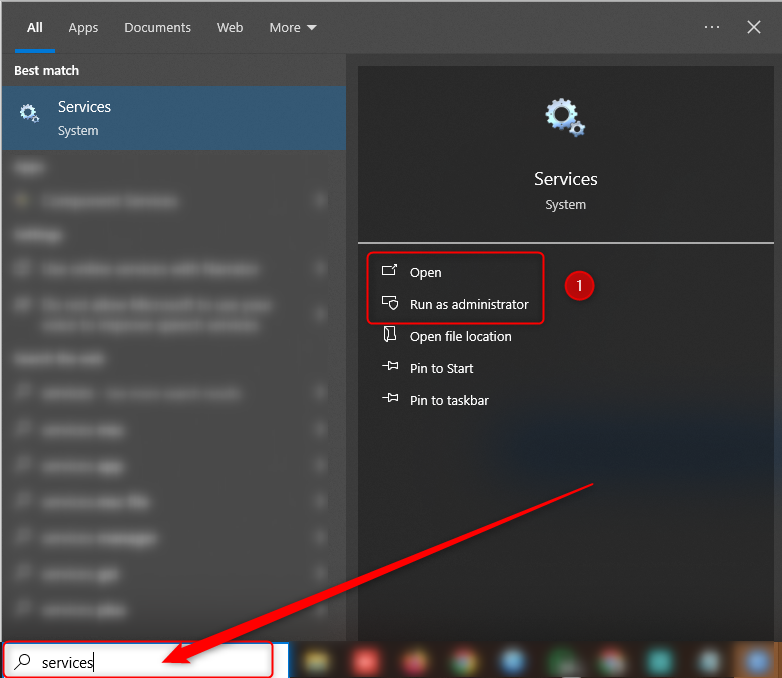
Step 1: Locate the search bar on your Windows PC (usually in the bottom-left corner).
Step 2: Type "Services" into the search bar.
Step 3: Click on the "Services" application that appears in the search results. This will open the Services window.
2. Start the eZee Agent Service:
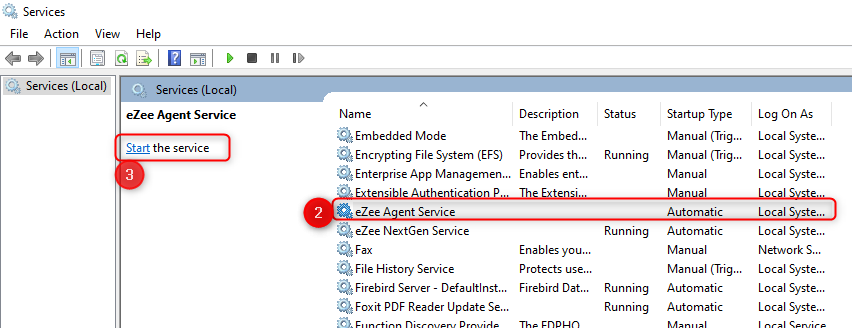
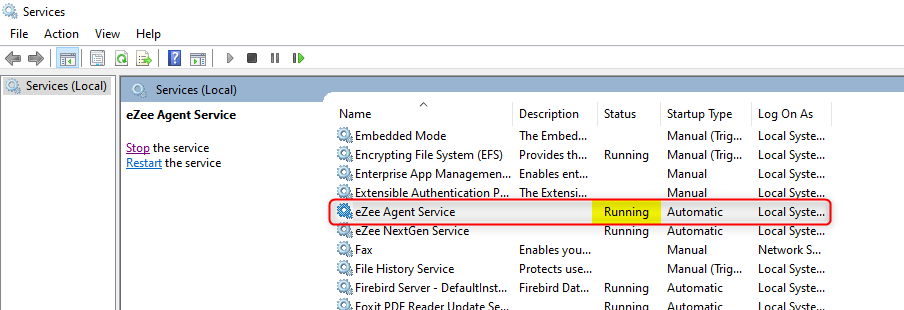
Step 1: In the Services window, scroll down to find "eZee Agent Service" in the list of services.
Step 2: Right-click on "eZee Agent Service."
Step 3: Select "Start" from the context menu.
3. Attempt to Login Again:
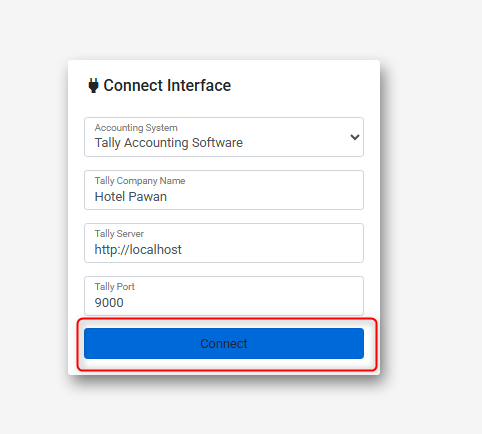
Step 1: After starting or restarting the eZee Agent Service, try logging into the interface again.
Step 2: You should now be able to connect to Tally successfully.
Was this article helpful?
That’s Great!
Thank you for your feedback
Sorry! We couldn't be helpful
Thank you for your feedback
Feedback sent
We appreciate your effort and will try to fix the article