In POS, specific tables can be allocated to assigned waiters. This functionality facilitates:
Once an order is placed and the waiter is selected during the order entry process, the assigned waiters will be associated with the respective table.
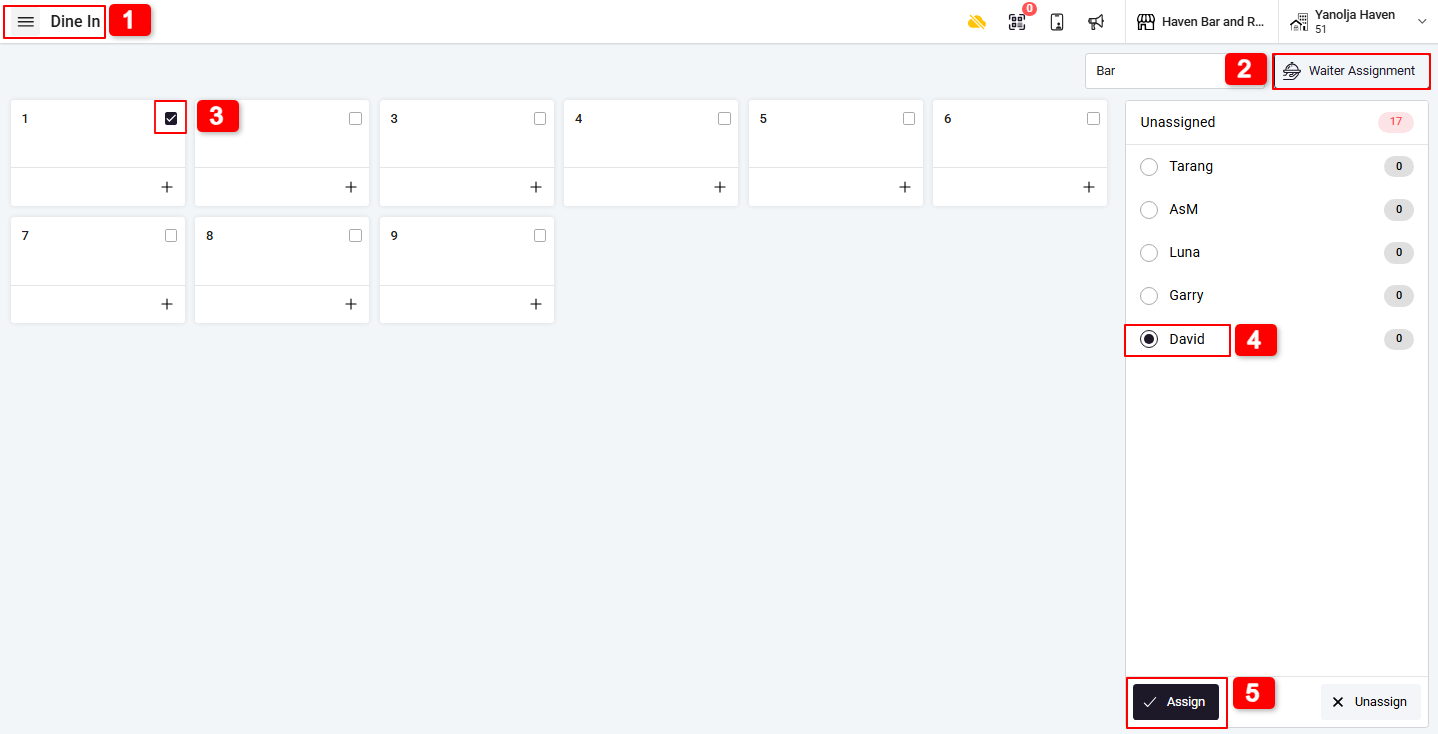
How to Assign a Waiter to a Table :
1. Go to the Dine-In section.
2. Click on the Waiter Icon.
3. Select the desired Table.
4. Choose the Waiter from the list.
5. Click on Assign.
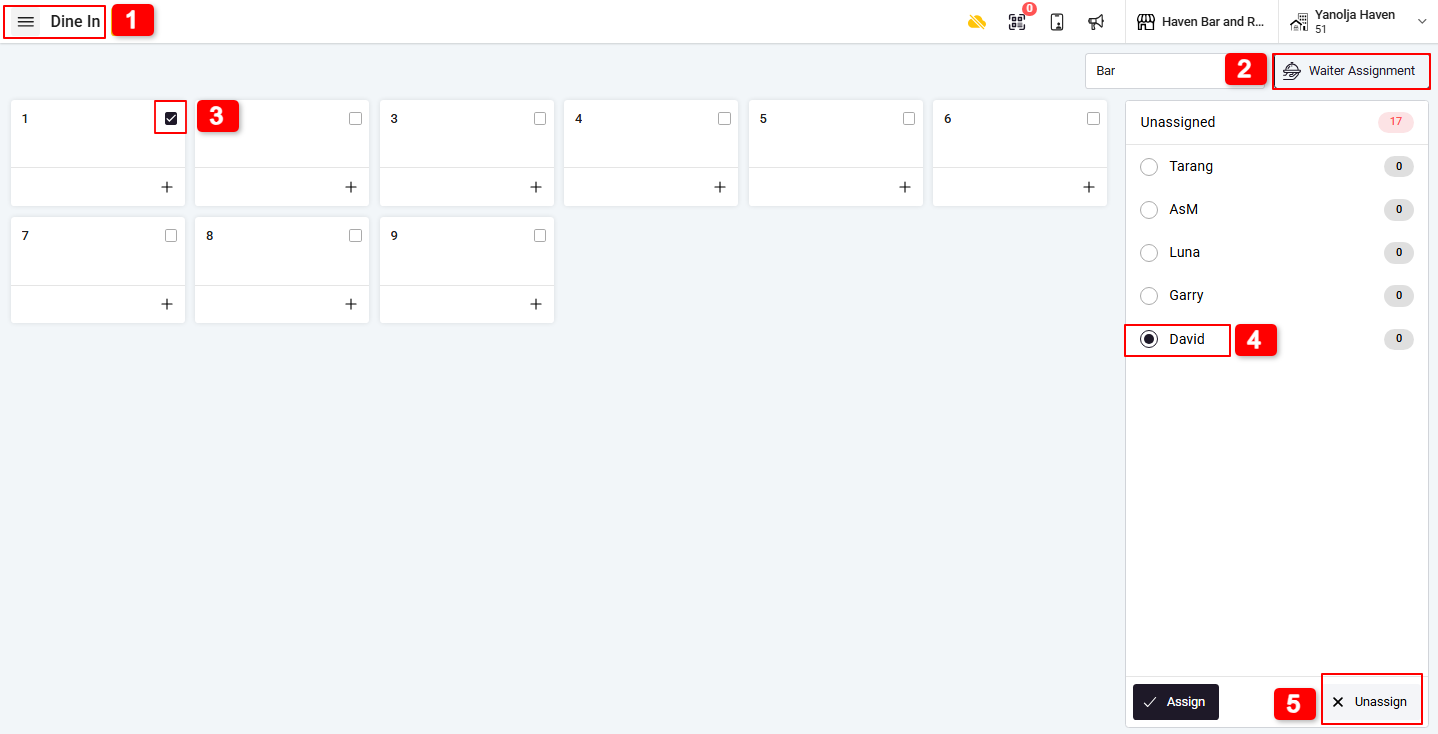
How to Unassign a Waiter from a Table :
1. Go to the Dine-In section.
2. Click on the Waiter Icon.
3. Select the assigned Table.
4. Choose the currently assigned Waiter.
5. Click on Unassign.
Important Note
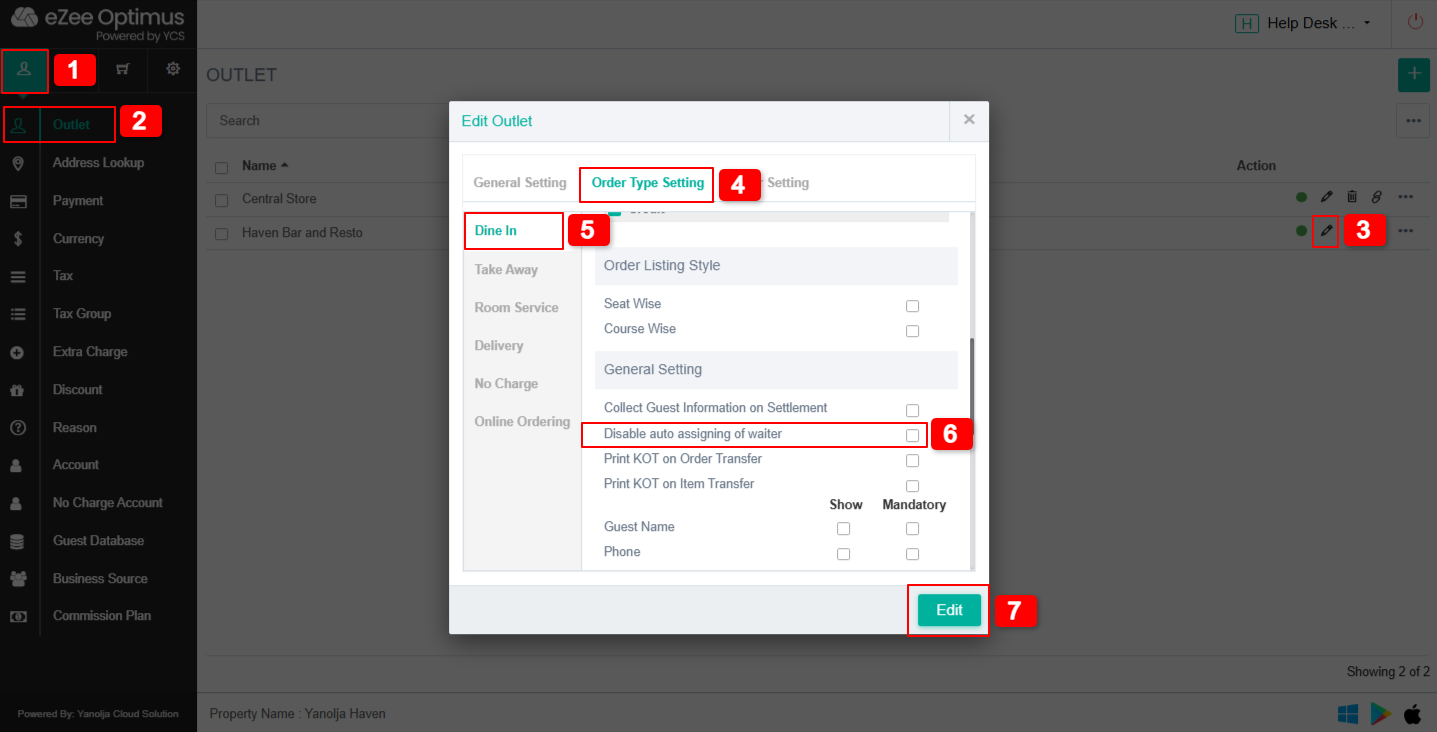
If the waiter option is disabled for the table, you may need to enable it from the table or waiter settings (as per your configuration).
The waiter will automatically be assigned when: An order is taken in the Dine-In section. The waiter is selected at the time of order punching.
Was this article helpful?
That’s Great!
Thank you for your feedback
Sorry! We couldn't be helpful
Thank you for your feedback
Feedback sent
We appreciate your effort and will try to fix the article