Reprinting a KOT (Kitchen Order Ticket)
If an order is already completed and the server needs another copy of the KOT, the user must reprint it from the system.
Step 1: Open the Order :
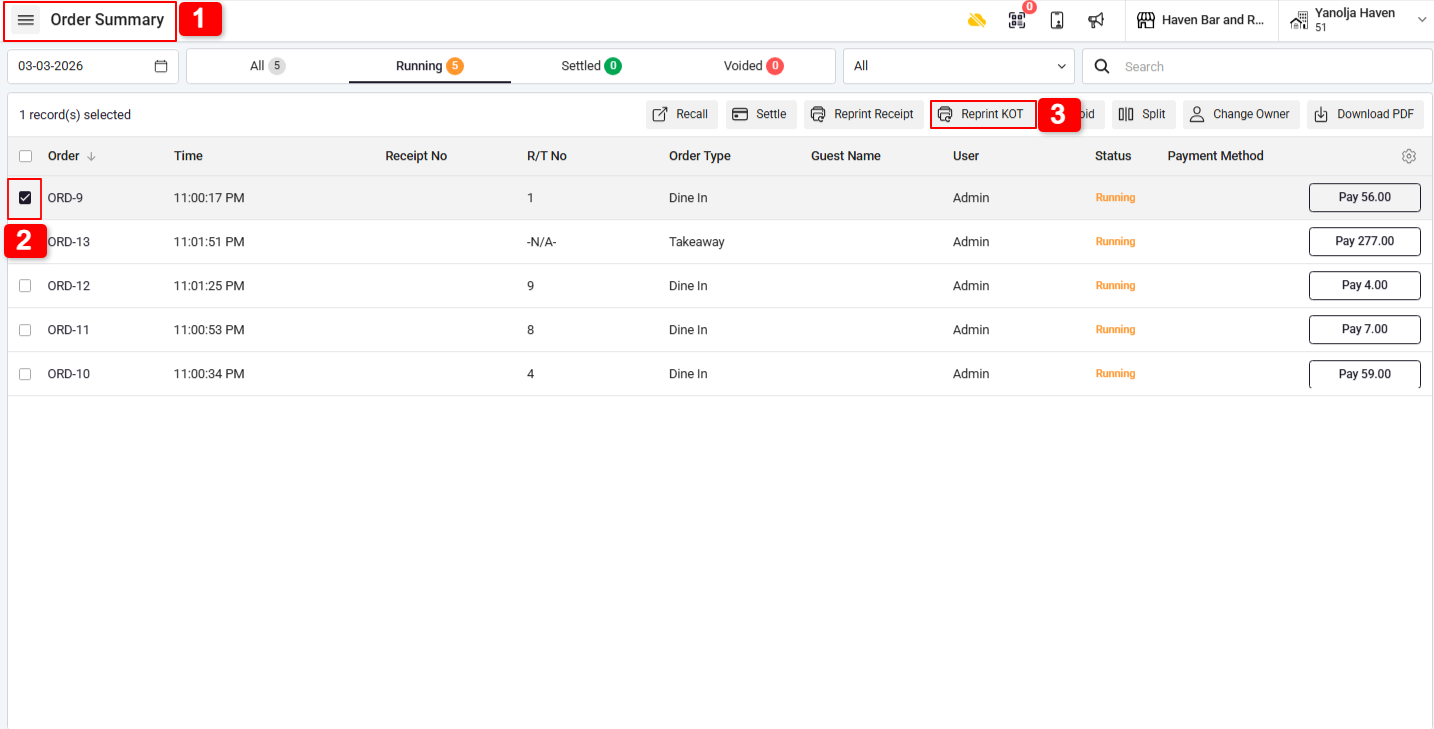
1. Go to Order Summary.
2. Select the required order.
3. Click on Reprint KOT.
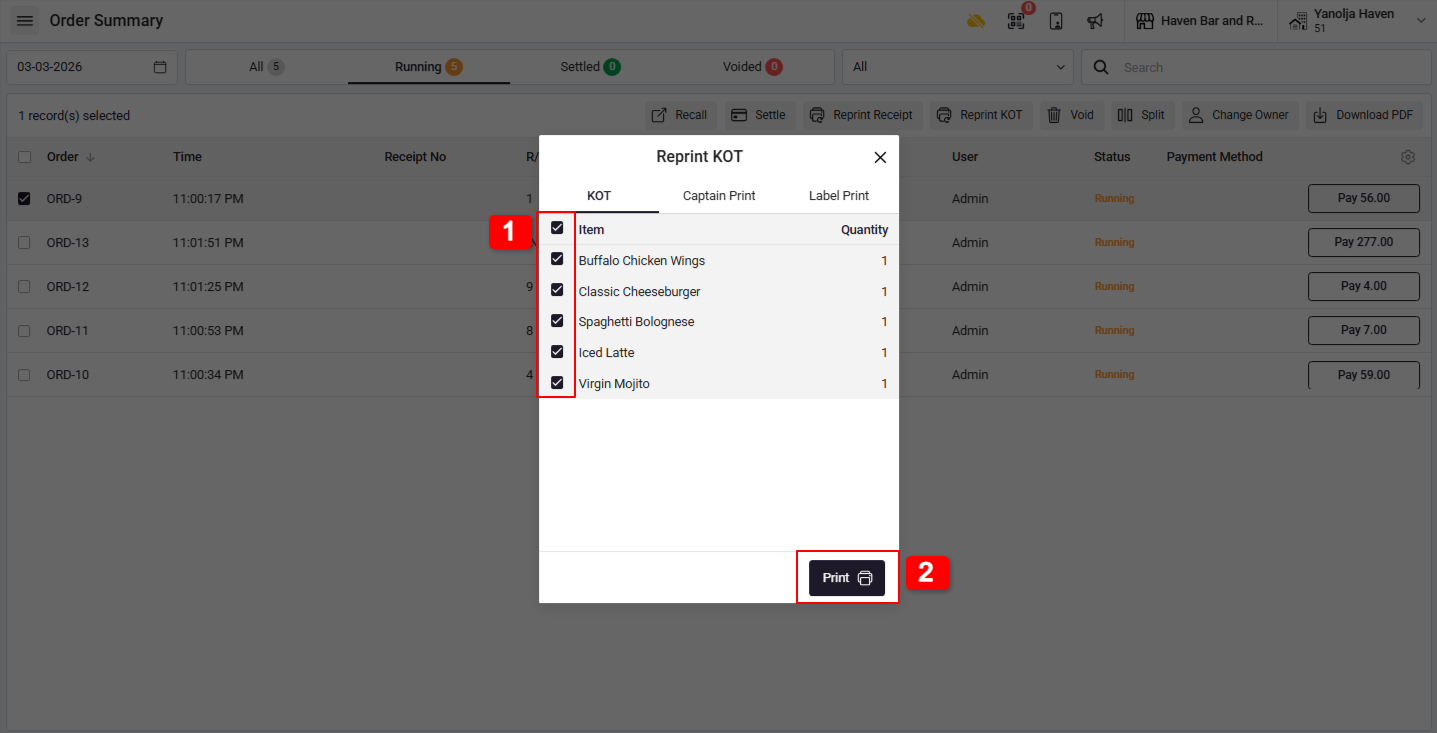
1. Select the items that need to be reprinted.
2. Click on Print.
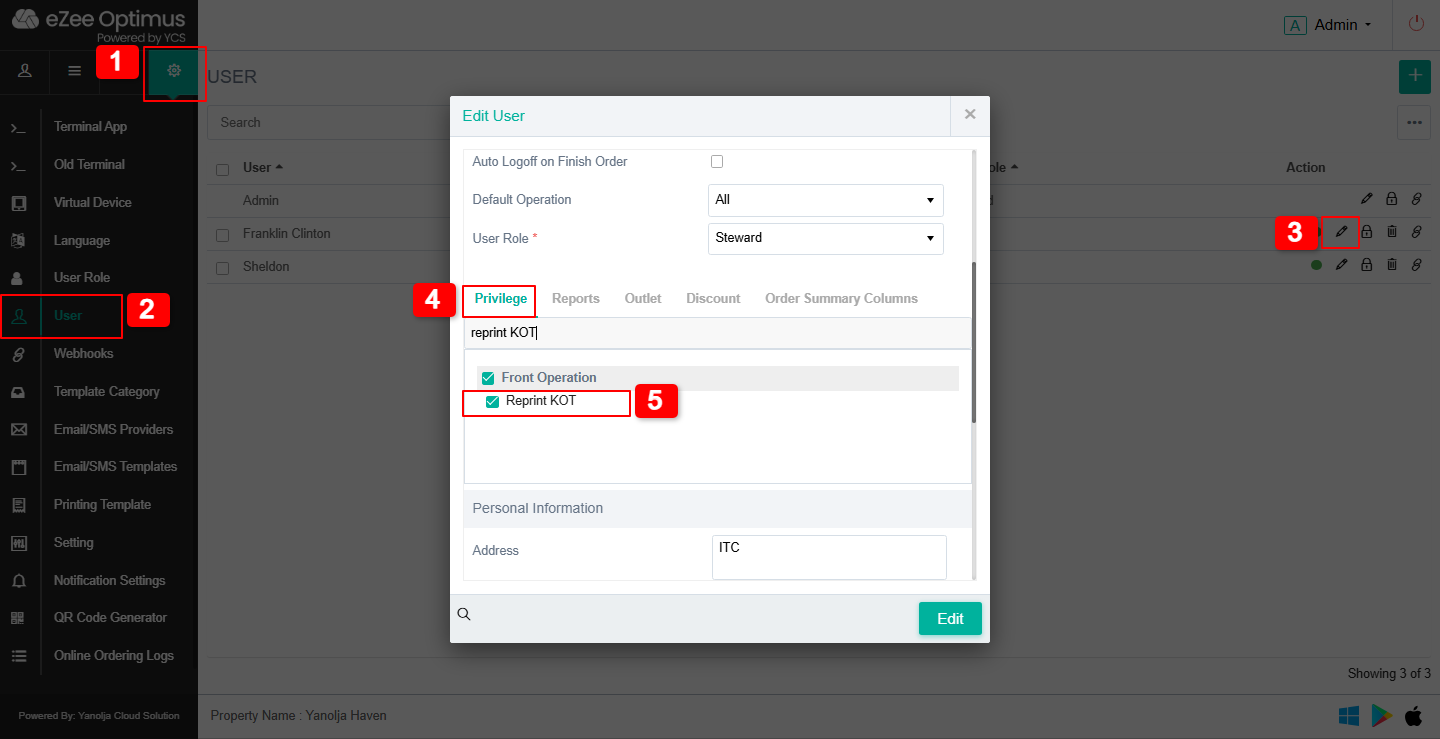
To reprint a KOT, the user must have the "Reprint KOT" permission enabled.
To check or enable this permission :
1. Go to Settings.
2. Click on User.
3. Select Edit User.
4. Open Privileges.
5. Enable Reprint KOT.
Was this article helpful?
That’s Great!
Thank you for your feedback
Sorry! We couldn't be helpful
Thank you for your feedback
Feedback sent
We appreciate your effort and will try to fix the article