How to Change Tab - Hotel Info in Booking Engine
1. Click on Go to Configuration.
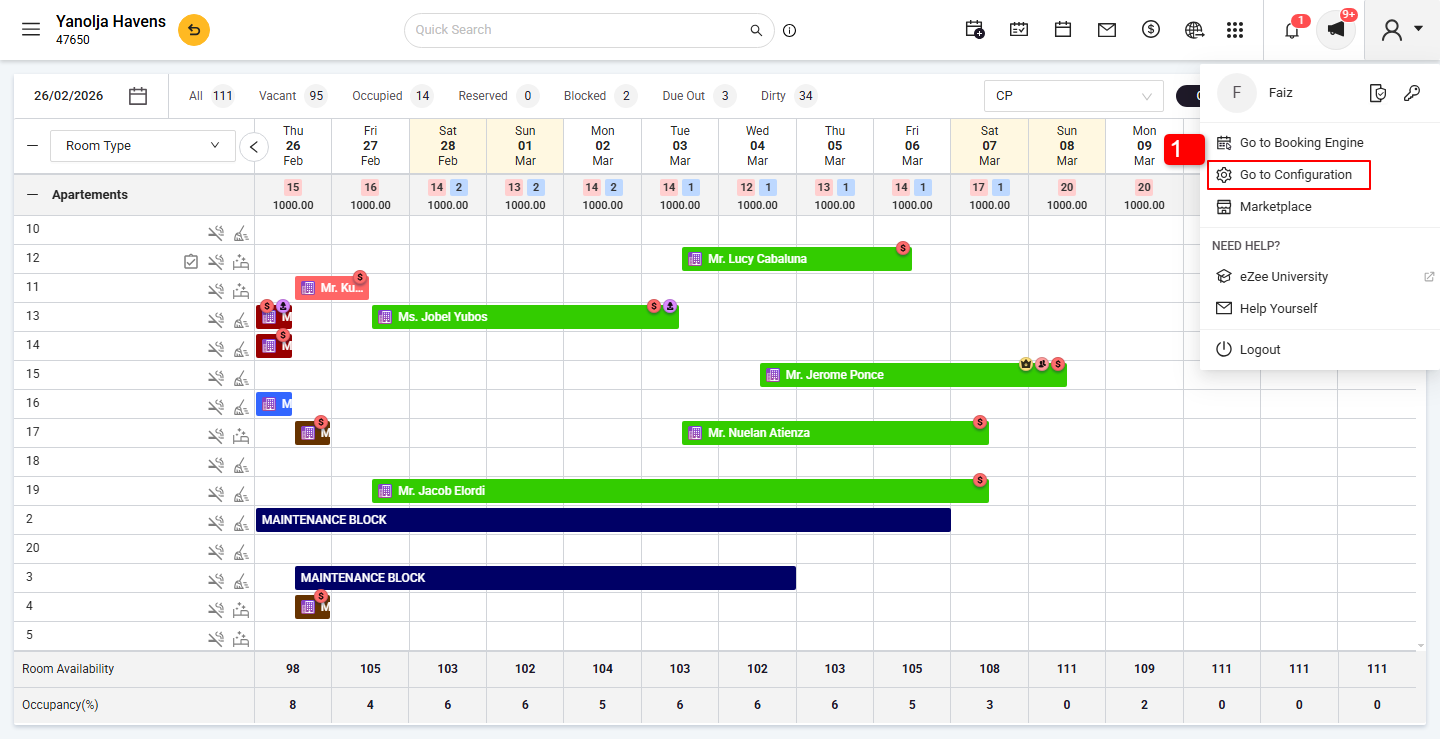
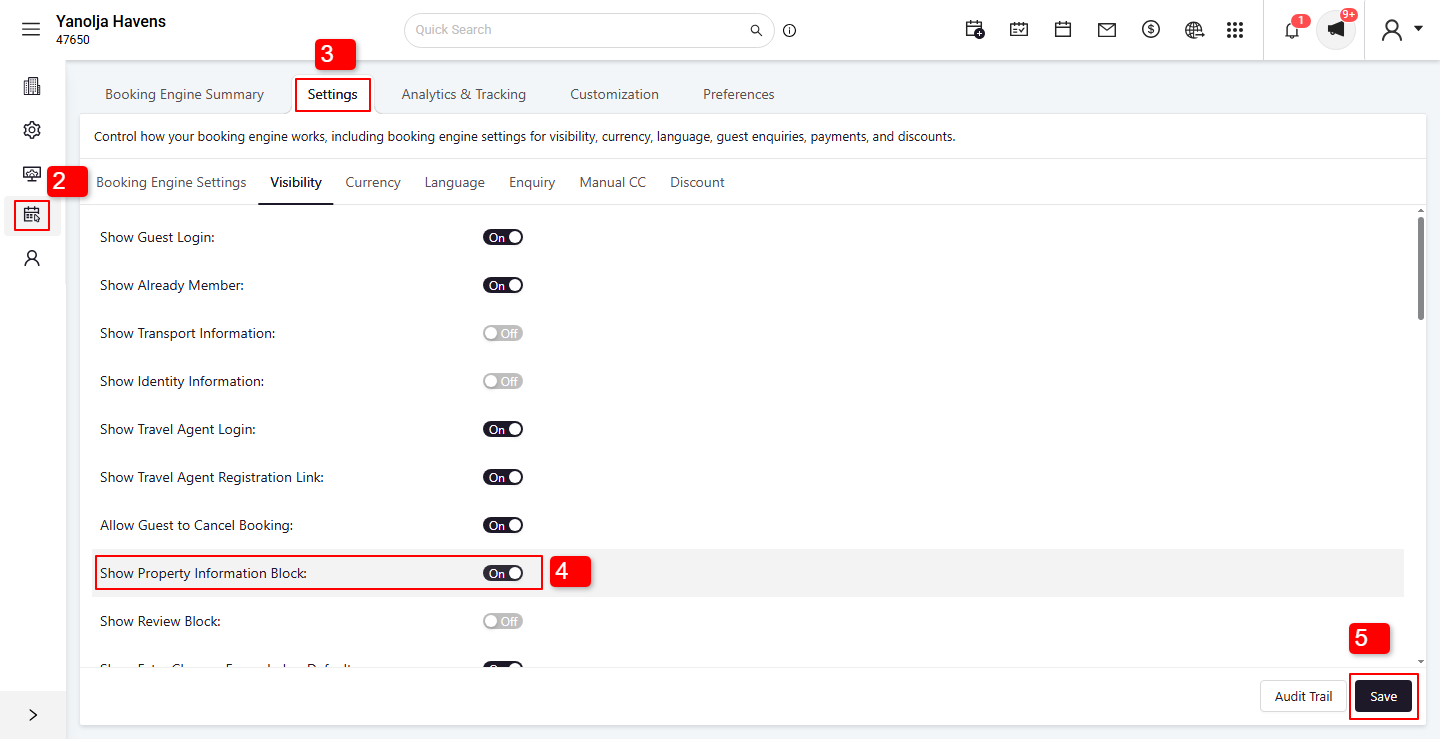
2. Click on the Booking Engine option.
3. Click on the Settings tab.
4. Enable the Show Property Information Block option.
5. Click on Save to apply the changes.
Was this article helpful?
That’s Great!
Thank you for your feedback
Sorry! We couldn't be helpful
Thank you for your feedback
Feedback sent
We appreciate your effort and will try to fix the article