1. Click on the Go to Configurations.
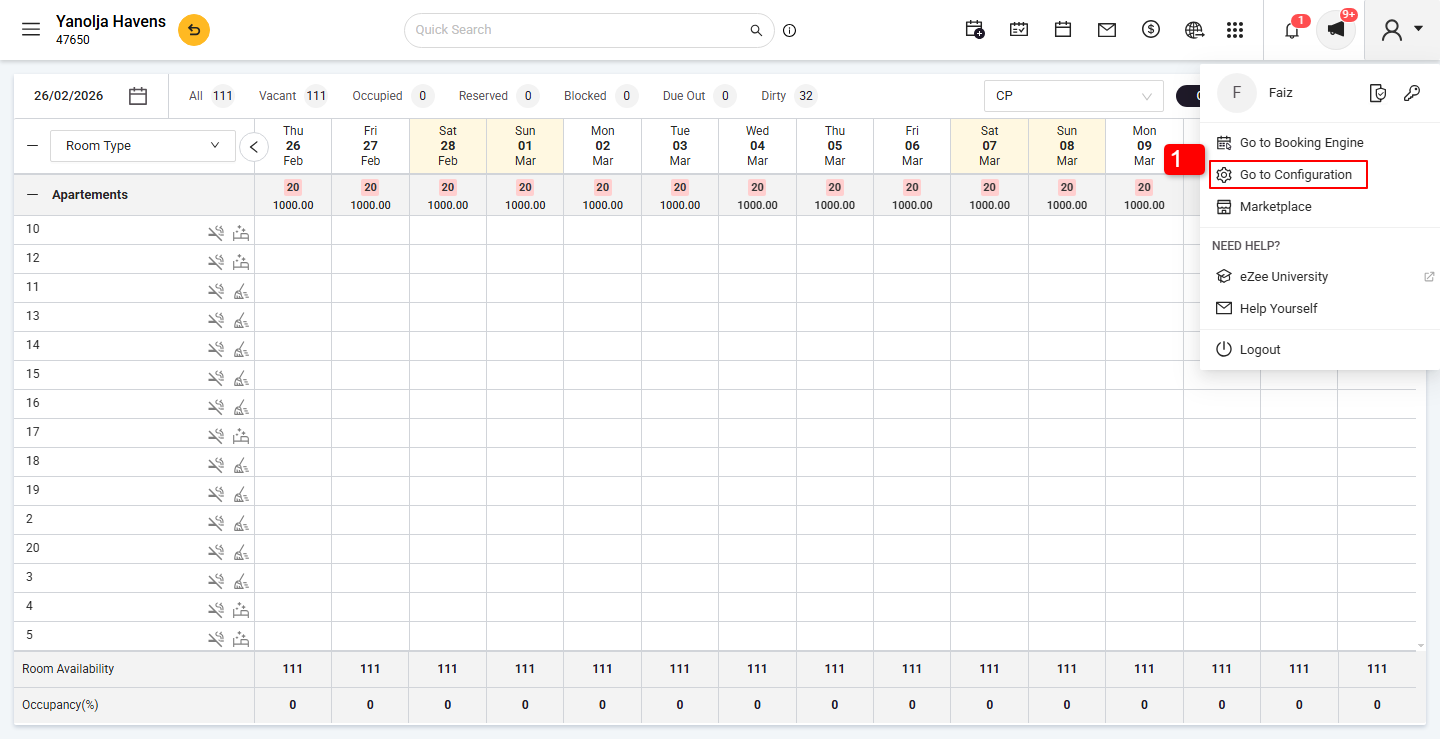
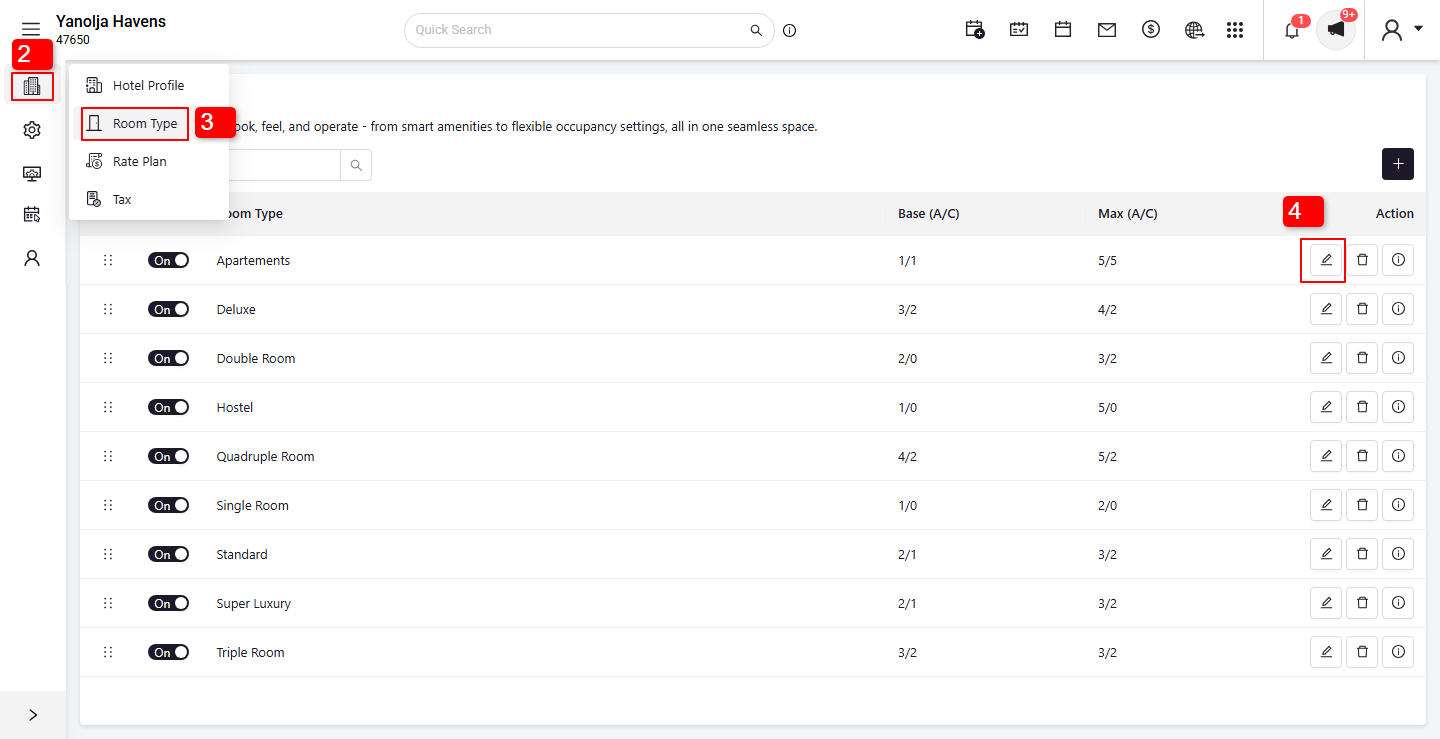
2. Click on the Menu.
3. Select the Room Type option.
4. Find the Room Type in which you want to create the room. Click on the Edit icon for that Room Type.
5. Select the Rooms option.
6. Click on the Plus (+) button.
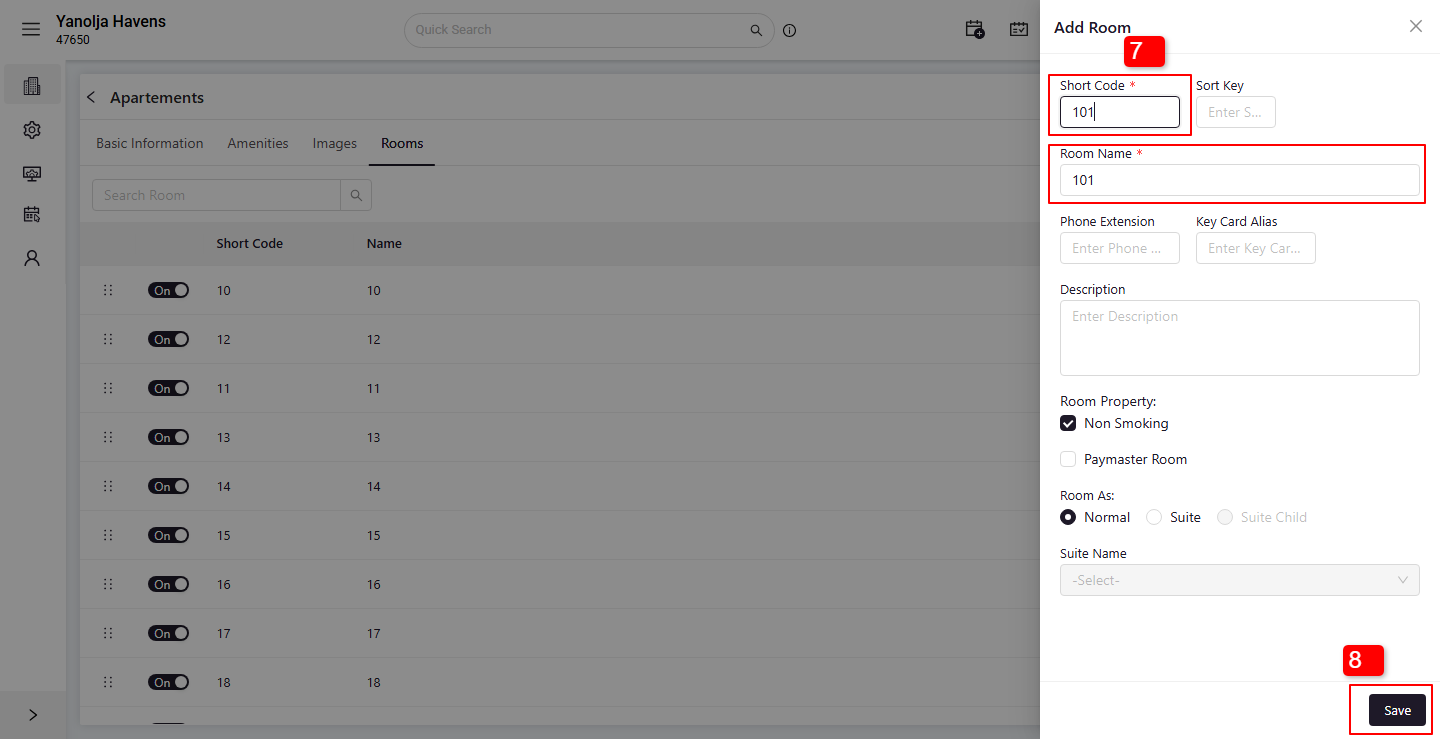
7. the Short Code and Room Name in the required fields.
8. Click on the Save button to apply the changes.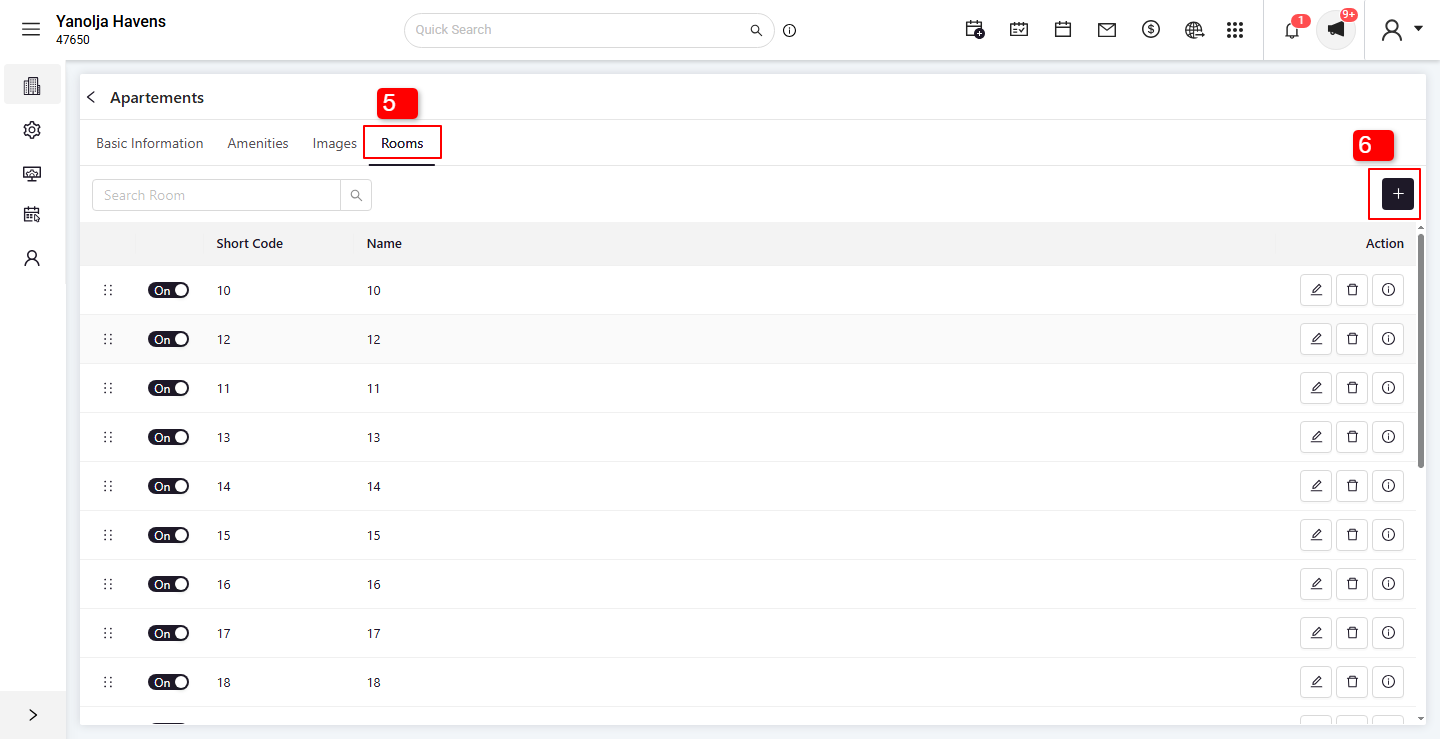
Was this article helpful?
That’s Great!
Thank you for your feedback
Sorry! We couldn't be helpful
Thank you for your feedback
Feedback sent
We appreciate your effort and will try to fix the article