To configure VIP statuses in PMS, follow these steps:
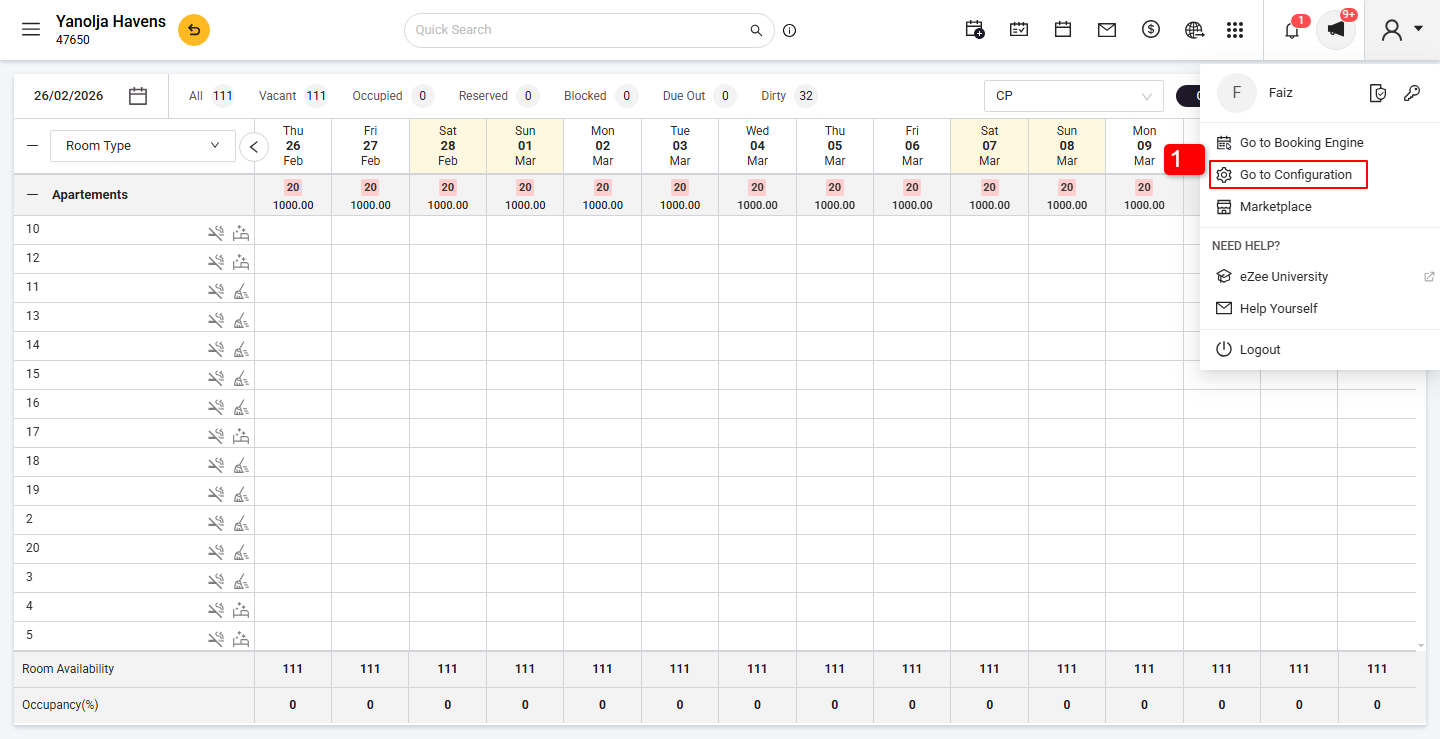
Click on the Go to Configuration.
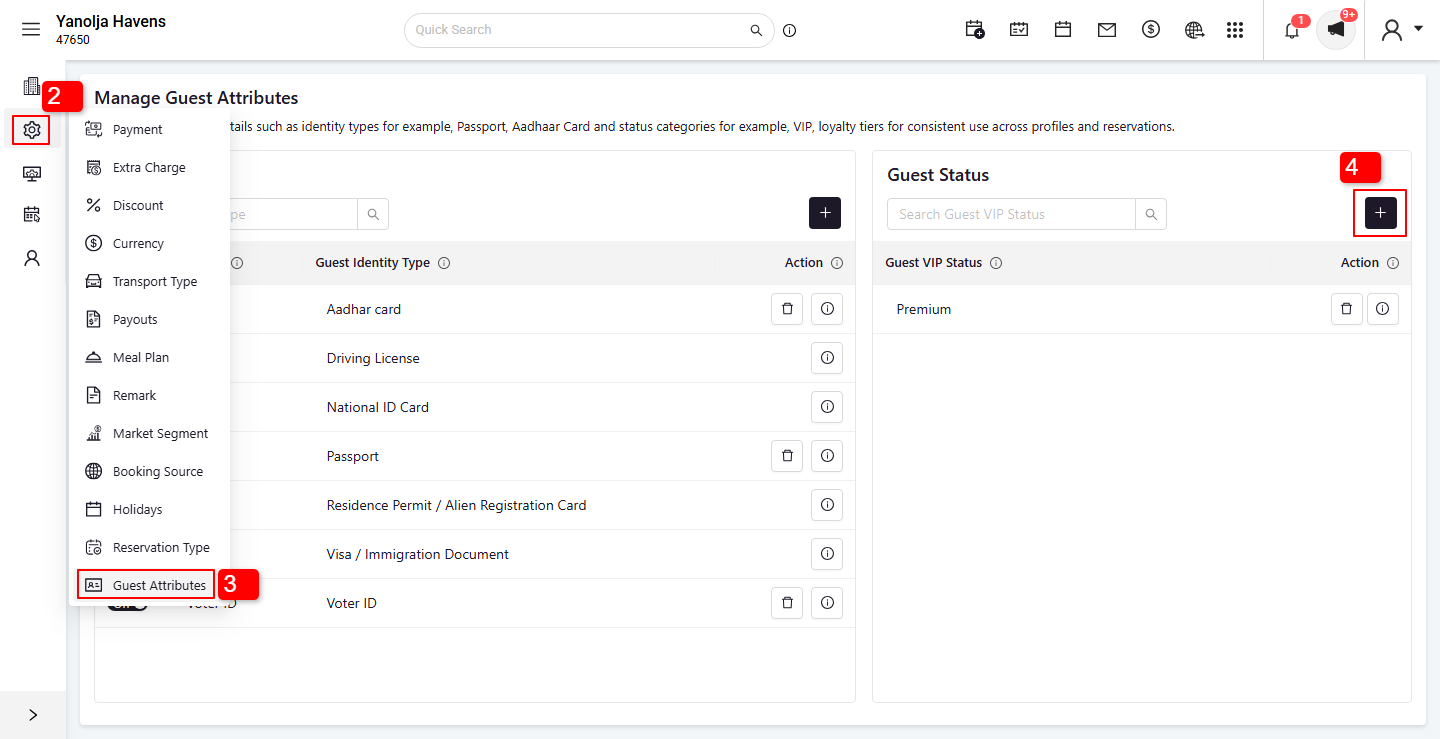
Click on the Settings option.
Select the Guest Attributes option.
Click on the Plus (+) button to add a new attribute.
 5. Enter the desired VIP status name.
6. Click Save to store the new status.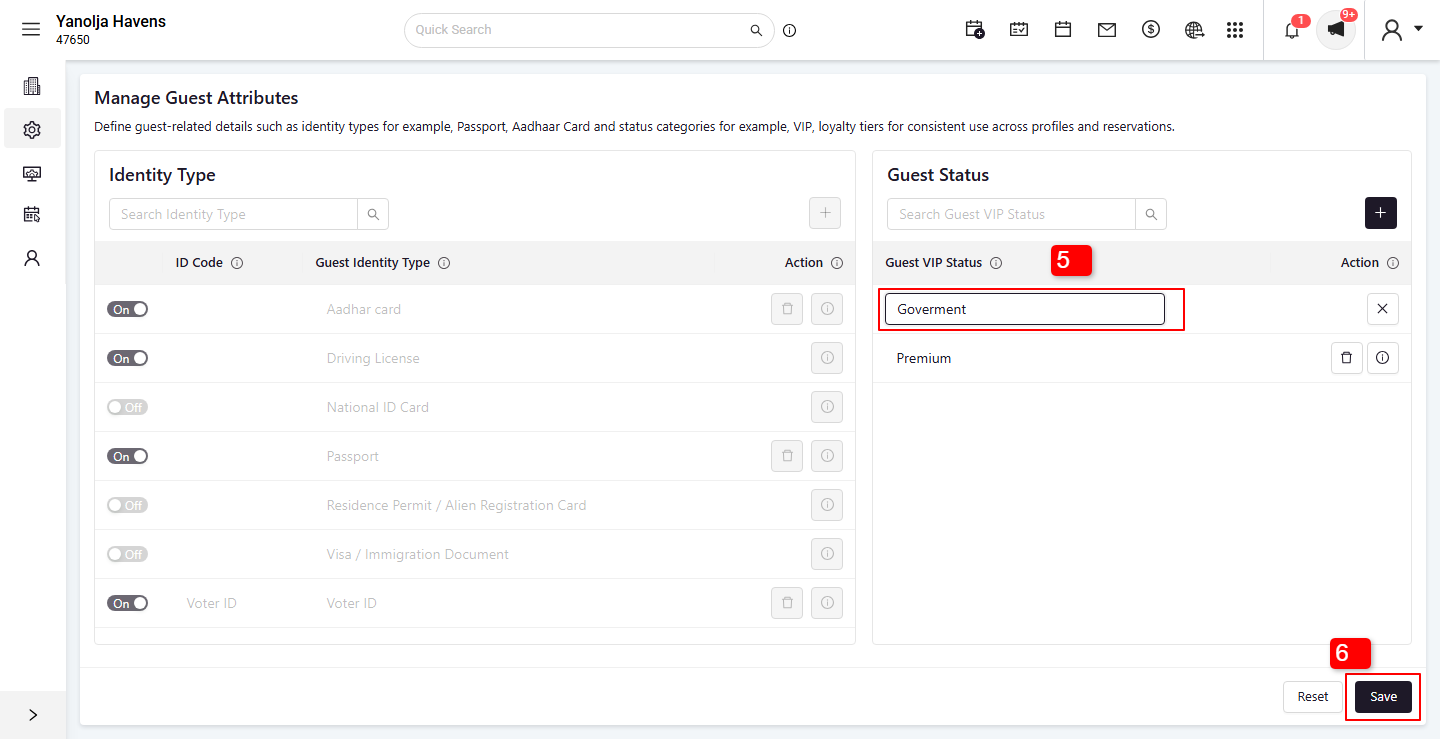
Was this article helpful?
That’s Great!
Thank you for your feedback
Sorry! We couldn't be helpful
Thank you for your feedback
Feedback sent
We appreciate your effort and will try to fix the article