How to Apply Tax on Purchase Orders in POS.
To apply tax to purchase orders in POS, you must first create the tax in the back-end system. Once the tax is created, you can apply it while creating a purchase order.
Create a Purchase Order :
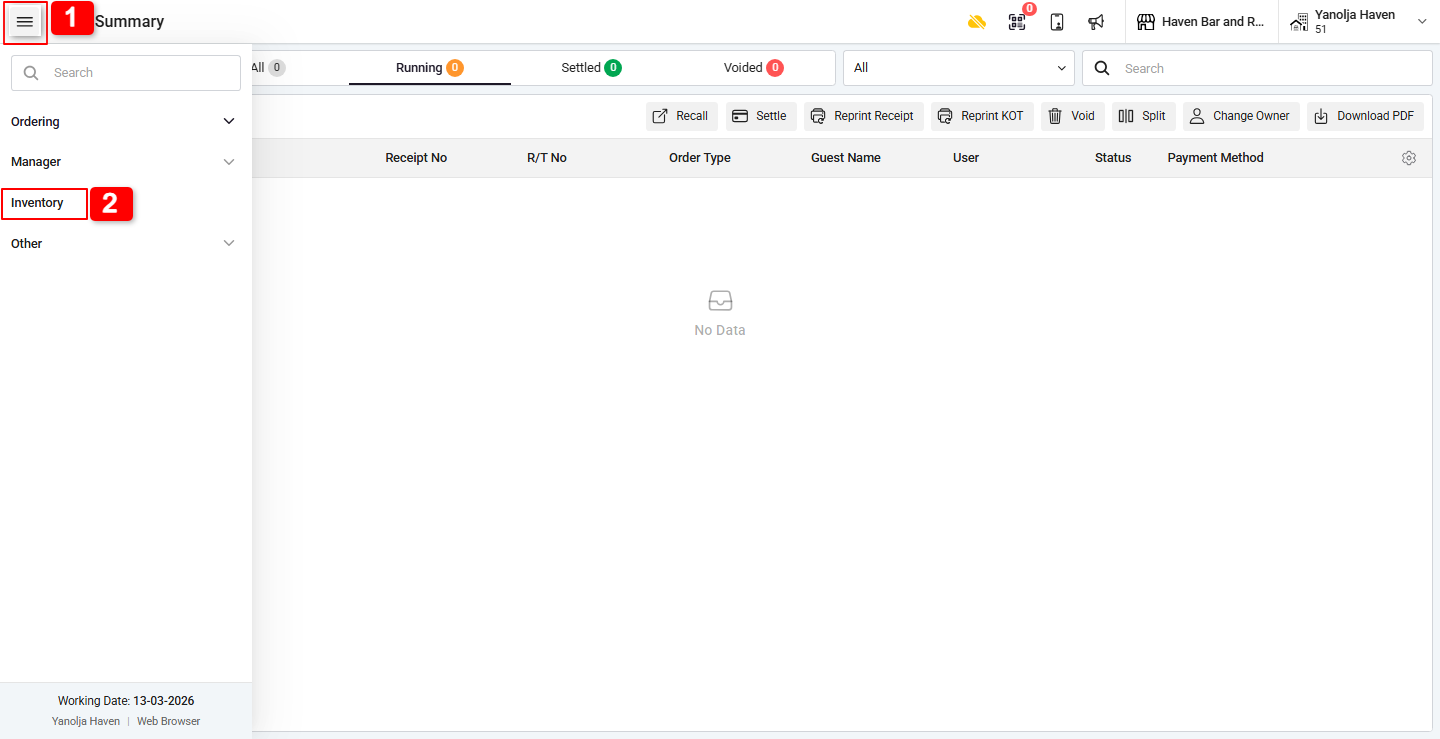
1. Go to the Menu (four-square icon) in the top-left corner.
2. Navigate to the Inventory section.
3. Select Purchase Order (PO).
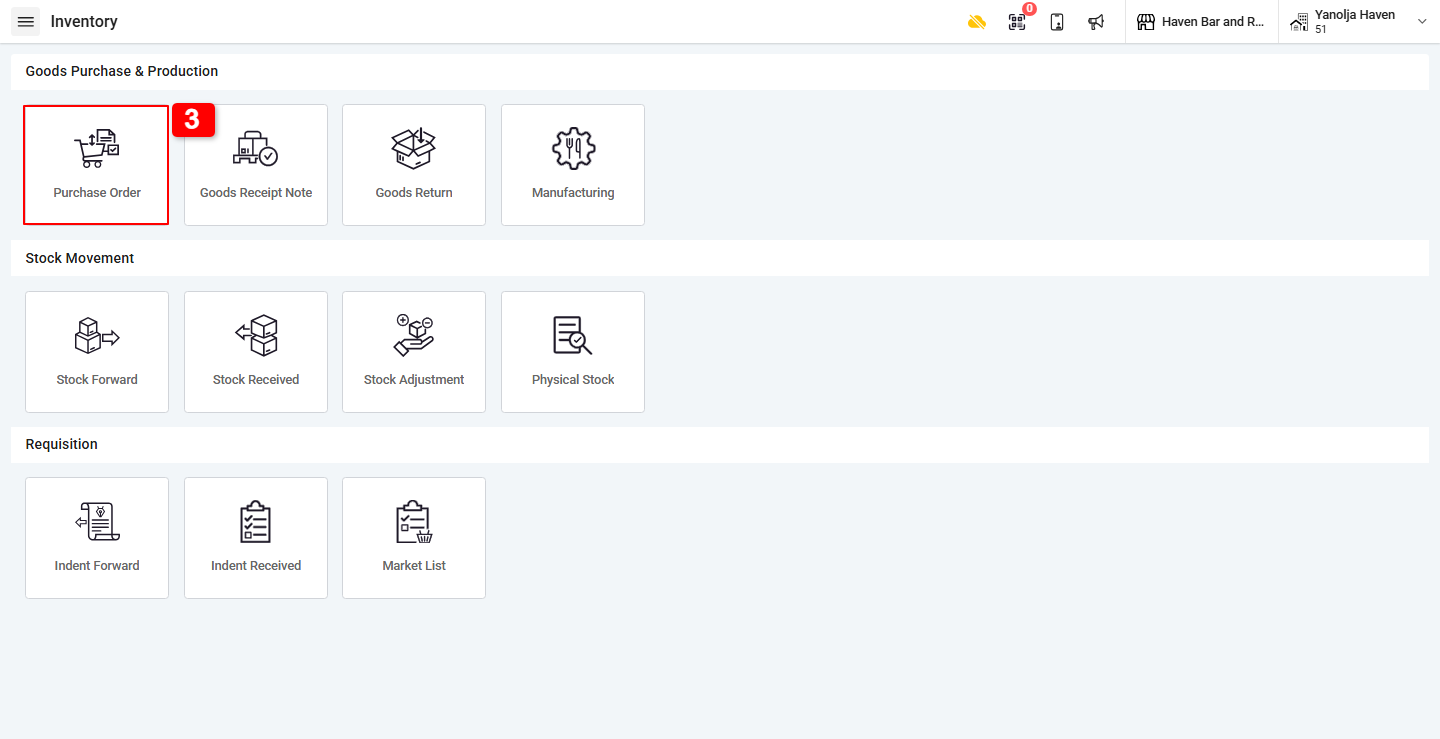
4. Click the Plus (+) button to create a new purchase order.
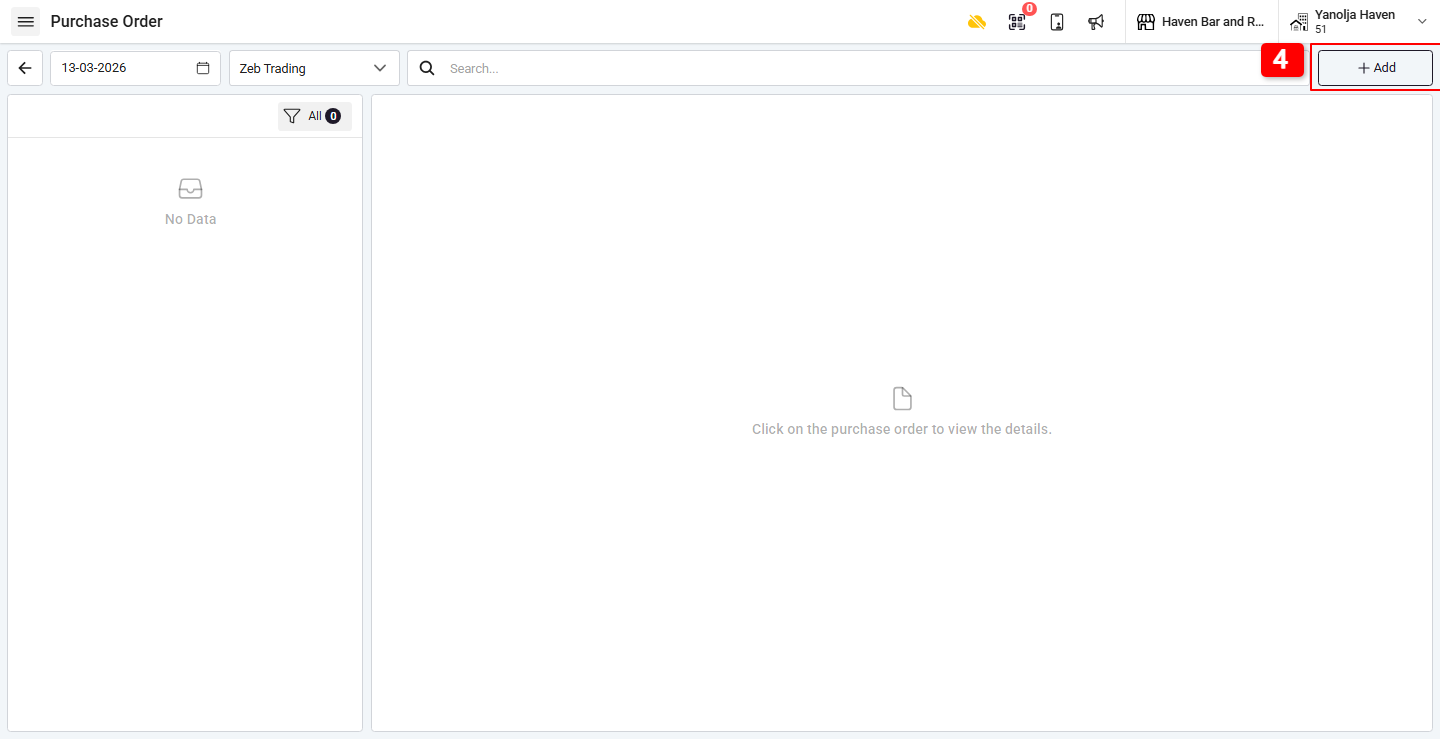
5. Select the date and vendor account.
6. Add the items you want to purchase.
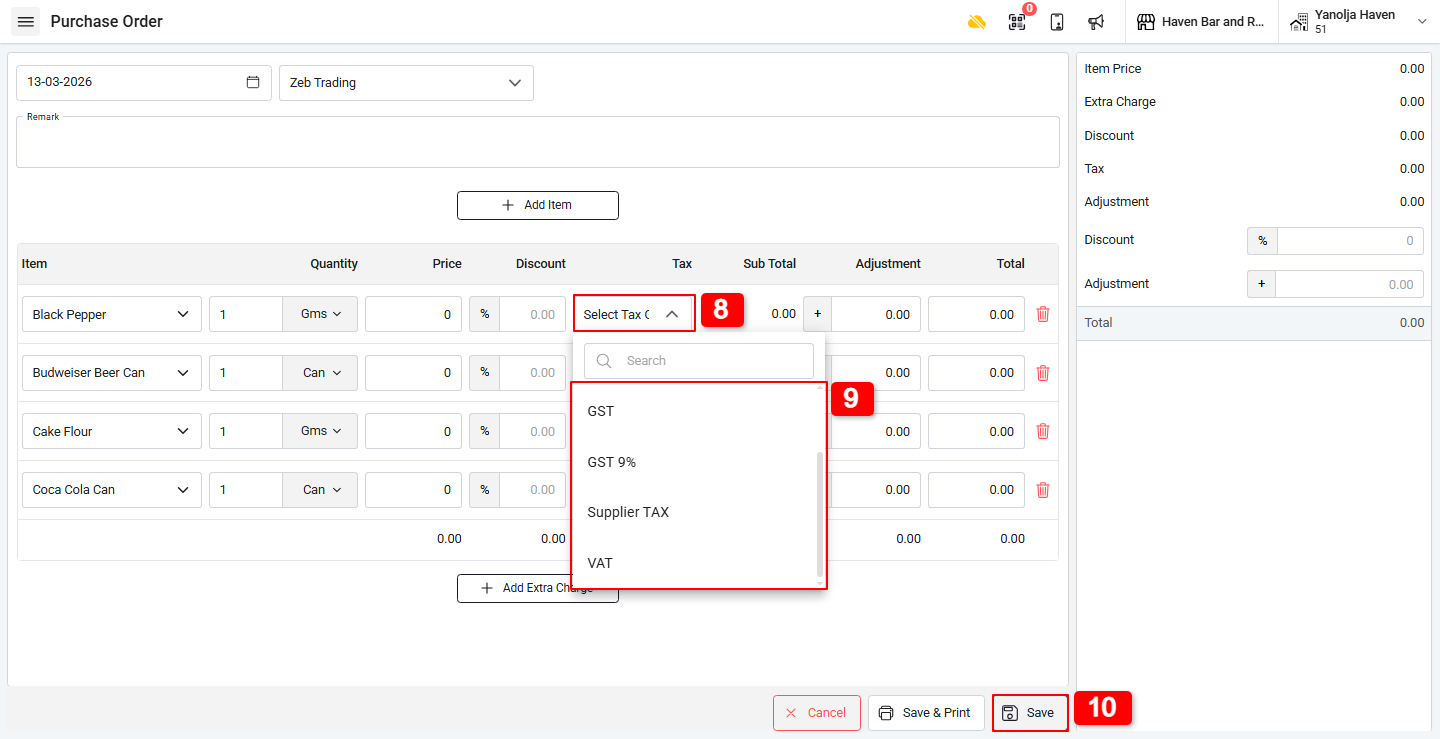
7. While adding items, you will see a Tax section.
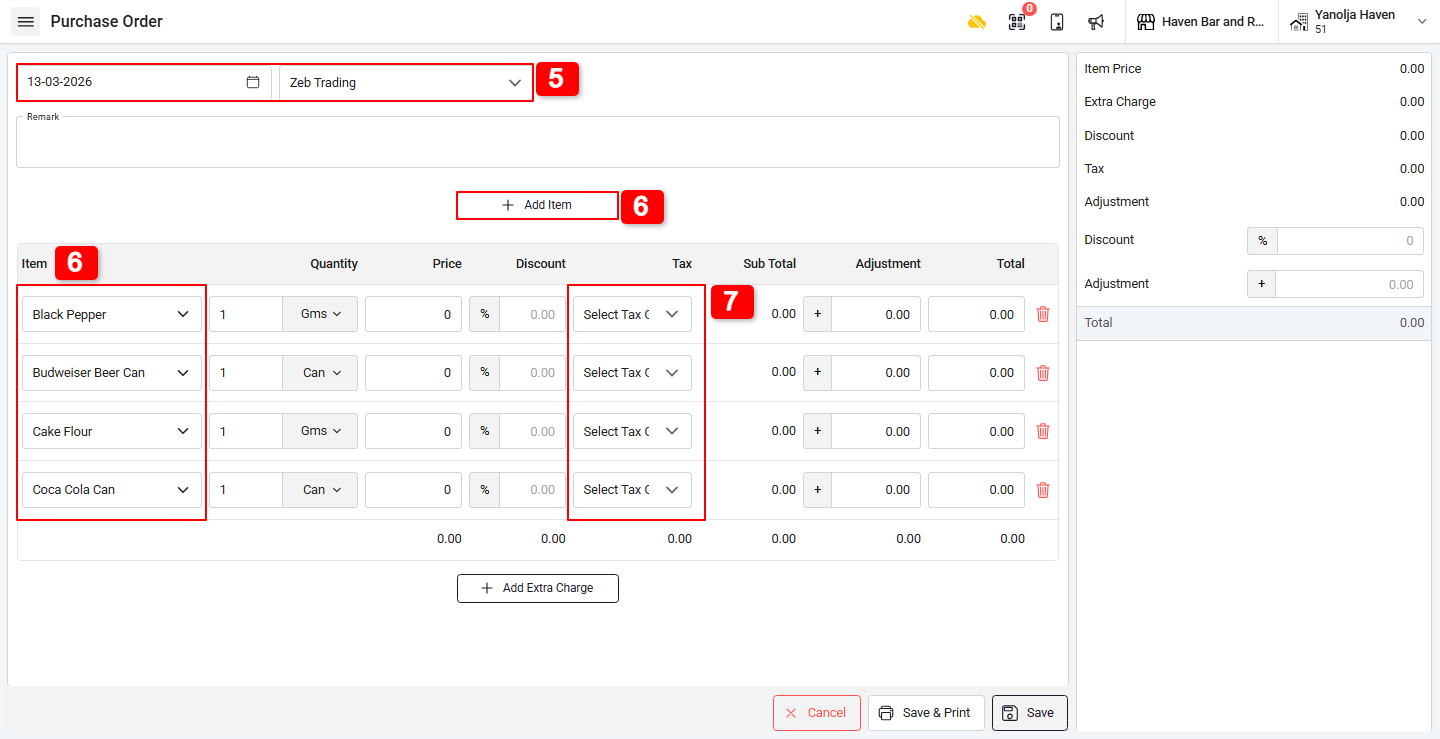
8. Click the Tax option and select the required tax from the dropdown list.
The dropdown shows taxes that were predefined in the back-end.
9. Select the tax you want to apply to that specific item.
10. Click Save to finalize the purchase order.
Was this article helpful?
That’s Great!
Thank you for your feedback
Sorry! We couldn't be helpful
Thank you for your feedback
Feedback sent
We appreciate your effort and will try to fix the article