Lost and Found Management in PMS.
The Lost and Found feature helps hotels efficiently track and manage items that are either lost by guests or found on the property.
Step 1: Accessing the Lost and Found Feature
User Privilege Requirement
To access this feature, ensure the required privilege is enabled:
Path:
PMS Configuration → User → Edit User → Privileges → Front Office → Access to Lost and Found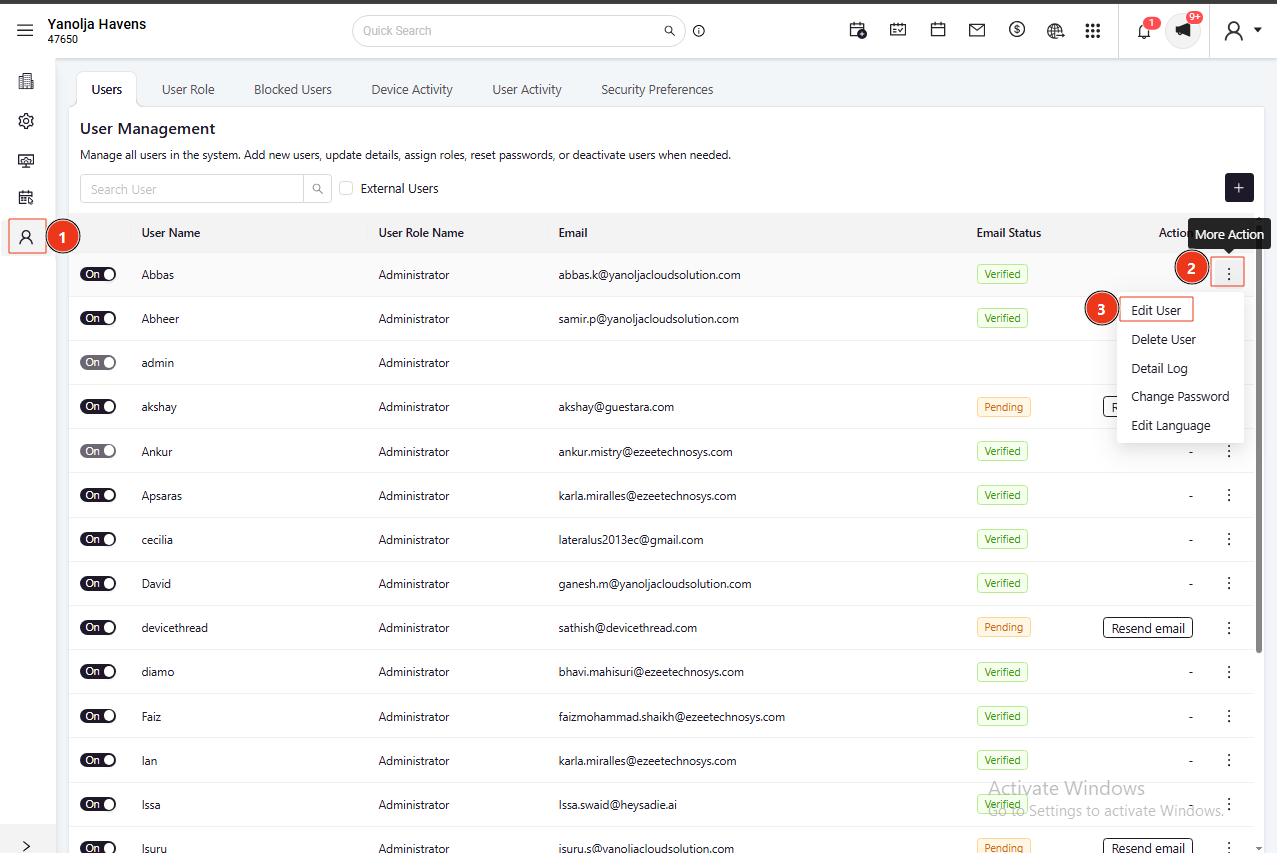
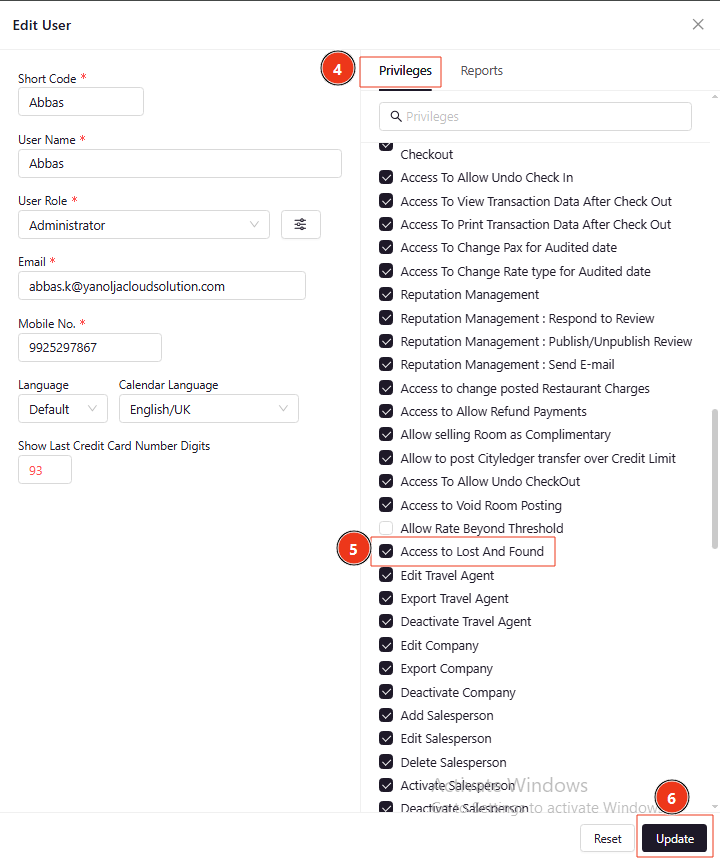
Step 2: Adding a Lost Item
Path to Add a Lost Item
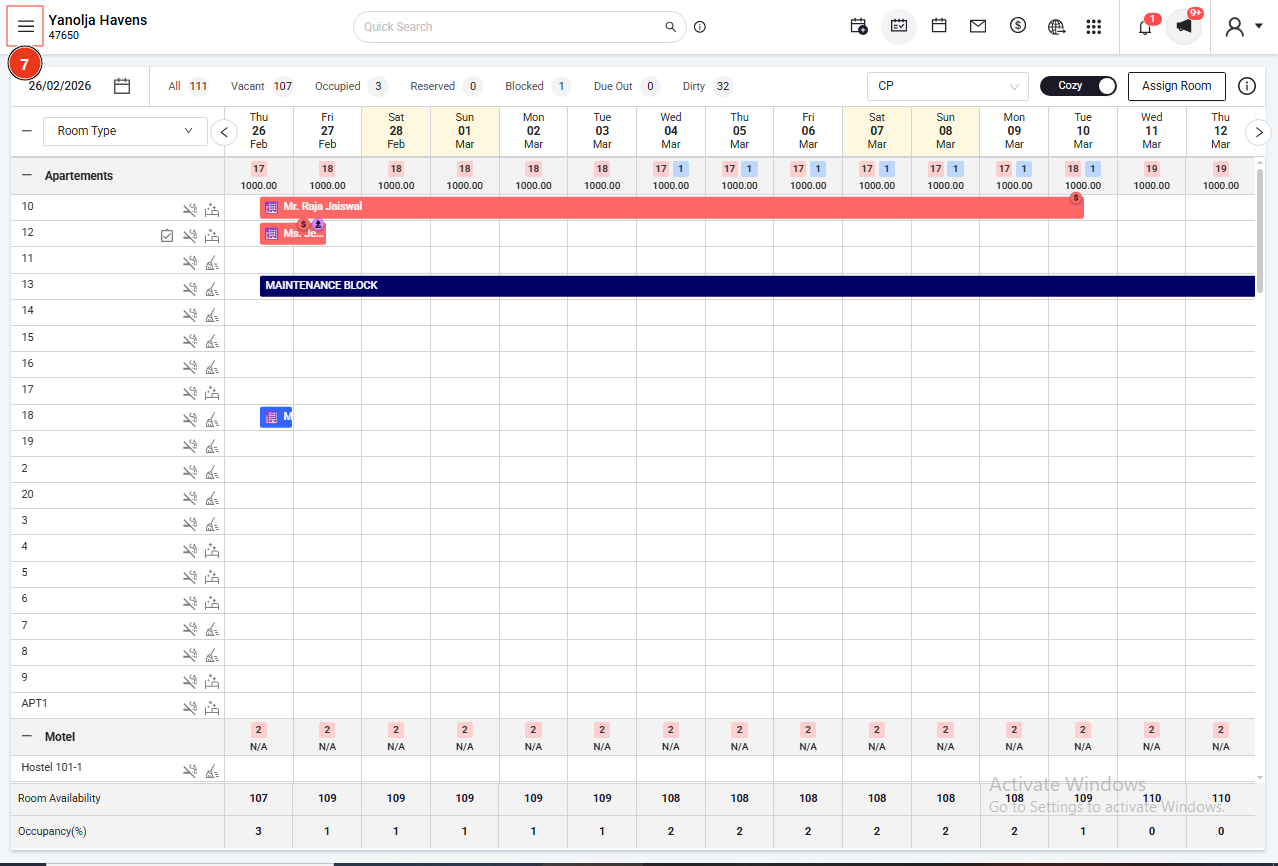
Click on the Menu (≡) icon at the top-left corner
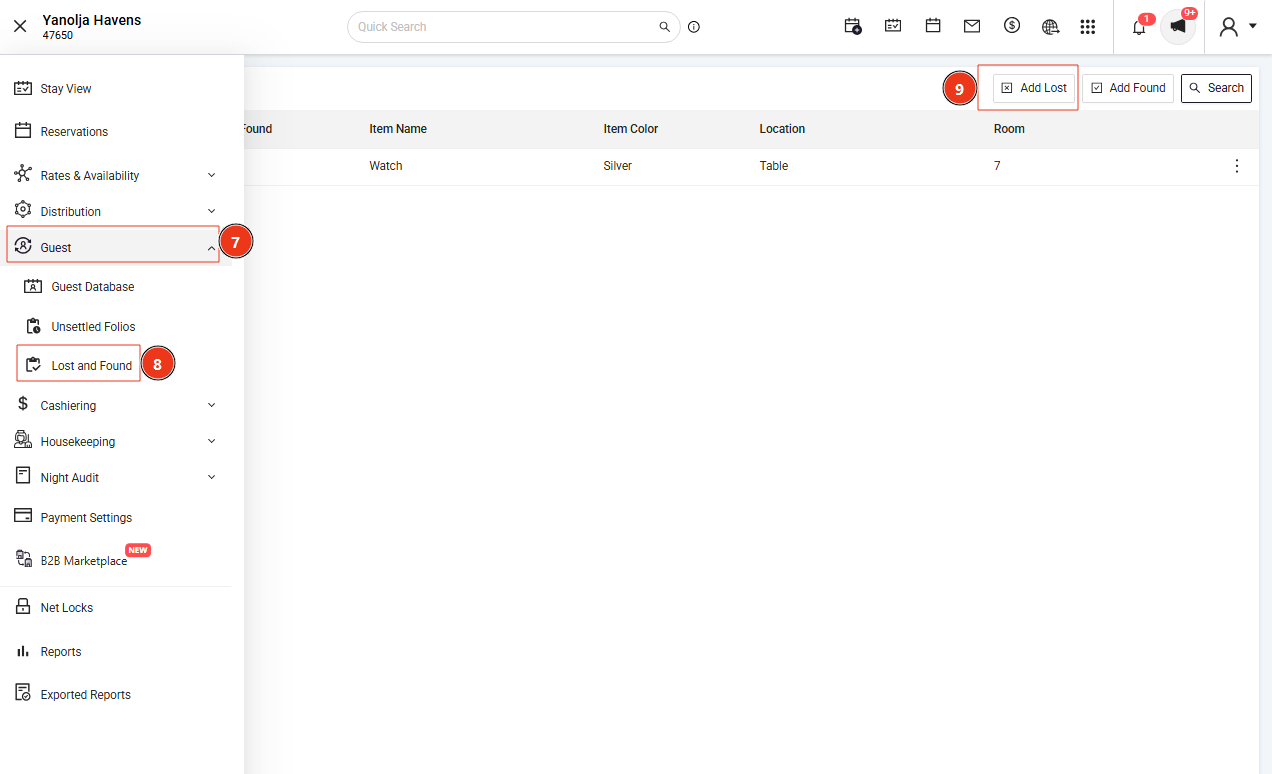
Navigate to Guest → Lost and Found
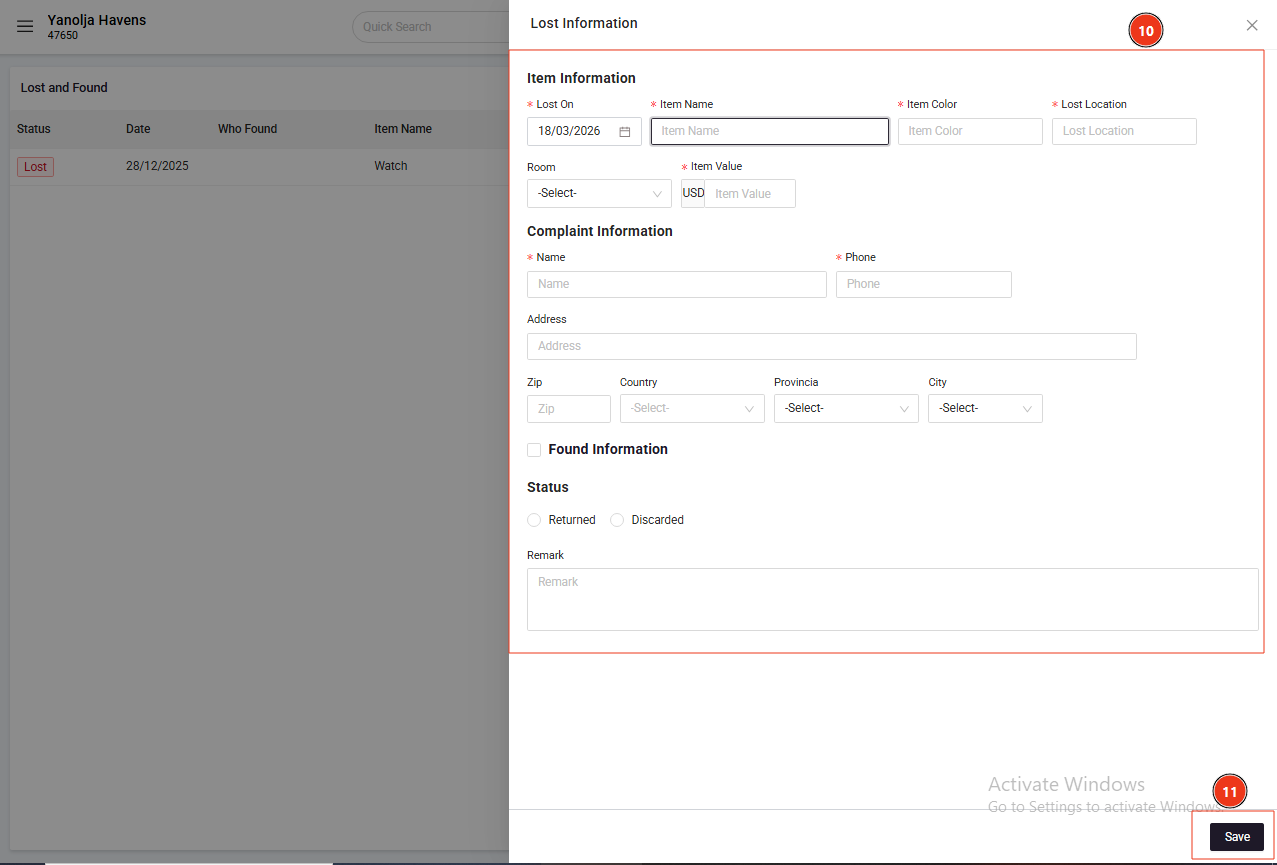
Click on Add Lost
Enter the required details of the lost item
Click on Save
Step 3: Adding a Found Item
Path to Add a Found Item
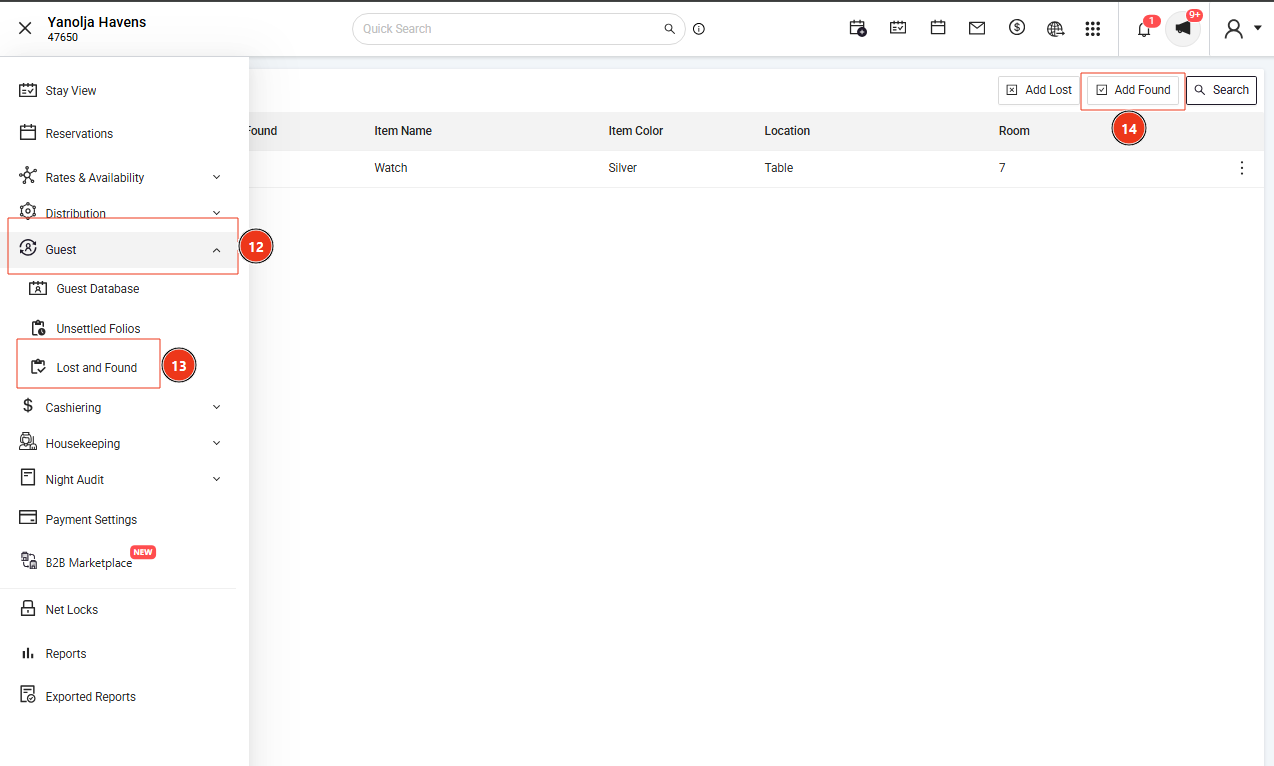
Click on the Menu (≡) icon at the top-left corner
Navigate to Guest → Lost and Found
Click on Add Found
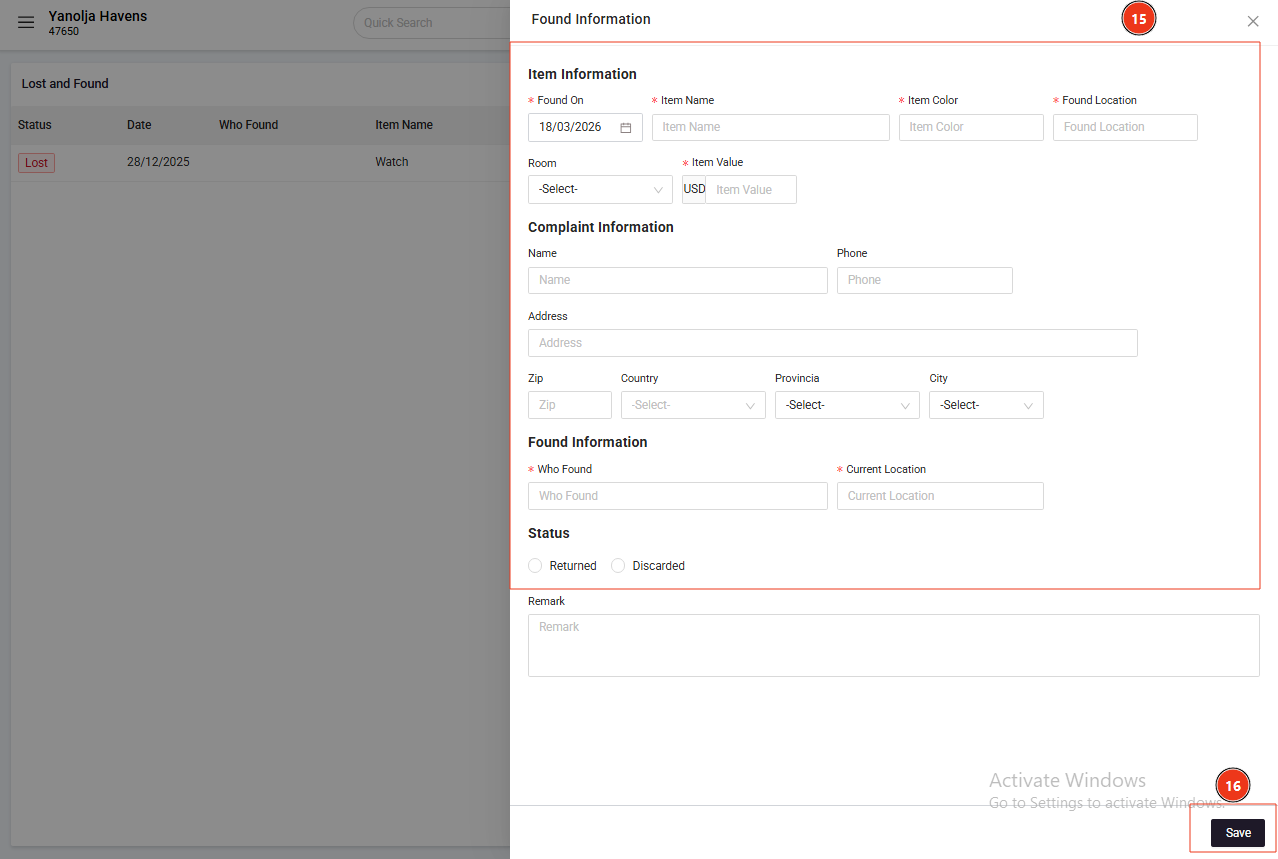
Enter the required details of the found item
Click on Save
Was this article helpful?
That’s Great!
Thank you for your feedback
Sorry! We couldn't be helpful
Thank you for your feedback
Feedback sent
We appreciate your effort and will try to fix the article