What happens when a user enters incorrect login credentials multiple times?
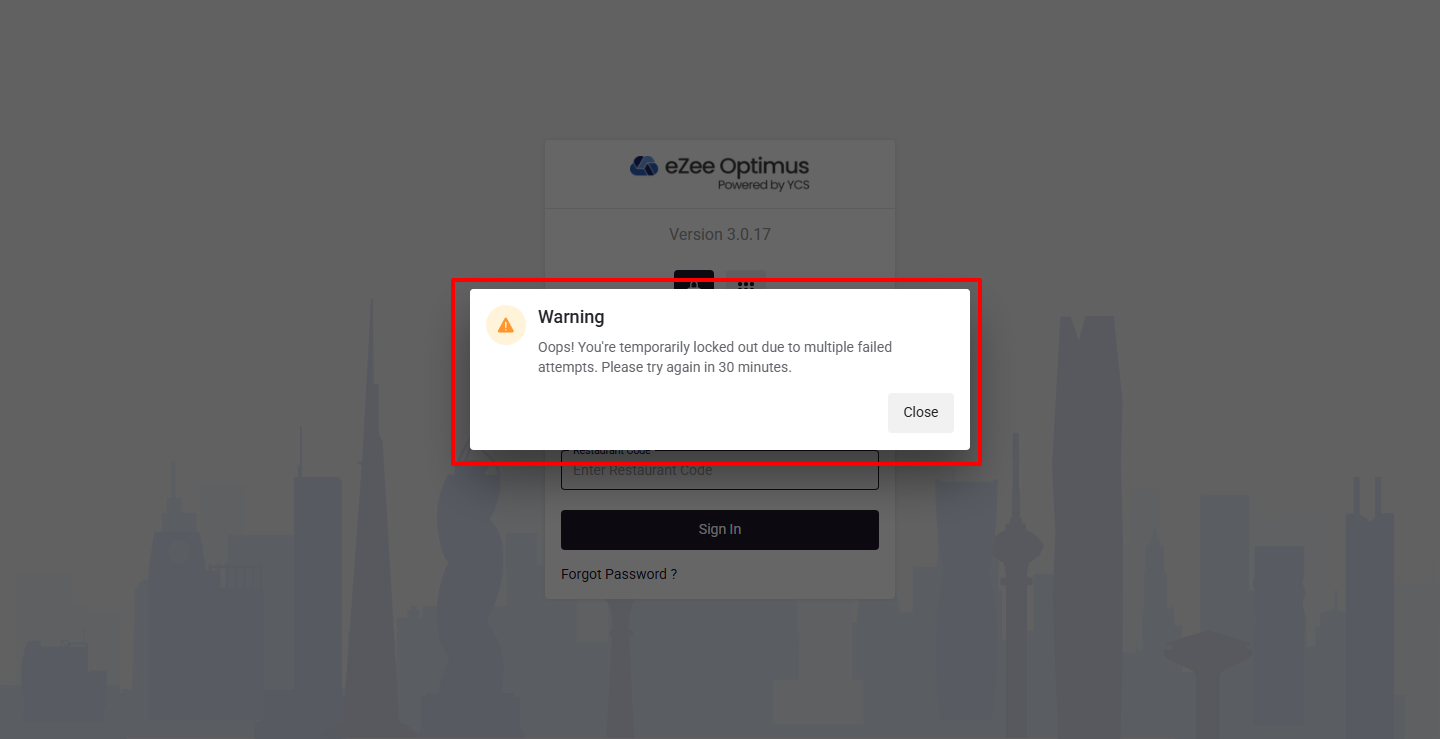
In eZee Optimus, the system automatically blocks users after multiple failed login attempts as a security measure.
The user will be temporarily blocked for 30 minutes
This helps prevent unauthorized access and protects system data
What are the login attempt limits?
Username & Password Login
- Maximum Attempts: 3
- After 3 failed attempts:
- PIN login is disabled
- User must log in using Username & Password
Username & Password Login
- Maximum Attempts: 5
- After 5 failed attempts:
- User is blocked for 30 minutes
- Login is restricted during this period
What should a user do after being blocked?
Users have two options:
Wait for 30 minutes, after which login will be automatically enabled
Contact an Admin User to get unblocked immediately
How can an Admin unblock a user?
Follow the steps below:
Step 1: Open User Settings
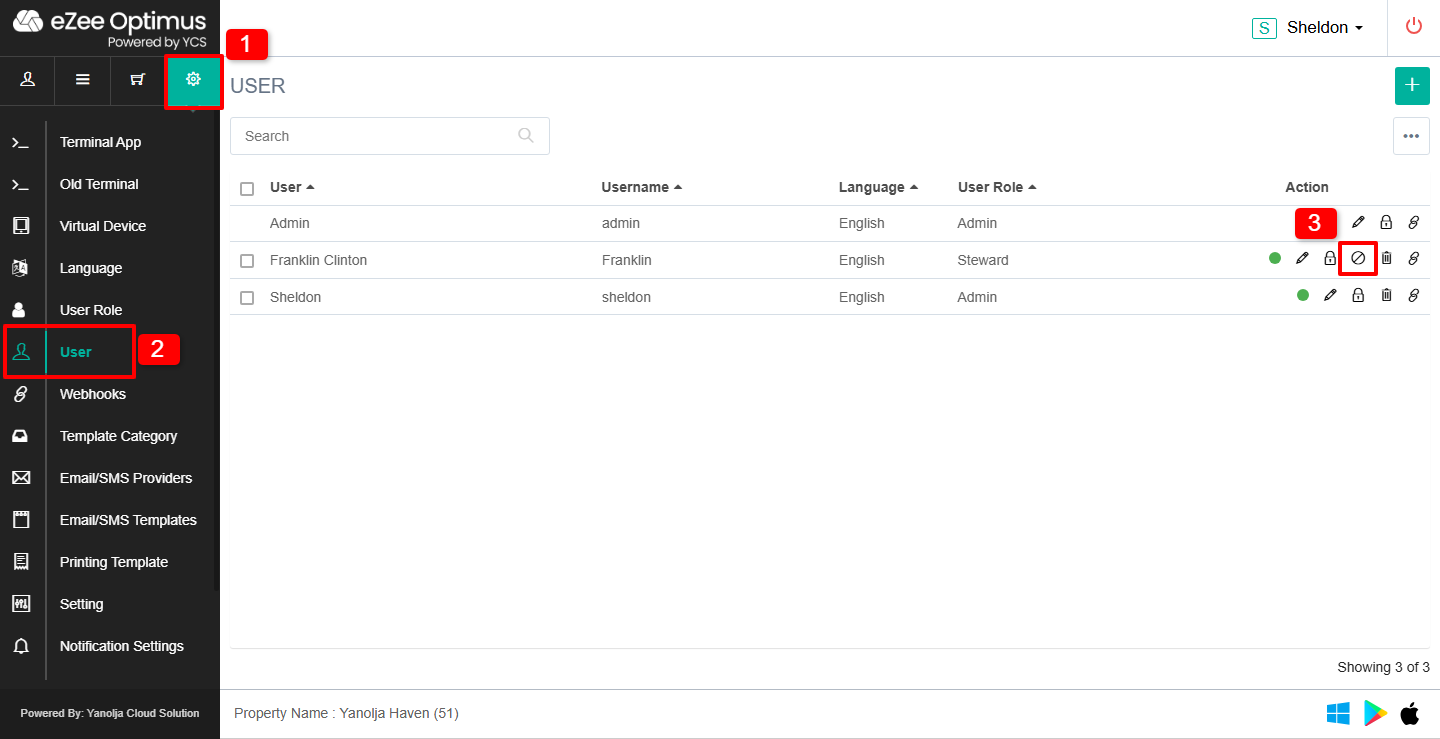
1. Go to the Configuration (Gear Icon) section.
2. Click on User.
3. Identify the blocked user in the list and click on the Unblock icon under the Action column.
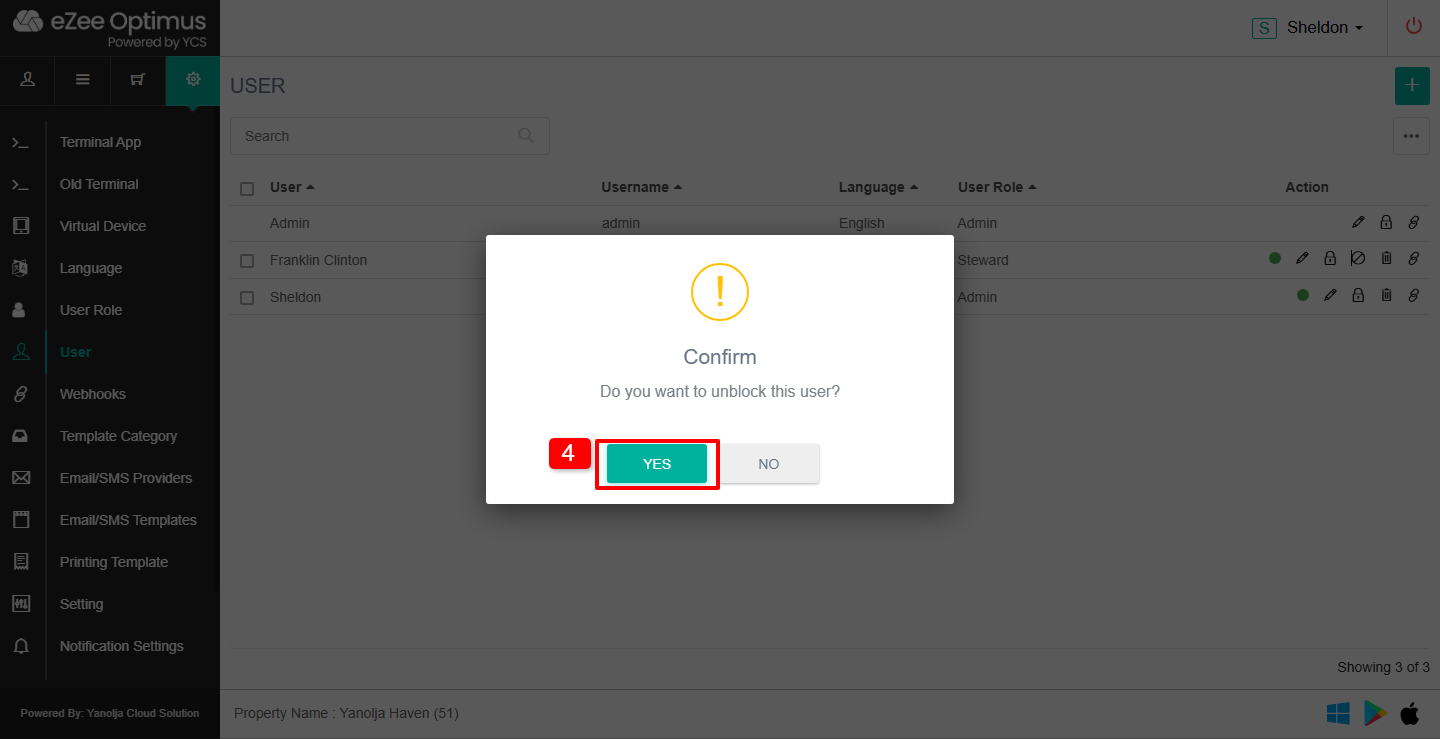
4. A confirmation popup will appear → Click YES to confirm.
The user will be unblocked instantly and can log in again.
Was this article helpful?
That’s Great!
Thank you for your feedback
Sorry! We couldn't be helpful
Thank you for your feedback
Feedback sent
We appreciate your effort and will try to fix the article