Issue: User Blocked After Multiple Failed Login Attempts
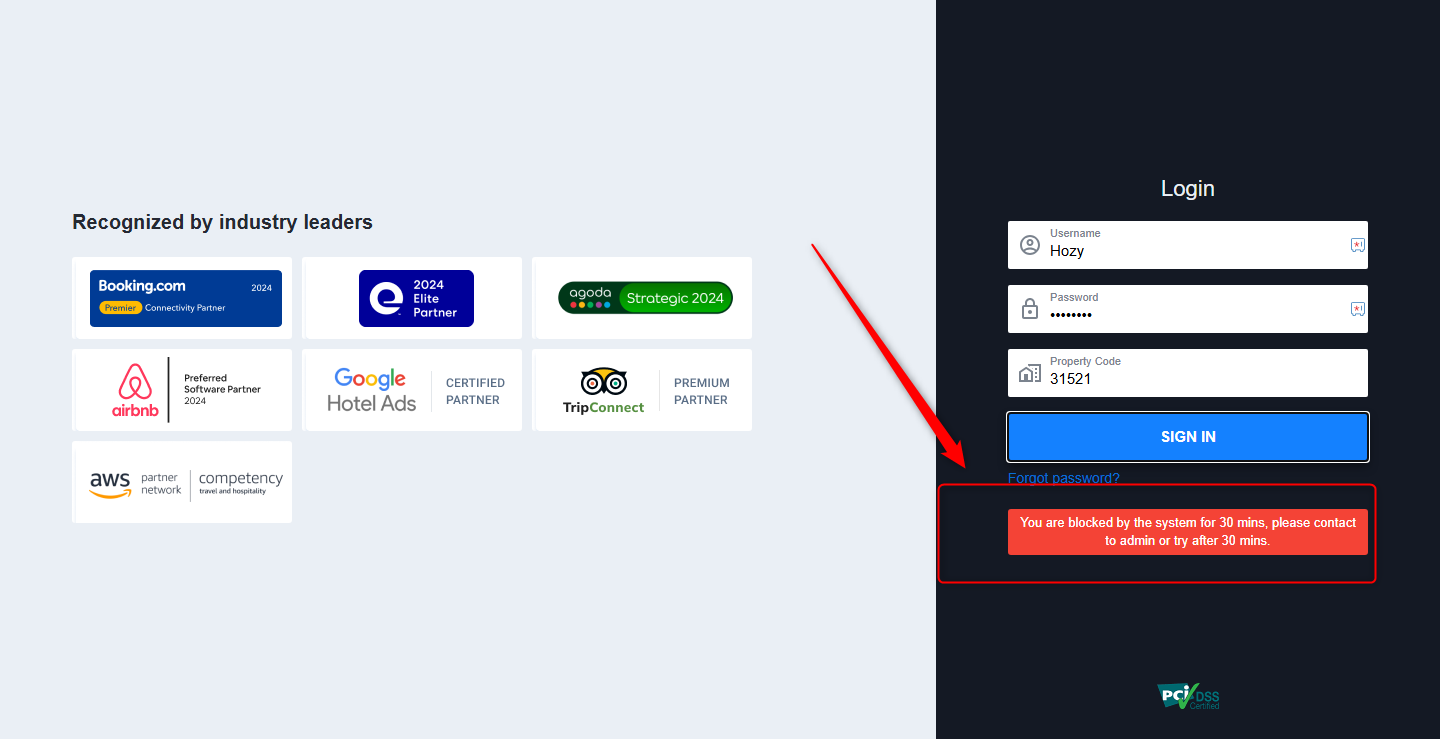
If a user enters incorrect login credentials more than 5 times, PMS will automatically block the user for 30 minutes as a security measure.
Error Message Displayed:
"You are blocked by the system for 30 mins, please contact admin or try after 30 mins."
The user will not be able to log in until the 30-minute period is over, unless manually unblocked by an admin.
Solution: How to Unblock a User in PMS
Only users with admin access can manually unblock other users. Follow the steps below:
Log In as Admin
Use your admin credentials to log in to PMS Configuration.
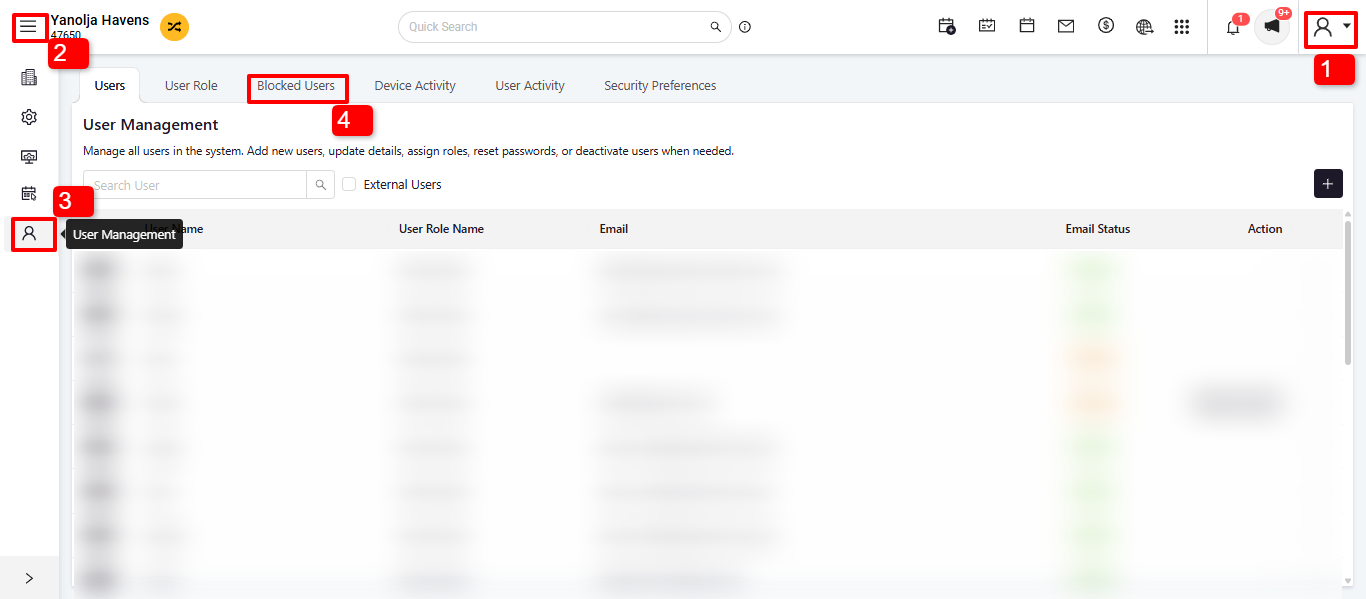
Step 1: Open Configuration Settings
Step 2: Access the Three Lines
Step 3. Click on the last "User Management"
Step 4. In the User Management panel, click on "Unblock User".
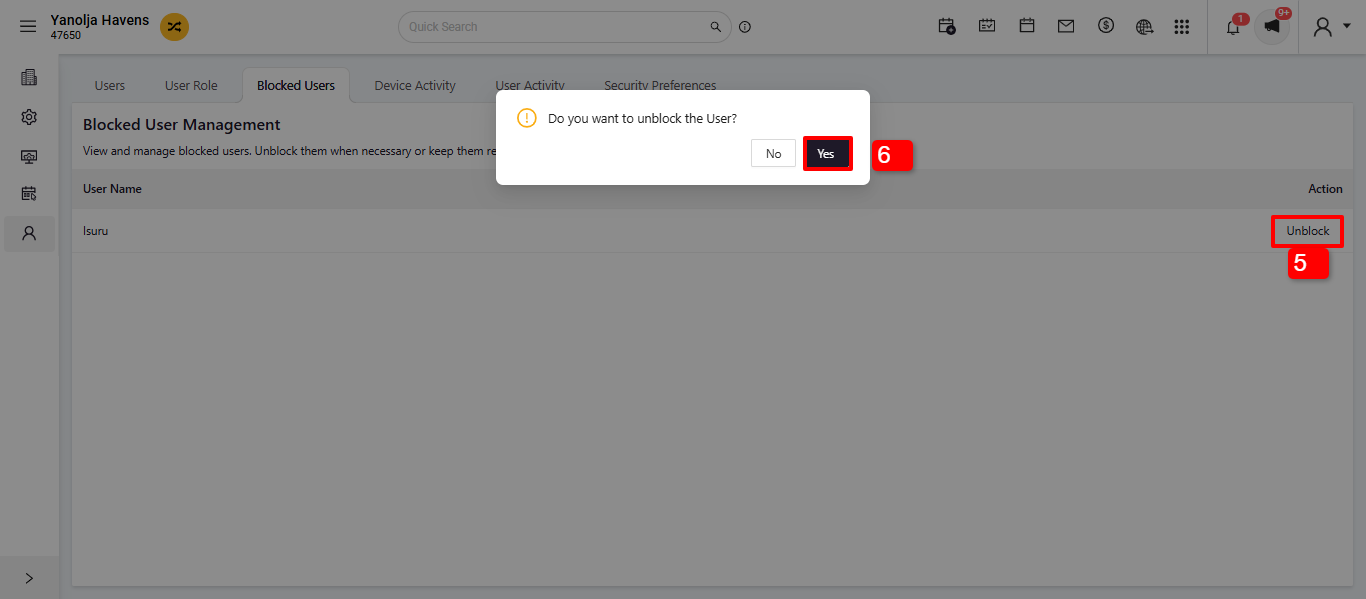
Step 5. Unblock the User
Step 6. Will ask for the reconfirmation " Do you want to unblock the user" Click on Yes.
Was this article helpful?
That’s Great!
Thank you for your feedback
Sorry! We couldn't be helpful
Thank you for your feedback
Feedback sent
We appreciate your effort and will try to fix the article