What is Split Bill by Seat?
In eZee Optimus, the Split Bill by Seat feature allows you to generate separate bills for each guest sitting at the same table based on the items they have consumed.
Example:
If 3 guests are sitting at one table:
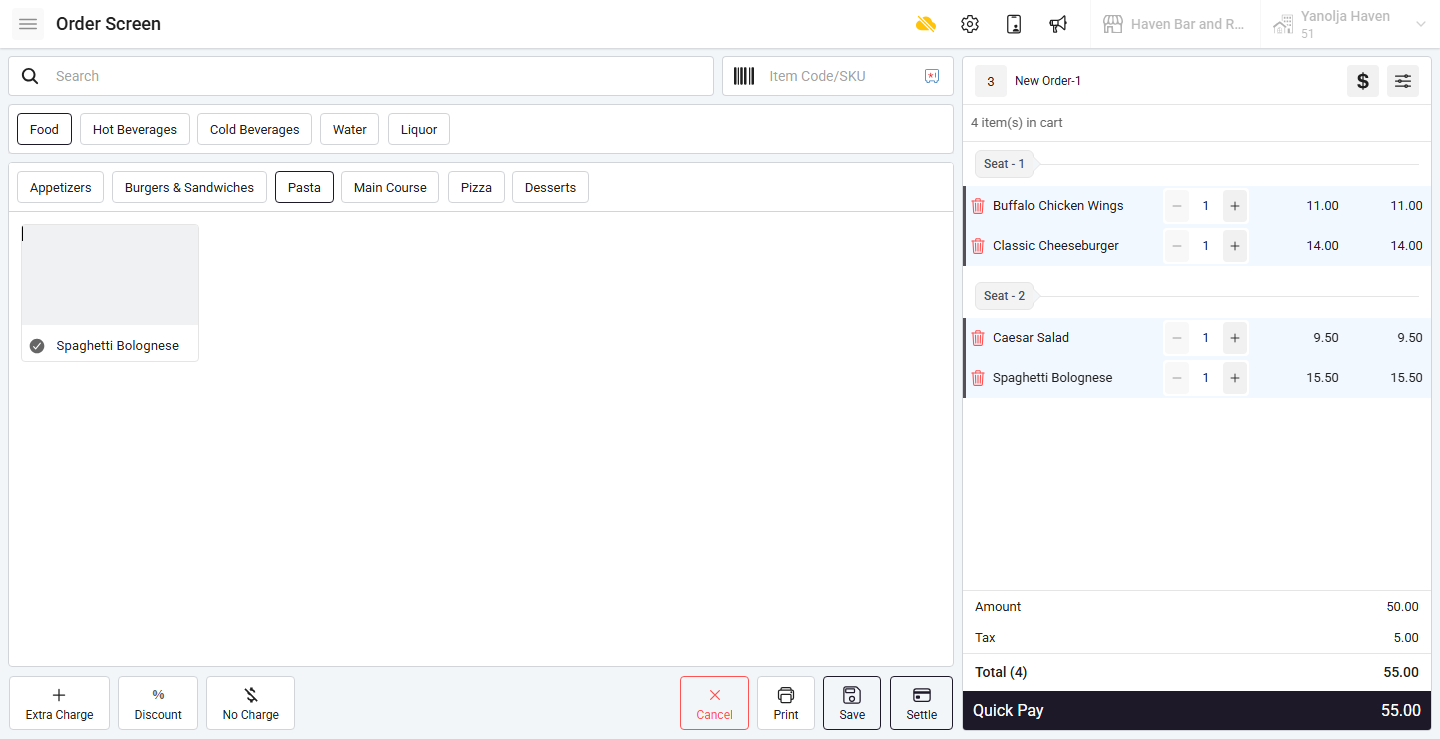
- Each guest’s items can be tagged to a seat number
- Bills can later be split seat-wise
- Each guest receives their individual receipt
How do I enable Seat Wise ordering?
Step 1: Enable Seat Wise Setting
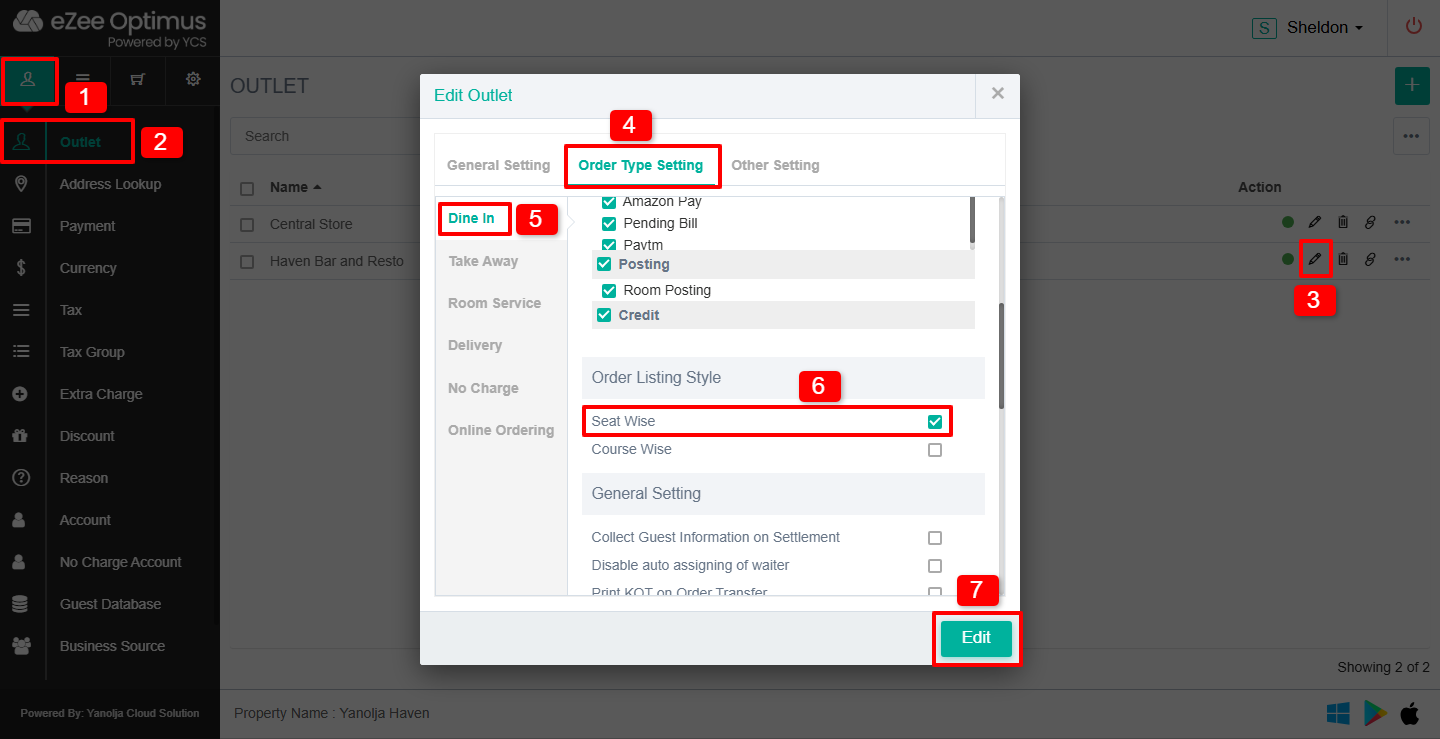
1. Click on Master
2. Click on Outlet
3. Click on the Pen/Pencil (Edit) icon
4. Click on Order Type Setting
5. Select Dine-In
6. Under Order Listing Style, select Seat Wise
7. Save the changes
Is re-login required after enabling this setting?
Yes.
You must re-login to the software for the changes to take effect.
How do I take a Seat Wise order?
Step 2: Take Order with Seat Selection
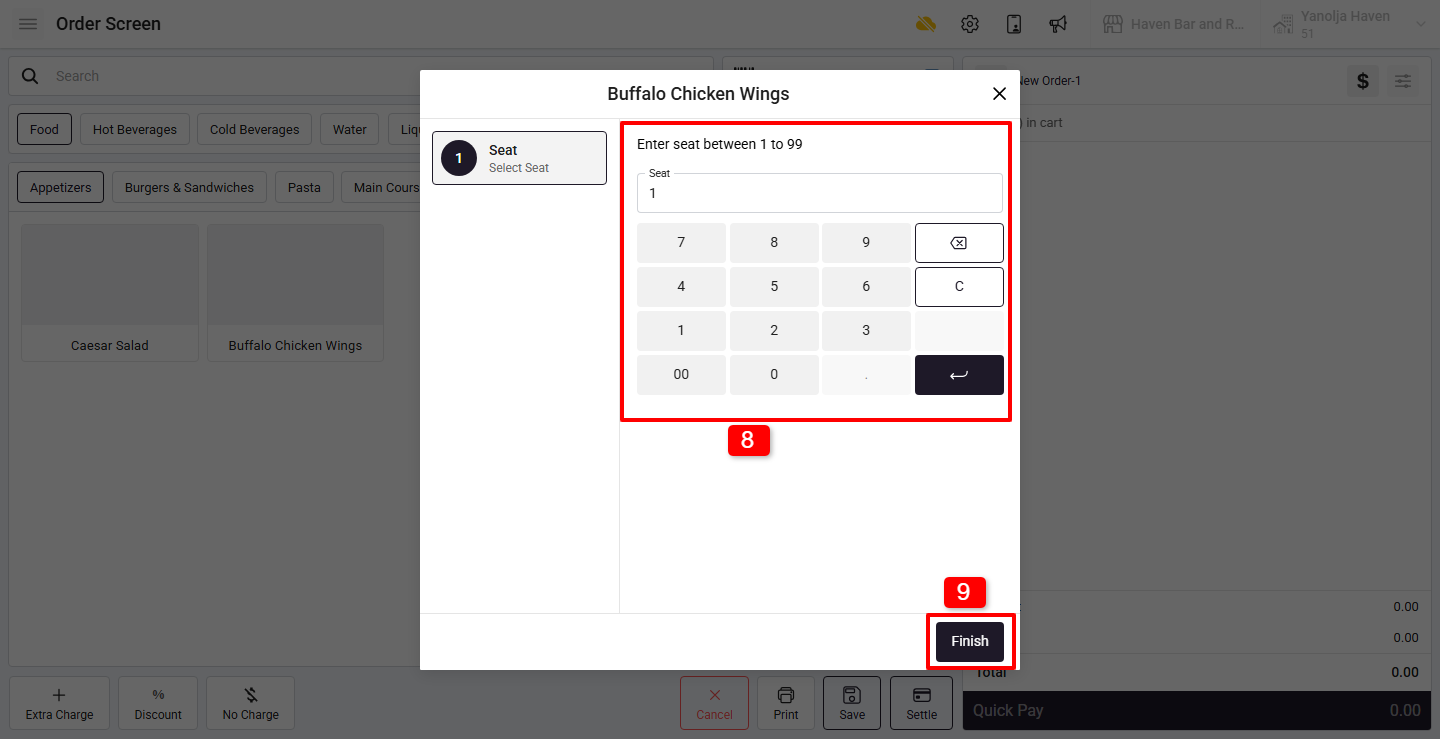
Start a Dine-In order
8. While adding items, select the Seat Number for each item
9. Click on Finish after adding all items
How do I split the bill by seat?
Step 3: Split Bill
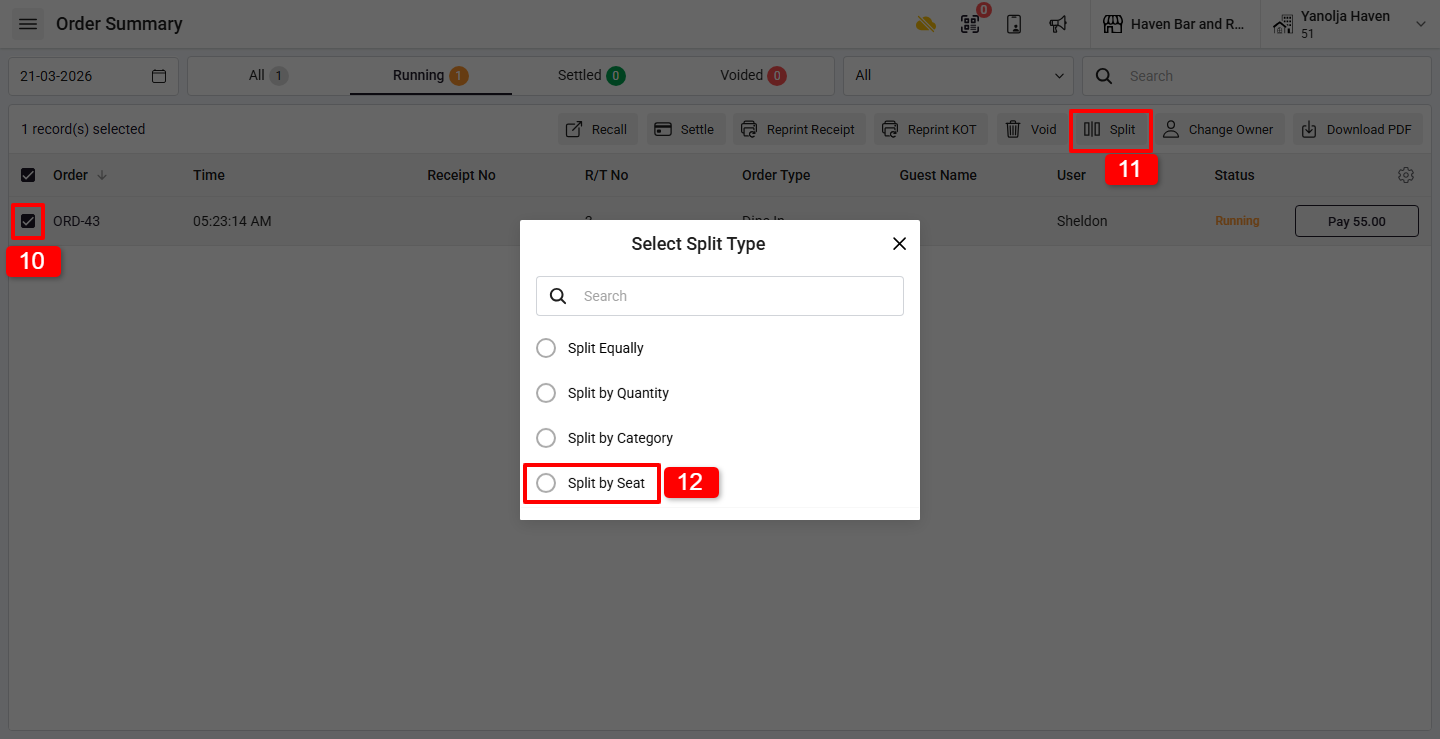
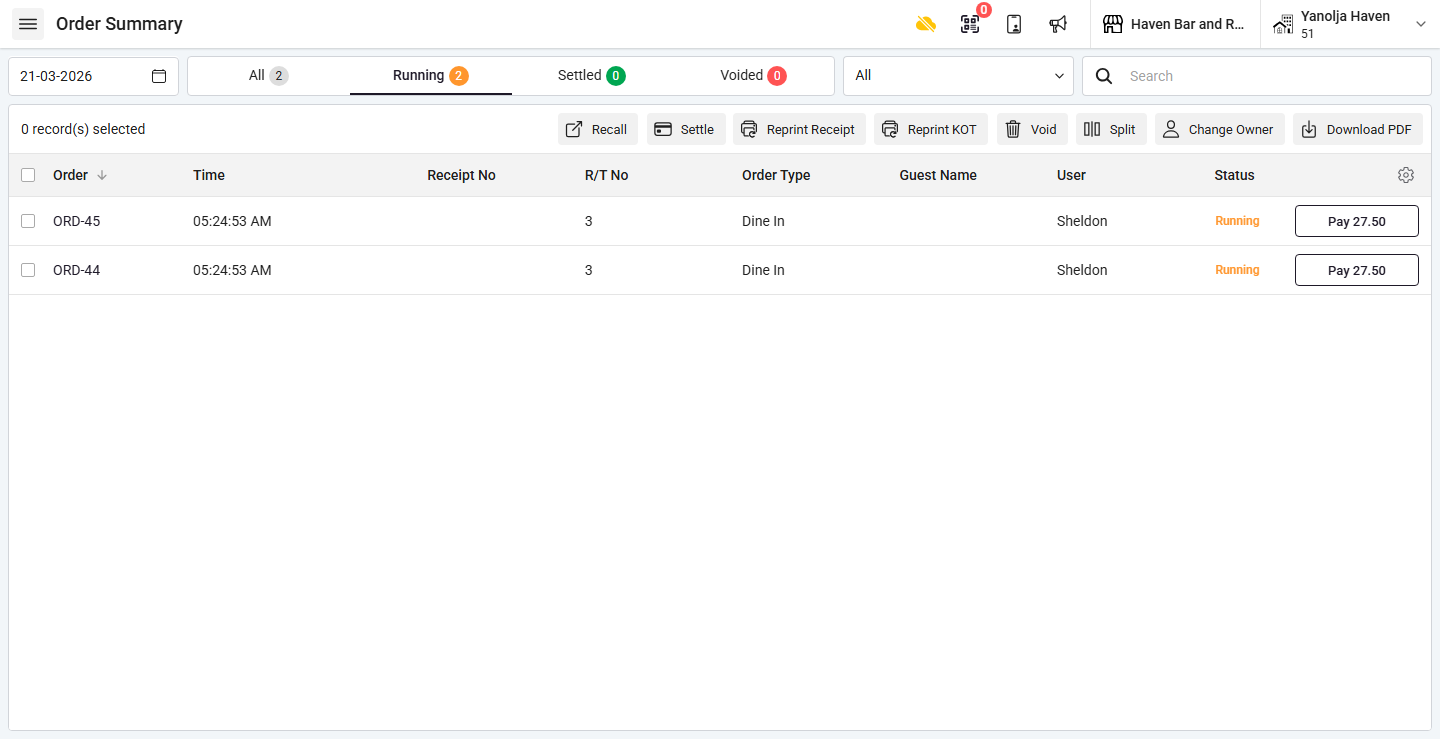
Go to Order Summary
10. Select the order
11. Click on the Split button
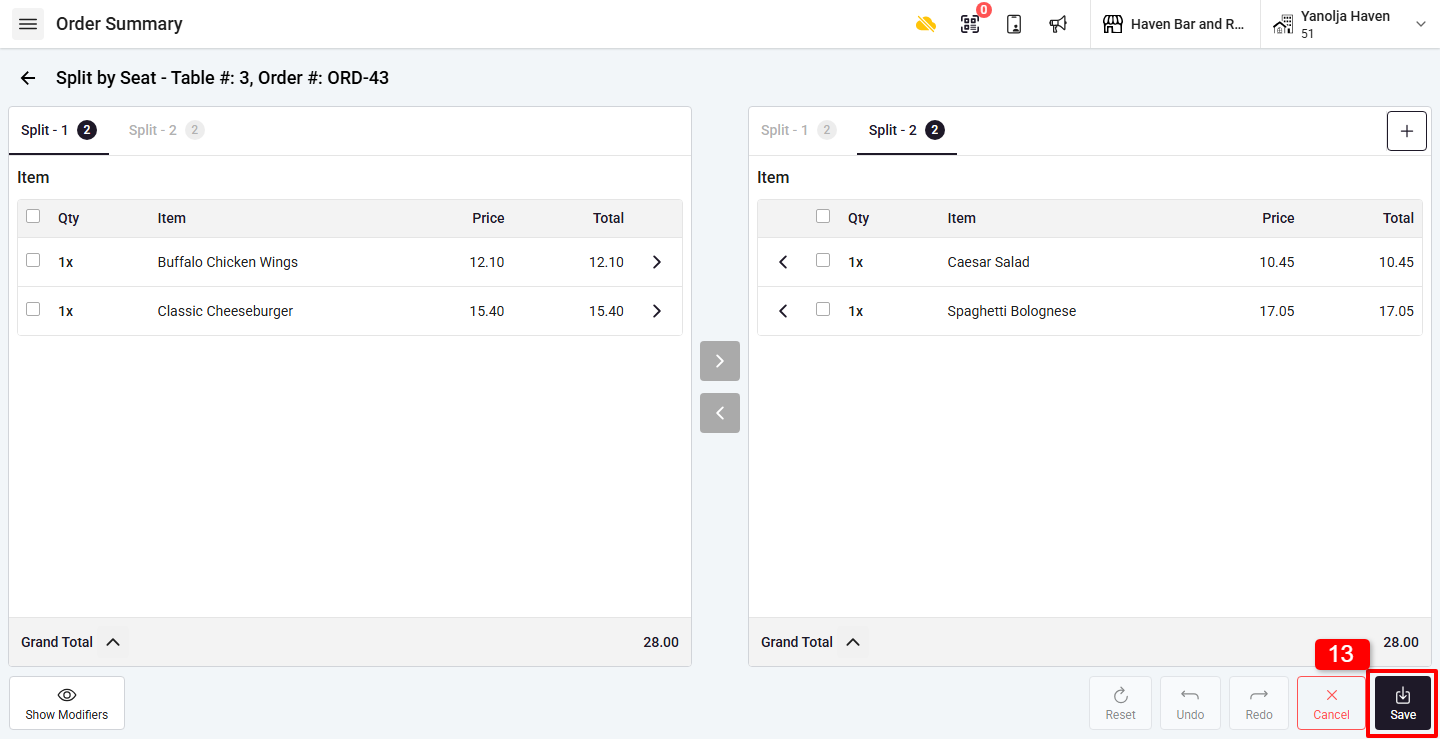
12. Select Split by Seat
13. Click on Save after verifying the split
Separate receipts are generated for each seat
Was this article helpful?
That’s Great!
Thank you for your feedback
Sorry! We couldn't be helpful
Thank you for your feedback
Feedback sent
We appreciate your effort and will try to fix the article