This article is not available in Thai, view it in English
Room Exchange in PMS
You can exchange rooms if a guest does not want to stay in the assigned room and wishes to swap with another guest’s room.
Note: The room exchange operation is only possible when both bookings have the same stay duration.
Steps to Exchange Room
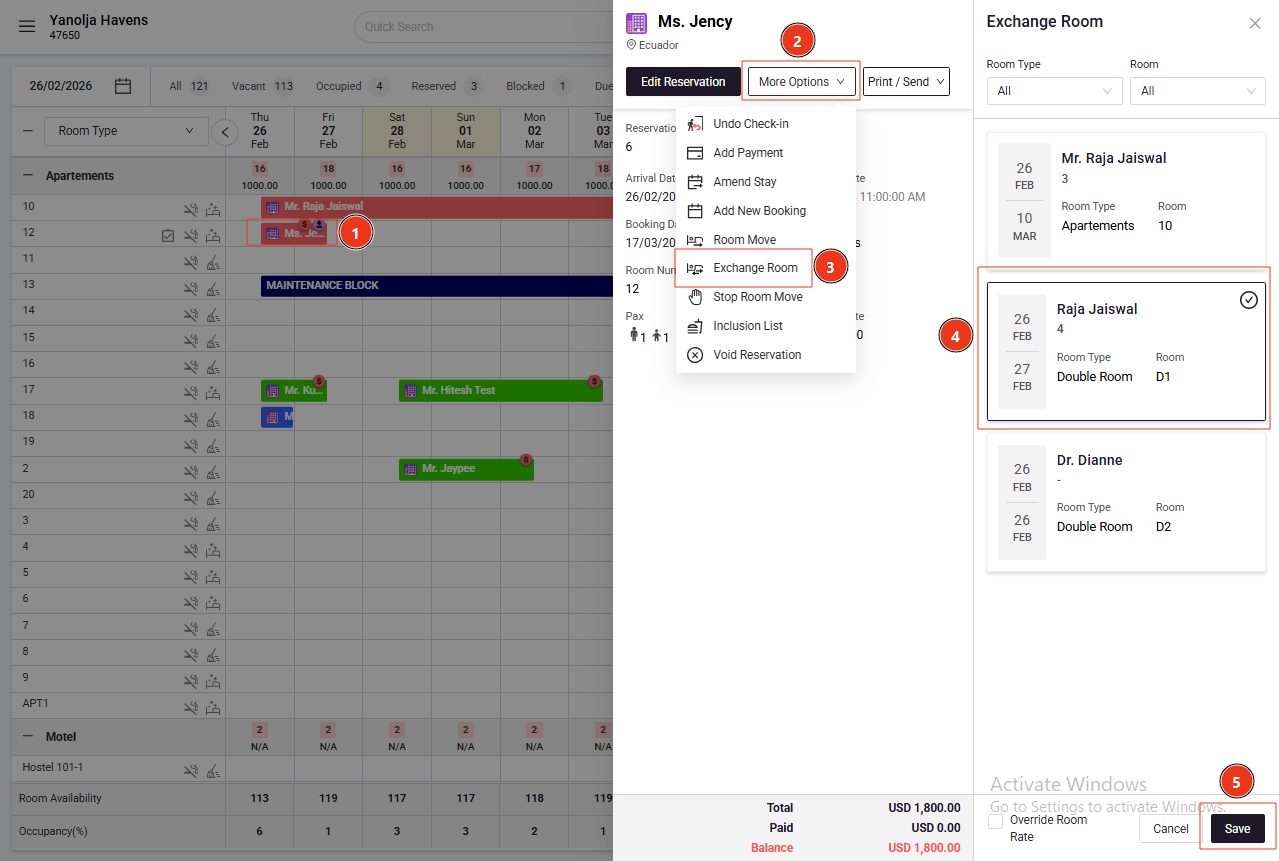
Access Room Exchange
Navigate to Front Office → Stay View
Select the Reservation
Click on More Options
Select Exchange Room
Choose the room to exchange with
Click on Save to complete the process
Was this article helpful?
That’s Great!
Thank you for your feedback
Sorry! We couldn't be helpful
Thank you for your feedback
Feedback sent
We appreciate your effort and will try to fix the article