What is the Top Selling & Least Selling Items Report?
In eZee Optimus, the Top Selling Items and Least Selling Items reports help you analyze item performance over a selected period.
- Top Selling Items → Shows the most frequently sold items
- Least Selling Items → Shows the least sold or low-performing items
How do I access the Top Selling / Least Selling Items Report?
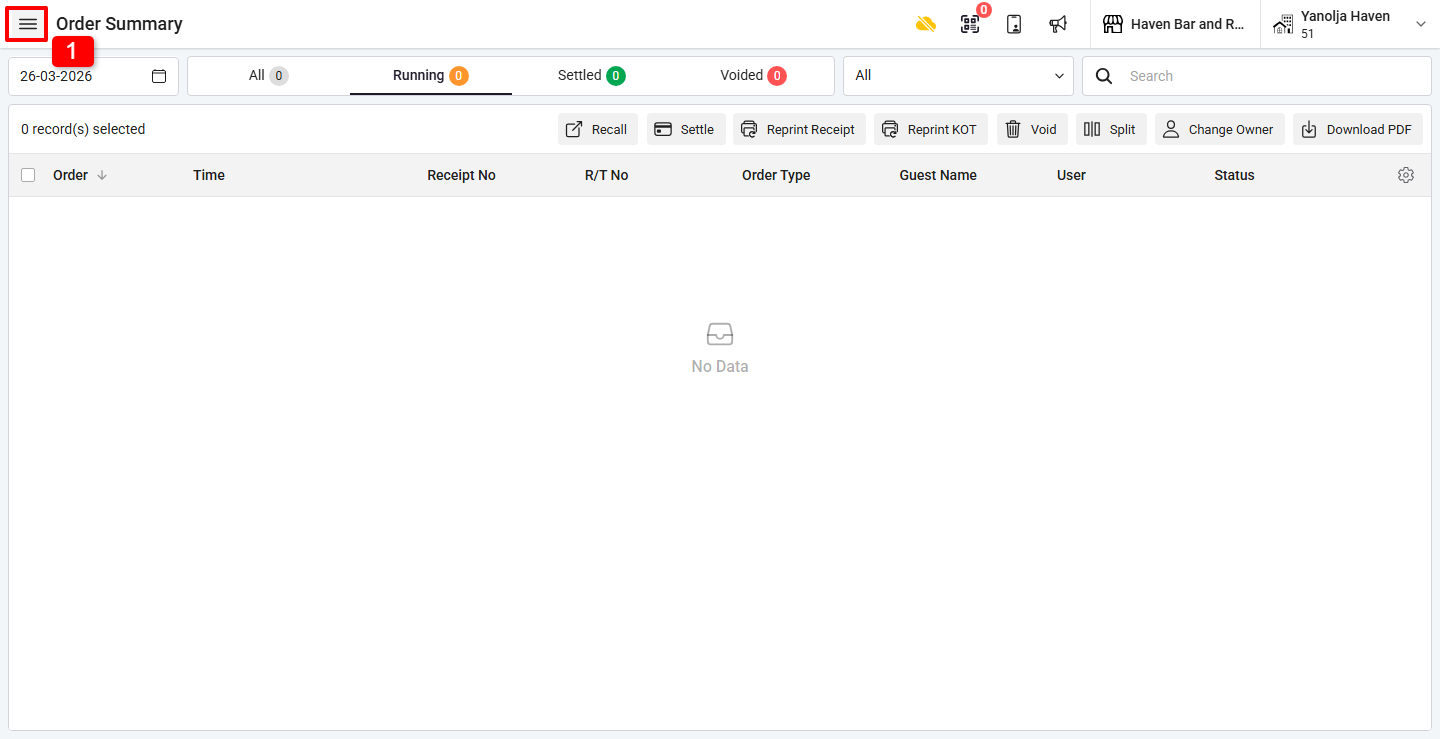
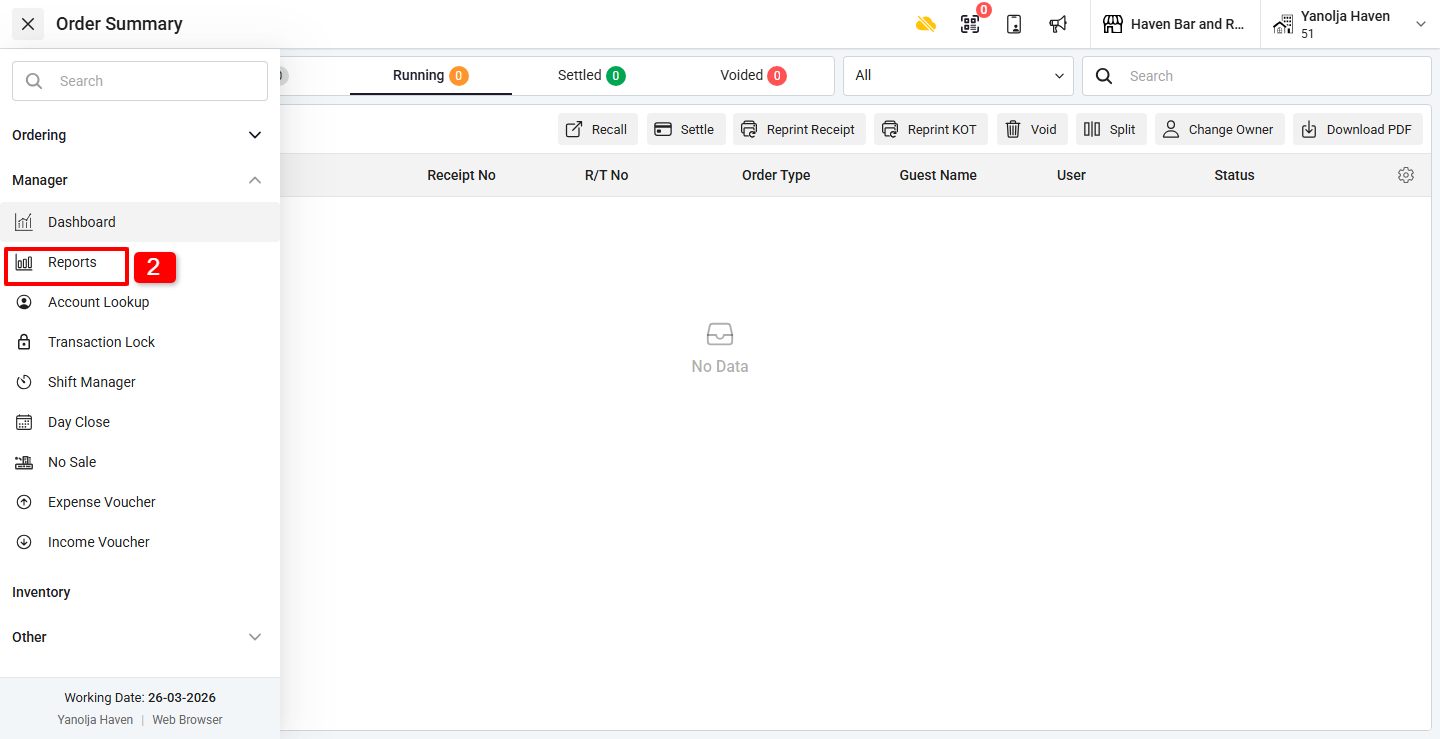
Step 1: Open Reports Section
- Click on the ☰ (3 lines menu)
- Under Manager, click on Reports
Step 2: Select the Report
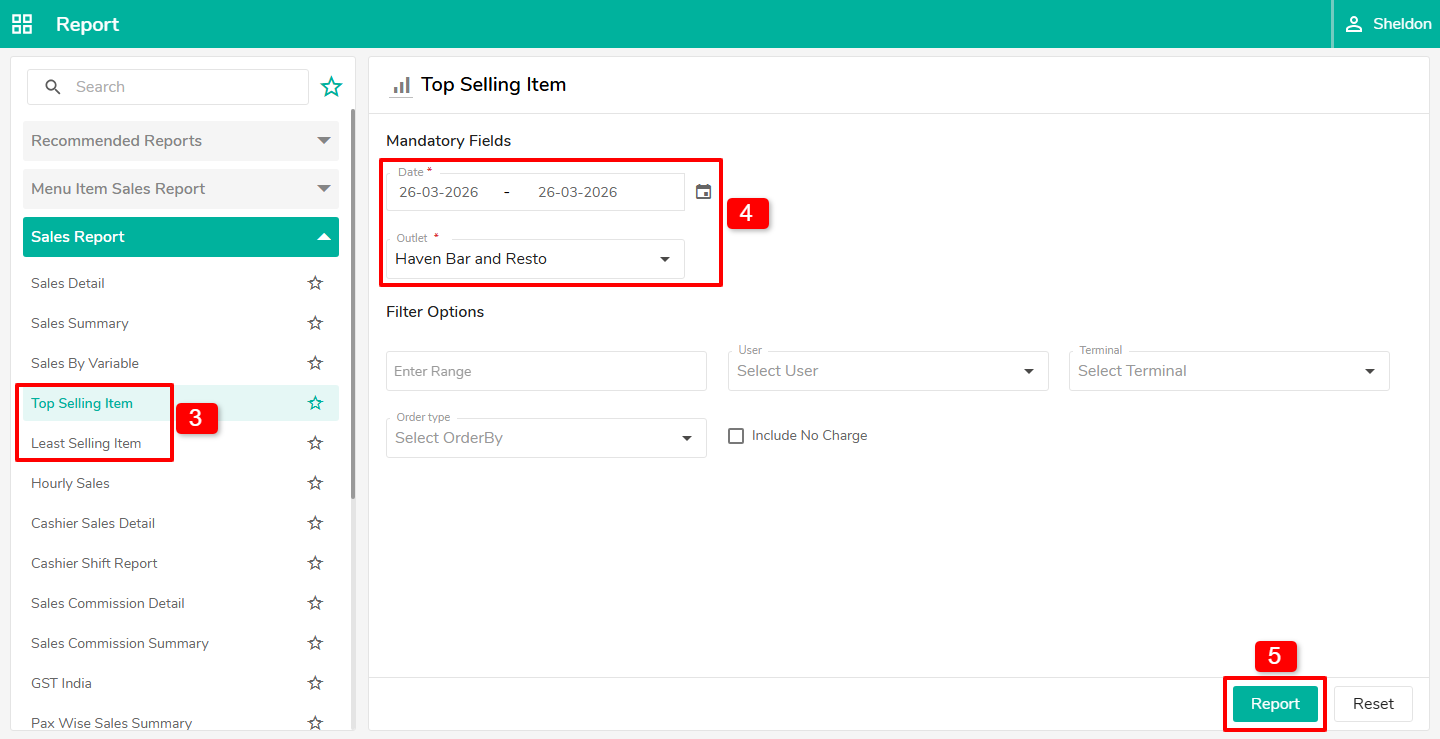
- Under Sales Reports, select:
- Top Selling Items, or
- Least Selling Items
- Select the Date Range and the Outlet
- Click on Report to view the data
Was this article helpful?
That’s Great!
Thank you for your feedback
Sorry! We couldn't be helpful
Thank you for your feedback
Feedback sent
We appreciate your effort and will try to fix the article