By default, the hotel's email address is preconfigured in the system. However, hoteliers can add additional official email addresses that can later be used as needed, for sending confirmation emails, folios, guest communications, etc.
Steps:
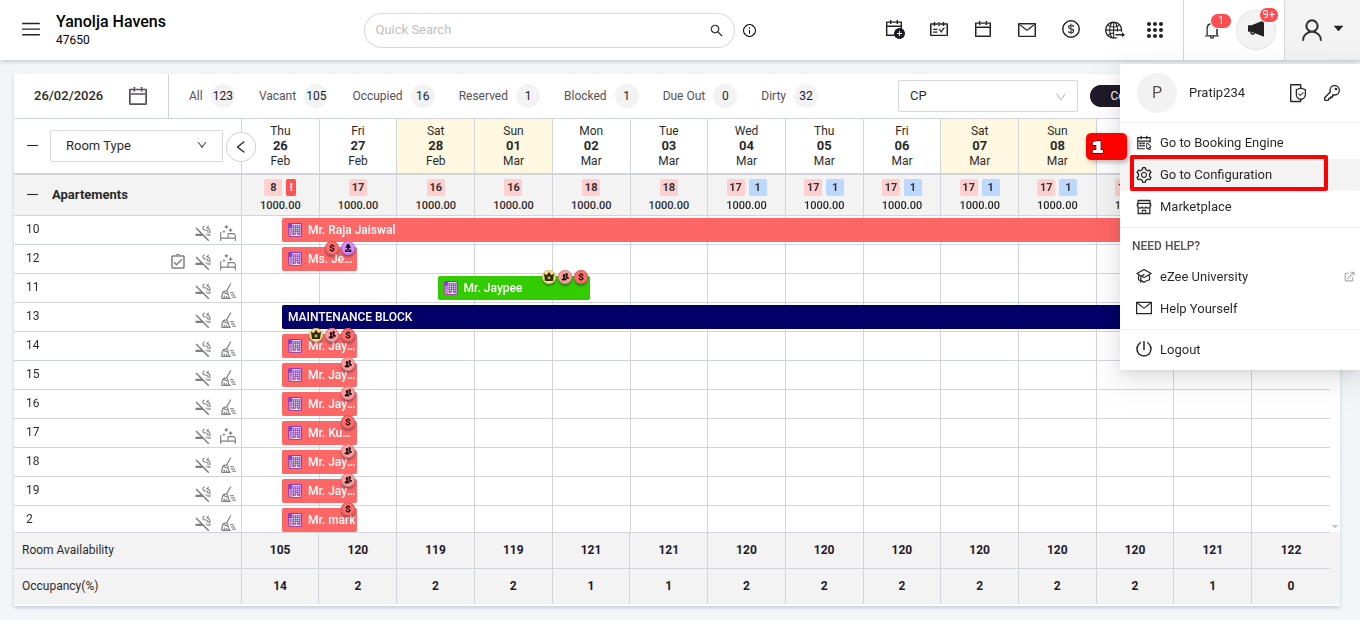
Log in to PMS>Go to Configuration.
Go to Settings.
Property.
Email Accounts.
Enter the email in the section.
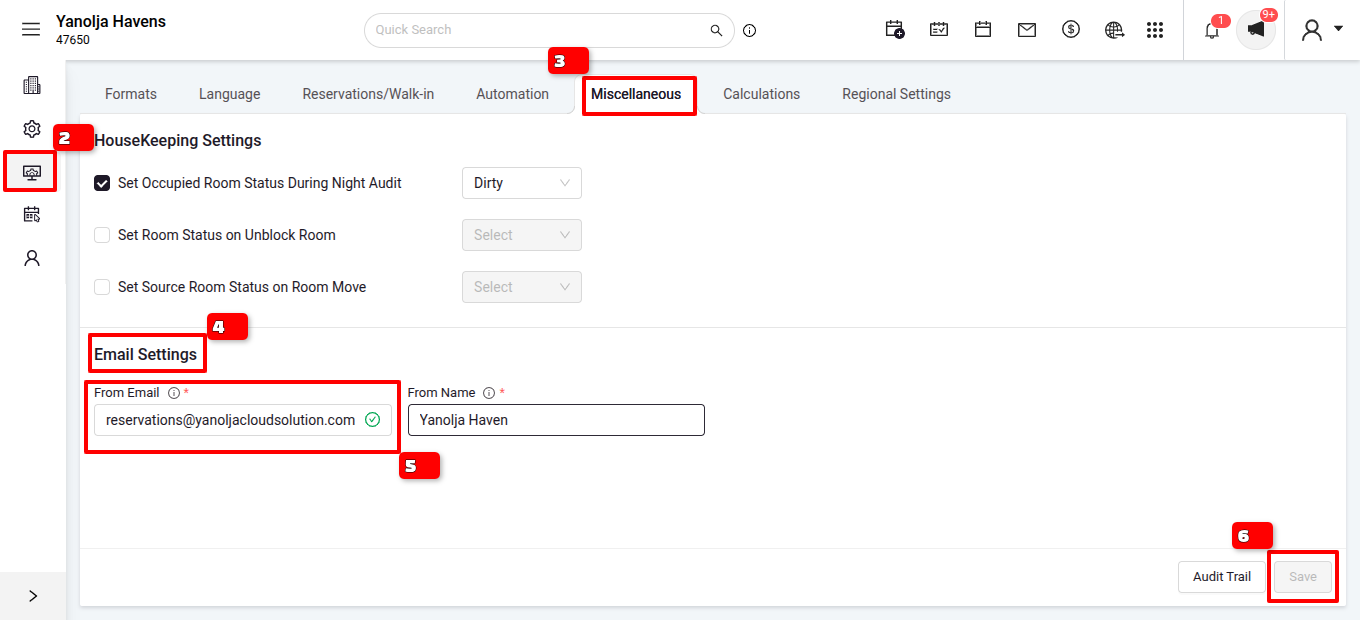
Click on Save.
Was this article helpful?
That’s Great!
Thank you for your feedback
Sorry! We couldn't be helpful
Thank you for your feedback
Feedback sent
We appreciate your effort and will try to fix the article