Stock Adjustment:
Stock adjustment refers to adding or removing a certain quantity from the current stock of an item. Accordingly, the stock will vary when viewed in the stock report.
Steps for Stock Adjustment.
1. From Inventory Module select the Stock Adjustment
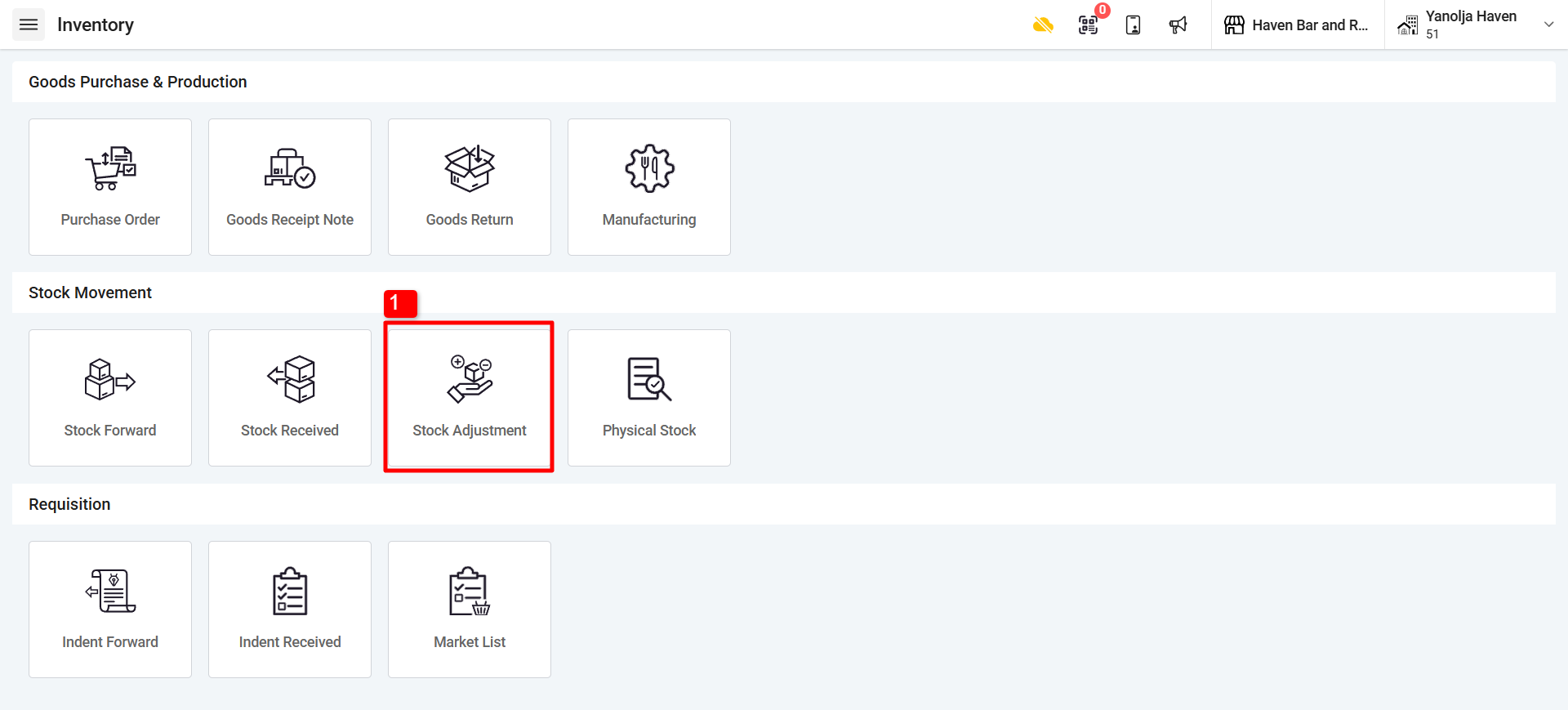
2. Click on “+Add” Button
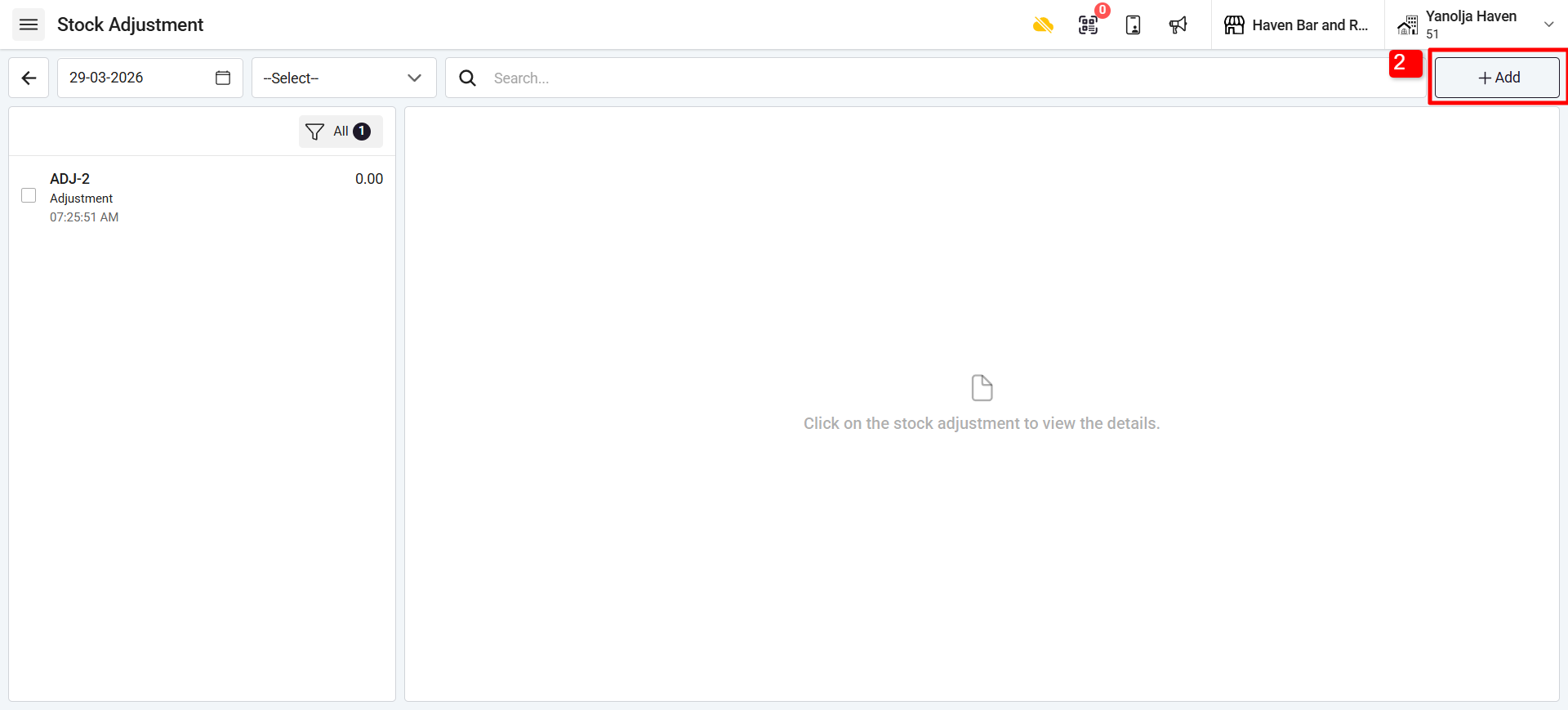
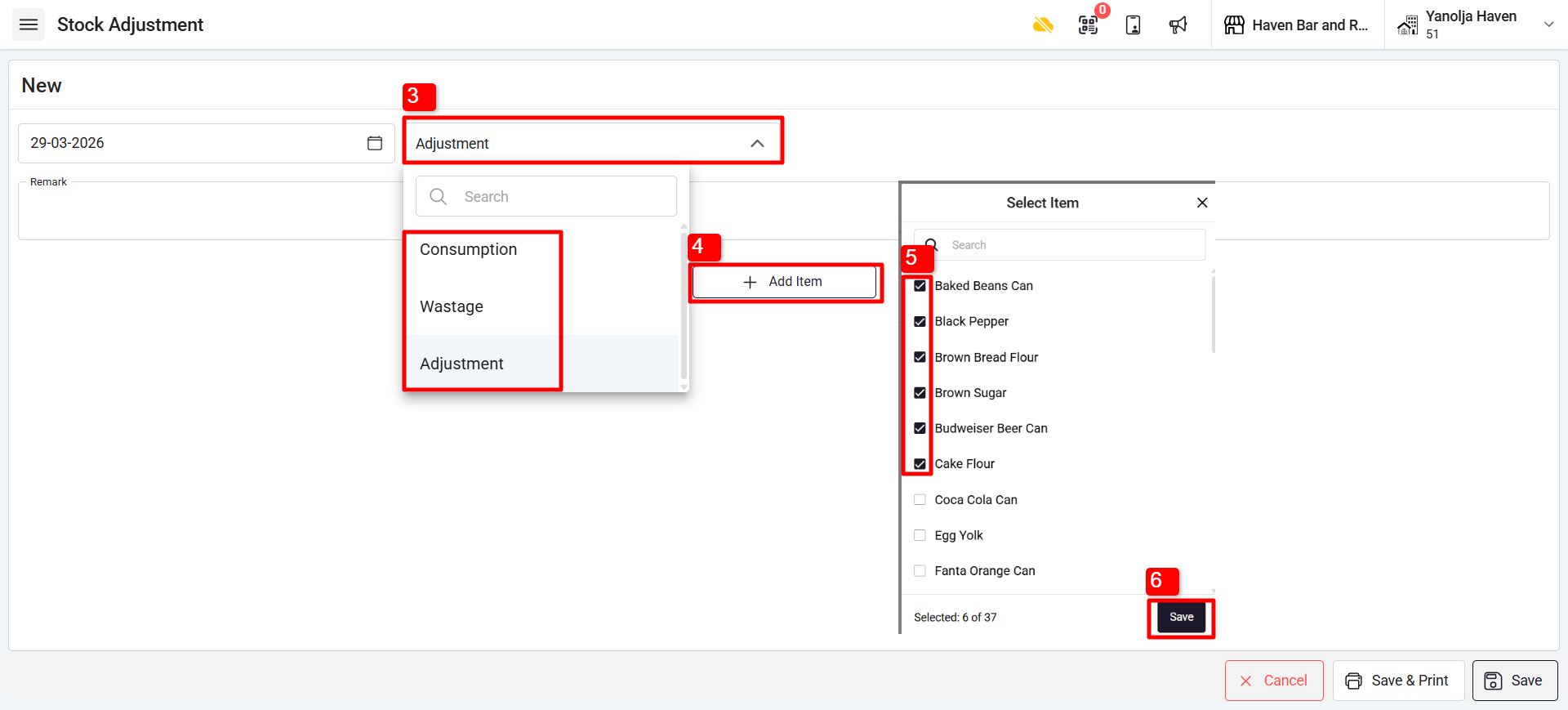
3. Select the adjustment type:
There are three types of adjustments:
Consumption: Used for items with variable consumption.
Example: Salt, coriander leaves, etc.Wastage: Used when stock needs to be reduced due to wastage.
Example: Eggs falling down.Adjustment: Used for any other type of stock deduction.
Example: 1 kg potato taken home by the owner.
4. Click on Add item.
5. Select the Item that you want to adjust.
6. Click on Save.
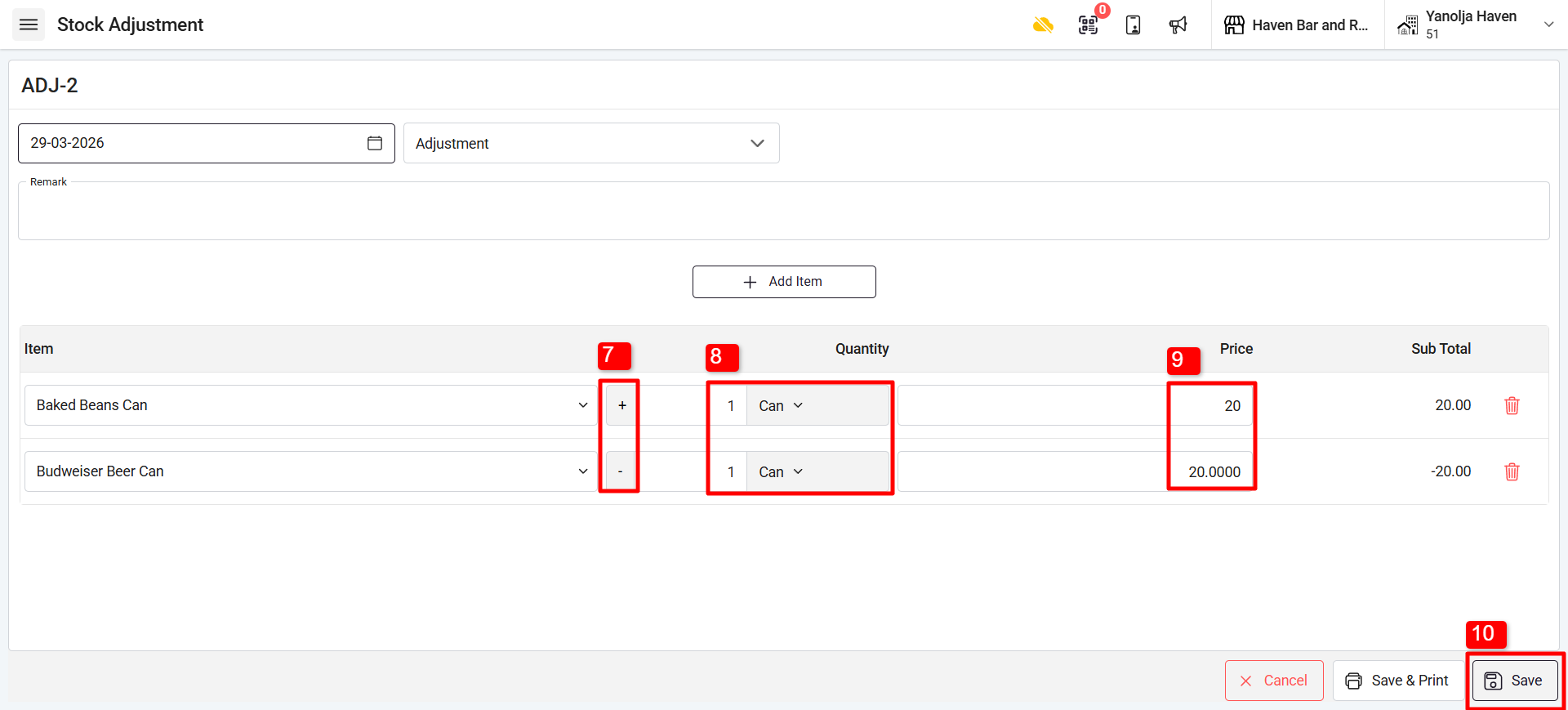
7. Select the Reducing or Adding of the item.
Click on the “-” to change it to “+”.
“-” means reducing the stock.
“+” means adding stock.
8. Select the Quantity and Unit of the item that you are looking to adjust.
9. Add the price of the adjusting items.
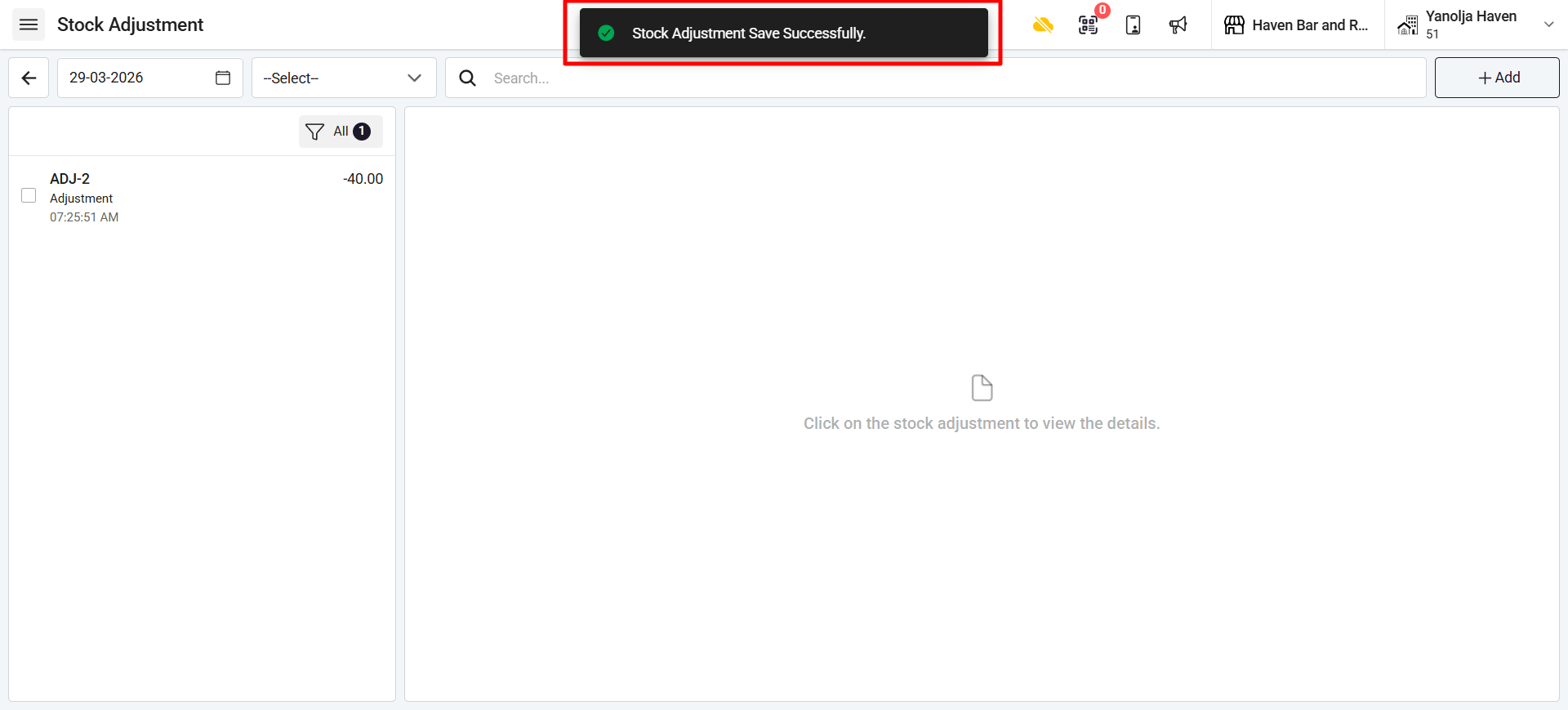
10. Click on Save, and the changes will be updated in the stock.
Was this article helpful?
That’s Great!
Thank you for your feedback
Sorry! We couldn't be helpful
Thank you for your feedback
Feedback sent
We appreciate your effort and will try to fix the article