In the PMS System, you can add payments to group reservations using multiple options such as By Balance, Proportional, and Manual. Each option is useful for different scenarios when distributing payments across group bookings.
Access Group Reservation
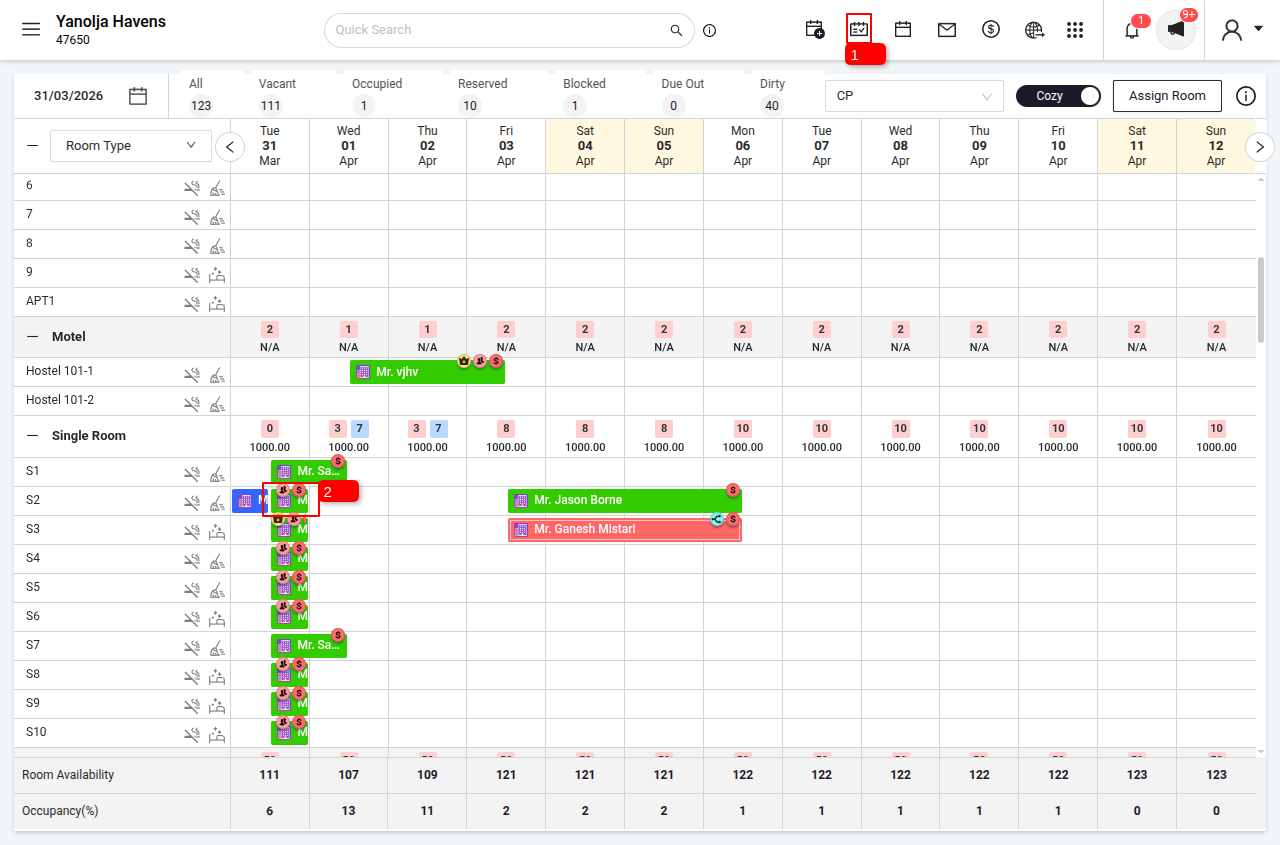
1 Navigate to Stay View.
2 Select the desired group reservation.
Add Payment
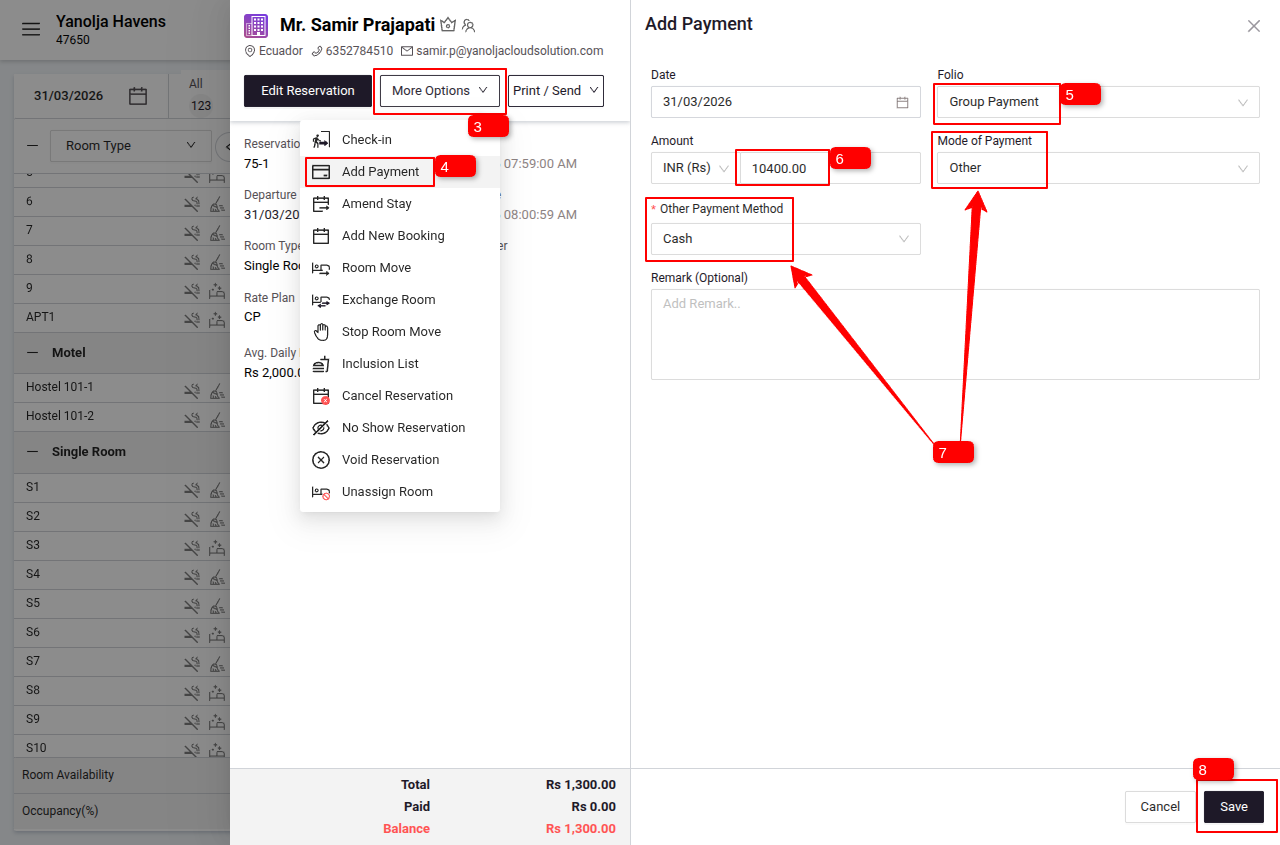
3 Click on the More Option Button (dropdown menu will open).
4 Click on Add Payment.
5 Select the Group Payment option.
6 Enter the payment details.
7 Select the appropriate mode of payment and payment method (you can add remarks if required).
8 Click on Save.
Distribute Payment
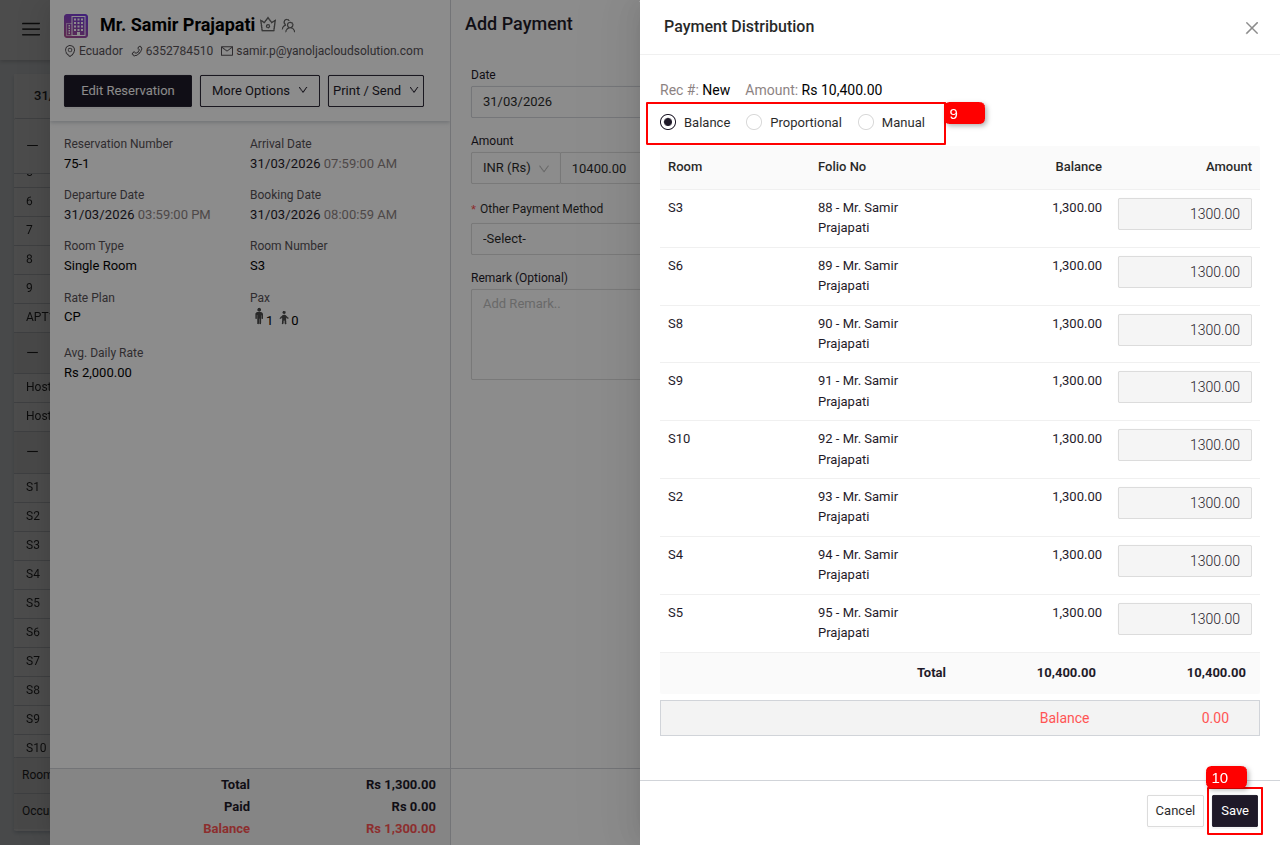
9 Choose a distribution method:
- By Balance: Allocates payment based on each room’s outstanding balance.
- Proportional: Distributes payment proportionally among all rooms.
- Manual: Allows you to manually assign amounts to each room.
10 Click on Save to complete the transaction.
Notes
- Ensure the correct distribution method is selected based on the billing requirement.
- You can review and adjust the distribution before saving the transaction.
Was this article helpful?
That’s Great!
Thank you for your feedback
Sorry! We couldn't be helpful
Thank you for your feedback
Feedback sent
We appreciate your effort and will try to fix the article