If you need to manually apply room charges to a reservation, follow the steps below:
Steps to Add Manual Room Charges
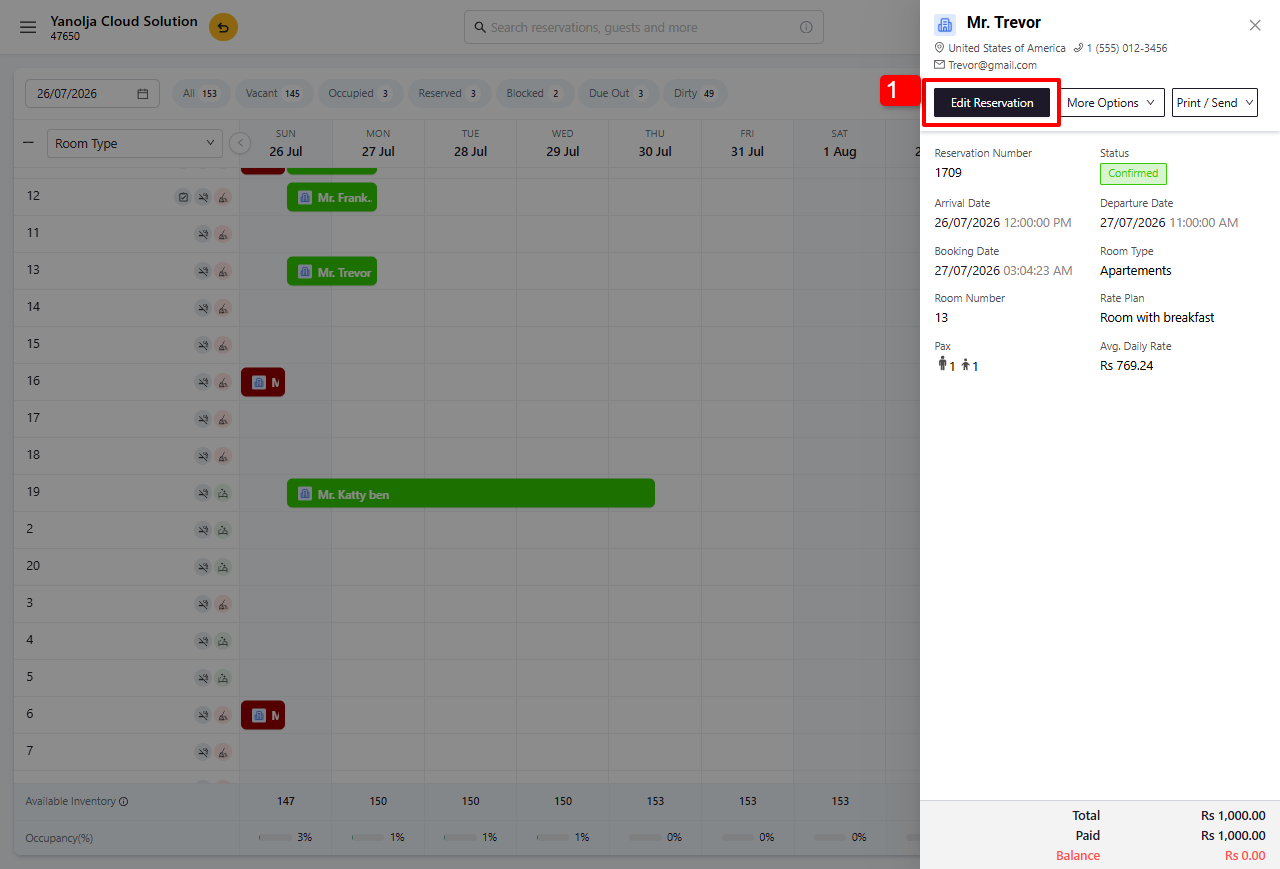
1.Open the required reservation and click Edit Reservation.
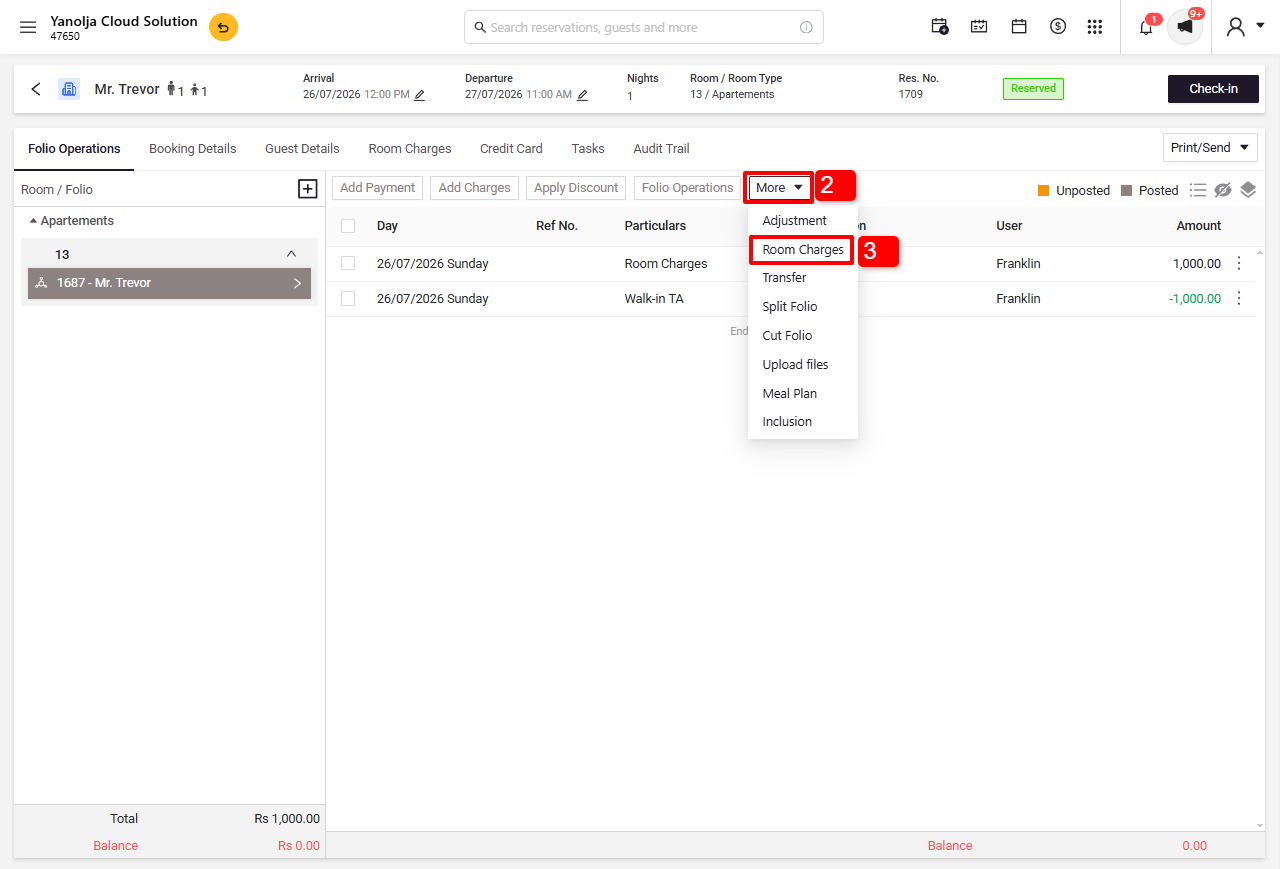
2.Click More.
3.Select Room Charges.
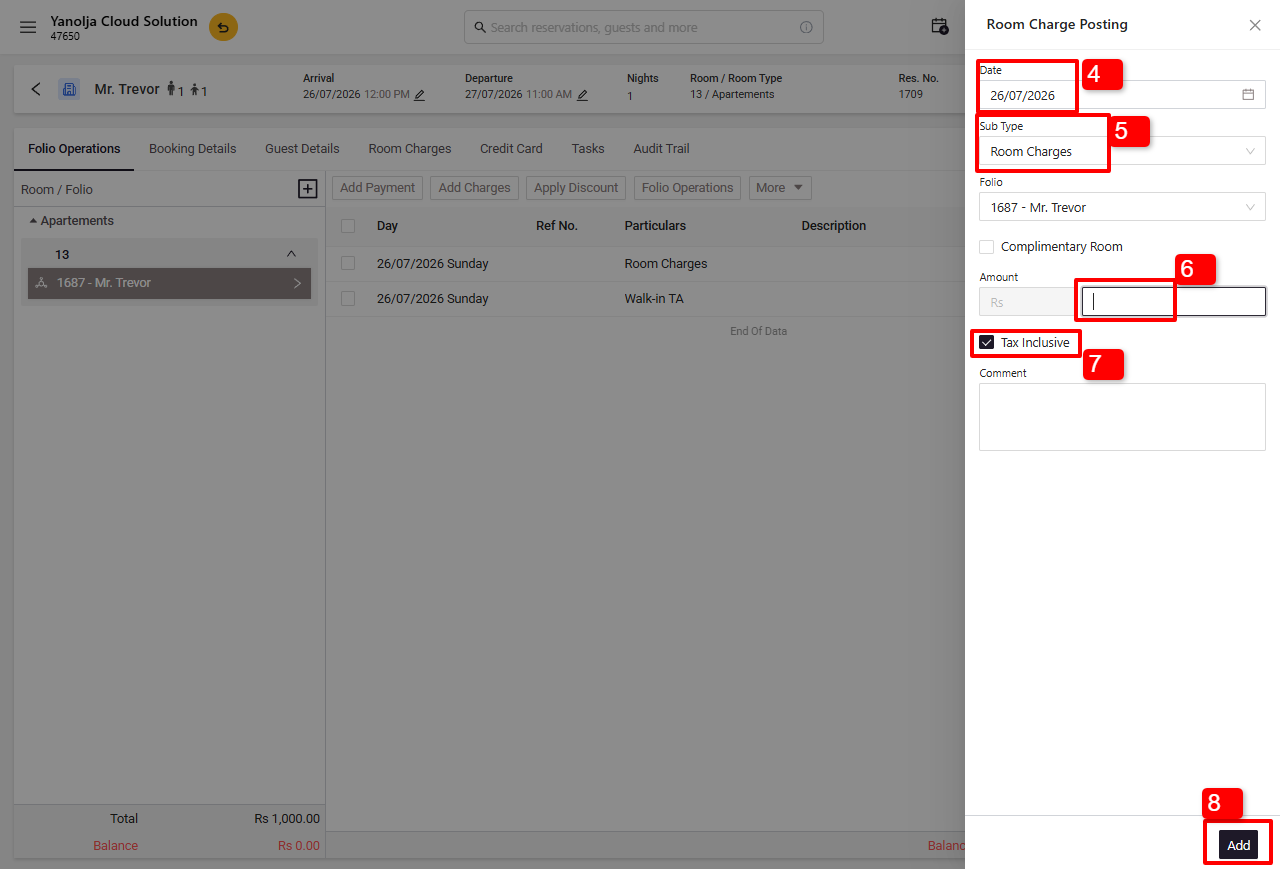
4.Choose the date for which you want to apply the room charges.
5..Under Type, select Room Charges.
6.Enter the rate you want to apply.
7.If the entered rate is tax inclusive, enable the Tax Inclusive option.
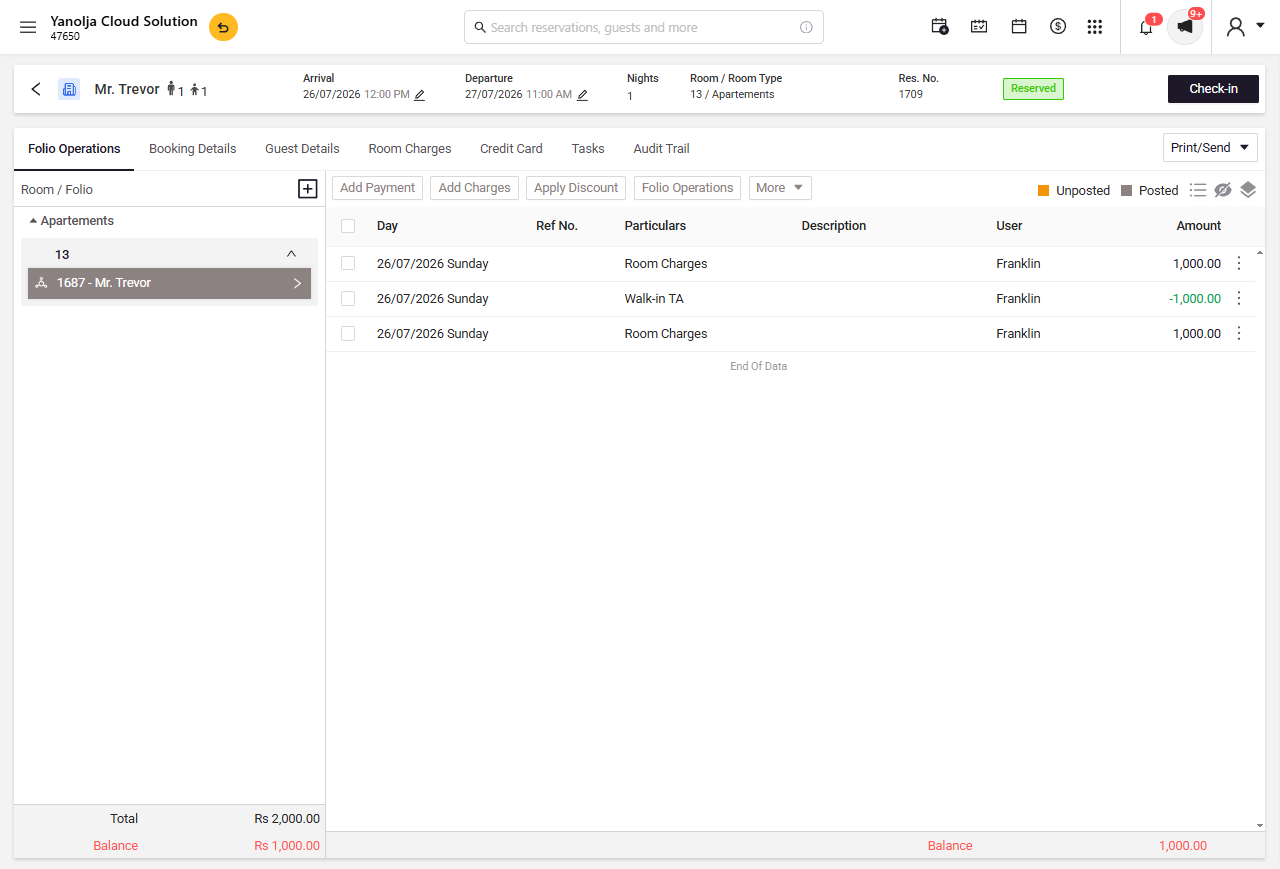
8.Click Add to apply the manual room charges.
Was this article helpful?
That’s Great!
Thank you for your feedback
Sorry! We couldn't be helpful
Thank you for your feedback
Feedback sent
We appreciate your effort and will try to fix the article