Overview
The Day-Use Charges feature allows you to post charges for guests using a room without an overnight stay. This is useful for charging guests who occupy a room for a few hours during the day while maintaining accurate folio records.
Day-use charges can be added to Reservations, Arrivals, and In-house bookings.
Steps to Define Day-Use Charges
- Open the required reservation.
- Go to the Folio Operations tab.
- Click More and select Room Charges.
- Select Day Use Charges as the Sub Type.
- Enter the required charge amount.
- Click Add to post the day-use charge.
Screenshot 1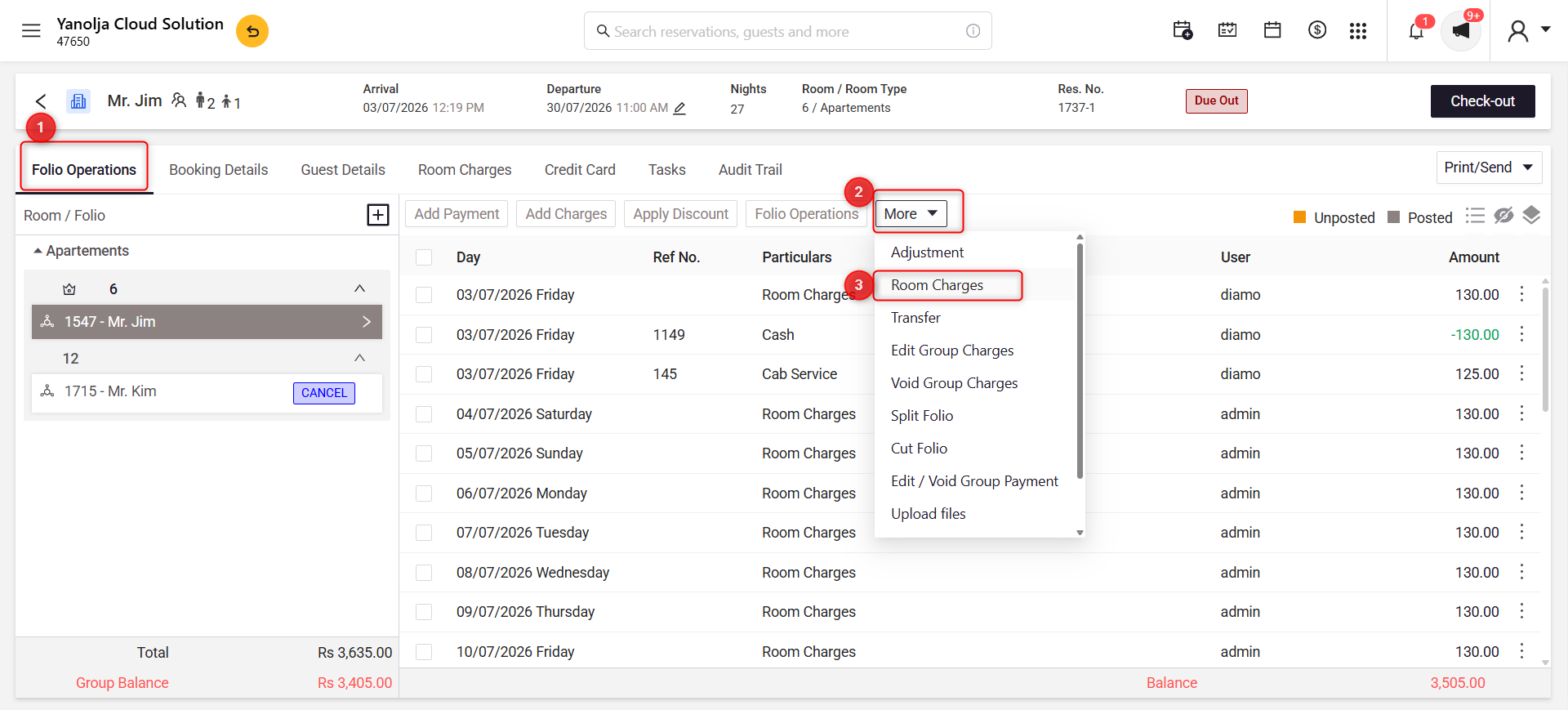
Explanation
- Open the Folio Operations tab.
- Click More.
- Select Room Charges.
Screenshot 2
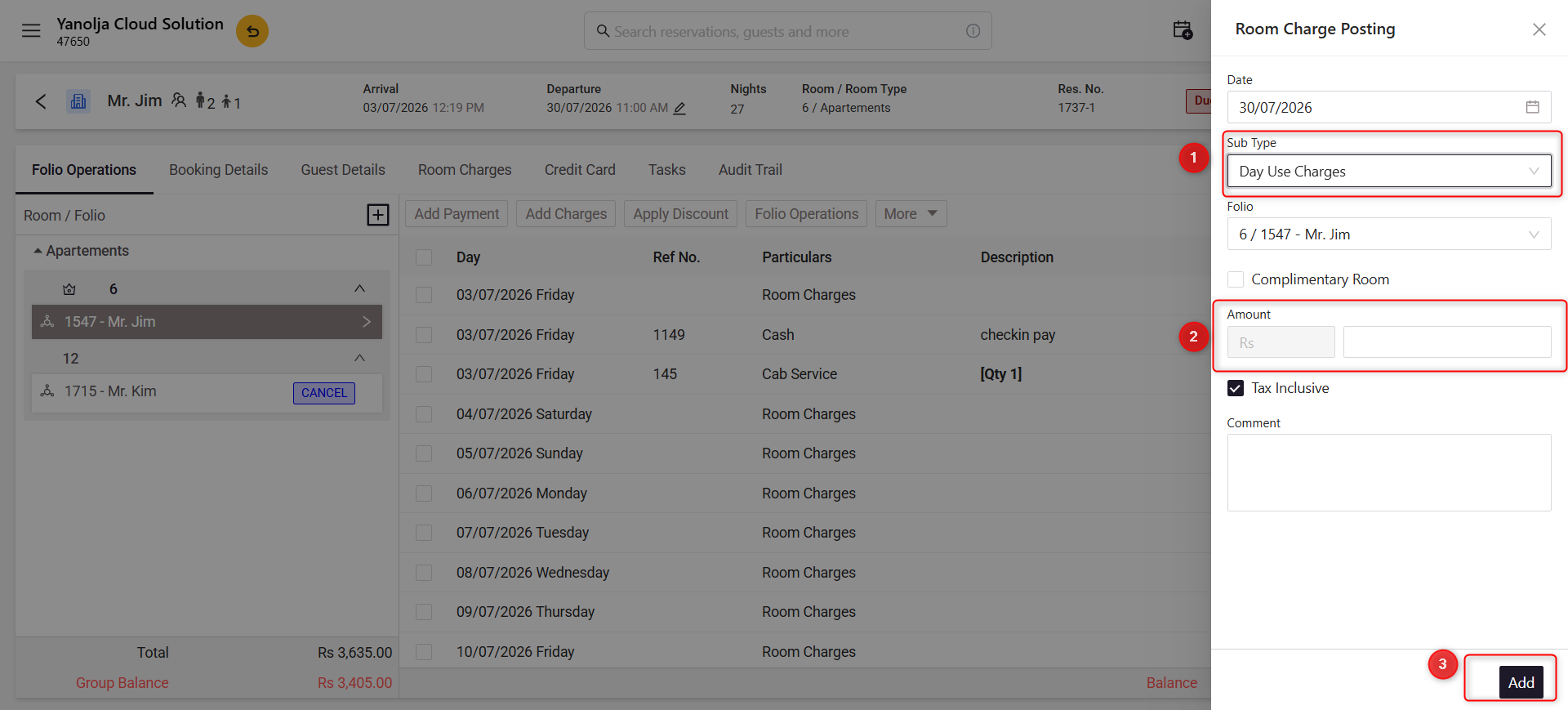
Explanation
- Select Day Use Charges from the Sub Type dropdown.
- Enter the required Amount.
- Click Add to post the day-use charge.
Was this article helpful?
That’s Great!
Thank you for your feedback
Sorry! We couldn't be helpful
Thank you for your feedback
Feedback sent
We appreciate your effort and will try to fix the article