How do I start taking a Dine-In order?
Open Ordering Menu
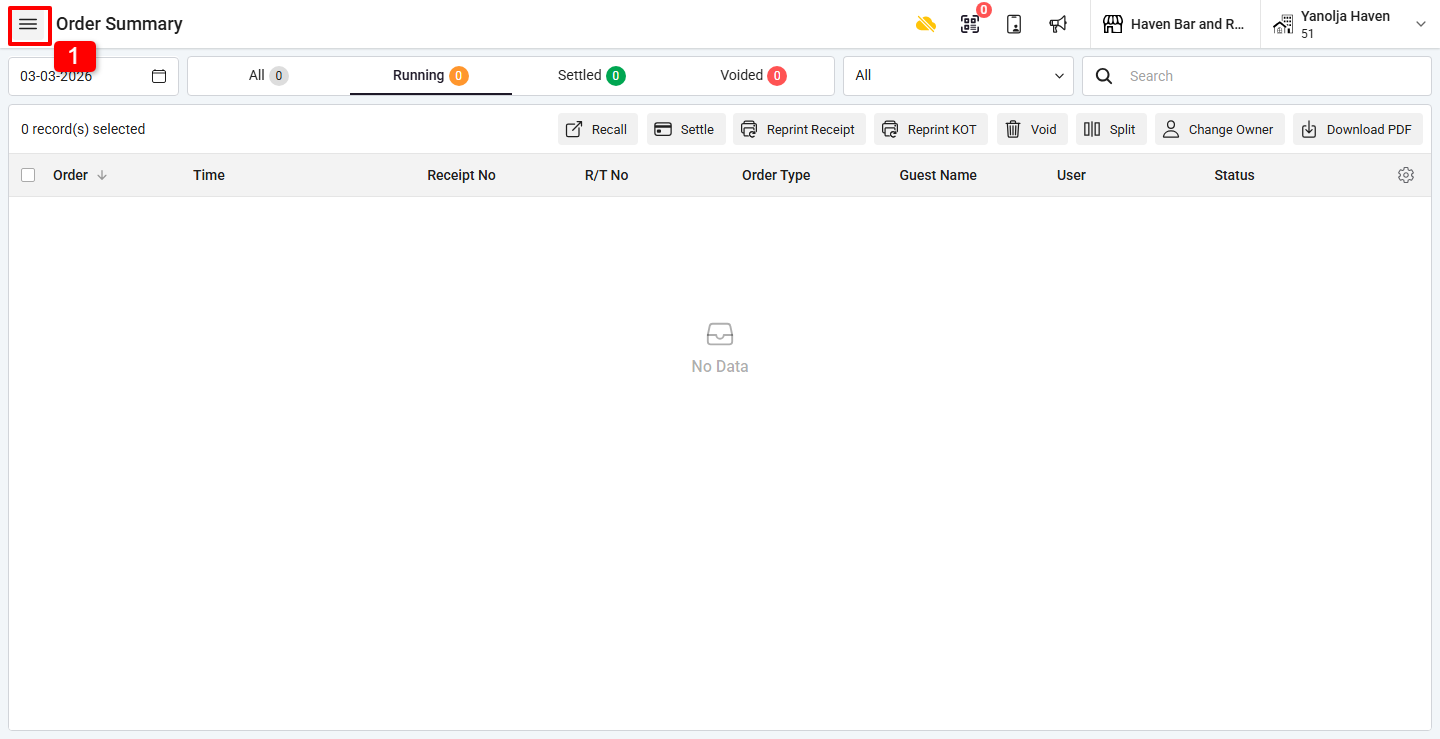
Step 1: Click on the Three Lines (☰) Menu at the top-left corner.
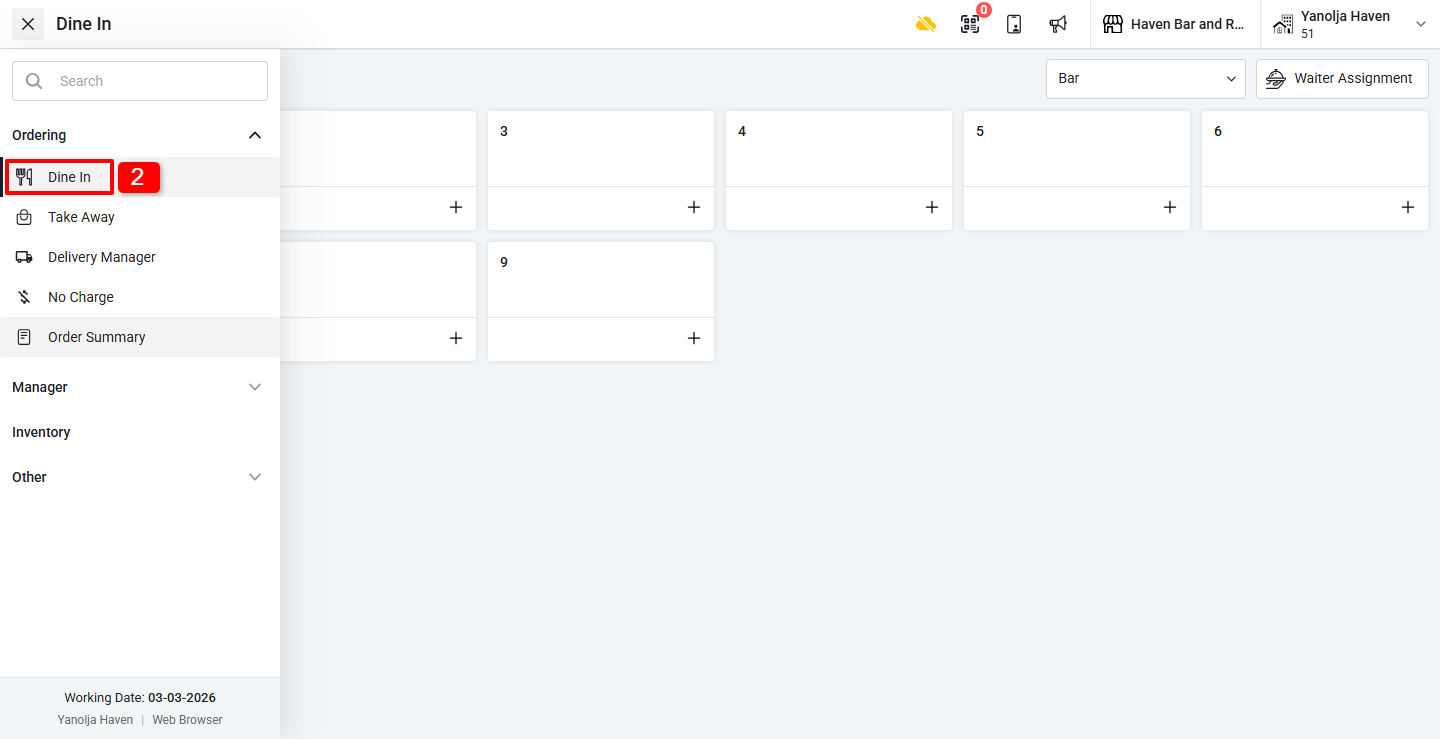
Step 2: Under Ordering, click on Dine In.
How do I select a table for Dine-In?
Select Floor (If Applicable) / Select Table
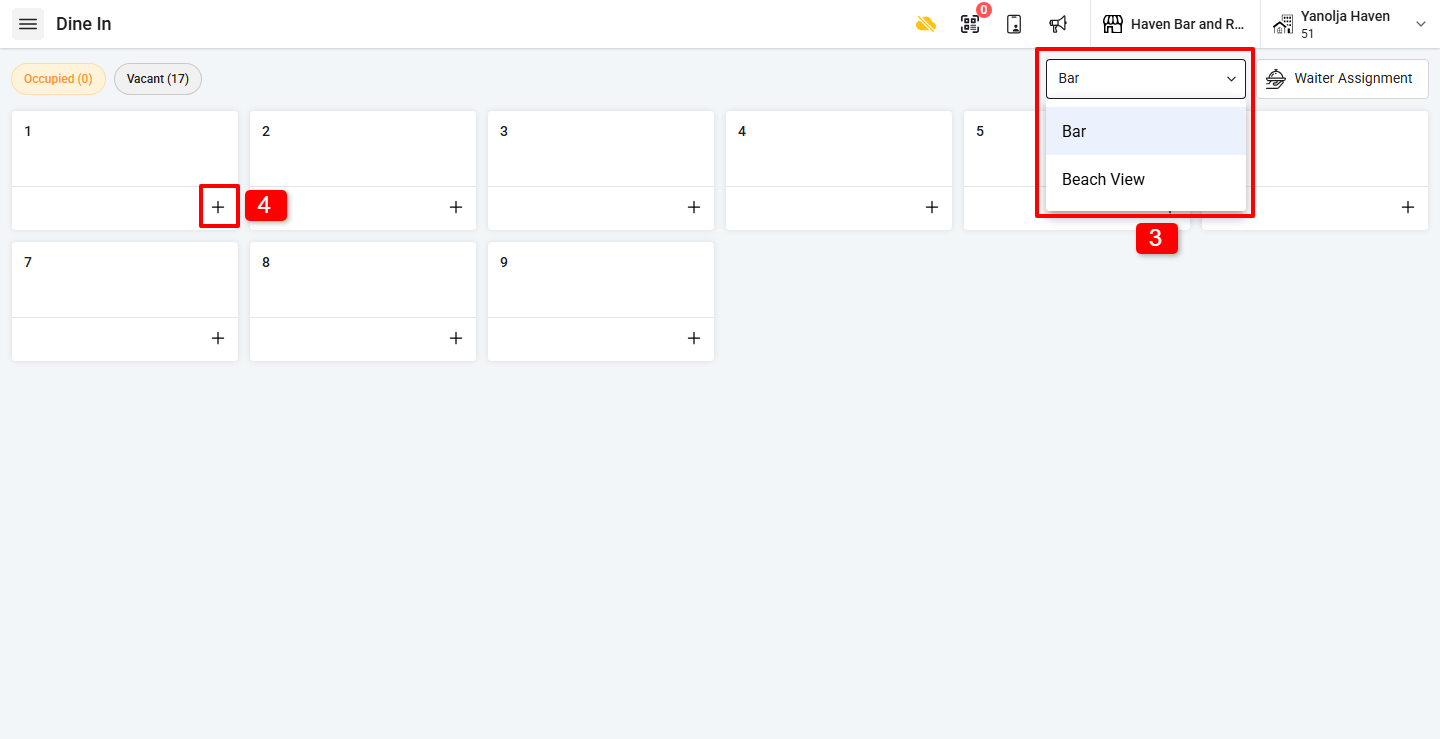
3. If multiple floors are created, select the desired Floor.
4. Click on the “+” button on the table where you want to take the order.
What details need to be filled before placing the order?
Enter Order Information
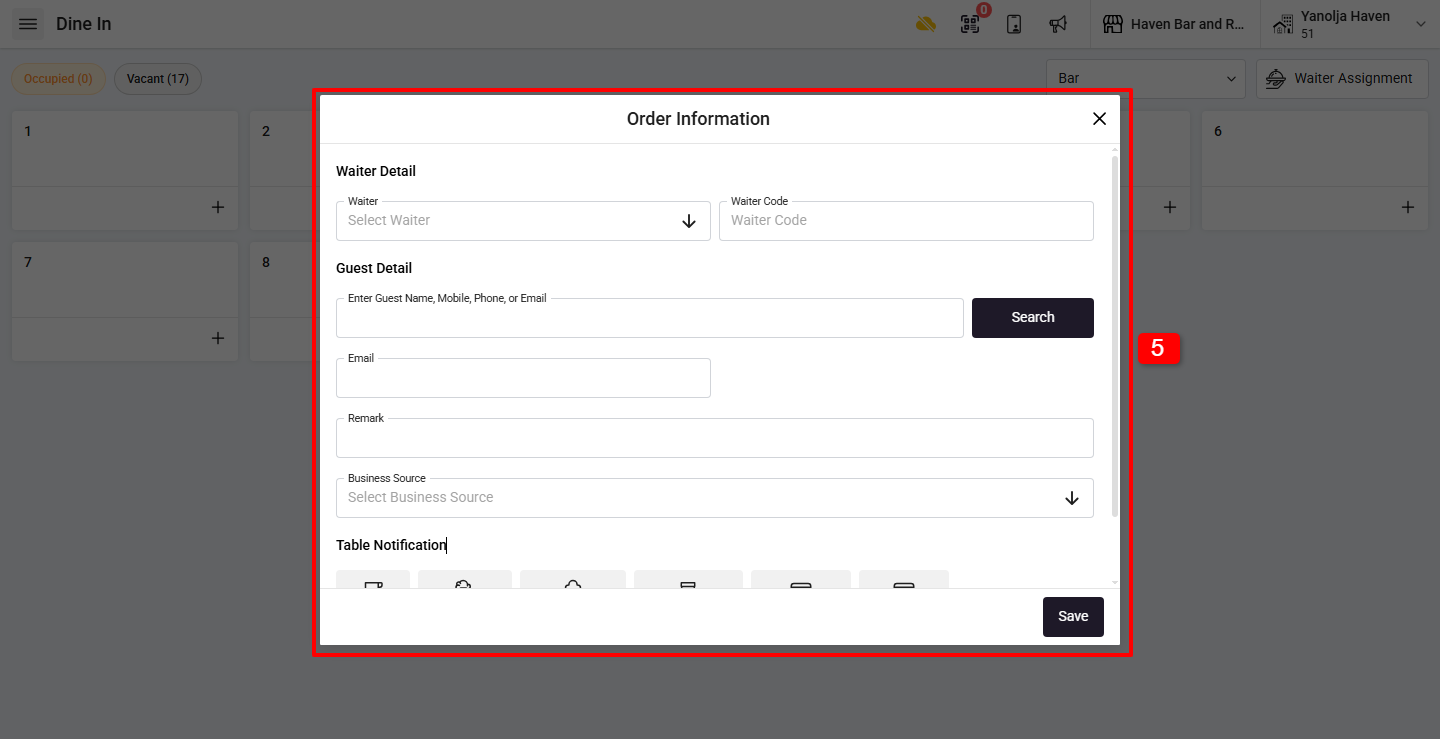
5. An Order Information window will open. Enter the required Guest Details. Proceed to the ordering screen, by click on the “Save” button.
How do I punch items for Dine-In?
Add Menu Items
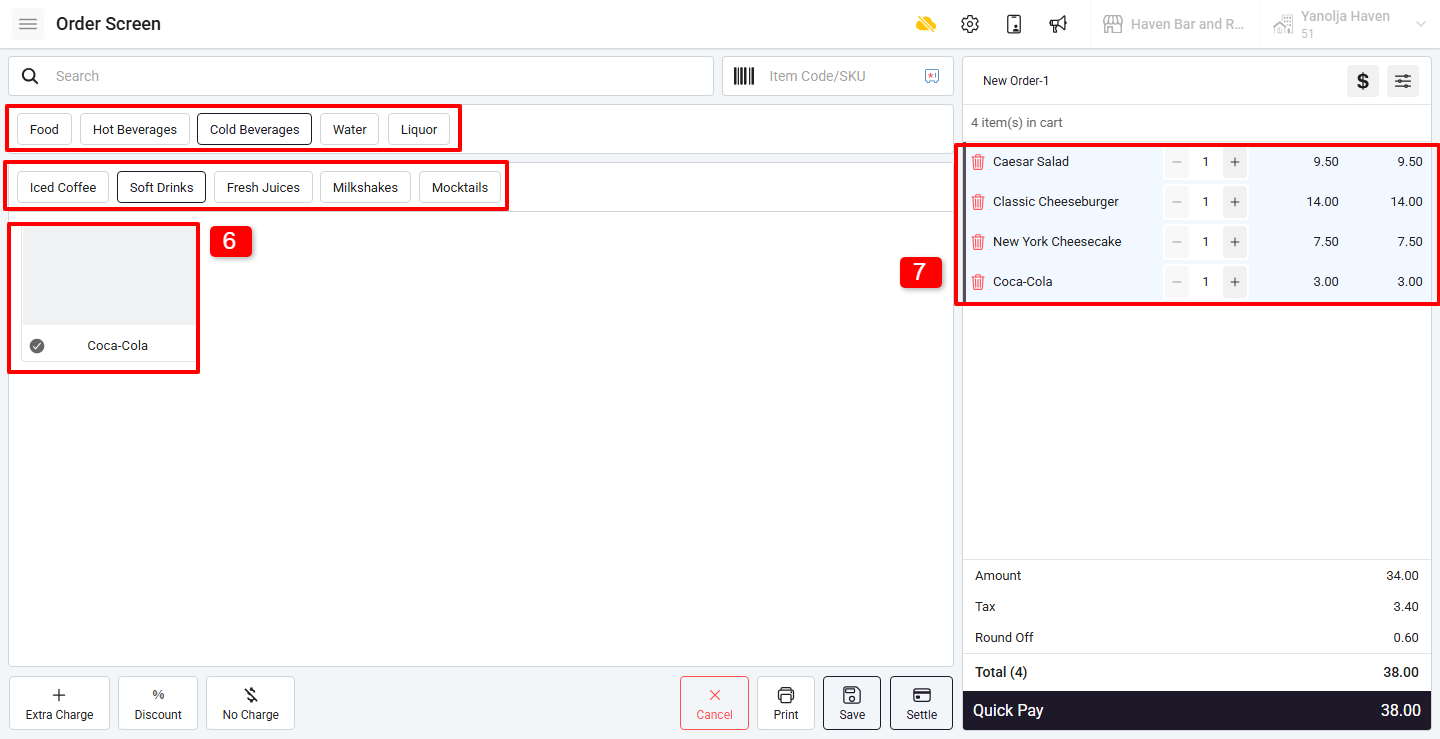
6. The Ordering Screen will open displaying menu items.
7. Click on the required items to add them to the cart (right side of the screen).
How do I save the Dine-In order?
Step 6: Save the Order
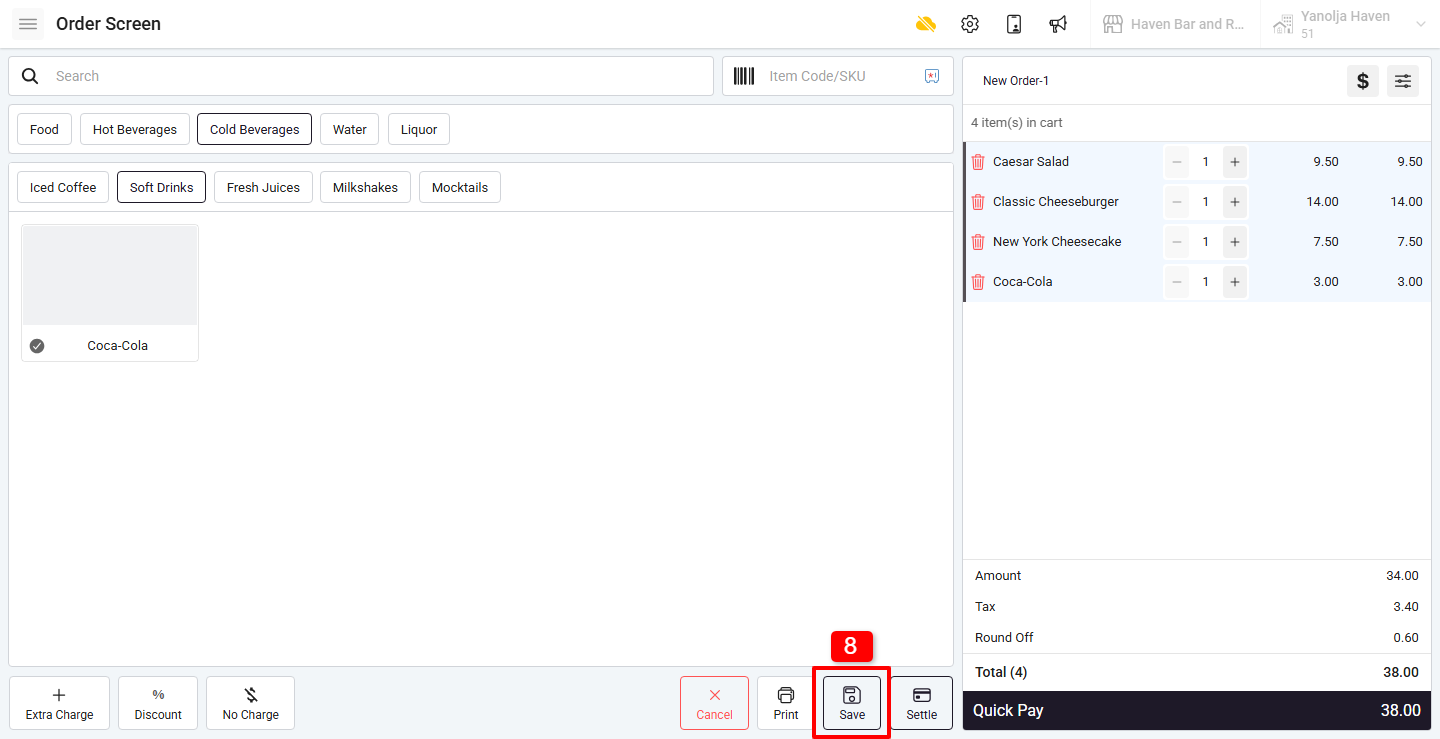
8. After selecting all menu items, click on Save.
Once saved, a KOT (Kitchen Order Ticket) will be printed automatically.
Was this article helpful?
That’s Great!
Thank you for your feedback
Sorry! We couldn't be helpful
Thank you for your feedback
Feedback sent
We appreciate your effort and will try to fix the article