Why are both the Receipt (Guest Check) and KOT printing when I save an order?
In Restaurant POS, both the Receipt / Guest Check and the KOT (Kitchen Order Ticket) may print simultaneously when saving an order.
This behavior is controlled through the Peripheral Settings in the system.
What is the root cause of this issue?
This usually happens because the setting:
“Print Receipt / Guest Check on Save” is enabled for specific Order Types such as:
- Dine In
- Takeaway
- Delivery
- Room Service
If this option is selected:
- The system automatically prints the Receipt
- long with the KOT
- Immediately after clicking Save
Is this setting applied to all order types?
No.
This setting is order type specific, meaning you can configure printing behavior independently for:
- Dine In
- Takeaway
- Delivery
- Room Service
Any other configured order type.
You can enable or disable receipt printing separately for each order type.
How do I stop the Receipt from printing when saving an order?
Follow the steps below:
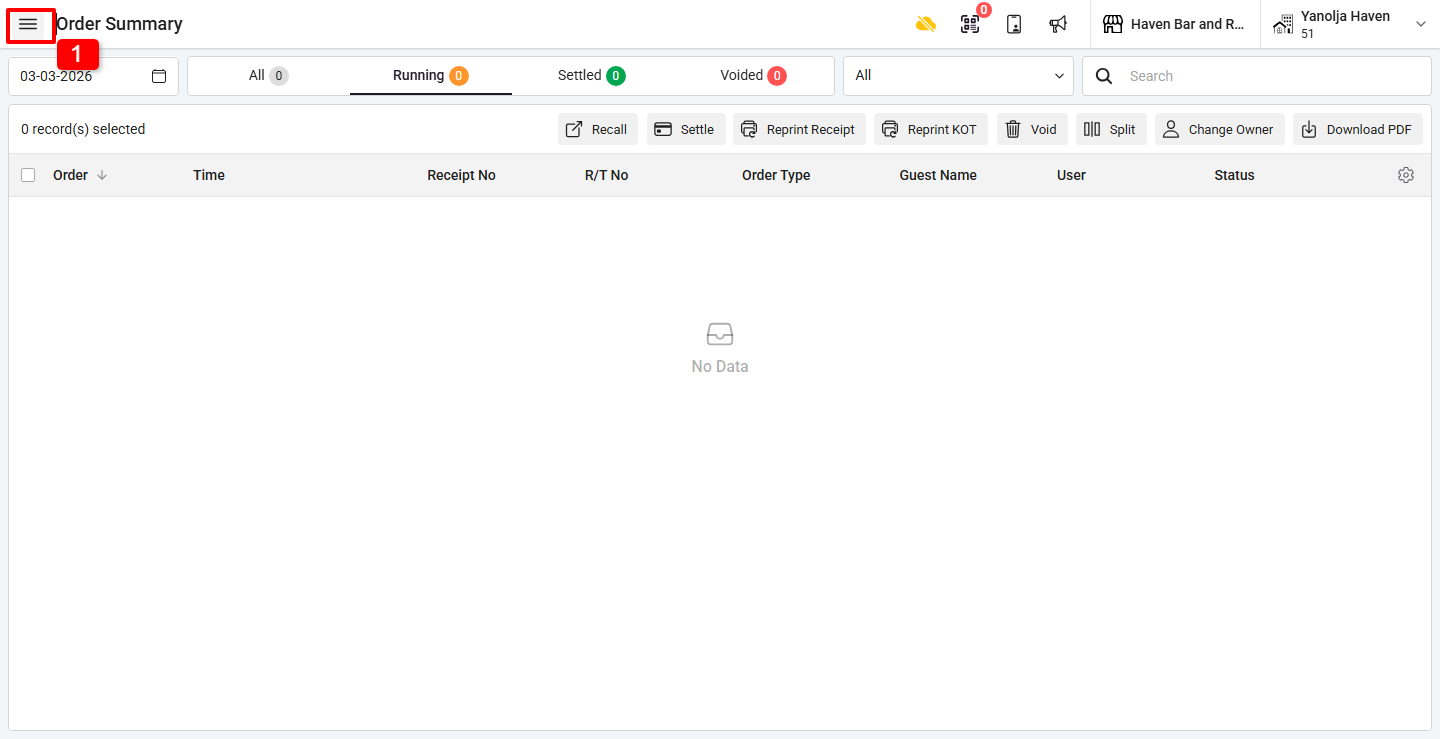
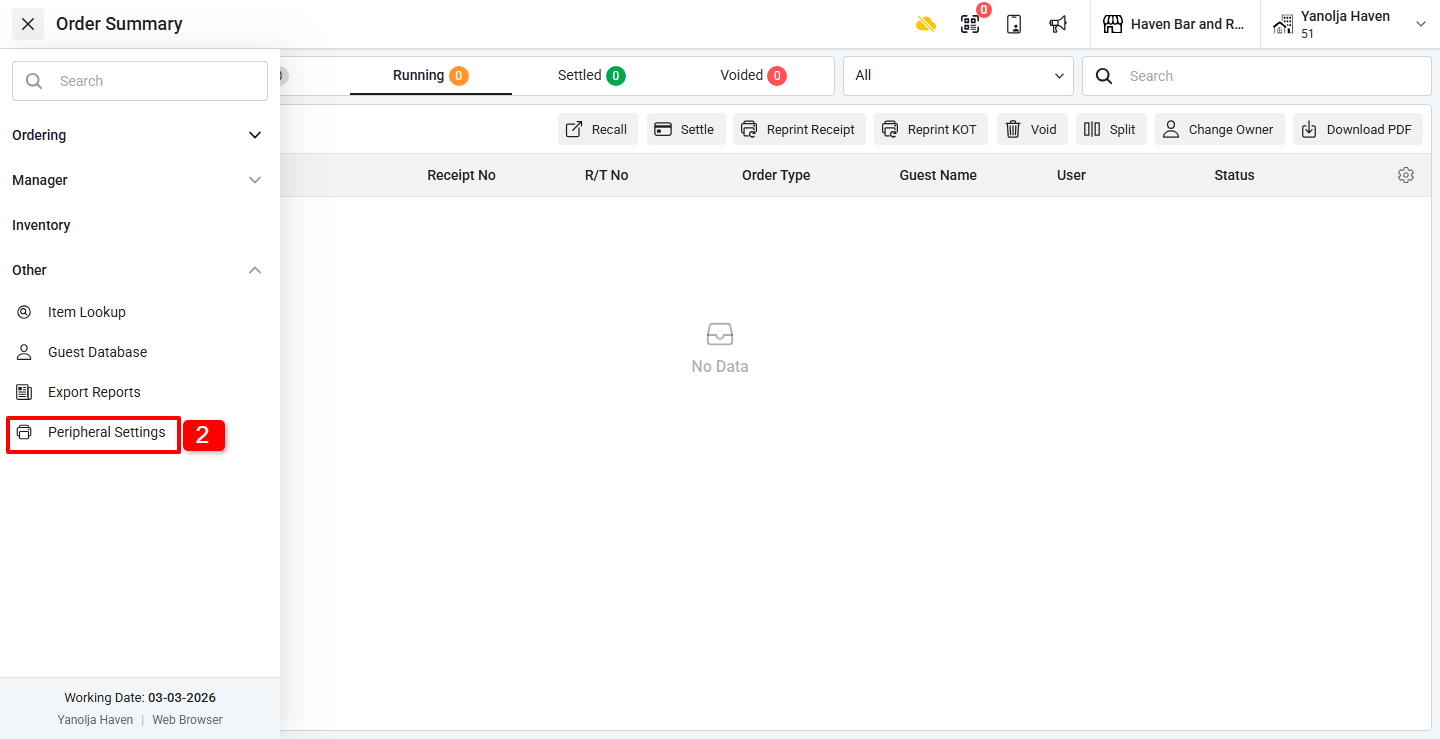
Step 1: Open Peripheral Settings
1. Click on the ☰ (Three Lines Menu).
2. Under Other, click on Peripheral Settings.
Step 2: Modify Printing Settings
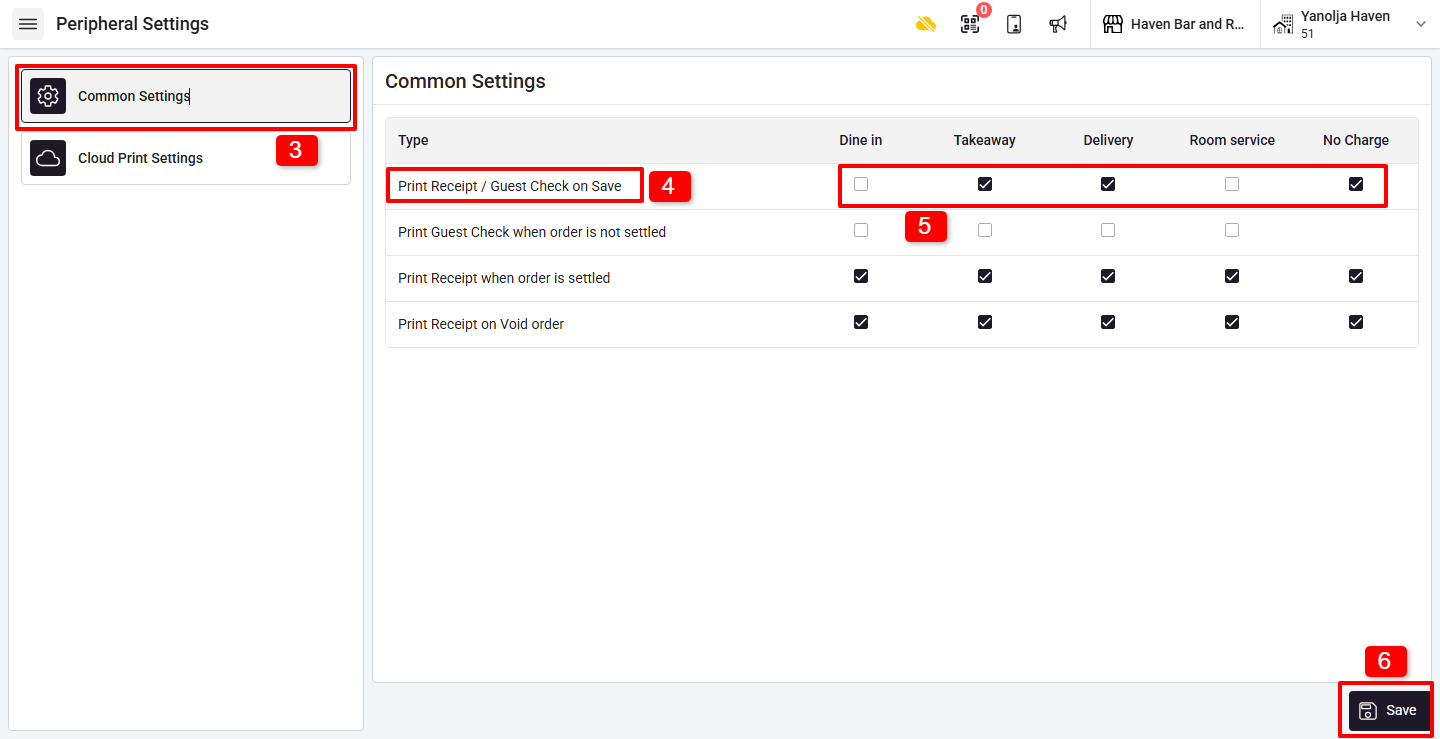
3. In the Peripheral Settings window, click on the Common Settings tab.
4. Locate the option:
Print Receipt / Guest Check on Save
5. Uncheck the boxes for the respective Order Types where you do not want the receipt to print automatically.
6. Click on Save to apply the changes.
What happens after disabling this setting?
- Only the KOT will print when saving the order.
- The Receipt / Guest Check will print only when manually triggered.
- Printing behavior will follow the updated configuration for selected order types.
Was this article helpful?
That’s Great!
Thank you for your feedback
Sorry! We couldn't be helpful
Thank you for your feedback
Feedback sent
We appreciate your effort and will try to fix the article