A City Ledger (Credit Account) allows an authorized individual or organization to charge expenses to an Accounts Receivable (AR) account. The charges are accumulated in the account, and the property subsequently issues periodic invoices to the responsible party for settlement of the outstanding balance.
1. We will settle an order in Credit in the City ledger Account.
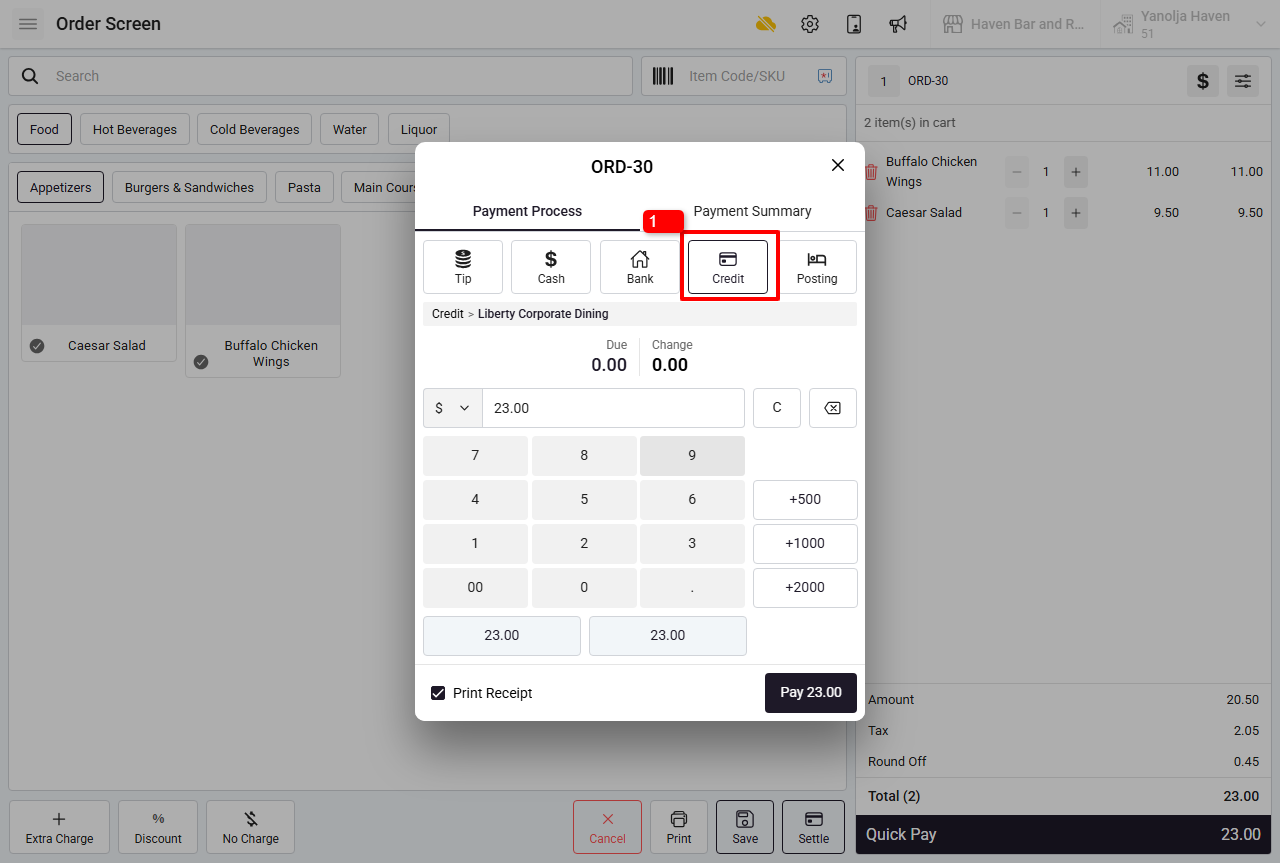
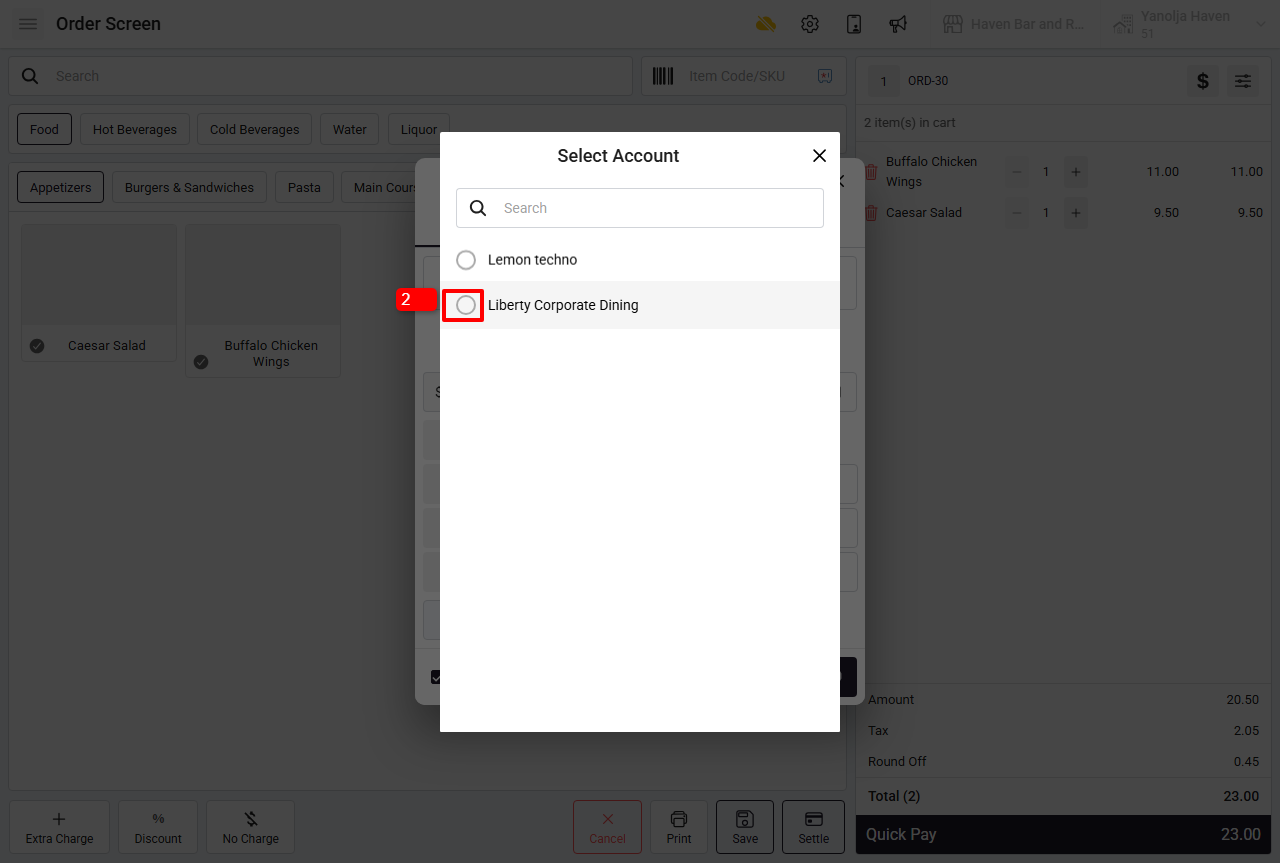
2. Select the Account.
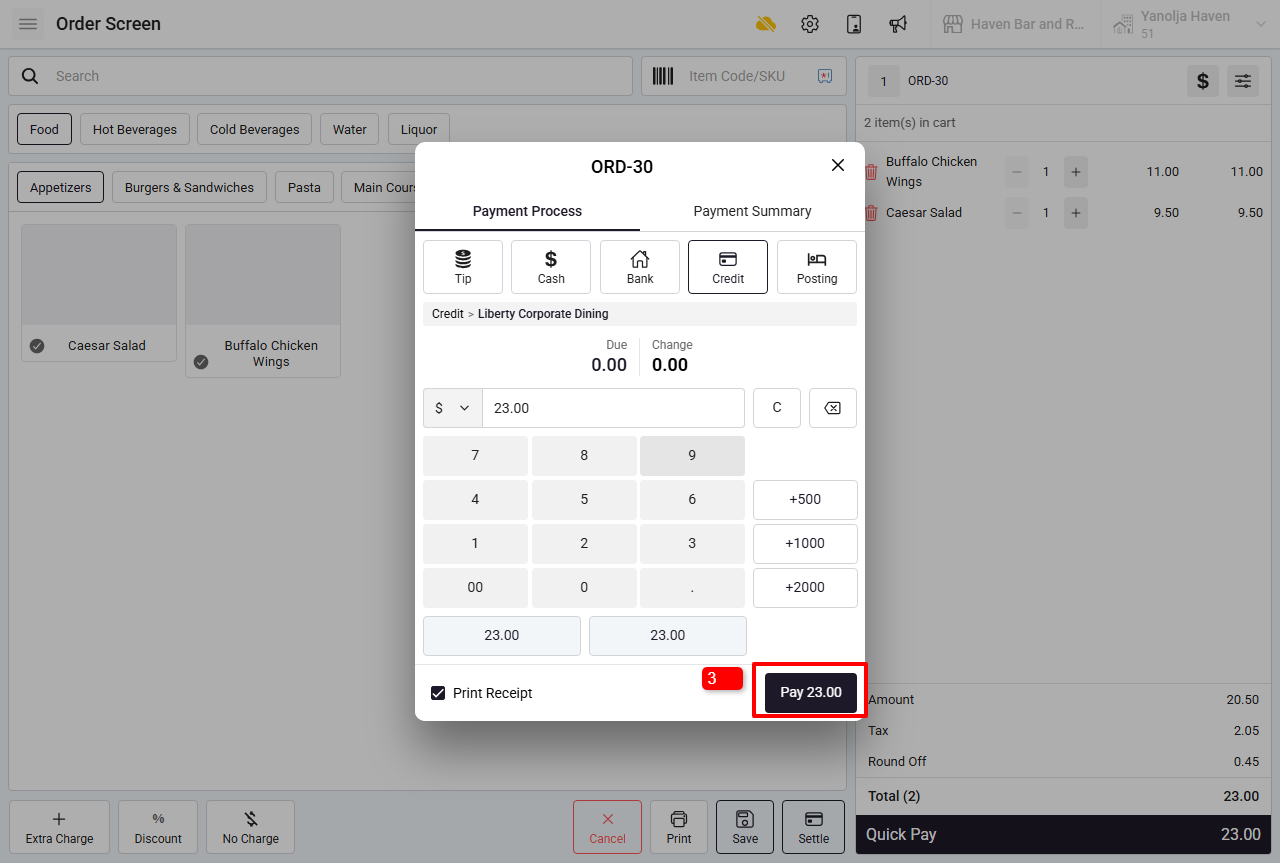
3. Enter the amount and select “Pay”. In this way the Order will be settled under the City ledger Account.
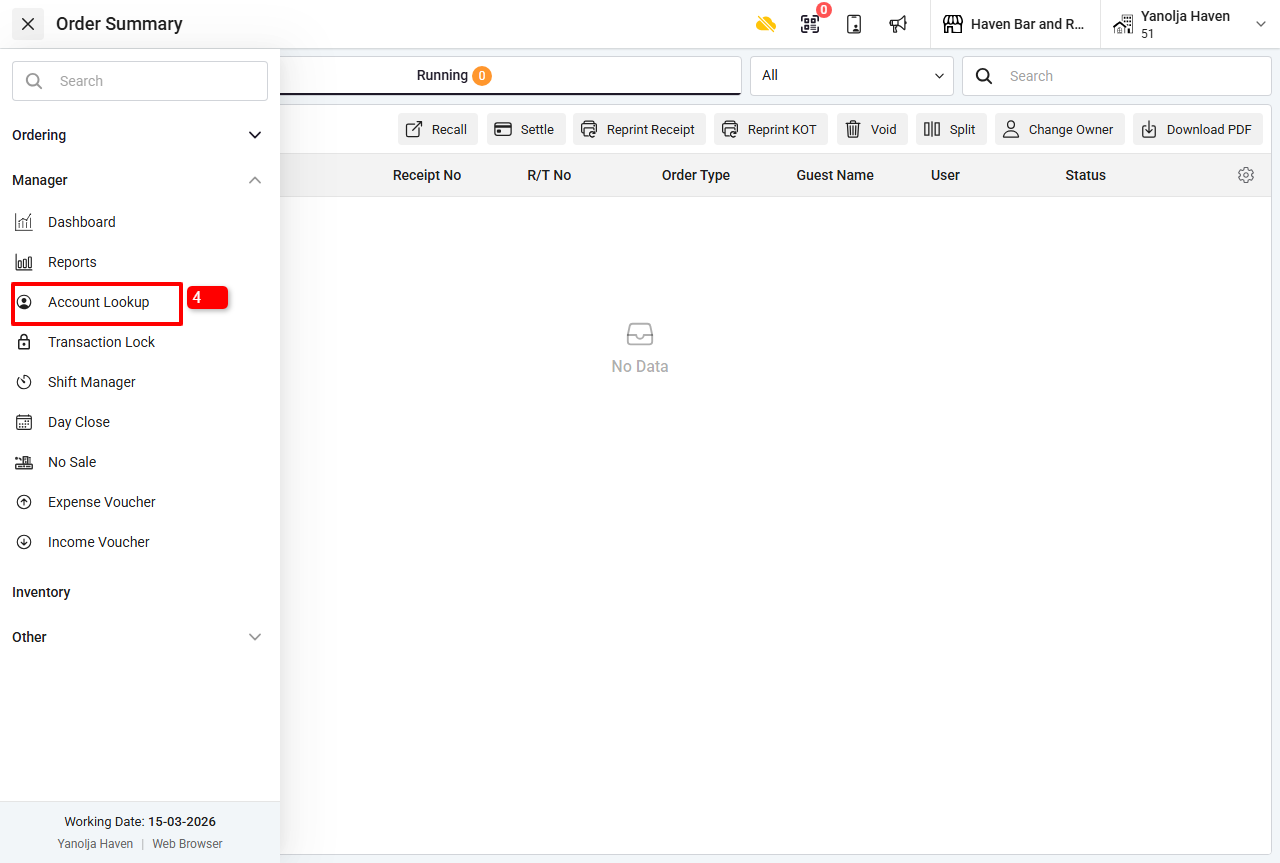
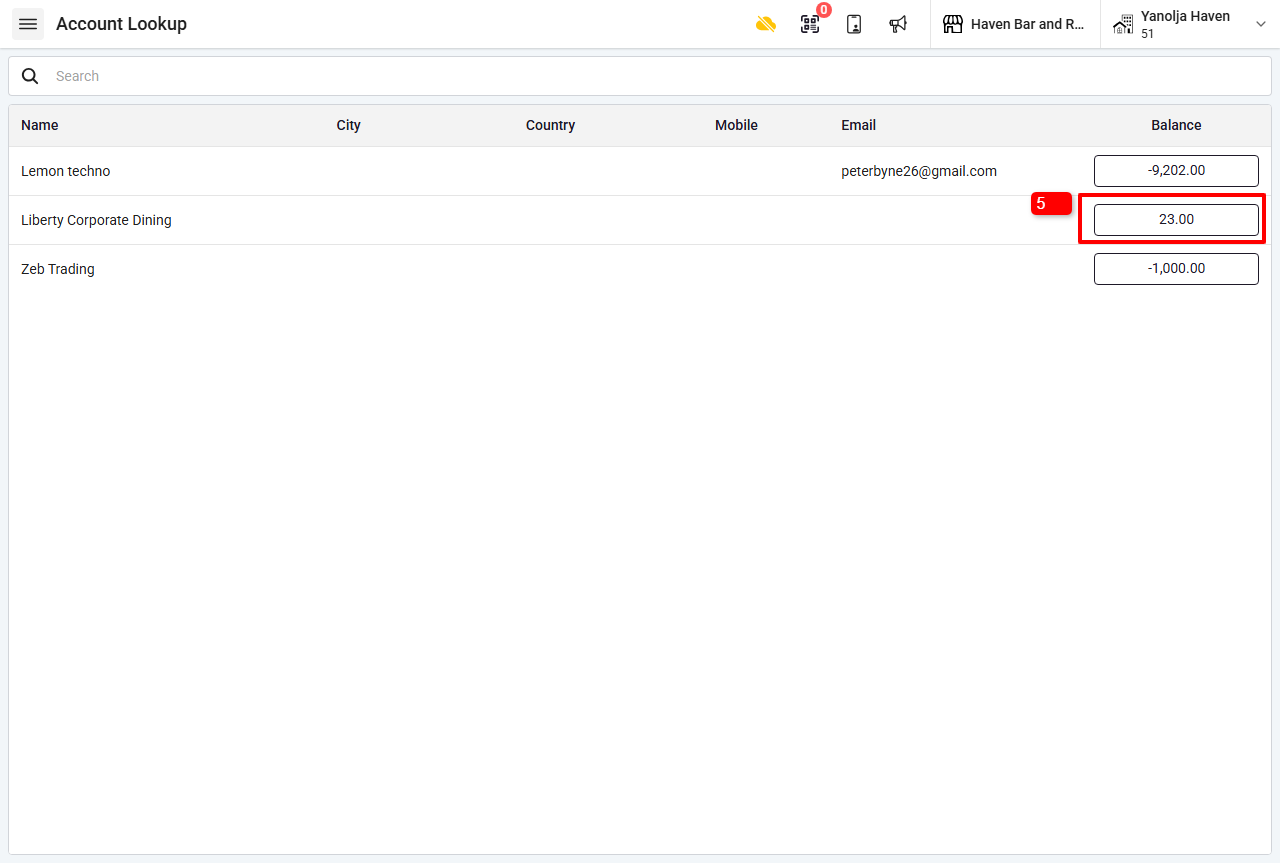
4. Once the Order is settled under the city ledger account we will also have to settle the City ledger account itself. Navigate to the Account Lookup option from the Manager tab
5. Open the Account that you are looking to settle.
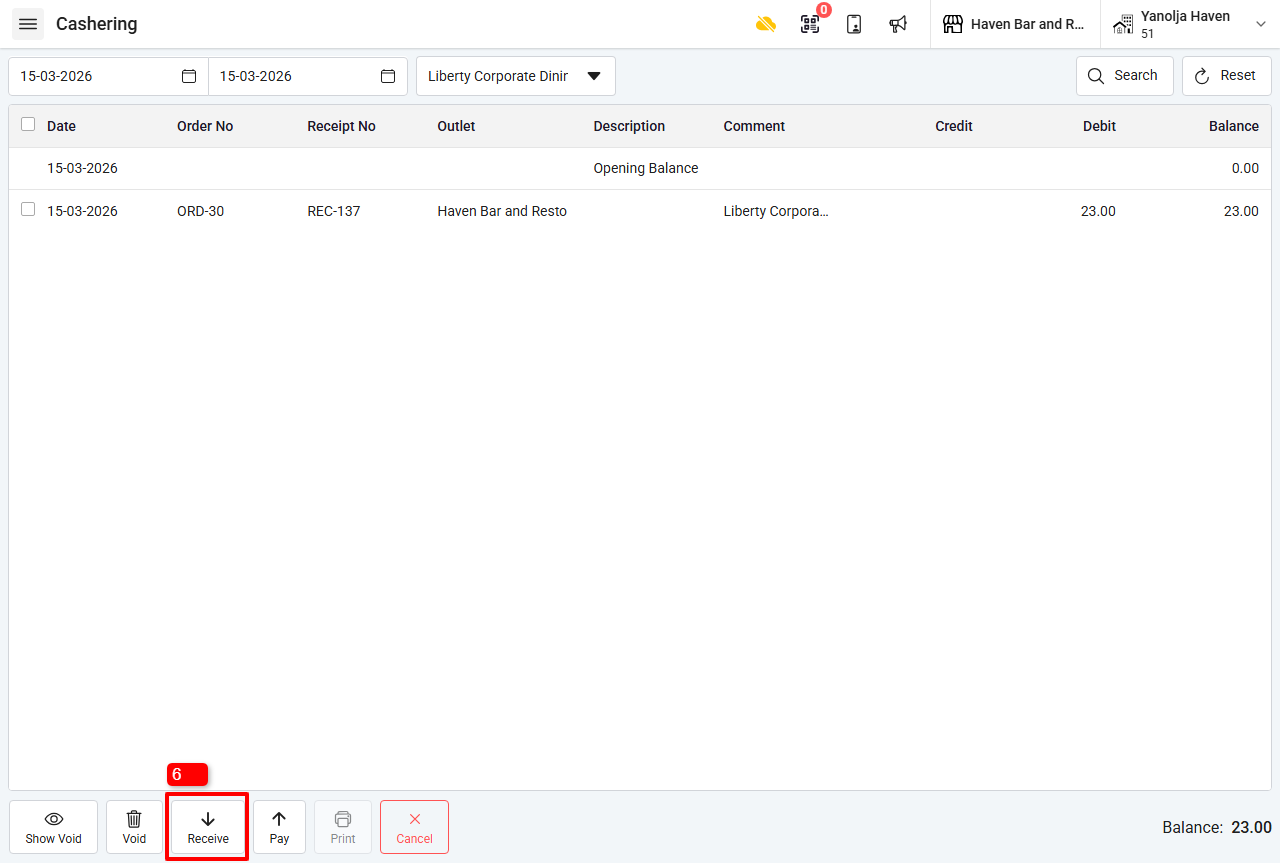
6. Click on Receive to add the payment received from the Account.
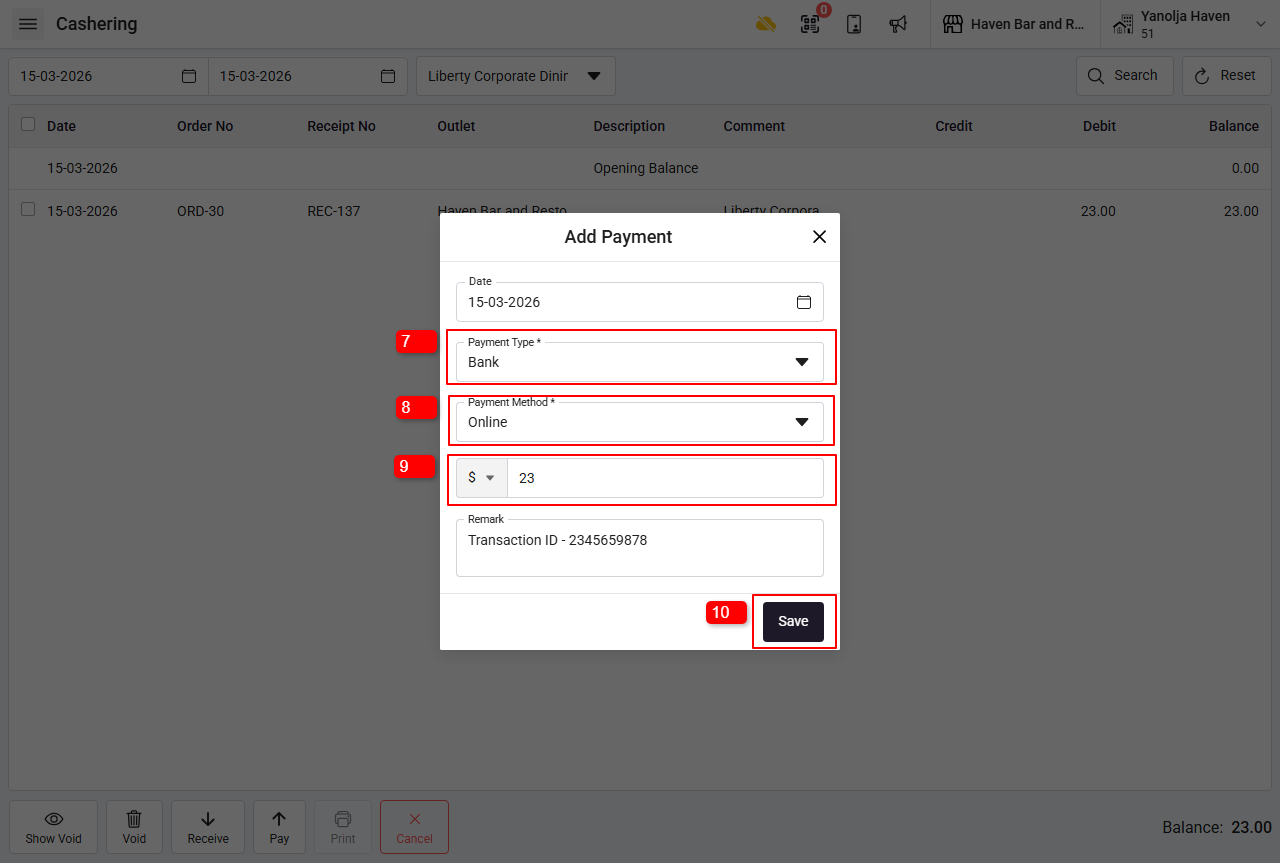
7. Select the Payment Type.
8. Select the Payment method.
9. Add the amount you have received from the Account Person.
10. Click on Save
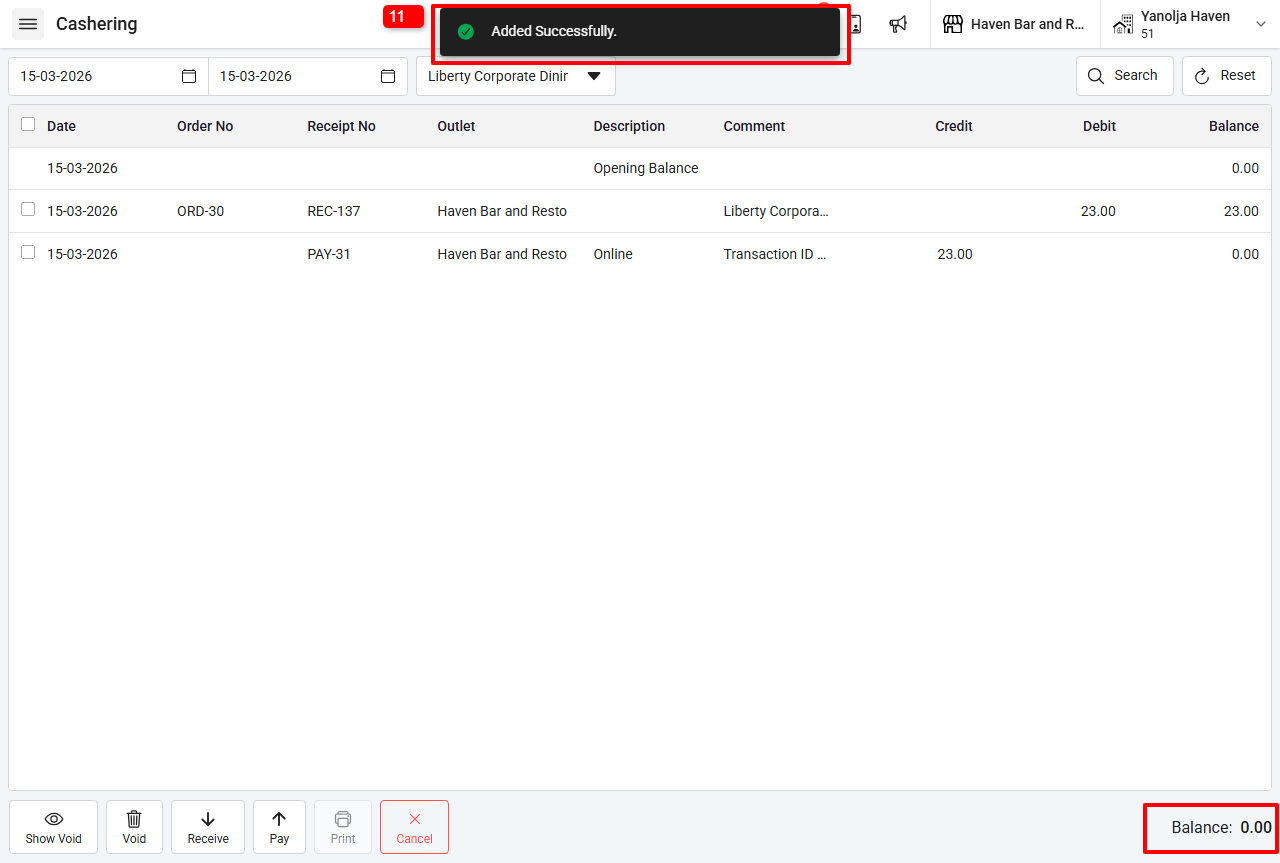
11. A Pop up of successful payment will appear. You can check the remaining balance in the bottom right corner.
Was this article helpful?
That’s Great!
Thank you for your feedback
Sorry! We couldn't be helpful
Thank you for your feedback
Feedback sent
We appreciate your effort and will try to fix the article