When a guest has a reservation and does not arrive at the hotel then the hotelier can mark that guest reservation as a “No Show”
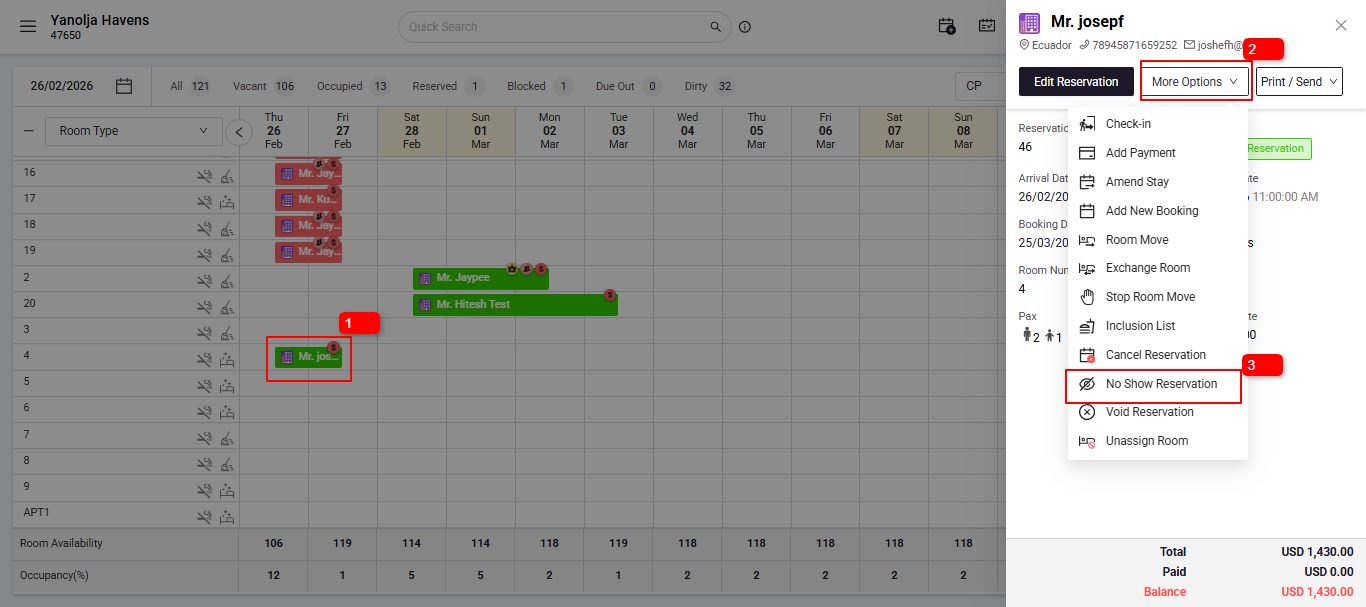
From Stay View (on Arrival Date):
- Click on the reservation.
- Select 'More Options'
- Click on 'No Show'.
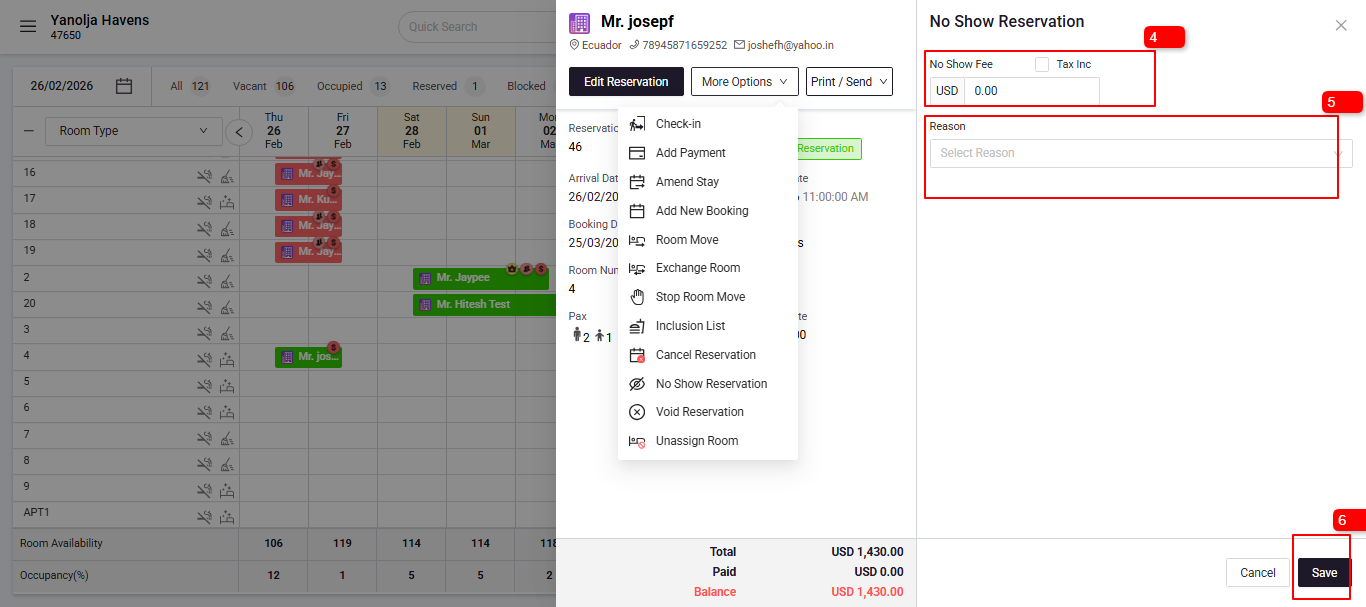
- If applicable, add a No-show Fee.
- Choose the reason for the No-Show.
- Save the changes.
Note:- Before marking a reservation as No Show, ensure the user has the necessary privileges:
Enable "Mark No Show" Privileges:
Once privileges are enabled, you can proceed with marking a reservation as No Show.
Was this article helpful?
That’s Great!
Thank you for your feedback
Sorry! We couldn't be helpful
Thank you for your feedback
Feedback sent
We appreciate your effort and will try to fix the article