A balance transfer in the PMS System refers to the process of moving the entire financial balance (such as room charges, taxes, and other fees) from one folio (guest account) to another.
This is typically done when transferring charges from one guest to another or moving the balance from one room’s folio to another.
Access the Edit Reservation
1 Navigate to Stay View.
2 Select the desired reservation.
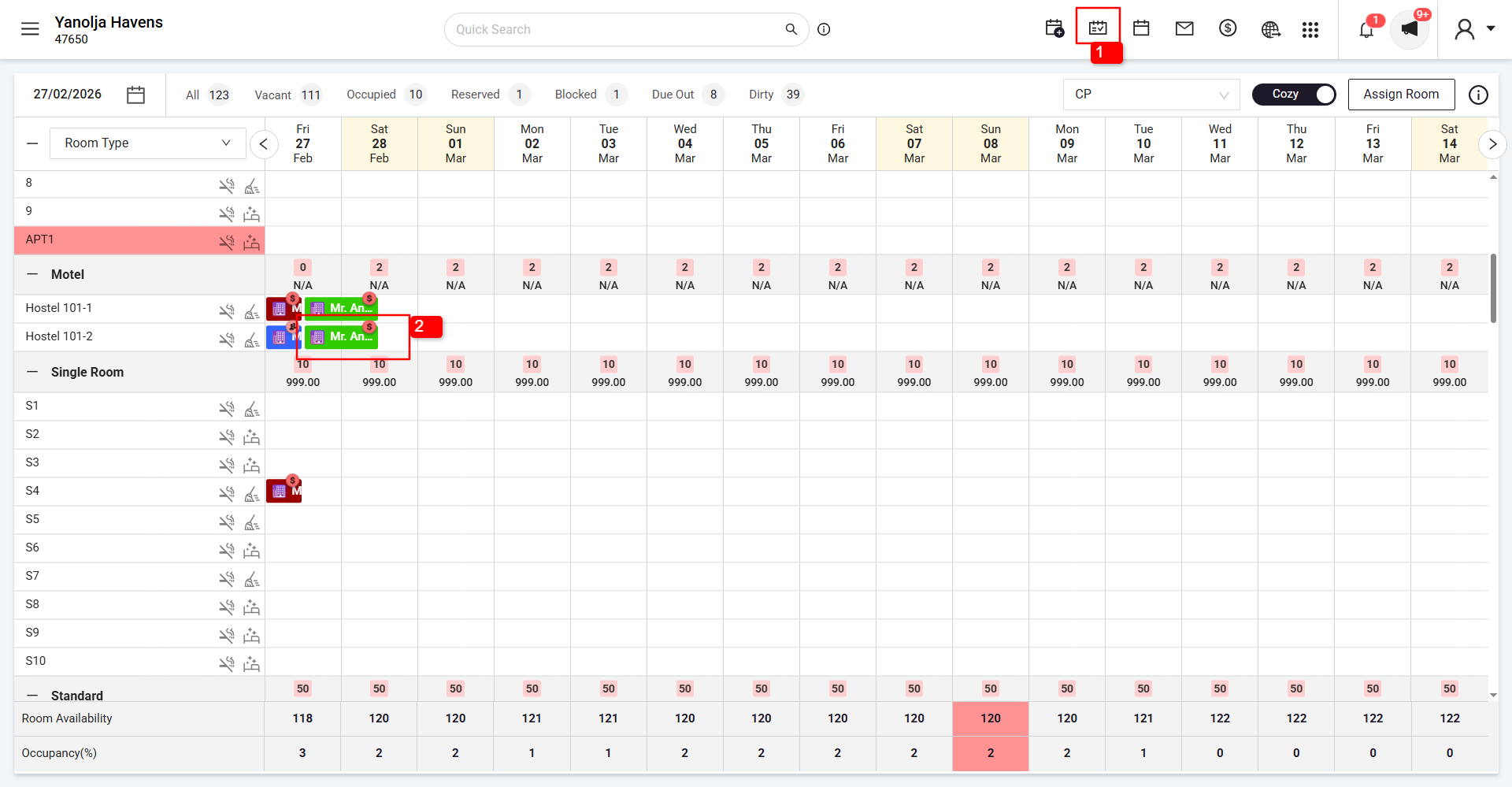
3 Click on Edit Reservation.
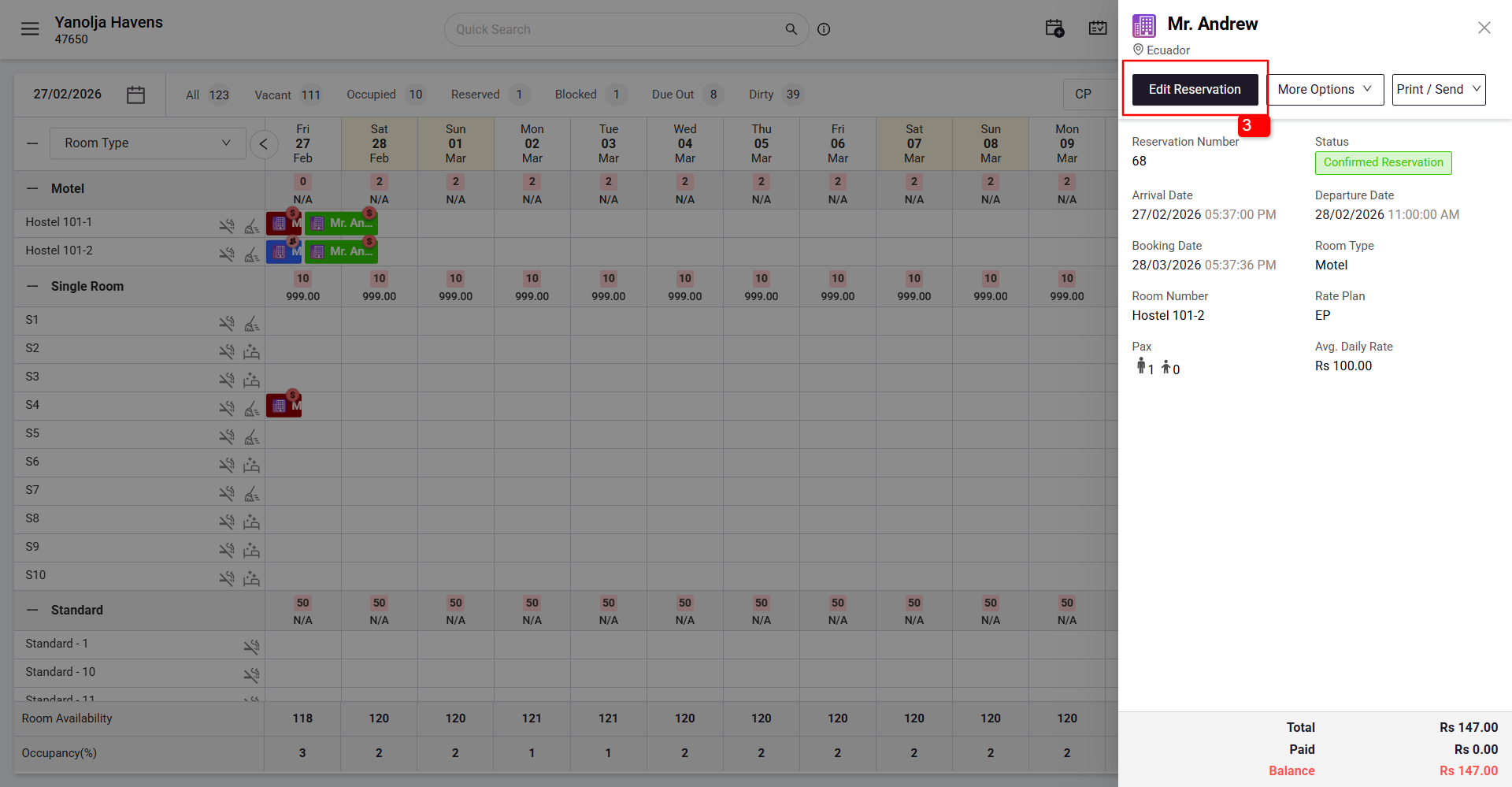
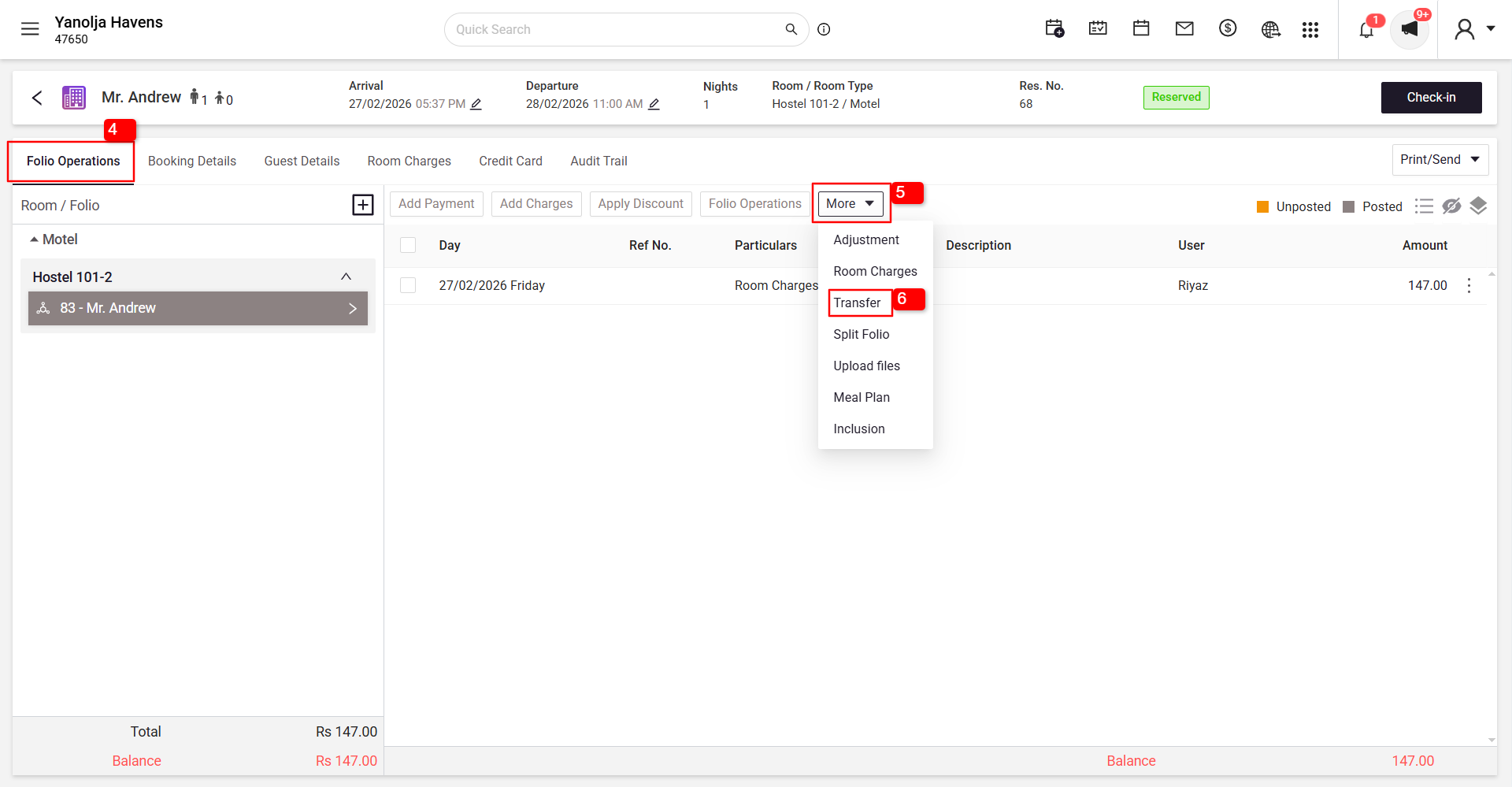
Initiate Balance Transfer
4 Go to the Folio Operations tab.
5 Click on More.
6 Select Transfer.
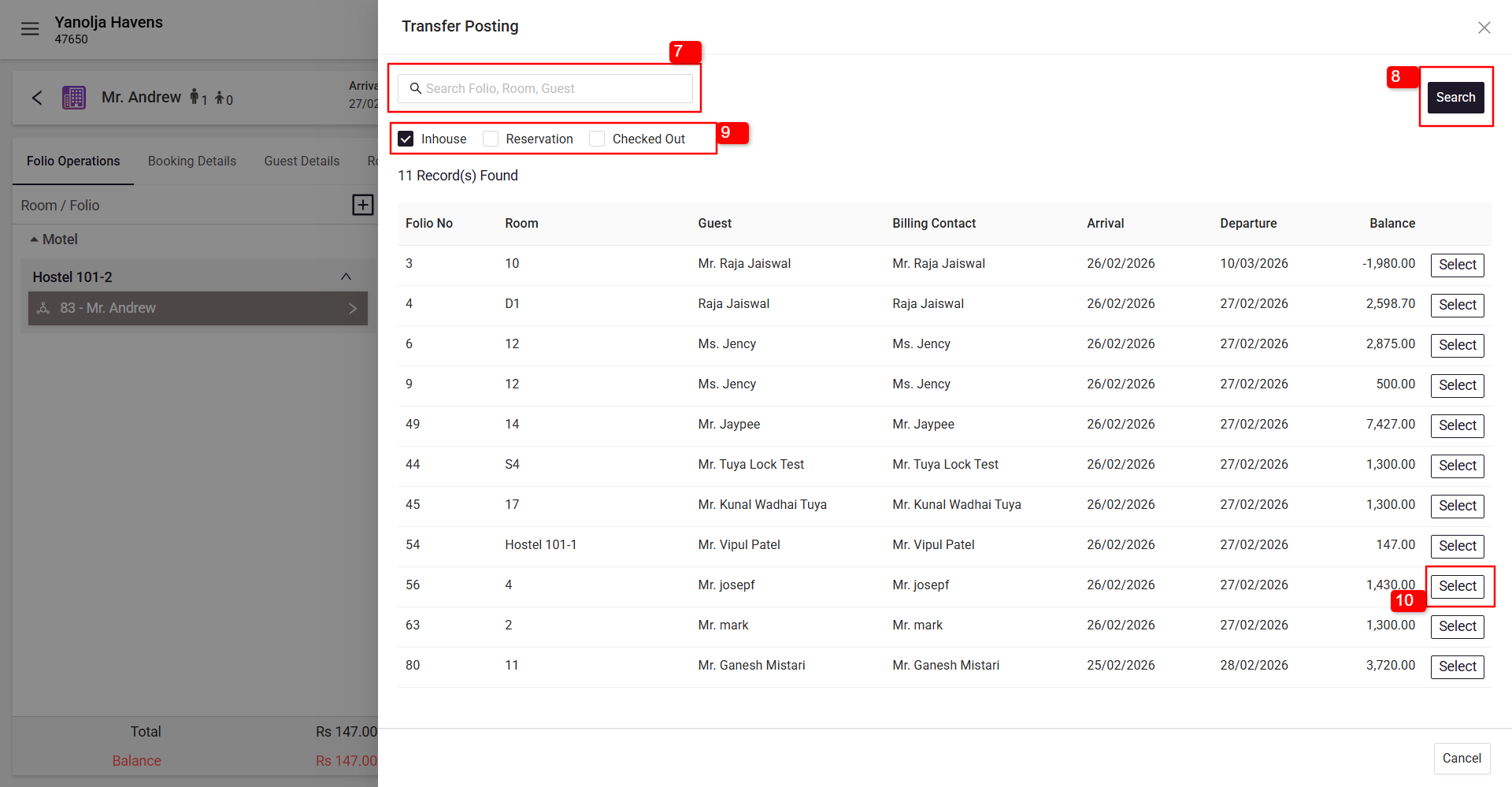
Select Destination Folio
7 Search for the folio using the Search option available at the top
8 Click on Search.
9 You can also select criteria such as In-house, Reservation, or Checked-out.
10 Click on Select (Destination Folio).
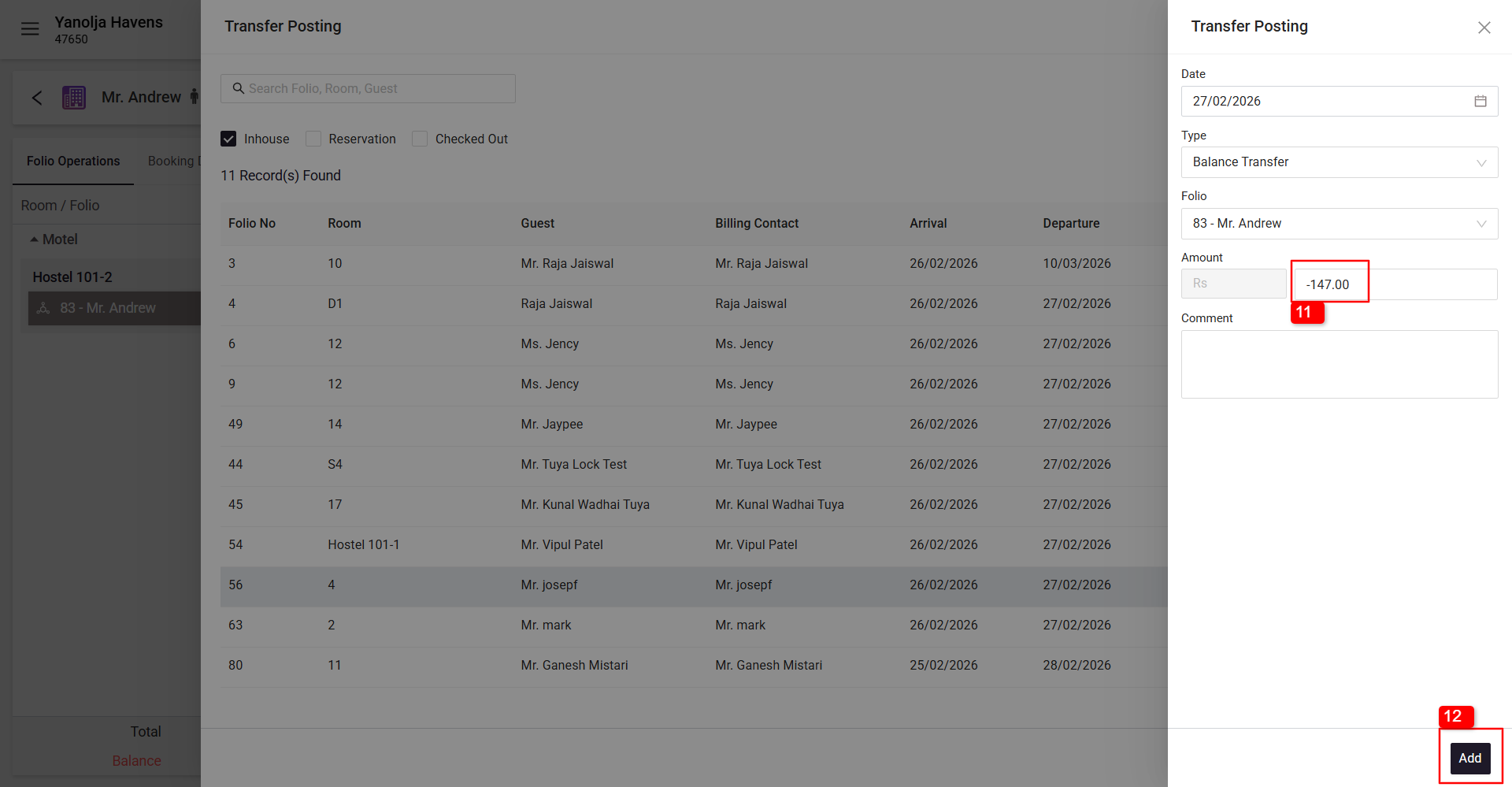
11 Verify the amount and confirm the transfer.
12 Click on Add.
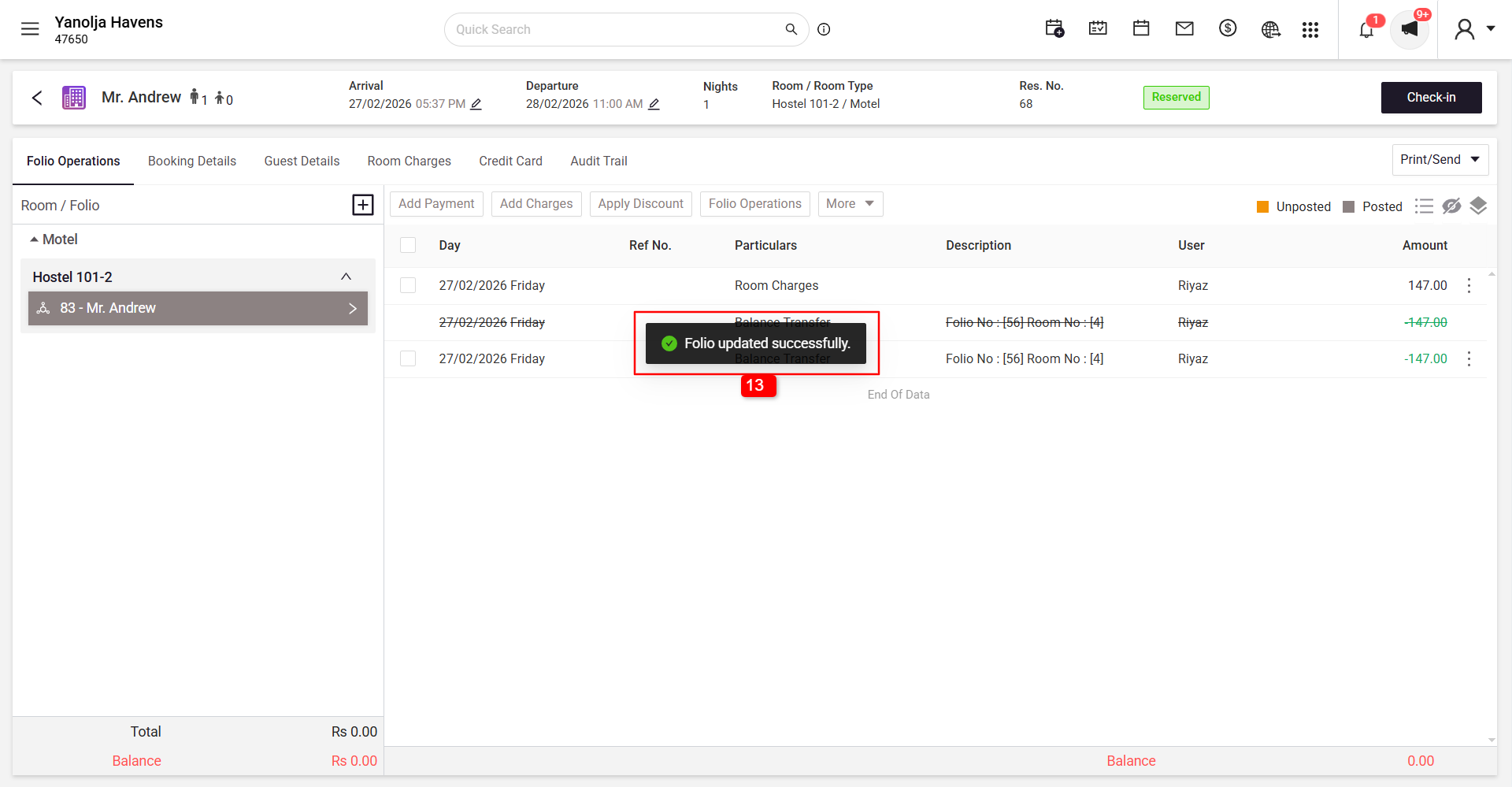
13 After transferring, a success message will appear confirming the transfer.
User Privileges Required
Ensure that the user performing this action has the appropriate privileges.
To Access Configuration Panel
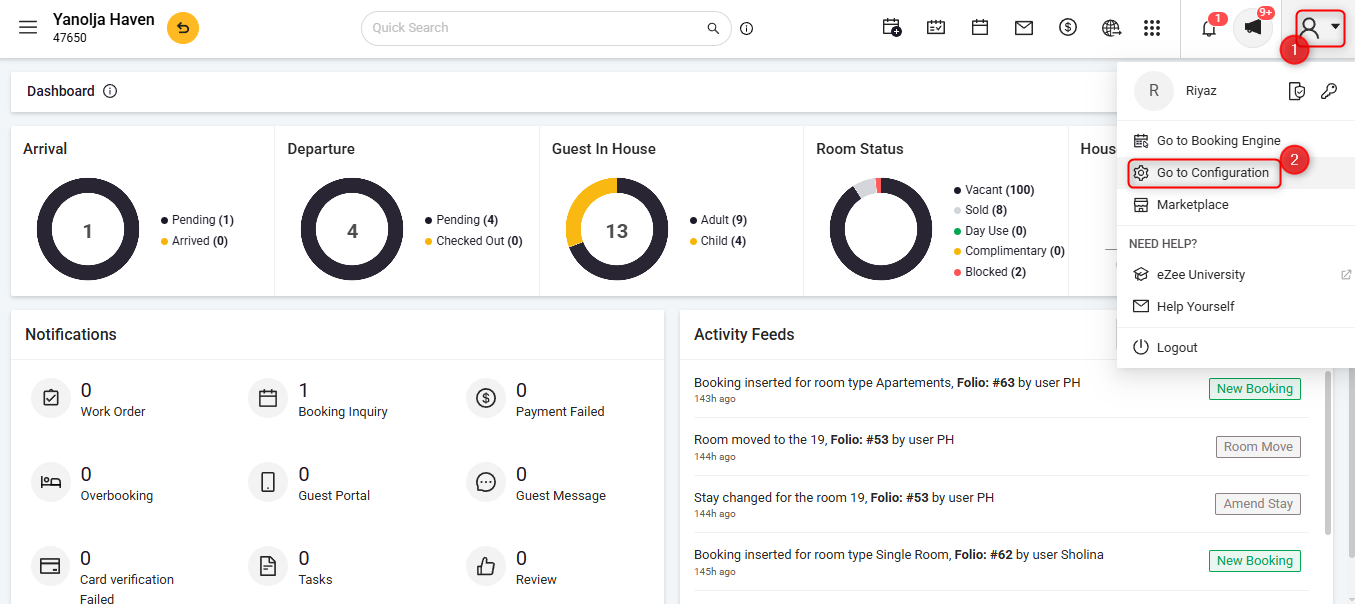
1 Click on the User Icon.
2 Click on Go To Configuration.
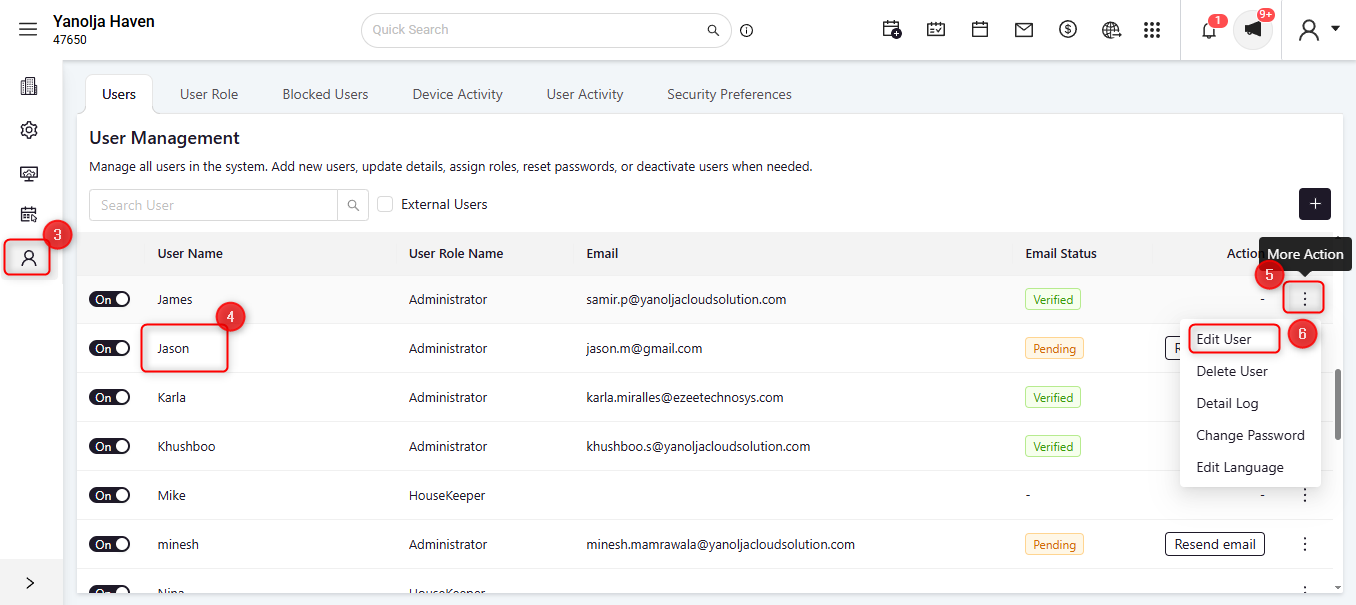
3 Click on User Management.
4 Select the required user.
5 Click on the three-dot menu (More Options).
6 Click on Edit User.
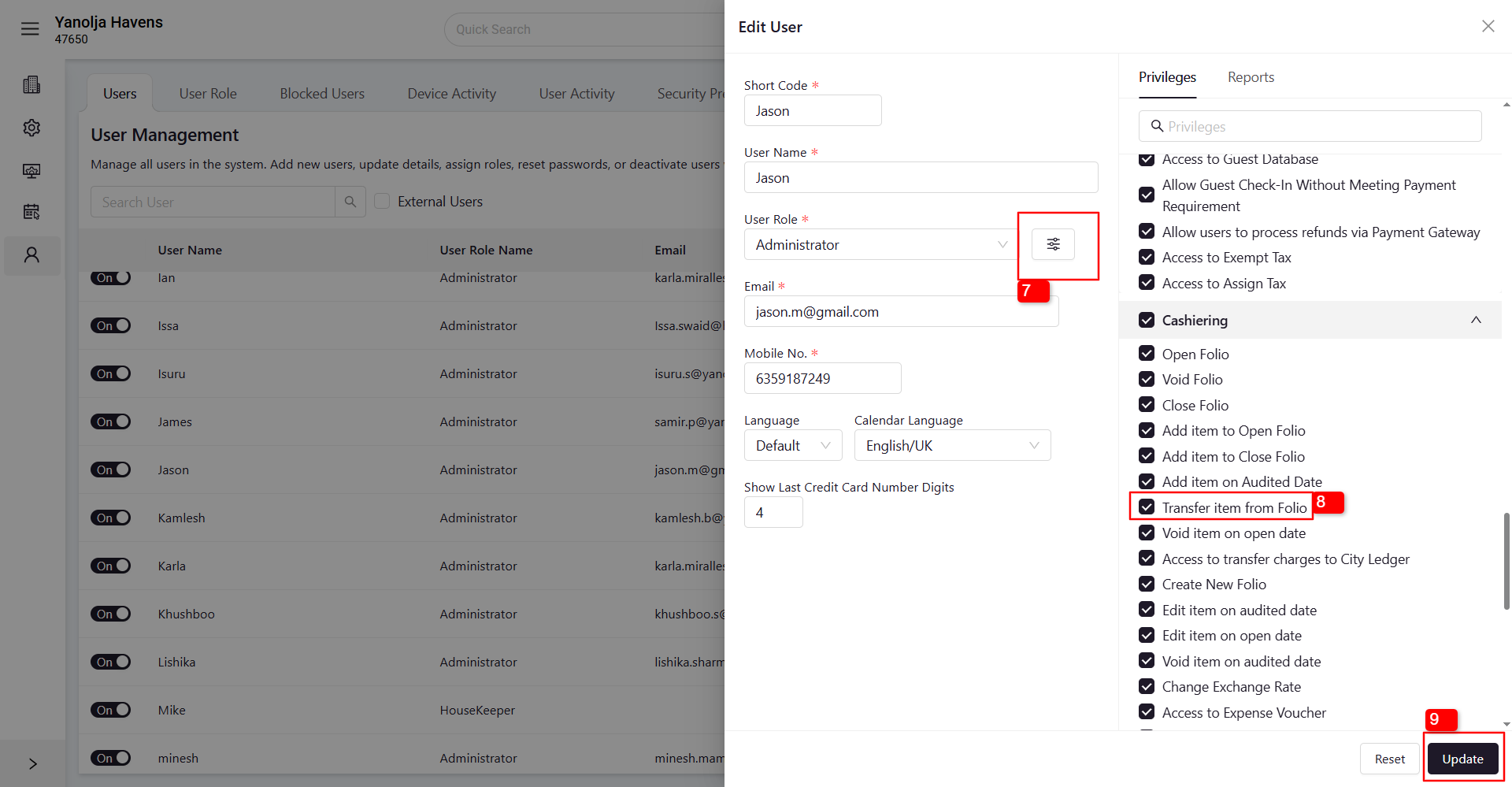
Under User Role
7 Click on the ≡ (three lines) menu.
8 Under Cashiering Privileges, enable the Transfer Item from Folio option.
9 Click on Update to save the changes.
Report
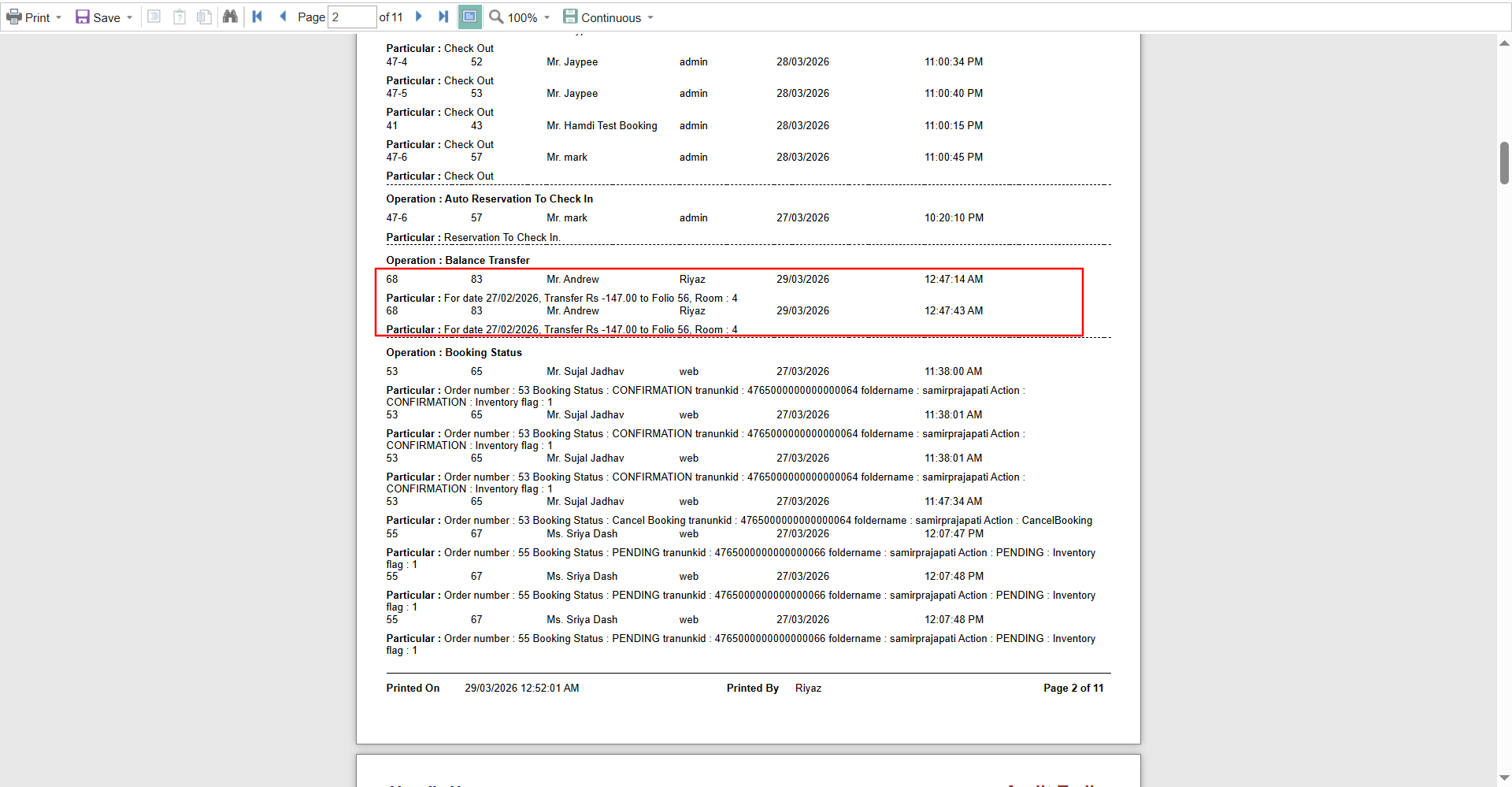
To check transferred folios, you can refer to the Audit Trails Report in the Reports section.
Steps to Access the Report
1 Click on the Menu Option.
2 Click on Reports.
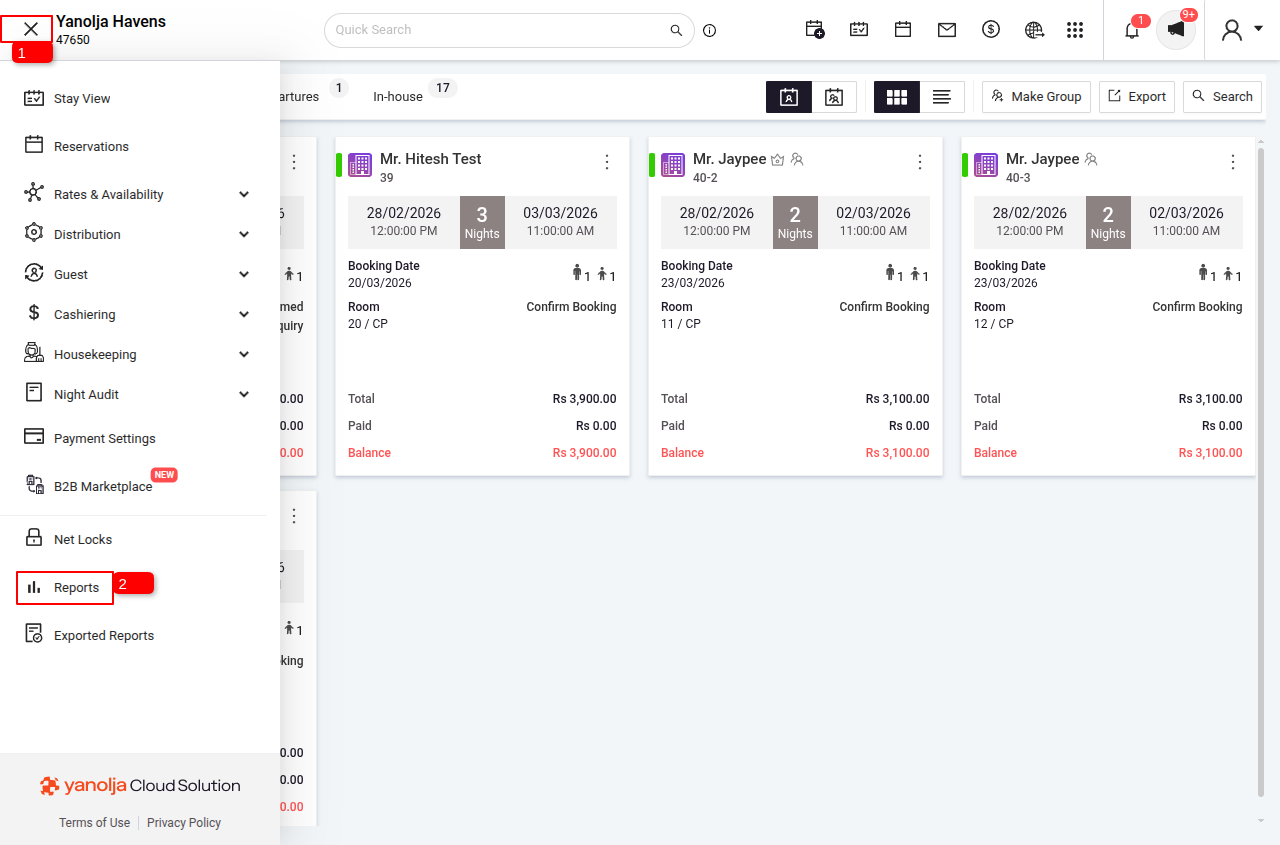
3 Search for Audit Trails Report and select it.
4 Select the date range for which you want to check folio operations.
5 Click on Report to generate the report.

Was this article helpful?
That’s Great!
Thank you for your feedback
Sorry! We couldn't be helpful
Thank you for your feedback
Feedback sent
We appreciate your effort and will try to fix the article