Yes, it is possible to create a Quick Group Booking with the required number of rooms in a single reservation. You simply need to specify the total number of rooms required for each room type, and the system will automatically allocate the rooms based on availability.
Steps to Make a Quick Group Booking :
1. Click on Add Reservation from the Front Office module.
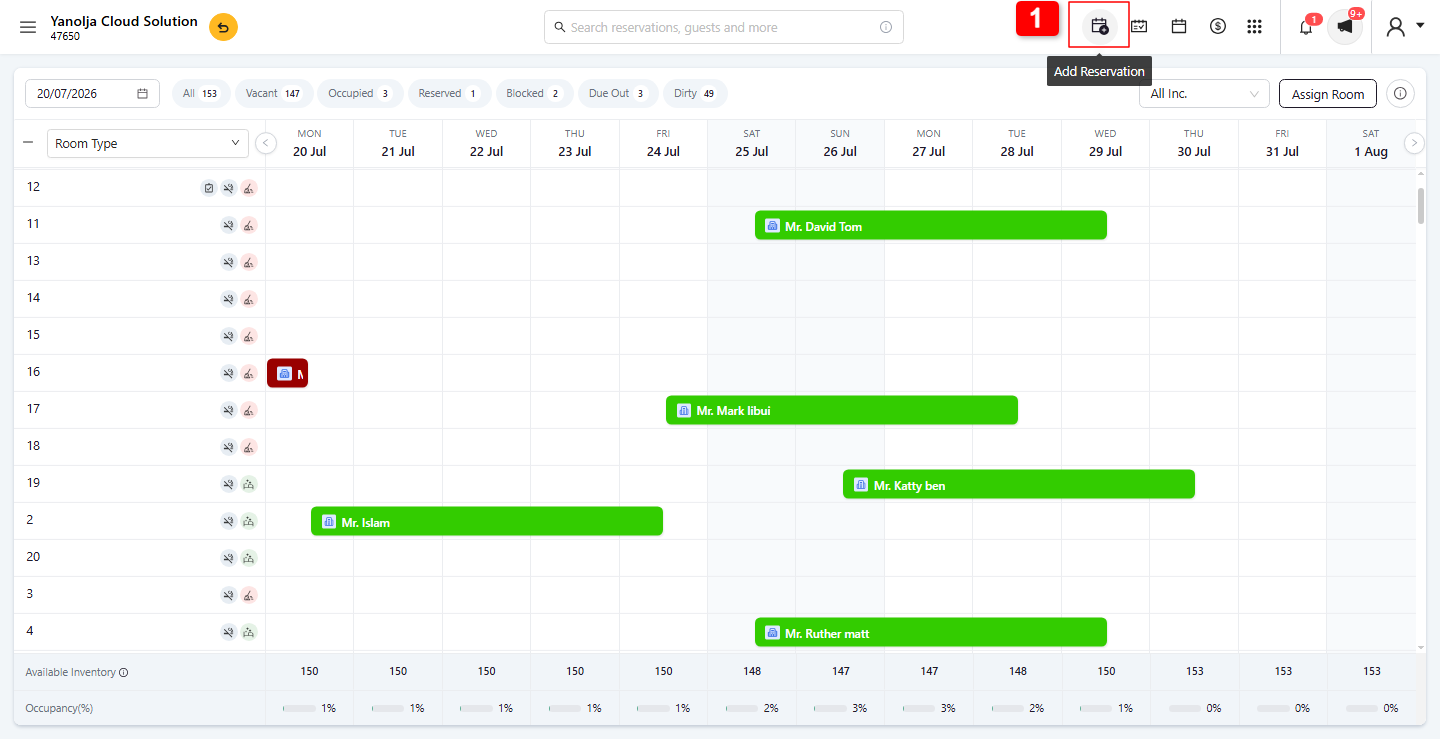
2. Enable the Quick Group Booking checkbox.
3. Select the total number of rooms required for each room type.
4. Reservation Details: Fill in the Check-In Date, Check-Out Date, and Business Source details.
5. Select the Room Type, Rate Type, Room Number, and Pax Count.
6. On the Guest Information page, you can enter or capture the guest's details.
7. If an ID Scanner is integrated, click ID Scanner and scan the guest's driver's license or ID. The system will automatically populate the guest details. Alternatively, you can manually enter the guest information.
8. If the ID was scanned, the details will be populated automatically. Otherwise, you can manually enter the details.
9. Click Reserve to confirm the Quick Group Booking.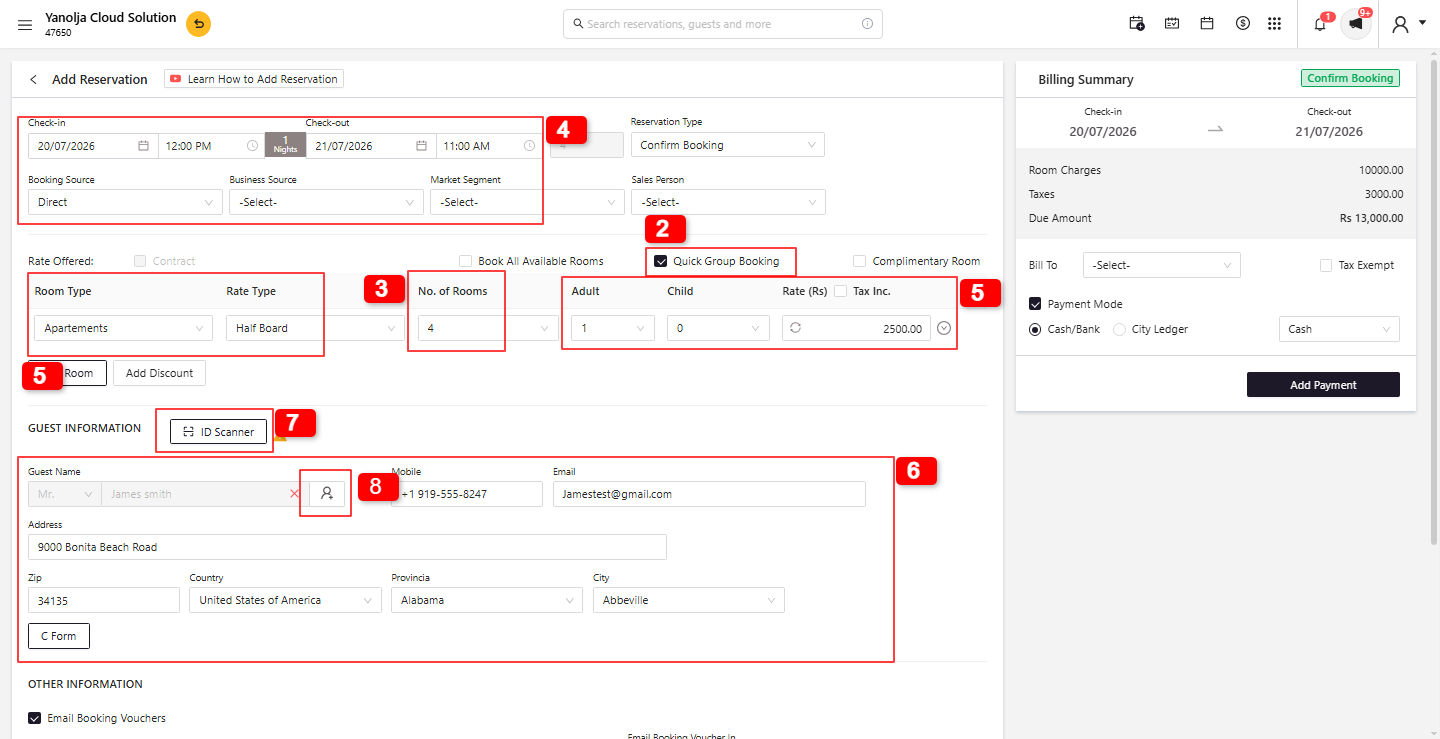
Was this article helpful?
That’s Great!
Thank you for your feedback
Sorry! We couldn't be helpful
Thank you for your feedback
Feedback sent
We appreciate your effort and will try to fix the article