If you want to generate a single invoice number for a group booking, follow the steps below.
1. Click on Profile.
2. Go to Configuration.
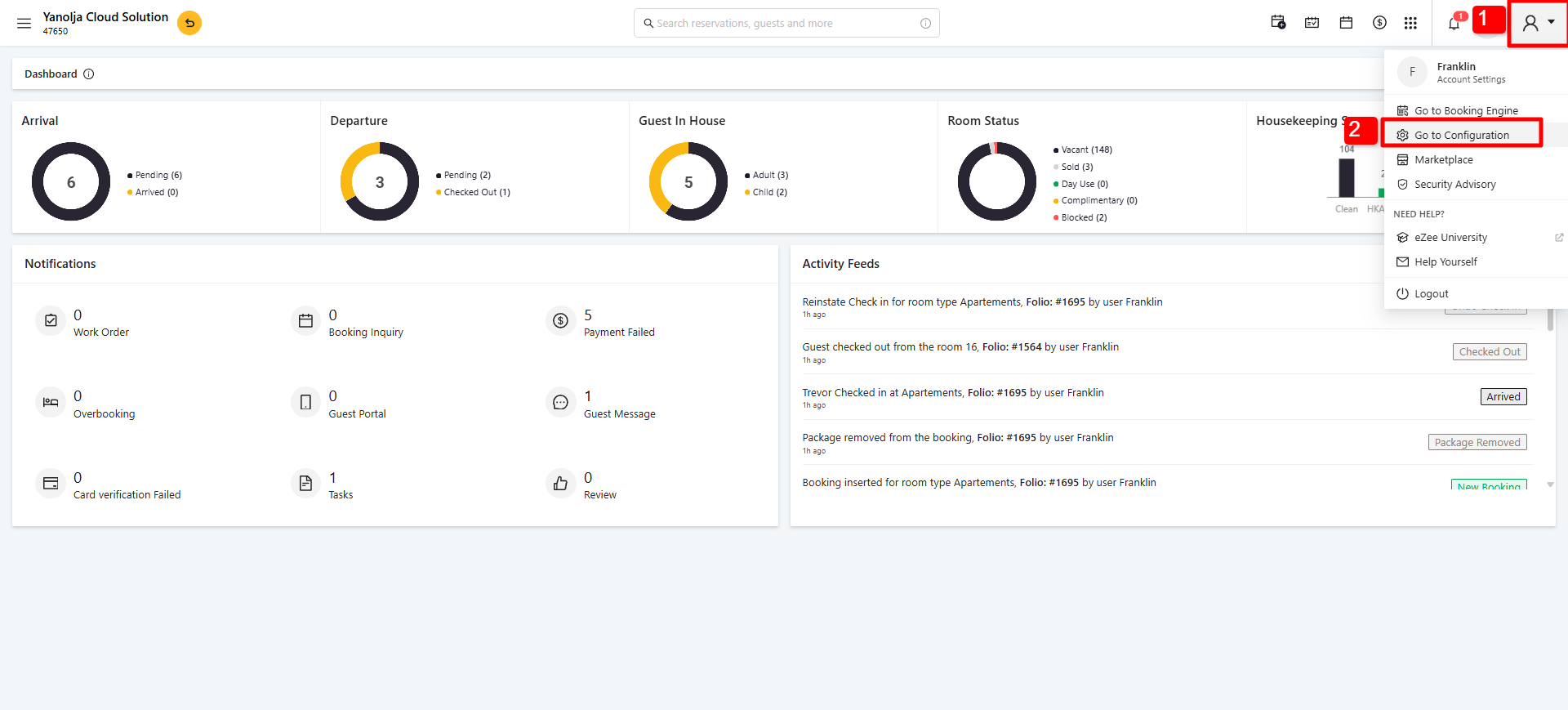
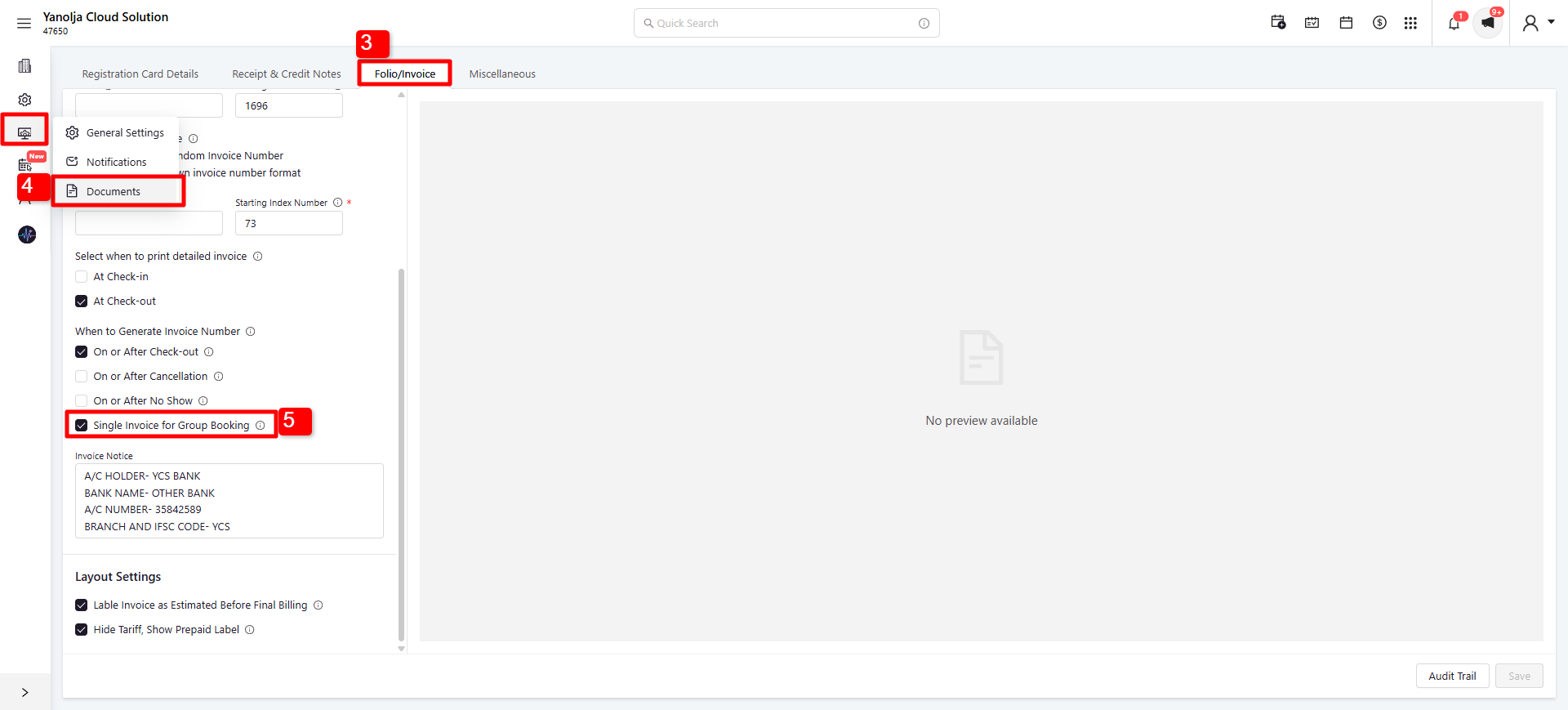
3. Navigate to Settings and click on Documents.
4. Go to the Folio/Invoice section.
5. Scroll down until you find the Single Invoice for Group Booking option, and enable it.
Was this article helpful?
That’s Great!
Thank you for your feedback
Sorry! We couldn't be helpful
Thank you for your feedback
Feedback sent
We appreciate your effort and will try to fix the article