Overview
The Guest Details section allows you to update the guest profile associated with a reservation. You can modify the guest information for a single booking without affecting other reservations.
For group reservations with multiple rooms, you can enable the Guest List option to quickly update guest details for all rooms from a single screen.
Steps (Single Booking)
- Open the required reservation.
- Go to the Guest Details tab.
- Search for and select the required Guest Profile from the Name field.
- Verify or update the required guest details.
- Click Save.
Screenshot 1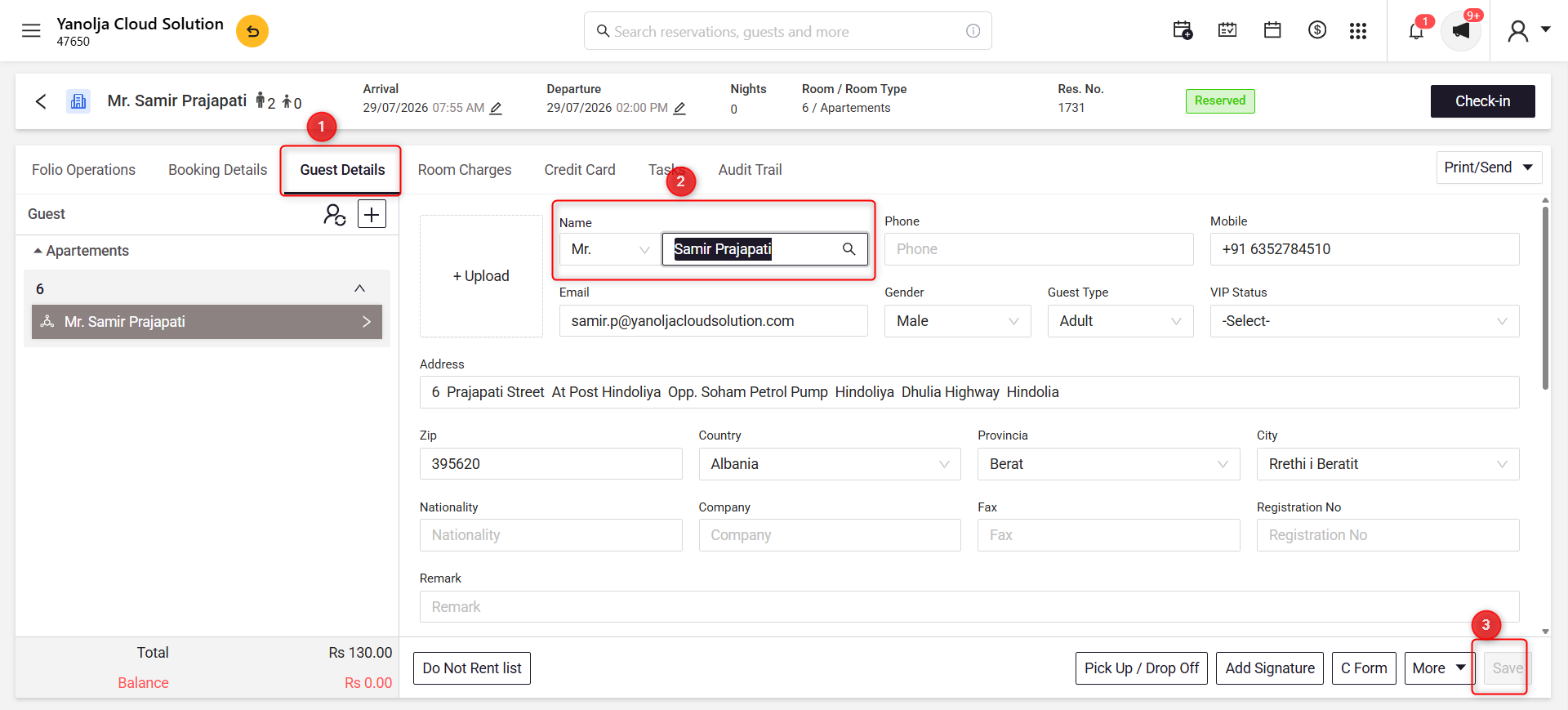
Alternative Method (For Group Reservations)
If the reservation contains multiple rooms, you can update guest details more efficiently using the Guest List option.
Steps
- Open the required Group Reservation.
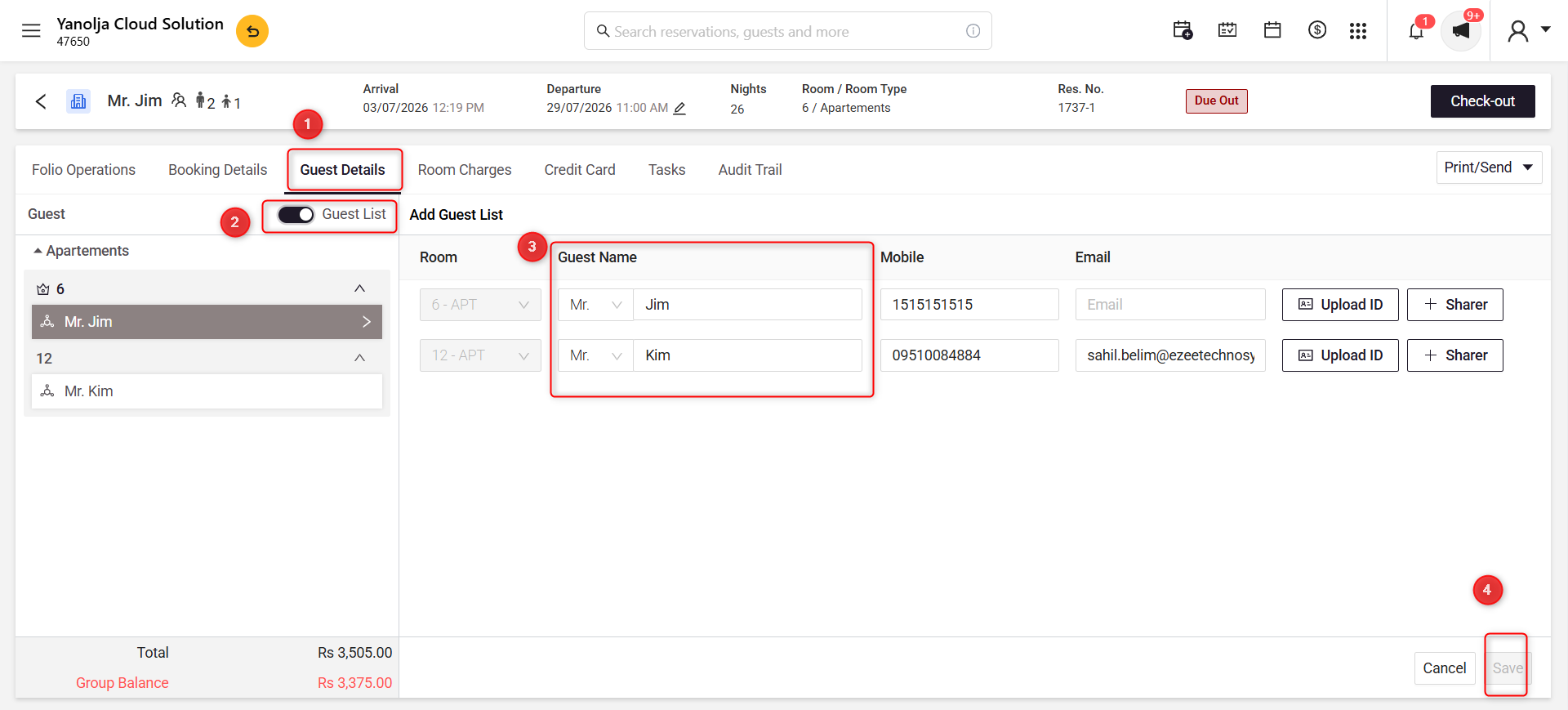
- Go to the Guest Details tab.
- Enable the Guest List toggle.
- Update the guest details for the required room(s).
- Click Save.
Screenshot 2
Was this article helpful?
That’s Great!
Thank you for your feedback
Sorry! We couldn't be helpful
Thank you for your feedback
Feedback sent
We appreciate your effort and will try to fix the article